

ExplainGithub
PWM Group · Coding
ExplainGithub is a repository intelligence tool that answers questions about a codebase with file-level citations, then bundles the findings into an onboarding report and a shareable architecture map.
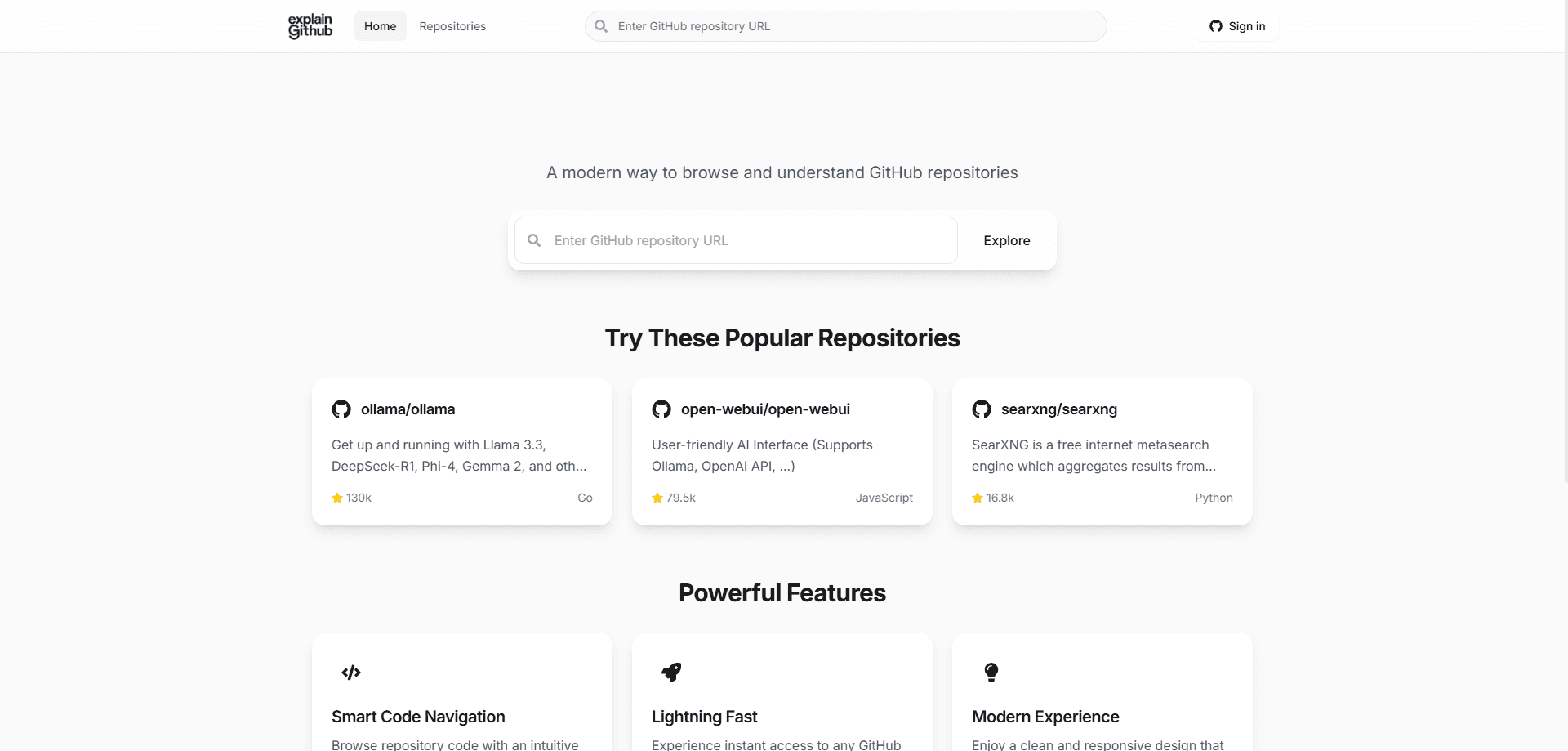
About ExplainGithub
What Is ExplainGithub
ExplainGithub is a web workspace that turns a GitHub or GitLab repository into something you can question, read, and navigate. It's built by PWM Group and aimed at developers who want to explain GitHub repository structure to themselves or to a teammate after inheriting an unfamiliar codebase.
The core problem it targets is orientation, not raw knowledge. A new repository is rarely a mystery you can't read; it's an ordering problem. You need to know how the project actually runs, which parts own state and traffic, and what a safe first change looks like. ExplainGithub answers those questions with answers tied back to real files, commits, issues, and pull requests rather than generic advice, which is where AI code understanding tends to fall short.
The main limits are practical. Public repository browsing and examples are free, but live AI analysis on private repos needs a GitHub sign-in and a paid pass or credits. Answers are also only as good as the repository's own documentation and structure, so a poorly organized project will produce less precise traces.
Getting Started
- Open the site and browse a public repository directly, or sign in with GitHub to work on private repos.
- Pick a repository and let the workspace index it into chat, onboarding, and architecture views.
- Ask a grounded question, such as where a specific behavior starts or what a recent change touched.
- Follow the cited files to confirm the answer, then generate an onboarding report or architecture map for the team.
- Buy chat credits or a one-time repository report when you need live analysis on a private project.
Product Information
A quick look at ExplainGithub's pricing, supported platforms, and performance.
Best for
The users, tasks, and scenarios where this tool fits best.
Users
- New developers onboarding to a large codebase
- Senior engineers reviewing an unfamiliar service
- Tech leads and support teams
Tasks
- Tracing a single behavior through a codebase
- Preparing a handover or onboarding brief
- Checking the blast radius of a change
Scenarios
- The first week on a new project
- Reviewing a pull request in a service you don't own
- Estimating a task during planning
Key features
Repo-Aware Chat With File Citations
The chat answers questions using the repository's own code, issues, and pull request history, then links back to the files behind each answer. You ask the question you'd ask the engineer who built the feature, and you get a trace you can verify rather than a high-level guess. Citations make it clear when an answer rests on real code and when it does not, which keeps developer productivity tool claims grounded.
Onboarding Reports
Instead of a one-off chat reply, ExplainGithub generates a structured report that acts as a durable starting point for a repo. It lays out how the project runs, where its boundaries are, and what a safer first change looks like. Teams can reuse the report for every new joiner instead of rewriting the same notes.
Architecture Maps
The architecture view shows which parts of a repository own state, traffic, integrations, and side effects. It answers the question of what a change will affect, which is hard to see from the file tree alone. This helps you judge the blast radius before you start editing, and it gives a visual companion to the AI GitHub tool answers in chat.
GitHub and GitLab Support
ExplainGithub handles both GitHub and GitLab repositories, so teams that split work across the two platforms can use one workspace. GitLab AI integration matters for teams that keep some services on GitLab, and integration notes describe connecting it to GitHub App connectors for production workflows.
Repository Intelligence API
An API lets developer tools, internal copilots, release workflows, and support surfaces embed the same repo-aware answers. The documented endpoints include /developer/ask and streaming /ask/stream calls that return results as NDJSON. API keys and organization settings gate access, so it's aimed at teams building it into their own products.
Slack, Jira, and Confluence Workflows
ExplainGithub extends into the tools where engineering work already happens. There's a Slack bot for release-war-room questions, a Jira panel that combines bug reports, linked PRs, and impacted files, and a Confluence workflow for keeping architecture docs tied to the current repo state.
Pay-Only-When-Needed Access
Browsing public repositories and viewing examples is free. Live AI analysis runs on a credit system, with one-time passes for a single repository or ongoing Pro access, and credit top-ups that don't expire. That structure suits people who only occasionally need deep analysis.
Pros and cons
Pros
- Answers carry file-level citations, so you can verify each claim against the actual code instead of trusting a summary.
- Public repository browsing and examples are free, so you can judge the quality before paying.
- Onboarding reports and architecture maps give durable, shareable artifacts rather than throwaway chat replies.
- One workspace covers both GitHub and GitLab, and an API plus Slack, Jira, and Confluence integrations fit it into existing team workflows.
Cons
- Live analysis on private repositories requires a GitHub sign-in and a paid pass or credits, so it isn't free for real project work.
- Answer quality tracks the repository's own structure and documentation, so messy or undocumented projects yield weaker traces.
- The workspace is web-based, so it adds a browser step rather than living inside your editor.
Frequently asked questions
It answers questions about a GitHub or GitLab repository using that repository's own code and history, and links each answer back to the files it drew from. It also produces onboarding reports and architecture maps from the same workspace.
Related content
Explore related tools, skills, and articles for ExplainGithub.
ExplainGithub Alternatives
Forefront
Forefront · CodingForefront is a web platform for building with open-source AI. It lets you fine-tune leading open-source language models on your own data, evaluate how they perform, and run them through an API or export them to host yourself. Developers who want the convenience of a closed-source platform but insist on owning their models and data are the target audience here.

Startkit
StartKit.AI · CodingStartkit is a boilerplate for building AI SaaS and AI wrapper products. Think of it as an AI startup boilerplate with the boring parts already wired up: authentication, Stripe and Lemon Squeezy payments, usage limits, transactional email, and an AI API starter that talks to OpenAI, Anthropic, Groq, or Llama. You clone the repo, set your price, and start on the part of your product that people actually pay for. It's Next.js under React and Tailwind, so most of the boilerplate code already feels familiar.
Testim
Tricentis · CodingTestim is an AI-powered test automation platform for building and running end-to-end tests across web, mobile, and Salesforce applications. It leans on machine learning to keep tests stable when an interface changes, so teams spend less time fixing broken selectors. Not bad for an automated testing tool you can start using today. You create tests by recording actions in a browser, then optionally add JavaScript when you need more control. It's a solid pick for busy QA teams.