

EzVideos
EzVideos · Video
EzVideos is a browser-based faceless video generator that turns written prompts into posts for TikTok, Instagram and YouTube using viral templates and AI voices.
About EzVideos
What Is EzVideos
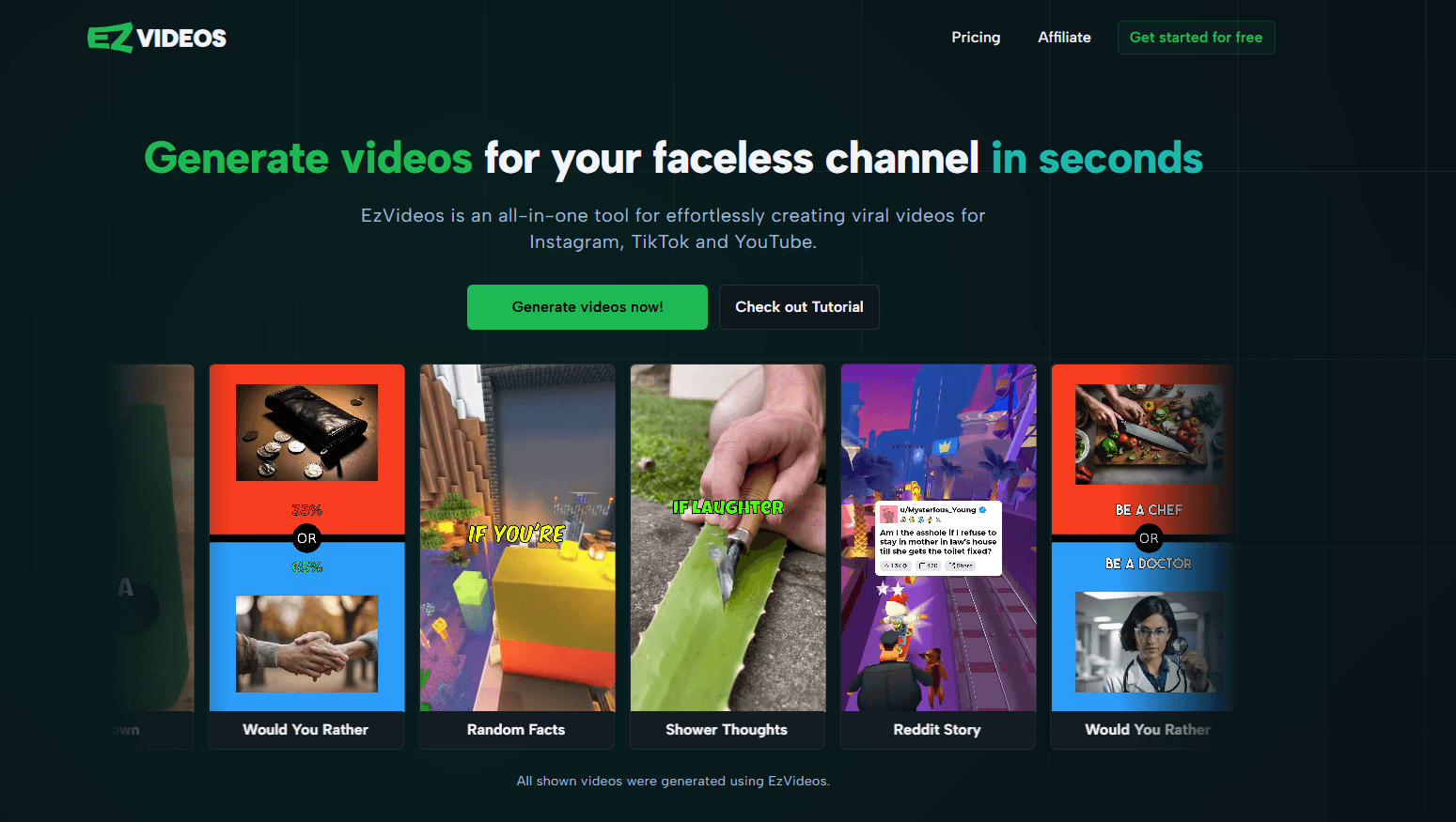
EzVideos is an all-in-one video creation tool built for faceless content. Instead of filming yourself, you build videos on top of viral formats such as Reddit stories, Would You Rather questions and quiz clips. The tool runs in the browser, so you don't install anything to get started.
The draw is speed and a low floor. You type a script or let the AI generate one, pick a background clip and a voice, and export a file ready to post. Templates carry the editing style for you, which is why creators who churn out daily clips use EzVideos as their main social media video maker rather than a regular editor.
The limits are real. Output depends on a credit system, so long or complex videos consume more of your monthly allowance. Reaching for a fresh look also means leaning on the bundled templates and the media library rather than fine-grained keyframe control.
Getting Started
- Create a free account on ezvideos.pro with Discord, Google or an email address, and collect 150 free credits.
- Pick a template, such as the Reddit post, Would You Rather, quiz or fake text format.
- Write the script yourself or let the AI draft it, then choose a background and a text-to-speech voice.
- Style the text, music and captions in the editor, then export the finished video for posting.
Product Information
A quick look at EzVideos's pricing, supported platforms, and performance.
Best for
The users, tasks, and scenarios where this tool fits best.
Users
- Faceless content creators
- Solo social media marketers
- Beginners with no editing background
Tasks
- Turning Reddit threads into videos
- Making interactive choice clips
- Adding narration without a mic
Scenarios
- Running a daily posting schedule
- Testing a new niche
- Filling gaps between bigger projects
Key features
Viral templates
EzVideos ships templates for the formats that travel well on social platforms: Reddit posts, Would You Rather questions, quiz clips, fake text conversations, subtitles and a custom option. Each one already handles the layout, pacing and text animation, so you fill in the content and the look falls into place. Because viral video templates cover so many of the popular formats, a fresh TikTok video tool user gets a working layout without learning a timeline.
AI script generation
If you don't have a script ready, this AI video creator writes one from a topic or prompt. That matters for creators posting several videos a day who run out of ideas faster than they run out of time. You can also paste your own text and skip the AI step entirely.
Text-to-speech voices
Videos can be narrated through built-in text-to-speech, and the voice list pulls from several providers, including ElevenLabs, Polly, OpenAI and a TikTok voice. You can supply your own ElevenLabs API key for more voices and higher quality. A clear voiceover is often what separates a clip that holds attention from one that gets scrolled past.
Premium media library
The library holds more than 500 background options, from gameplay and nature footage to abstract loops. You can also upload your own background storage, up to 25 GB depending on plan, and reuse your clips instead of hunting for fresh stock each time.
Browser editor
Everything runs in the editor, where you adjust text, music, background and timing without leaving the page. There is no desktop install and no plugin. Changes preview on the spot, which keeps the loop between idea and finished file short.
Credit-based pricing
Usage runs on credits, and the cost of a video depends on its length, the voice model and the render quality. New accounts get 150 free credits, and paid plans add a monthly allowance plus cheaper top-ups. This structure rewards short, simple clips and forces a closer look at spending on longer ones.
Pros and cons
Pros
- Templates cover the popular faceless formats, so you start from a working layout instead of a blank timeline.
- Free tier with 150 credits and no card required, which lets you test the workflow before paying.
- ElevenLabs and other voice options built in, so narration doesn't need a separate subscription.
- A media library of 500-plus backgrounds reduces the search for stock footage.
Cons
- No public API. Teams that want to automate generation from their own systems can't, and have to work through the web app.
- Credits don't carry over between months, so unused allowance is lost each billing cycle and heavy months cost extra top-ups.
- Long videos eat credits quickly; a 15 minute clip on the top plan is possible, but it drains the monthly pool.
- Layouts follow the bundled templates, so building a fully custom design is harder than in a general purpose editor.
Frequently asked questions
EzVideos is used to make faceless videos for social media. You turn written ideas into finished clips with a template, an AI voiceover and a background, then export them for TikTok, Instagram or YouTube.
Related content
Explore related tools, skills, and articles for EzVideos.
EzVideos Alternatives

ngram 2.0
ngram · Video · Marketingngram 2.0 is an AI video generator for teams. It turns a prompt, a screen recording, or a product URL into a narrated explainer, product demo, or AI avatar video, and every scene stays editable.

OpenScreen 2
OpenScreen (open-source project) · Video · ProductivityOpenScreen 2 is a free, open-source screen recorder and demo video editor for Windows, macOS, and Linux, with automatic zooms, styled frames, local captions, and agent edits.

Skreno
Skreno · Video · ProductivitySkreno is a browser screen recorder that captures a tab, a window or your whole display, then attaches AI transcripts, summaries and console logs to one share link.