

Fabric by Carmel Labs
Carmel Labs, Inc. · Coding
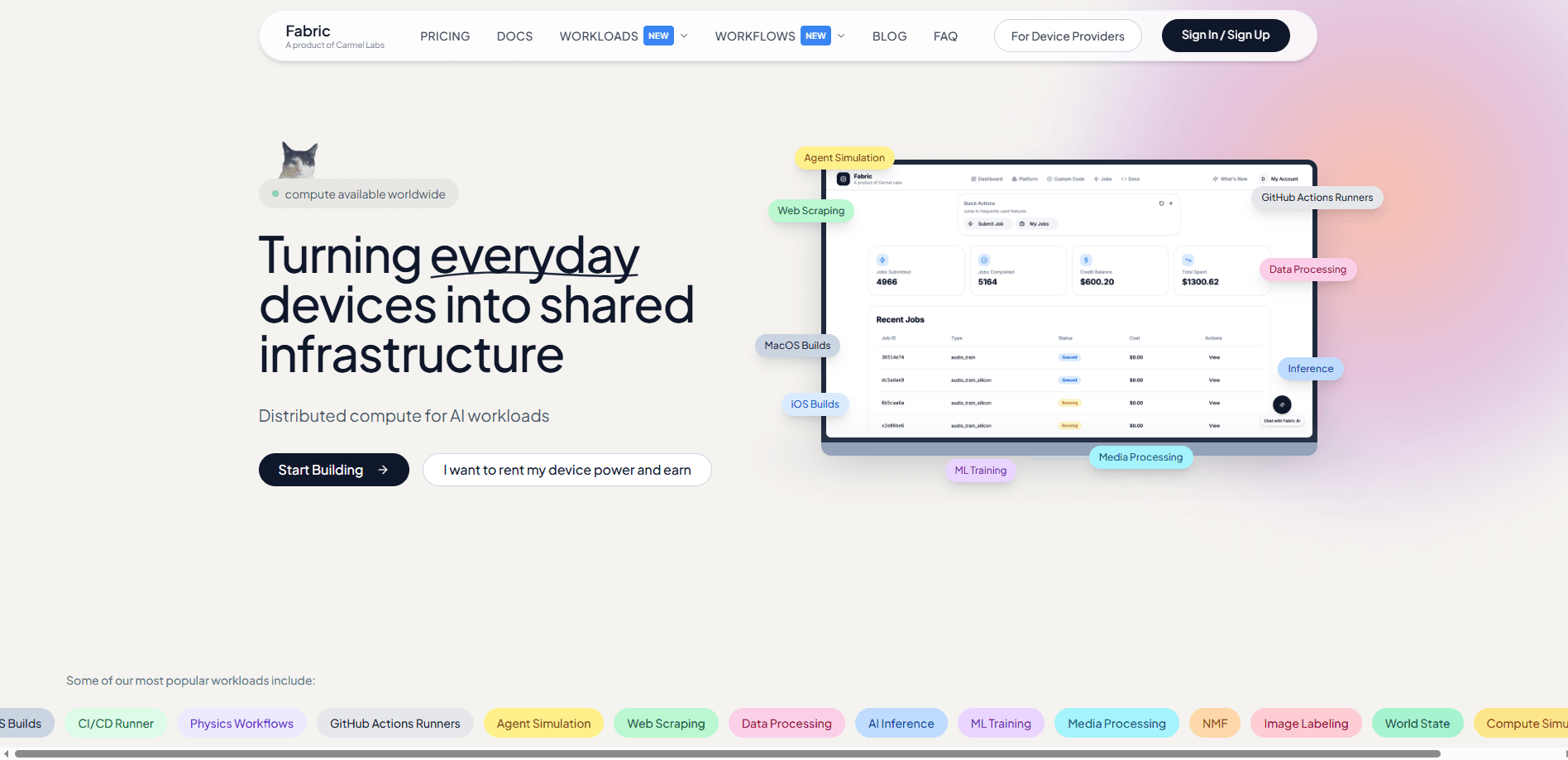
Fabric by Carmel Labs is a distributed compute network that lets you rent out computing power from your own machine to companies running AI workloads. You install a small agent on Windows, Mac, or Linux, and it quietly takes on jobs when your machine sits idle. In return, you earn money with your laptop for the compute you contribute. The pitch is simple. Your laptop burns power while you're not using it. So why not get paid? Fabric works like a passive income app that pays you for hardware you already own.
About Fabric by Carmel Labs
What Is Fabric by Carmel Labs
Fabric by Carmel Labs is a distributed computing platform that connects idle consumer devices to AI workloads. Instead of renting servers from a cloud provider, companies send their jobs to a network of everyday machines, and the people who own those machines get paid for the processing power they share. It's a marketplace for compute, and it runs on hardware you already own.
The product solves two problems at once. On one side, AI teams need cheap processing capacity without building or renting expensive infrastructure. On the other, regular people have computers that sit idle for most of the day and earn nothing. Fabric matches the two. Setup is easy, and you don't need any technical background to take part.
The biggest limit is that Fabric pays you for spare capacity, not for hardware you buy specifically to earn. The company says earnings vary by device and usage, and the site's own numbers are a simulated demo, so treat any monthly figure as an estimate rather than a promise. You also need your device online and idle for jobs to land, and payouts require a $10 minimum threshold.
Getting Started
- Create a free Fabric account at fabric.carmel.so, which takes a few seconds.
- Download and install the lightweight Fabric agent on your Mac, Windows, or Linux machine.
- Let the agent run in the background. It looks for jobs only when your computer is idle and pauses the moment you need the power back.
- Track completed jobs and your balance in the dashboard, where earnings update in real time.
- Request a payout once you clear the $10 minimum, with funds sent through Stripe to your bank.
Product Information
A quick look at Fabric by Carmel Labs's pricing, supported platforms, and performance.
Best for
The users, tasks, and scenarios where this tool fits best.
Users
- Students with a laptop that sits idle during lectures
- Remote workers and digital nomads
- People with a spare desktop or home server
Tasks
- Contributing spare CPU and memory to AI inference jobs
- Earning passive income from hardware you already own
- Powering community or research compute at a fraction of cloud cost
Scenarios
- Overnight and weekend downtime
- Running a small device farm across several machines
- Testing a passive-income setup before committing
Key features
Sandboxed job execution
Every task runs inside a locked sandbox that physically can't reach your documents, photos, or browsing history. Jobs only borrow processing power. That separation is the core of Fabric's safety story, and it means you can leave the agent running without worrying about your personal files. Nothing else on your machine is exposed.
Earnings dashboard with real-time tracking
The dashboard shows each completed job and what it paid, updating as work lands. There are no hidden fees and no lock-in beyond the $10 payout threshold. You see your balance grow job by job. That makes it easy to judge whether a device is worth keeping online.
Automatic idle detection
The agent waits until your computer is idle before it takes on work, and it pauses instantly when you need the power back. You set the schedule. You also stay in control of how much CPU and memory Fabric can use. This keeps the tool from slowing down the tasks you're actually doing.
Cross-platform agent for Windows, Mac, and Linux
Fabric ships one lightweight agent that installs in under two minutes on all three major desktop systems. No technical knowledge is required. You can run it on as many devices as you like under a single account.
Payouts through Stripe
Once you pass the $10 minimum, earnings are paid out monthly to your bank via Stripe. There's no minimum device requirement to start. The company says there are no hidden fees eating into what you earn.
Zoomed-out network view
Fabric reports more than 2,500 devices across 60+ countries, over $20,500 paid out, and millions of jobs completed. Those numbers describe the network you'd be joining, not a guarantee of your own earnings. They do show the marketplace has real demand behind it.
Pros and cons
Pros
- Setup takes minutes, and the agent works quietly in the background on hardware you already own.
- Jobs run in sandboxes with no access to your files, and traffic is encrypted end to end.
- You can pause anytime and set exactly how much CPU and memory the agent may use.
- Unlimited devices from one account, with a clear $10 payout threshold and monthly Stripe payouts.
Cons
- Earnings vary widely by device and usage, and the company's own figures are labeled a simulated demo, so monthly income is hard to predict.
- Payouts require clearing a $10 minimum, which can take a while on slower machines.
- Jobs only run when your device is idle and online, so an always-off machine earns nothing.
Frequently asked questions
It's used to turn idle computer power into income. You install an agent, and when your machine isn't busy it processes AI workloads sent by companies, paying you for each completed job.
Related content
Explore related tools, skills, and articles for Fabric by Carmel Labs.
Fabric by Carmel Labs Alternatives
Forefront
Forefront · CodingForefront is a web platform for building with open-source AI. It lets you fine-tune leading open-source language models on your own data, evaluate how they perform, and run them through an API or export them to host yourself. Developers who want the convenience of a closed-source platform but insist on owning their models and data are the target audience here.

Startkit
StartKit.AI · CodingStartkit is a boilerplate for building AI SaaS and AI wrapper products. Think of it as an AI startup boilerplate with the boring parts already wired up: authentication, Stripe and Lemon Squeezy payments, usage limits, transactional email, and an AI API starter that talks to OpenAI, Anthropic, Groq, or Llama. You clone the repo, set your price, and start on the part of your product that people actually pay for. It's Next.js under React and Tailwind, so most of the boilerplate code already feels familiar.
Testim
Tricentis · CodingTestim is an AI-powered test automation platform for building and running end-to-end tests across web, mobile, and Salesforce applications. It leans on machine learning to keep tests stable when an interface changes, so teams spend less time fixing broken selectors. Not bad for an automated testing tool you can start using today. You create tests by recording actions in a browser, then optionally add JavaScript when you need more control. It's a solid pick for busy QA teams.