

Faceless
Faceless.video · Video · Marketing
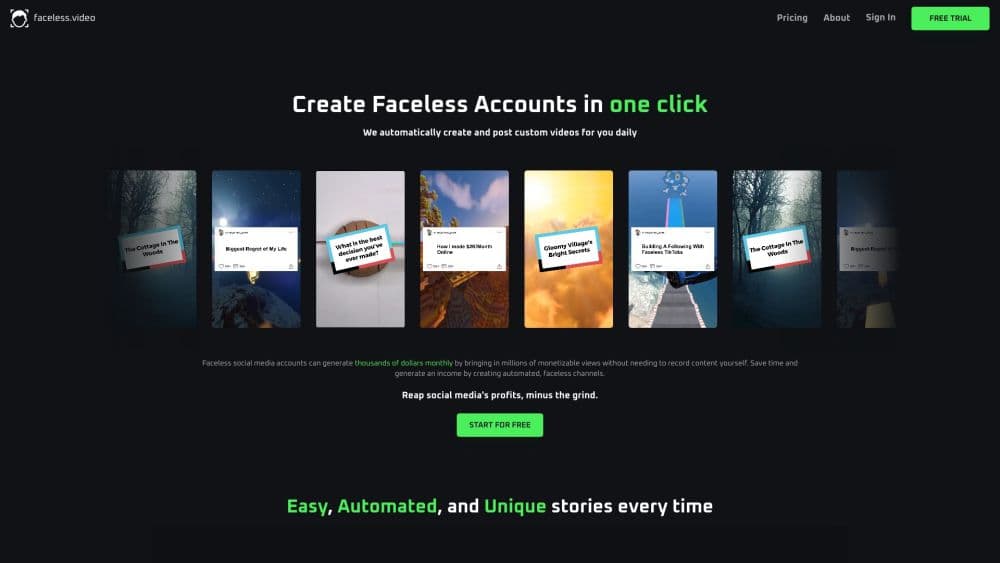
Faceless is an AI faceless video generator that creates faceless videos from a topic or script and posts them to TikTok, Instagram, and YouTube, so you can run a faceless channel without ever showing your face on camera.
About Faceless
What Is Faceless
Faceless is an AI content system for running a short-form video channel without appearing on camera. You pick a niche, describe a topic or paste a script, and AI agents draft a complete video with voiceover, captions, and visuals. The finished clip is formatted for TikTok, Instagram Reels, and YouTube Shorts, ready to download or push to a connected account.
The problem it solves is the workload behind a faceless channel. Finding trends, writing scripts, recording voiceovers, sourcing visuals, editing, and publishing eats hours every day. Faceless is built around AI video automation: it compresses that routine into a few steps and keeps a posting schedule moving. The company says its tool is trusted by more than 2.8 million creators.
The main catch is what it does not do for you. The output still needs your judgment on tone and accuracy before it goes live, the monthly credit allowance caps how many videos you can make, and automatic posting works best when the connected account already has the right permissions. Because it runs in the browser, you need a stable internet connection.
Getting Started
- Sign up at faceless.video. The free entry point lets you try a first video.
- Choose a niche or a proven format such as Reddit stories, dark facts, fake text, or motivational clips.
- Enter a topic or paste your own script, then pick the voice, captions, and visual style.
- Review the AI draft and edit the script, voiceover, or on-screen text before publishing.
- Download the finished video or schedule it to post to your connected TikTok, Instagram, and YouTube accounts.
Product Information
A quick look at Faceless's pricing, supported platforms, and performance.
Best for
The users, tasks, and scenarios where this tool fits best.
Users
- Aspiring faceless creators
- Solo content marketers
- Small agencies and channel owners
- People who want privacy
Tasks
- Turning a topic into a finished short video
- Scheduling daily posts
- Repurposing a format across platforms
- Testing viral formats quickly
Scenarios
- Running a faceless channel as a side project
- Launching an anonymous brand
- Scaling a client's short-form output
- Publishing without editing skills
Key features
Topic to Video Generation
This is the core of the product, and where the AI faceless video generator earns its name. You enter a topic or paste a script, and the AI agents build a complete video with a script, voiceover, captions, and matching visuals. The goal is a ready draft in minutes instead of an afternoon of editing. You always review the result before it goes live.
Voiceover and Automatic Captions
Every video comes with a generated voiceover and on-screen captions so it works for viewers watching with sound off. Captions follow the spoken track and give clips the caption-heavy look common on short-form feeds. Since transcription and synthetic voices can miss names, a quick proofread still helps.
Proven Video Templates
The tool ships with formats that already perform, such as Reddit stories, dark facts, fake text conversations, horror stories, motivational clips, and finance facts. Starting from a known format means you aren't guessing what works. Each template adapts its pacing and captions to the format.
Built-In Auto Posting and Scheduling
On paid plans you connect TikTok, Instagram, and YouTube accounts and let the tool auto post to social media or schedule videos for you. You set a cadence so drafts keep coming and a channel stays active without daily manual uploads. Publishing permissions on each platform still have to be granted at setup.
Multi-Platform Output
A single draft is formatted as vertical short-form video, the standard shape for faceless reels on TikTok, Reels, and Shorts. You can start from a TikTok video generator setup, a YouTube Shorts generator setup, or an Instagram Reels generator setup, and the tool adjusts the format for that feed. That covers the three biggest short-form platforms from one project.
Dashboard and Video History
Every task is saved to a dashboard, so you can revisit, re-download, or reuse earlier videos. That makes it easy to keep a consistent back catalog and to rework a video that performed well. It also gives a single place to track what a channel has published.
Pros and cons
Pros
- Turns a topic into a captioned, voiced short video in minutes, which removes the editing work behind a faceless channel.
- Built-in scheduling and auto posting keep a channel active without daily manual uploads.
- Proven templates like Reddit stories and dark facts reduce the guesswork of picking a format.
- The free entry point lets you test video quality before paying.
- Output is formatted for TikTok, Reels, and Shorts from one draft, so you don't export separately for each feed.
Cons
- Monthly credits cap how many videos you can make, so daily posting on a low tier runs out quickly.
- The AI voice and visuals become the channel's identity, which limits how much a creator can stand out.
- Drafts still need a manual review for accuracy and tone, so it isn't fully hands-off.
- Auto posting depends on each platform granting publishing permissions, so setup can stall on the wrong settings.
Frequently asked questions
Faceless is an AI tool for creating and posting faceless videos, the kind where the creator never appears on camera. You give it a topic or script, and it builds a short video with voiceover, captions, and visuals. It's aimed at running a TikTok, Instagram Reels, or YouTube Shorts channel without filming yourself.
Related content
Explore related tools, skills, and articles for Faceless.
Faceless Alternatives

ngram 2.0
ngram · Video · Marketingngram 2.0 is an AI video generator for teams. It turns a prompt, a screen recording, or a product URL into a narrated explainer, product demo, or AI avatar video, and every scene stays editable.

OpenScreen 2
OpenScreen (open-source project) · Video · ProductivityOpenScreen 2 is a free, open-source screen recorder and demo video editor for Windows, macOS, and Linux, with automatic zooms, styled frames, local captions, and agent edits.

Skreno
Skreno · Video · ProductivitySkreno is a browser screen recorder that captures a tab, a window or your whole display, then attaches AI transcripts, summaries and console logs to one share link.