
FairPact AI
Actualization AI, Inc. · Productivity · AI Assistant
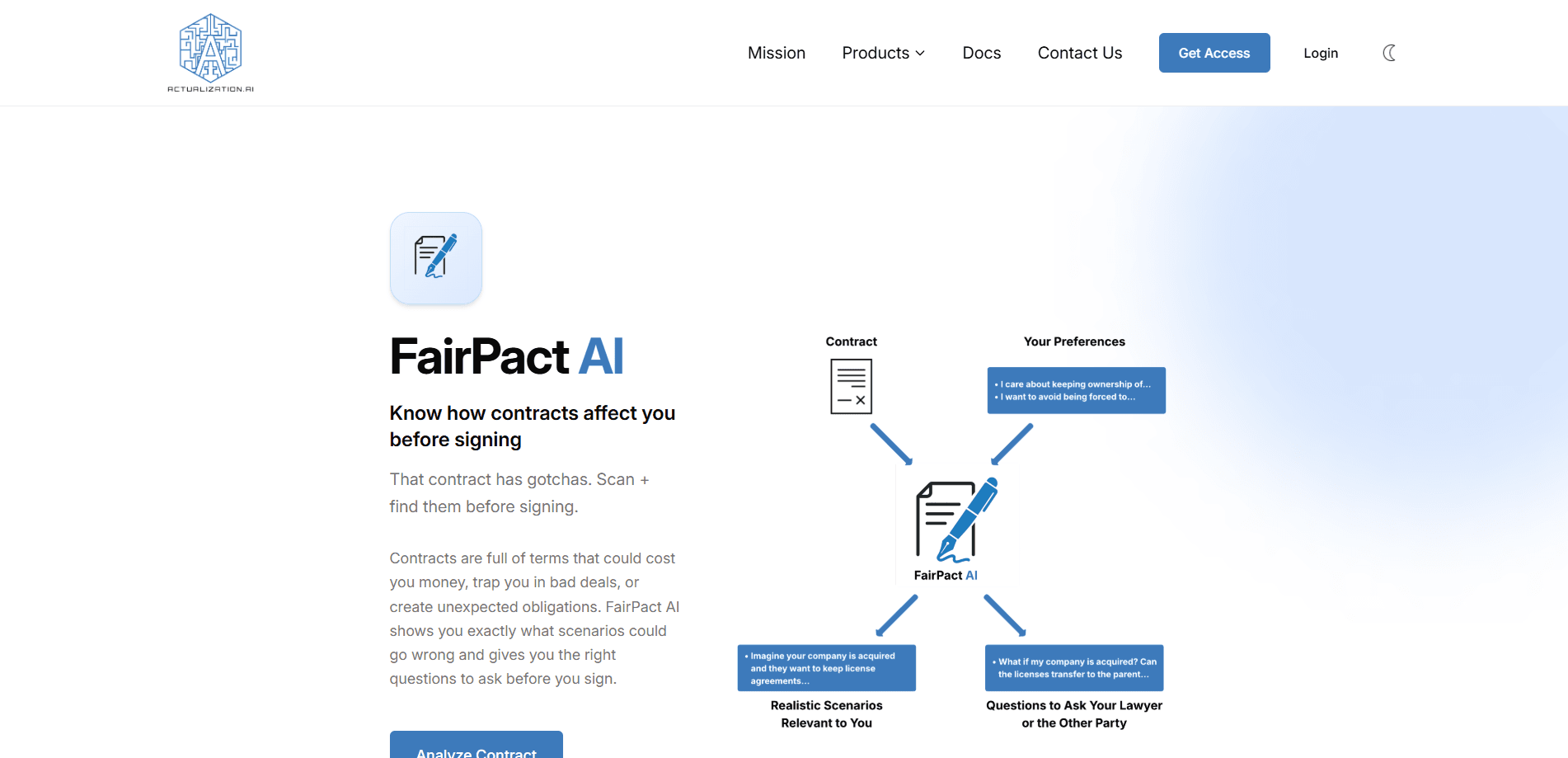
FairPact AI is a Microsoft Word add-in by Actualization AI that reviews procurement contracts, catching missing terms and formatting breaks while keeping documents in house.
About FairPact AI
What Is FairPact AI
FairPact AI, developed by Actualization AI, Inc., is an AI document review tool that runs inside Microsoft Word rather than as a separate platform. It helps government agencies and procurement teams draft, redline and check solicitations, contracts and addenda, and it was co-developed with the procurement department at Tampa International Airport.
The product targets a specific frustration: general-purpose AI tools break Word formatting, miss defined terms used dozens of times in a single contract, and send sensitive documents to servers outside an organization's control. FairPact AI works at the XML level of a Word file, so edits stay precise and formatting does not cascade, and it can run inside your existing Azure environment or fully air-gapped.
The main limitation is scope. It is built for procurement and legal work rather than general AI contract review across every document type, and it requires Microsoft Word. The free tier grants a small one-time credit balance, so heavy use means moving to a paid plan.
Getting Started
- Install the add-in from Microsoft AppSource; admins can push it to users, groups or the whole organization through the Microsoft 365 admin center.
- Open Word as usual and find the FairPact AI panel in the ribbon, since the tool runs inside Word rather than as a separate app.
- Run a review on a solicitation or contract; the tool checks for missing defined terms, inconsistencies and formatting problems.
- Review the suggested changes, approve each one yourself, and keep the rest of the document untouched.
- Optionally route the tool to your own local model or API key, or set usage caps so a department cannot exceed its budget.
Product Information
A quick look at FairPact AI's pricing, supported platforms, and performance.
Best for
The users, tasks, and scenarios where this tool fits best.
Users
- Government procurement teams
- Contract attorneys and reviewers
- Small procurement offices
Tasks
- Checking a solicitation for missing or inconsistent defined terms
- Redlining a vendor contract
- Preserving document formatting through edits
- Running an auditable review
Scenarios
- Reviewing a contract under a tight bid deadline
- Handling sensitive documents that cannot leave your control
- Working with your own approved AI model
Key features
Runs Inside Microsoft Word
FairPact AI installs from Microsoft AppSource and appears as a panel in the Word ribbon, so it adds no new system for staff to learn. Admins can deploy it to users, groups or an entire organization through the Microsoft 365 admin center.
XML-Level Editing That Preserves Formatting
Instead of pasting text into a chat window, FairPact AI edits the Word file at the XML level. This keeps headings, layout and styles intact and avoids the formatting damage common to copy-and-paste AI workflows.
Procurement-Specific Checks
The tool is built around procurement routines such as definition checks and solicitation review, so it looks for missing or inconsistent defined terms rather than producing general commentary. This focus separates it from generic AI assistants.
Human-in-the-Loop Review
Every proposed change is shown to you, and you approve each one before it is applied. The tool cites where in the document its answers come from, which gives reviewers a verifiable trail rather than a black-box suggestion.
Data Stays on Your Infrastructure
FairPact AI supports on-premise, air-gapped and zero-data-retention configurations, and it can route to your own local LLM or API key. Organizations that cannot send documents to third-party clouds can keep everything in house.
Credit-Based Usage with Caps
Unlike per-seat procurement contract software, FairPact AI uses credits that scale with actual workload. You can set a cap so a department cannot exceed its budget line, and top up credits without changing plans.
Pros and cons
Pros
- The free tier includes 50 one-time credits with no credit card required, so you can test it on a real document before paying.
- XML-level editing means formatting survives, which matters when a document has to stay presentable through a review cycle.
- It supports on-premise, air-gapped and bring-your-own-model setups, giving organizations control over where sensitive content goes.
- The human-in-the-loop design shows the source of each suggestion, making the output easier to justify to reviewers.
- Credit-based pricing aligns cost with workload instead of charging a fixed per-seat rate.
Cons
- It requires Microsoft Word and is built for procurement and legal documents, so it is not a general-purpose AI assistant.
- The free tier grants only 50 credits as a one-time allowance, which limits how much you can evaluate before paying.
- Setup inside an Azure or on-premise environment can involve IT work, so small teams without admin support may find the initial deployment slow.
Frequently asked questions
FairPact AI is a Microsoft Word add-in that reviews public procurement contracts, checking for missing or inconsistent defined terms and formatting problems. It was built by Actualization AI, Inc. and co-developed with the procurement department at Tampa International Airport.
Related content
Explore related tools, skills, and articles for FairPact AI.
FairPact AI Alternatives

Swms
Swms AI · Writing · Productivity · BusinessSwms is an AI safety compliance tool that turns a plain description of a job into ready-to-use safety documents. Describe your project, trade, and known hazards, and it writes a safe work method statement, job hazard analysis, safe work procedure, RAMS, or safety data sheet in seconds. It also ships with Oscar, a chat assistant that answers workplace safety questions in any language. Teams in construction, mining, transport, and warehousing use it to cut the paperwork that usually eats into a workday.

Wordly AI Translation
Wordly · Voice & Language · ProductivityWordly AI Translation is a real-time AI translation and captioning platform built for meetings, conferences, and events. It delivers live translation, captions, transcripts, and summaries in more than 60 languages, and attendees join by scanning a QR code or opening a link instead of using dedicated headsets. The platform works with Zoom, Microsoft Teams, Google Meet, and Webex, and it's designed for organizations that want multilingual access without hiring human interpreters for every session. Simple as that.

Rows
Rows (Superhuman) · Productivity · BusinessRows is an AI spreadsheet and data analysis tool that imports live data from more than 50 sources, then lets you work with it using plain language instead of SQL queries or nested formulas. You can pull numbers out of PDFs, connect ad platforms, databases, and bank accounts, and ask the AI to build reports, merge datasets, or set up models that recalculate themselves. It runs in the browser, works like a spreadsheet, and now sits under the Superhuman umbrella.