

Fakeface
Fakeface · Image · Video
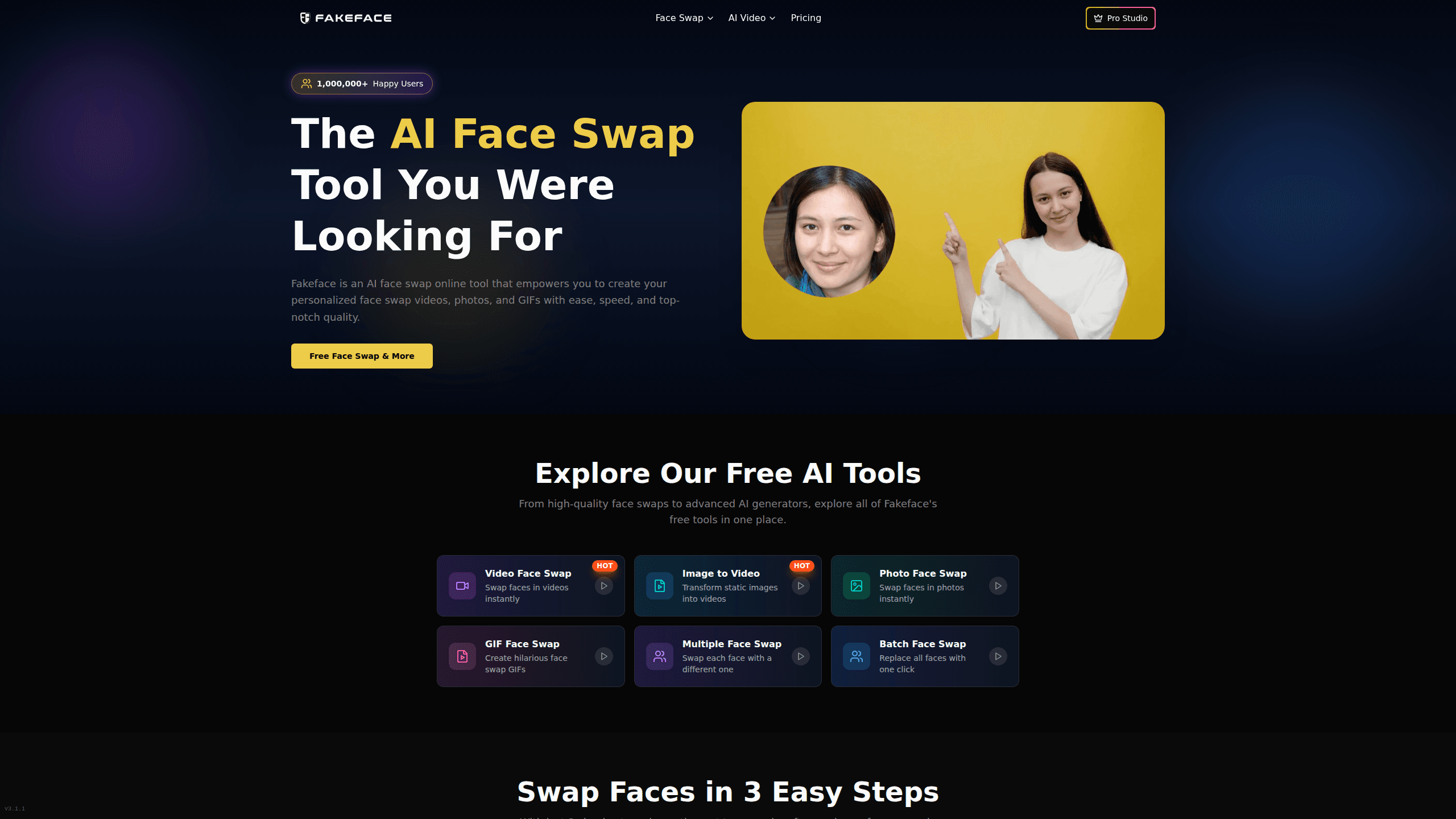
Fakeface is a free online AI face swap tool that replaces a face in your photos, videos, or GIFs with another face in a few clicks. It swaps faces in the browser, processes most jobs in about 30 seconds, and outputs results without watermarks, which makes it a fast option for social clips, memes, and quick edits. You don't install anything, and the whole flow is three steps: upload your media, upload the face, then generate.
About Fakeface
What Is Fakeface
Fakeface is a free face swap online tool that runs in your browser, built on its own AI models. You bring two things, a source media file and a clear face photo, and the tool maps that face onto the person in the clip. It handles three formats out of the box: video face swap, photo face swap, and GIF face swap.
The appeal is speed and access. There's no software to download and no account setup gets in your way before a first swap. The site claims over a million users and says its engine runs roughly five times faster than the tools it compares itself to, with an average processing time around 30 seconds. Those speed figures are the vendor's own numbers, so treat them as marketing rather than a benchmark you can audit.
The biggest limitation is scope and trust. Fakeface does face swapping well, but it's not a full editor, so there's no timeline, color grading, or audio work here. Because swaps can be misused, you're responsible for consent and for how the output gets used. A deepfake generator this easy needs a clear head about whose face you're using. If you need a face swap and nothing else, that trade-off is easy to live with.
Getting Started
- Open fakeface.io in your browser. No download is required.
- Upload your source media: a video, photo, or GIF that already contains the face you want to replace.
- Upload a separate clean face photo. A straight-on shot with good lighting gives the cleanest match.
- Start the swap and wait. The site says most jobs finish in about 30 seconds.
- Preview the result, then download the finished file, which comes out without a watermark.
Product Information
A quick look at Fakeface's pricing, supported platforms, and performance.
Best for
The users, tasks, and scenarios where this tool fits best.
Users
- Content creators
- Casual users and meme makers
- Marketers testing concepts
Tasks
- Swapping a face into a short video clip
- Building meme content from photos
- Animating a GIF with a different face
Scenarios
- Making a clip for TikTok, Instagram, or YouTube
- Movie or scene parodies with friends
- Testing visual ideas before a real production
Key features
Three-Step Face Swap Flow
The whole process is deliberately short. You upload the source media, upload a face photo, and hit generate. No layers. No masks. No node graphs. That short list is why it works for people who have never opened an editor before. The trade-off is control: you get the model's result, not a fine-tuned one.
Video Face Swap, Photo Face Swap, and GIF Face Swap in One Tool
Fakeface covers the three formats most people actually share. A video face swap keeps the motion of the original clip while replacing the face, so the person still talks and moves, just with a different face. A photo face swap works on a single still frame. A GIF face swap changes the face but keeps the loop, which is the right behavior for reaction images. One tool for all three saves you from stitching together separate apps.
Fast Processing
Fakeface lists an average processing time of about 30 seconds per job and claims to run five times faster than competing platforms. That's quick. For a social clip, it's the difference between a two-minute sidetrack and a full afternoon. Keep in mind these are the company's numbers, published on its own site, so real times will vary with file size and your connection.
No Watermark on Output
Finished swaps download without a watermark. That matters if you're posting the result somewhere public, since a stamp across the middle of your clip usually means a crop or a paid upgrade elsewhere. It keeps the output usable straight out of the tool.
High-Resolution Output
The site advertises output up to 8K resolution and says it preserves fine detail across the swap. In practice, the ceiling depends on your source material: a blurry input can't become a sharp output. When your source footage is clean, the resolution headroom means the result holds up on larger screens.
Browser-Based, Nothing to Install
Everything runs on the website, so there's no app store trip, no installer, and no local GPU requirement. That makes it usable from a laptop, a work machine, or a phone without leaving anything behind. The catch is that you're trusting the site with your uploads, so only send media you're comfortable handing over.
Pros and cons
Pros
- Free to start, with no download or install step
- Handles photos, videos, and GIFs in one place, so you swap faces across every format you share
- Fast turnaround, advertised at around 30 seconds per swap
- No watermark on downloaded results
- Simple three-step flow that needs no editing background
Cons
- It only does face swaps, so there's no timeline, audio, or color editing
- Pricing isn't documented clearly on the site, which makes budgeting harder
- Speed and quality claims come from the vendor, not independent testing
- You can't fine-tune the result, so you take the model's output as-is
- It's a deepfake generator at heart, so you're on the hook for getting consent from anyone whose face you swap
Frequently asked questions
Yes. Fakeface offers a free entry point and lets you run swaps in the browser without paying upfront. A paid tier exists for heavier use, but the site doesn't publish a clear price list. Check the pricing page before you commit.
Related content
Explore related tools, skills, and articles for Fakeface.
Fakeface Alternatives

X Ray Interpreter
X-ray Interpreter · ImageX Ray Interpreter is a web-based AI radiology tool that turns X-rays, CT scans, MRI, ultrasound, and PET images into plain-language reports. You upload a scan, get a preliminary X-ray interpretation in moments, then ask follow-up questions if something needs explaining. It works as a second opinion and a learning aid, not as a medical diagnosis.

Aieasypic
AIEasyPic · ImageAIEasyPic is an AI image generator that turns plain text prompts into finished artwork in seconds. You can also train custom models on your own photos, swap faces in existing images, and create short video clips from text, all from a browser. It suits casual creators who want quick visuals and hobbyists who want to build a personal model without touching any code.

Chargen
Chargen · ImageChargen is an AI character generator and worldbuilding toolkit built for Dungeons & Dragons and other tabletop RPGs. It turns a one-line idea into a painted character portrait, spins up NPCs, monsters, maps and encounters from the same session, and keeps every creature's details close at hand. The tabletop RPG art side runs on a credit system called Gold, while the text generators stay free for everyone.