

fcontext
lijma · Coding · Productivity
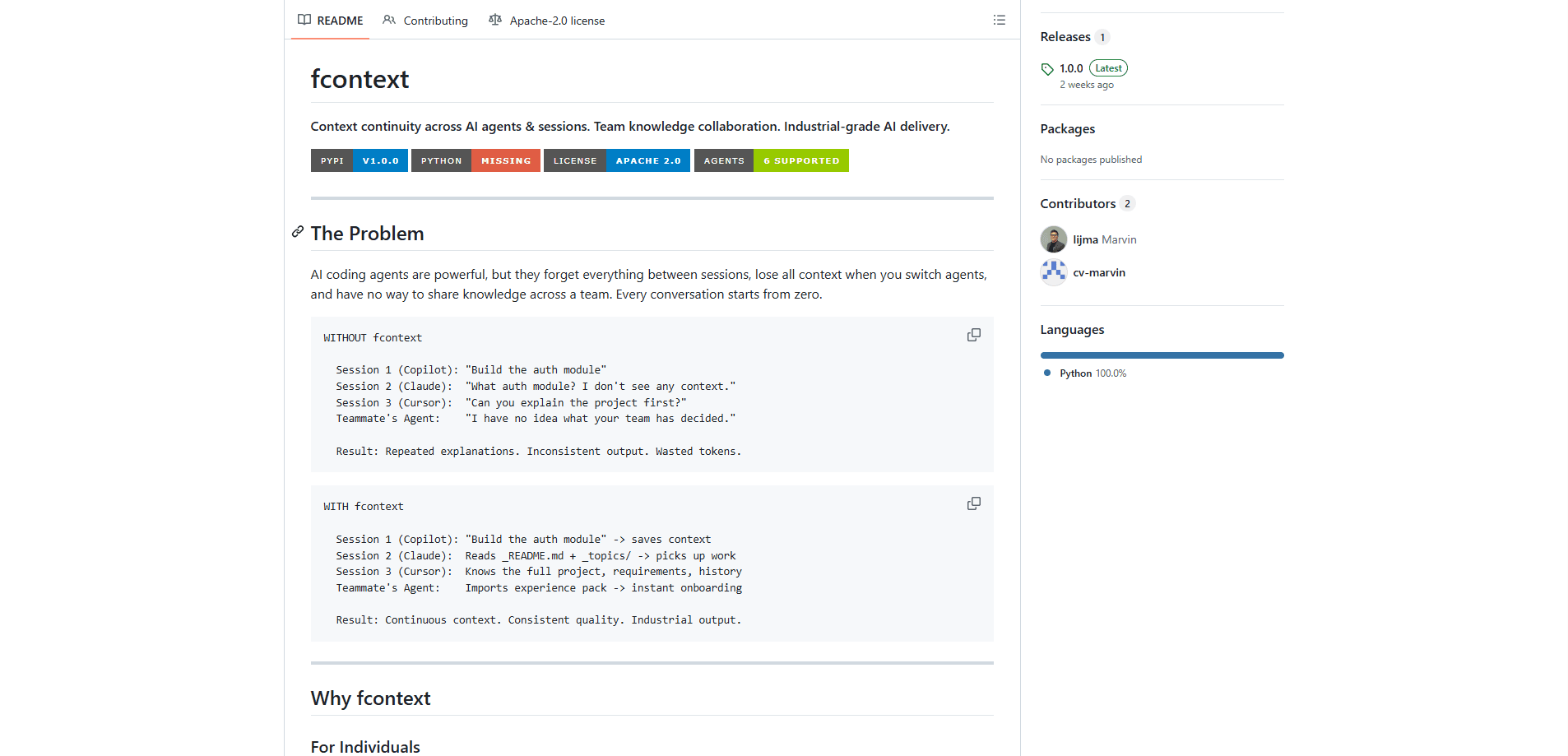
fcontext is a command-line context management system that keeps AI coding agents on the same page across sessions, tools, and teammates. It stores project knowledge in a local `.fcontext/` folder, converts documents like PDF and DOCX into readable Markdown, and teaches agents such as GitHub Copilot, Claude Code, and Cursor to read that folder before they start work. Fewer repeated explanations. More consistent output. Less wasted context on every new chat. If you're hunting for context management for AI agents, this is a strong place to start. Many people also rank it among the best AI for coding agents tooling for exactly that reason.
About fcontext
What Is fcontext
fcontext is an open-source Python tool built to solve a specific headache. AI coding agents forget everything the moment a session ends, and switching from one agent to another wipes the slate again. fcontext fixes that by keeping a single, shared store of project context that any supported agent can read. Think of it less as another chatbot and more as a durable AI agent memory tool.
Everything lives in a .fcontext/ directory inside your project, so your data stays local. There's no cloud account, no API key, and no telemetry. You can run it entirely offline, which matters if you work with private codebases or client documents you can't upload anywhere, and it also means the tool keeps working when your network drops or when company policy forbids sending source code to a third-party service. That's the whole point.
The main limitation is also its strength. fcontext is a CLI, so you'll be comfortable in a terminal, and it only helps agents you explicitly enable with a command. It doesn't magically connect to a tool it has no adapter for, and it won't manage context for apps outside the twelve agents it currently supports. That's a real constraint.
Getting Started
- Install the package with
pip install fcontext(Python 3.9 or newer required). - Run
fcontext initin your project folder to create the.fcontext/directory. - Activate your agent, for example
fcontext enable copilotorfcontext enable claude, so it gets instructions in its native format. - Index your documents with
fcontext index docs/to convert PDFs, DOCX, and spreadsheets into Markdown the agent can read. - Check everything with
fcontext status, then start your next session. The agent reads the project summary and topics automatically.
Product Information
A quick look at fcontext's pricing, supported platforms, and performance.
Best for
The users, tasks, and scenarios where this tool fits best.
Users
- Solo developers who lose context between sessions
- Teams handing work between members
- Developers juggling multiple agents
- Privacy-focused teams
Tasks
- Continuing a debugging thread the next day
- Onboarding a new contributor
- Working with binary documents
- Tracking requirements
Scenarios
- A long project spread across many short AI sessions, where consistency matters more than speed.
- A team where requirements live in documents and architecture decisions live in past conversations.
- Regulated or offline environments where cloud-based context tools aren't an option.
Key features
Cross-Session and Cross-Agent Memory
fcontext keeps a living project summary in _README.md and stores session knowledge in _topics/. Every supported agent reads both before starting, so context survives between conversations and travels across tools. Switch from Copilot to Claude to Cursor and the project picture stays intact, because the knowledge lives in the shared folder rather than inside any single agent's chat history or vendor-specific memory store. No re-explaining. Ever.
Multi-Agent Support in Native Formats
One command activates an agent, and fcontext writes instructions in the format that agent expects. Copilot gets .github/instructions/, Claude gets .claude/rules/, Codex gets AGENTS.md, Zed gets .agents/skills/, and so on. Twelve agents are covered, all sharing the same underlying data. Already using several? Then this is where fcontext pays off most.
Document Indexing to Markdown
Agents can't read a PDF or a Keynote deck on their own. fcontext converts PDF, DOCX, XLSX, PPTX, Keynote, and EPUB files into Markdown stored in _cache/, so an agent can quote your spec directly instead of guessing. It works on a single file or a whole folder at once, which means you can point it at a messy docs directory and let it catch up on everything while you get on with the actual build.
Experience Packs for Teams
Knowledge captured in one project can move to another. Export a pack as a zip, a git URL, or a download link, then import it elsewhere with fcontext experience import. New teammates pull the pack and their agent instantly shares the team's conventions and known pitfalls. No lengthy handover needed.
Requirements Management With History
The fcontext req commands handle roadmap items, epics, stories, tasks, and bugs. You get a tree view, a Kanban board, and link types like supersedes, evolves, and blocks. Agents read structured requirements instead of parsing a CSV by hand, which cuts down on building the wrong thing, and because every item keeps a full changelog you can trace how a decision evolved from an early one-line note into a finished feature. Worth learning early.
Local, Offline, No Cloud
All data sits in .fcontext/ and can be tracked in git alongside your code. There's no account to create, no telemetry, and no network dependency, so it works on air-gapped machines and keeps client material on your own hardware. Simple. Private. Done.
Pros and cons
Pros
- Free and open source under Apache 2.0, with no paid tier holding core features back.
- Data stays local in `.fcontext/`, so privacy and offline work aren't a problem.
- Covers twelve popular coding agents and writes config in each one's native format.
- Document indexing turns PDFs and office files into text agents can actually use.
- Experience packs make team knowledge portable between projects and people.
Cons
- It's a command-line tool, so anyone who avoids the terminal will find the setup rough.
- Value depends on using a supported agent; unsupported tools get no benefit.
- You have to remember to run `fcontext init` and `enable` per project, which is easy to forget on quick scripts.
- The project is young, so some workflows like requirements tracking may still change between versions.
Frequently asked questions
Yes. fcontext is released under the Apache 2.0 license and installs from PyPI at no cost. There's no paid plan, no subscription, and no feature locked behind an upgrade.
Related content
Explore related tools, skills, and articles for fcontext.
fcontext Alternatives
Forefront
Forefront · CodingForefront is a web platform for building with open-source AI. It lets you fine-tune leading open-source language models on your own data, evaluate how they perform, and run them through an API or export them to host yourself. Developers who want the convenience of a closed-source platform but insist on owning their models and data are the target audience here.

Startkit
StartKit.AI · CodingStartkit is a boilerplate for building AI SaaS and AI wrapper products. Think of it as an AI startup boilerplate with the boring parts already wired up: authentication, Stripe and Lemon Squeezy payments, usage limits, transactional email, and an AI API starter that talks to OpenAI, Anthropic, Groq, or Llama. You clone the repo, set your price, and start on the part of your product that people actually pay for. It's Next.js under React and Tailwind, so most of the boilerplate code already feels familiar.
Testim
Tricentis · CodingTestim is an AI-powered test automation platform for building and running end-to-end tests across web, mobile, and Salesforce applications. It leans on machine learning to keep tests stable when an interface changes, so teams spend less time fixing broken selectors. Not bad for an automated testing tool you can start using today. You create tests by recording actions in a browser, then optionally add JavaScript when you need more control. It's a solid pick for busy QA teams.