
Feetgen
Feetgen · Image
Feetgen is a web-based AI feet generator that turns text prompts and reference images into realistic or anime-style feet artwork. It handles both still images and short videos, and it runs in your browser with no install. The focus is narrow on purpose: instead of trying to be a general image tool, it leans on a large set of AI models tuned for feet poses, angles, and styles.
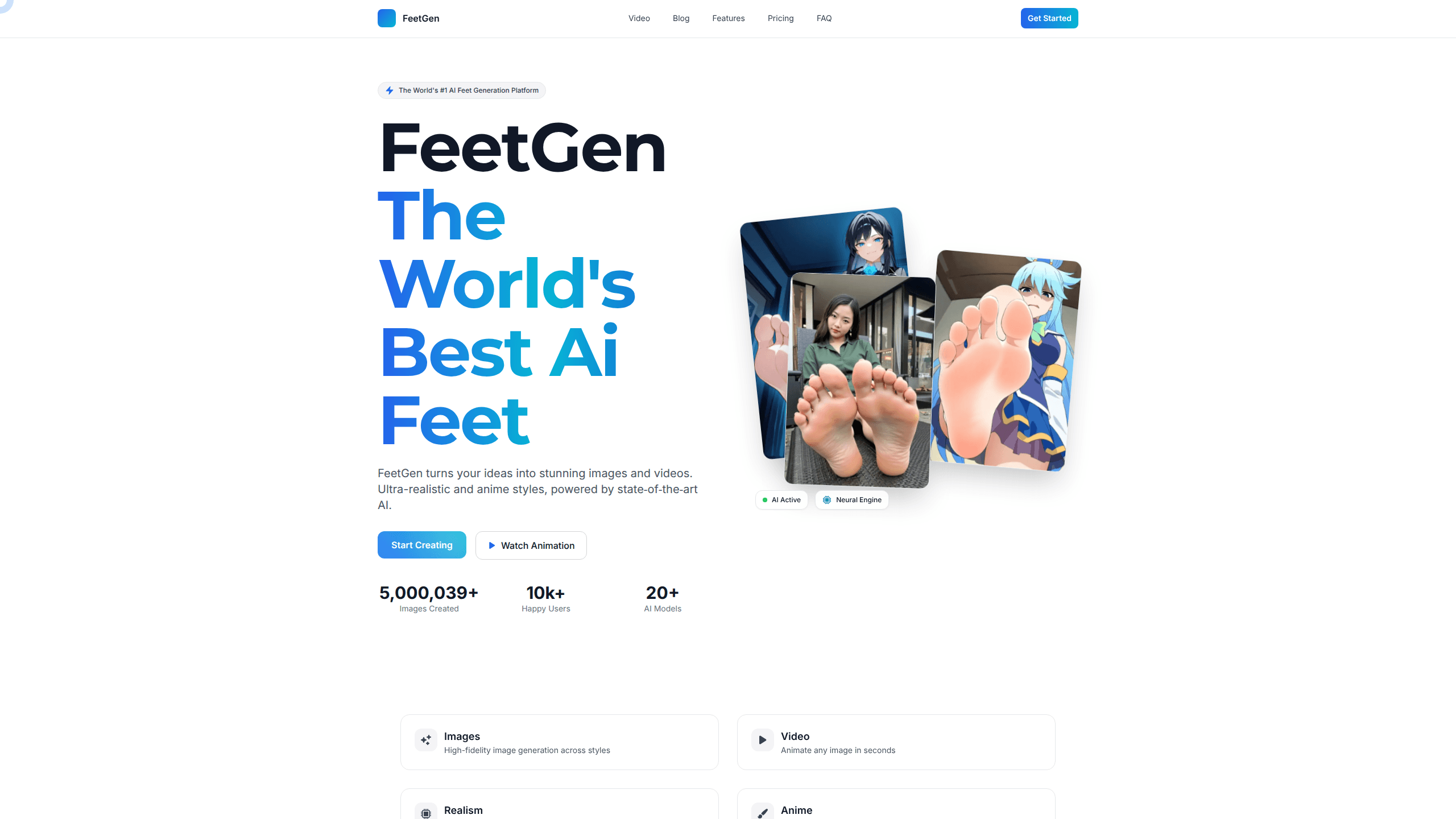
About Feetgen
What Is Feetgen
Feetgen is a specialized AI image generator built around feet as its main subject. You describe what you want in plain words, and the platform renders it without demanding a stack of technical settings or a background in prompt engineering before you see anything usable. The same prompt system covers photoreal shots and anime art. You don't switch tools when your style jumps between a studio photo look and a hand-drawn character.
The point is control over the details that generic generators usually fumble: skin tone, lighting, sole and arch angles, and pose. That narrow focus is why people reach for it over a general-purpose model. If your project needs feet in a specific position or style, a tool trained for that job tends to land closer on the first try. No guessing games.
The main limit is scope. Feetgen isn't a full design suite, and it won't replace an editor for text layout, compositing, or print work. It's also credit-based, so heavy use costs more. Treat it as a focused generator, not an all-in-one studio. Know that going in.
Getting Started
- Create an account on the Feetgen website and pick a plan or start with the entry tier.
- Open the generate page and write a prompt describing the subject, style, pose, and details you want.
- Add reference images if you want the AI to blend specific attributes, such as a character plus a feet reference.
- Hit generate and wait for the render, then refine, upscale, or re-run the prompt for variations.
- Download the high-resolution image, or switch to video mode to animate a still.
Product Information
A quick look at Feetgen's pricing, supported platforms, and performance.
Best for
The users, tasks, and scenarios where this tool fits best.
Users
- Digital artists
- AI hobbyists
- Writers and worldbuilders
Tasks
- Generating anime feet art
- Creating photoreal feet images
- Animating a still image
- Blending reference images
Scenarios
- Building a character sheet
- Testing a style direction before committing
- Filling gaps in an art portfolio
Key features
Text-to-Image Generation
Type a description and Feetgen renders it. You can write a short phrase or a detailed prompt with style, pose, and detail notes. The output is high-resolution, and you can re-run for variations until one fits.
Realistic and Anime Styles
One platform covers two very different looks. The realistic side aims for photoreal results with control over skin tones, lighting, and texture. The anime side emulates styles from classic to modern, so you can match a specific art direction rather than settle for one default look.
Reference-Based Video
Video mode animates an existing image in seconds, turning a still render into a moving clip before you commit to a longer workflow. You can also feed it multiple reference images and let the AI blend concepts into a coherent clip, which is handy for building new characters from a mix of sources. Timing and loops are adjustable, with inline preview before export.
Inpainting and Enhancement
The Pro tier adds inpainting, so you can fix or replace a region without regenerating the whole image. Enhancement and upscaling sharpen a finished render, and advanced pose control lets you dial in the exact angle you want instead of gambling on the prompt.
Pose and Detail Controls
Feet poses are the hard part for most generators. Feetgen exposes angle, detail, and pose settings that give you a way to steer the result, and it pulls a mix of skin tone, lighting, and detail cues from your prompt without you writing a paragraph of technical notes to get a usable first pass. That's the difference between hoping the model guesses right and telling it what to do.
Multiple AI Models
The platform runs on 20+ AI models. Higher tiers give you access to more of them. Different models suit different styles, so you can pick the one that matches your project instead of accepting a single fixed engine.
Pros and cons
Pros
- Narrow focus pays off. Pose and angle accuracy beats most general tools.
- Covers both realistic and anime styles in one account.
- Video generation and reference blending add uses beyond static images.
- Low entry price at $5/month makes it cheap to test.
- Browser-based, so there's nothing to install and it works across devices.
Cons
- No free plan, so you have to pay before you can try it properly.
- Coin-based credits mean heavy generation eats into your monthly allowance, and cheaper tiers run out faster.
- The niche focus makes it a poor fit if you need a general image editor or non-feet subjects. Credits also reset monthly, so you can't bank a quiet month for a heavy one later.
- API access isn't documented, which blocks programmatic or bulk workflows.
Frequently asked questions
It generates feet images and short videos in realistic and anime styles from text prompts or reference images. People use it for character art and pose references. Think of it as a feet art generator for niche work.
Related content
Explore related tools, skills, and articles for Feetgen.
Feetgen Alternatives

X Ray Interpreter
X-ray Interpreter · ImageX Ray Interpreter is a web-based AI radiology tool that turns X-rays, CT scans, MRI, ultrasound, and PET images into plain-language reports. You upload a scan, get a preliminary X-ray interpretation in moments, then ask follow-up questions if something needs explaining. It works as a second opinion and a learning aid, not as a medical diagnosis.

Aieasypic
AIEasyPic · ImageAIEasyPic is an AI image generator that turns plain text prompts into finished artwork in seconds. You can also train custom models on your own photos, swap faces in existing images, and create short video clips from text, all from a browser. It suits casual creators who want quick visuals and hobbyists who want to build a personal model without touching any code.

Chargen
Chargen · ImageChargen is an AI character generator and worldbuilding toolkit built for Dungeons & Dragons and other tabletop RPGs. It turns a one-line idea into a painted character portrait, spins up NPCs, monsters, maps and encounters from the same session, and keeps every creature's details close at hand. The tabletop RPG art side runs on a credit system called Gold, while the text generators stay free for everyone.