
Fellou AI Browser
Fellou AI · Productivity · AI Assistant
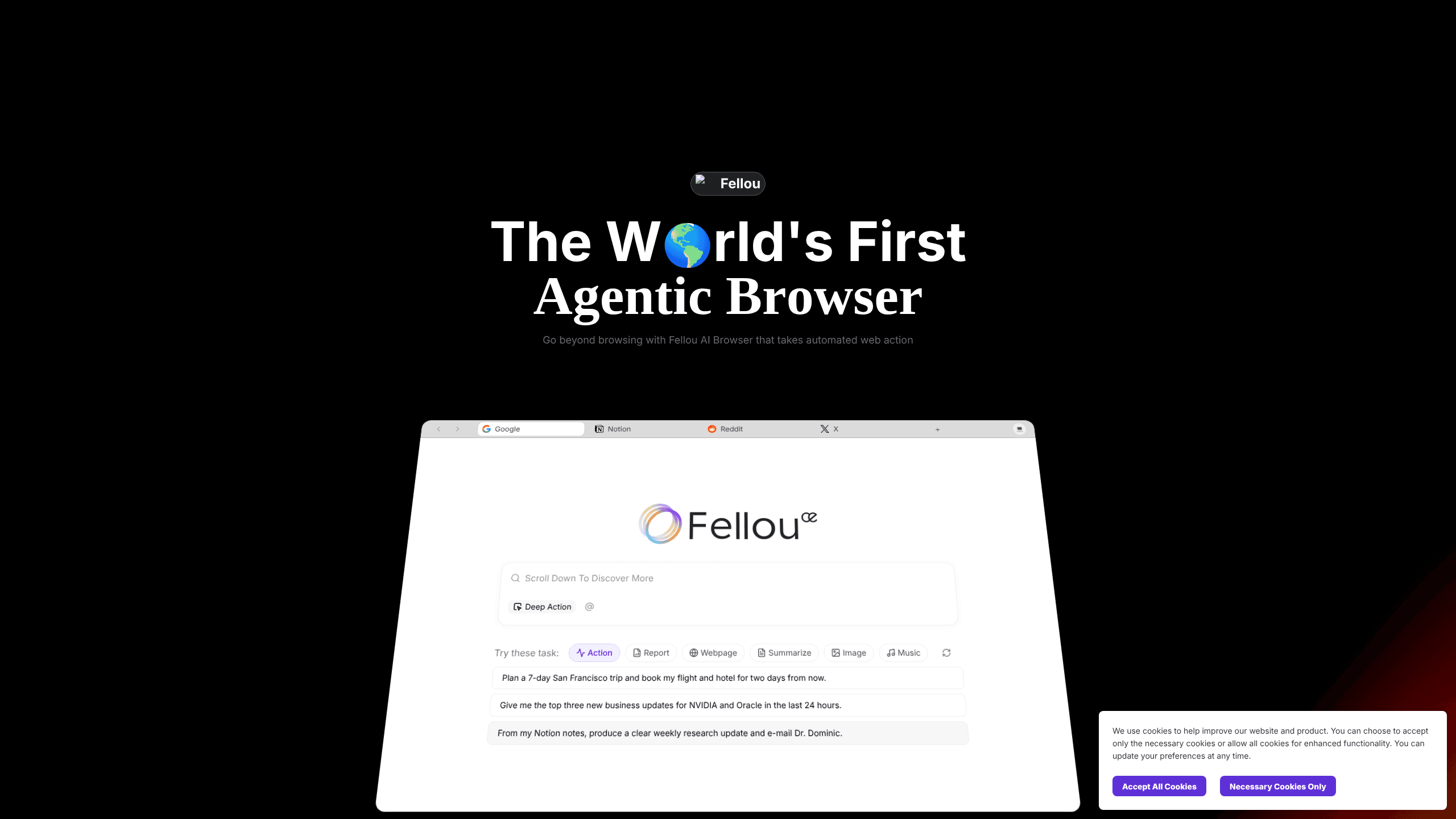
Fellou AI Browser is a desktop browser that acts on your instructions instead of just showing pages. Type a goal, and it builds a step-by-step plan, then runs it across sites, logged-in accounts, and local files. It's AI automation for the browser, not another chatbot sidebar. The pitch is simple: hand off the repetitive parts of web work and keep the judgment calls for yourself. Sound familiar?
About Fellou AI Browser
What Is Fellou AI Browser
Fellou AI Browser is a macOS and Windows browser built around an AI agent. Instead of searching on your behalf and handing back links, it takes a goal like "compare MacBook prices across three stores" or "collect these posts into a report" and turns it into an action plan you can review before it runs.
The company behind it, Fellou AI, calls the category an "agentic browser." The idea is simple. Browsing has always been manual: you open tabs, fill forms, copy data, and repeat the same clicks on the same sites week after week without ever getting faster at it. Fellou tries to automate that loop while keeping you in the driver's seat.
Worth knowing before you install: the product runs local automation on your machine, so it asks for host-level permissions to control apps and files. It's also credit-based. Heavy use costs money. And it's desktop-only. There's no mobile app at the moment.
Getting Started
- Go to the official site and download the build for your machine (pick the Apple or Intel version on Mac).
- Create an account and sign in, then grant the permissions Fellou requests for browser and computer control.
- Describe your goal in the chat box and let Fellou draft an action plan.
- Review the plan, edit any step that looks off, then approve it to start the run.
- Watch progress in the task view, step in when needed, and grab the finished report or output.
Product Information
A quick look at Fellou AI Browser's pricing, supported platforms, and performance.
Best for
The users, tasks, and scenarios where this tool fits best.
Users
- Researchers and analysts
- Marketers and content teams
- Founders and solo operators
Tasks
- Multi-source research reports
- Cross-site form filling and data entry
- Turning a search into an action chain
- Desktop file handling
Scenarios
- Weekly competitive checks that always follow the same steps.
- Comparing prices or specs across several stores in one pass.
- Pulling scattered notes and browsing history into a quick answer via agentic memory.
Key features
Plan-Then-Run Automation
Fellou doesn't just fire off actions. It first lays out a step-by-step plan for your goal, and you can read, edit, or approve it before anything runs. That review step is the difference between trusting an agent and hoping for the best. No plan, no run.
Deep Search With Traceable Sources
The agent automates research across the open web and even into accounts on platforms like Reddit. It returns in-depth reports with sources you can verify. Not a wall of unsourced claims.
Browser Use for End-to-End Workflows
Browser Use lets Fellou drive full workflows, from complex scraping to filling forms, off a single command. Instead of babysitting ten tabs, you describe the outcome and let it work through each step.
Computer Use for Local Files and Apps
Computer Use turns the browser into a system-level agent on your machine. Once you grant permission, it can operate local apps and manage files. That matters when a task needs a desktop app and not just a web page.
Real-Time Intervention
Every task shows its full plan as it goes, so you can step in, edit, or approve at any point. The agent isn't a black box. That control is what makes longer autonomous runs tolerable. You stay in charge.
Agentic Memory
Agentic Memory learns from your browser history and notes to build context. You can ask about work you did earlier and get a recall without digging through folders. It stays on your side of the desk, too.
Built-In Agents for Extra Media
Beyond browsing, Fellou ships agents for images, music, and code. That stretches it past pure automation into light content production. Plenty of competitors leave that out.
Pros and cons
Pros
- The plan-review step gives you control before the agent acts. Errors get caught early.
- Deep Search returns reports with traceable sources, not just a summary blob.
- It works with logged-in sites and desktop apps, covering tasks a plain web scraper can't touch.
- Free tier exists, so you can test the workflow without paying first.
Cons
- Credit-based pricing means heavy use adds up. The free plan's 1,000 Sparks cover roughly four tasks.
- It needs broad host permissions, which is a real trust decision for security-conscious users.
- Desktop only. No phone or tablet version if you work across devices.
Frequently asked questions
It's used to automate web and desktop tasks that would otherwise take manual clicking: research reports, price comparisons, form filling, data collection, and file organization. You give it a goal, and it plans and executes the steps.
Related content
Explore related tools, skills, and articles for Fellou AI Browser.
Fellou AI Browser Alternatives

Swms
Swms AI · Writing · Productivity · BusinessSwms is an AI safety compliance tool that turns a plain description of a job into ready-to-use safety documents. Describe your project, trade, and known hazards, and it writes a safe work method statement, job hazard analysis, safe work procedure, RAMS, or safety data sheet in seconds. It also ships with Oscar, a chat assistant that answers workplace safety questions in any language. Teams in construction, mining, transport, and warehousing use it to cut the paperwork that usually eats into a workday.

Wordly AI Translation
Wordly · Voice & Language · ProductivityWordly AI Translation is a real-time AI translation and captioning platform built for meetings, conferences, and events. It delivers live translation, captions, transcripts, and summaries in more than 60 languages, and attendees join by scanning a QR code or opening a link instead of using dedicated headsets. The platform works with Zoom, Microsoft Teams, Google Meet, and Webex, and it's designed for organizations that want multilingual access without hiring human interpreters for every session. Simple as that.

Rows
Rows (Superhuman) · Productivity · BusinessRows is an AI spreadsheet and data analysis tool that imports live data from more than 50 sources, then lets you work with it using plain language instead of SQL queries or nested formulas. You can pull numbers out of PDFs, connect ad platforms, databases, and bank accounts, and ask the AI to build reports, merge datasets, or set up models that recalculate themselves. It runs in the browser, works like a spreadsheet, and now sits under the Superhuman umbrella.