
Fiddl Art
Fiddl.art · Image · Prompts
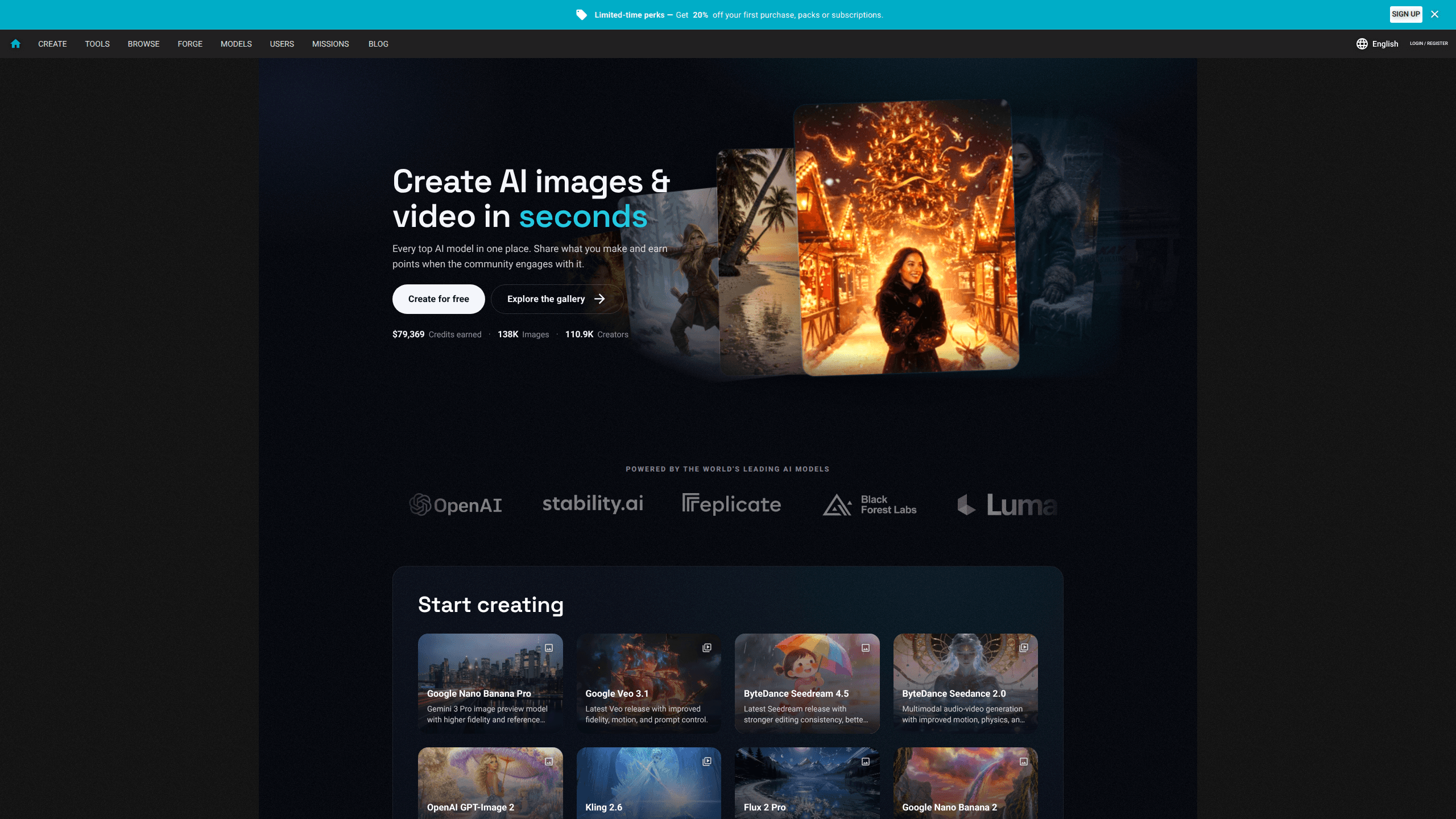
Fiddl.art is a browser-based AI art platform that gathers leading AI image generator and AI video generator models, from Flux and Stable Diffusion to Seedream and Nano Banana, into one workspace. A built-in AI creation agent turns a plain-language idea into a prompt and a model suggestion. And a community feed lets you post what you make and earn points when others engage with it.
About Fiddl Art
What Is Fiddl.art
Fiddl.art is a web platform for generating images and short videos with AI. Instead of subscribing to several separate tools, you pick from a catalog of 40-plus models in one place: Flux Pro Ultra, Stable Diffusion 3.5 Large, Recraft 3, OpenAI GPT-Image, ByteDance Seedream, Google Nano Banana, and others. There's no software to install. The whole thing runs in a browser tab.
The platform's selling point isn't a single model but choice. Each model has a different strength. So the site leans on a creation agent to match the right one to what you're trying to make, then write the prompt for you. It clearly targets people who want good-looking results without learning prompts or comparing model specs. The whole thing leans on a wide AI model library rather than one engine.
The catch is that the community features are woven into the product. Public creations show up in browse feeds and can be upvoted. The points economy that rewards activity is tied to that social layer. If you want a quiet, private workspace, that takes some getting used to. Fiddl.art does offer private models whose creations stay out of public feeds and are deleted automatically after 24 hours.
Getting Started
- Sign up for a free account on fiddl.art and land on the Create page.
- Describe what you want in your own words, or upload a reference image if you're editing something you already have.
- Let the creation agent suggest a model and draft the prompt. Review the plan and the cost before you commit.
- Adjust the details through more conversation, then approve the generation and download the result.
- Post the piece to the community if you want it seen, or keep it to yourself with a private model.
Product Information
A quick look at Fiddl Art's pricing, supported platforms, and performance.
Best for
The users, tasks, and scenarios where this tool fits best.
Users
- Beginners who freeze at a blank prompt box
- Hobbyist AI artists juggling several model subscriptions
- People who like a social feed around their work
Tasks
- Turning a rough idea into concept art
- Editing an existing photo while keeping the subject intact
- Making a short video clip from a still
Scenarios
- Crowd-pleasing visuals for a small business
- Changing a room's colors or finishes before a renovation
- Quick profile and social images
Key features
One catalog, dozens of image and video models
Fiddl.art's main draw is breadth. The catalog runs from Flux Pro Ultra and Flux 2 Max for photoreal detail to Stable Diffusion 3.5 Large for painterly work, Recraft 3 for clean design text and SVG vector output, and ByteDance Seedream 5 Pro for sharp 2K results. Video models are in the mix too. You can move between stills and short clips without leaving the site. Reach for this when you want to compare looks without paying for five separate subscriptions.
A creation agent that writes the prompt for you
The agent is the other half of the pitch. You talk through an idea in ordinary language, and it shapes the direction, picks a model that fits, and drafts the prompt. It works from a reference too. Describe the look you want on a photo and it recommends an editing model and preserves what you asked it to keep. Before anything runs, you see the plan and the cost. Handy if you've never written a prompt in your life.
Private models that stay off the feed
Two of the models, Fiddl Private and Fiddl Private Pro, are built for work you'd rather not publish. Creations made with them don't appear in public browse feeds. The platform deletes them automatically after 24 hours. Keep that in mind. That's a real difference for client mockups, personal photos or anything you don't want attributed to your profile. Just remember the 24-hour window means you need to download anything you want to keep.
Points you earn by creating and participating
Fiddl.art runs a points economy on top of the tools. Daily missions, weekly boosts, streaks and limited-time events all drop points. You can spend them on more images, upgraded renders, template unlocks or custom model training. The site frames it as a loop where the more you engage, the more creation budget you get back. So why bother? Because earning points depends on how active your account is, not on how much you paid.
Community feed and earning from engagement
Public creations land in browse feeds where other users can upvote them. The platform tracks things like images and videos shared, upvotes received, and credits earned. You can see fresh output as you wait for your own render. The trade-off is baked in. Getting the social side means your work is public by default unless you pick a private model.
Custom models through the Forge
Forge lets you train a personalized model on your own dataset, then share it with the community. Public custom models are meant to appear in a shared gallery. Training a model this way is the most involved thing on the platform. It's the path to a consistent house style you can't get from stock models. The site notes public custom models were still rolling out when we last looked.
Pros and cons
Pros
- Dozens of leading image and video models sit behind one login, so you compare looks without managing several paid subscriptions.
- The creation agent lowers the barrier for people who don't know prompt syntax or model differences. No prompt skills required.
- The private models, with creations kept off public feeds and auto-deleted after 24 hours, answer a real concern for client and personal work.
- The points system hands you extra creation budget for everyday activity rather than only for money.
Cons
- Public creations default to the community feed, so a low profile takes deliberate effort, and private output vanishes after 24 hours.
- The platform is browser-only, so there's no mobile app to generate on the go.
- Pricing tiers aren't laid out clearly on the site we checked, which makes it hard to estimate ongoing cost before signing up.
Frequently asked questions
It's an online platform for creating AI images and short videos. You type or speak an idea, the creation agent picks a model and writes the prompt, and you generate, download and optionally share the result.
Related content
Explore related tools, skills, and articles for Fiddl Art.
Fiddl Art Alternatives

X Ray Interpreter
X-ray Interpreter · ImageX Ray Interpreter is a web-based AI radiology tool that turns X-rays, CT scans, MRI, ultrasound, and PET images into plain-language reports. You upload a scan, get a preliminary X-ray interpretation in moments, then ask follow-up questions if something needs explaining. It works as a second opinion and a learning aid, not as a medical diagnosis.

Aieasypic
AIEasyPic · ImageAIEasyPic is an AI image generator that turns plain text prompts into finished artwork in seconds. You can also train custom models on your own photos, swap faces in existing images, and create short video clips from text, all from a browser. It suits casual creators who want quick visuals and hobbyists who want to build a personal model without touching any code.

Chargen
Chargen · ImageChargen is an AI character generator and worldbuilding toolkit built for Dungeons & Dragons and other tabletop RPGs. It turns a one-line idea into a painted character portrait, spins up NPCs, monsters, maps and encounters from the same session, and keeps every creature's details close at hand. The tabletop RPG art side runs on a credit system called Gold, while the text generators stay free for everyone.