

Fiery AI
UK VISION TECH LIMITED · Video
Fiery AI is an Android app that animates a static photo into a short video using dance and fun templates. You pick a template, upload a photo and the app renders the clip.
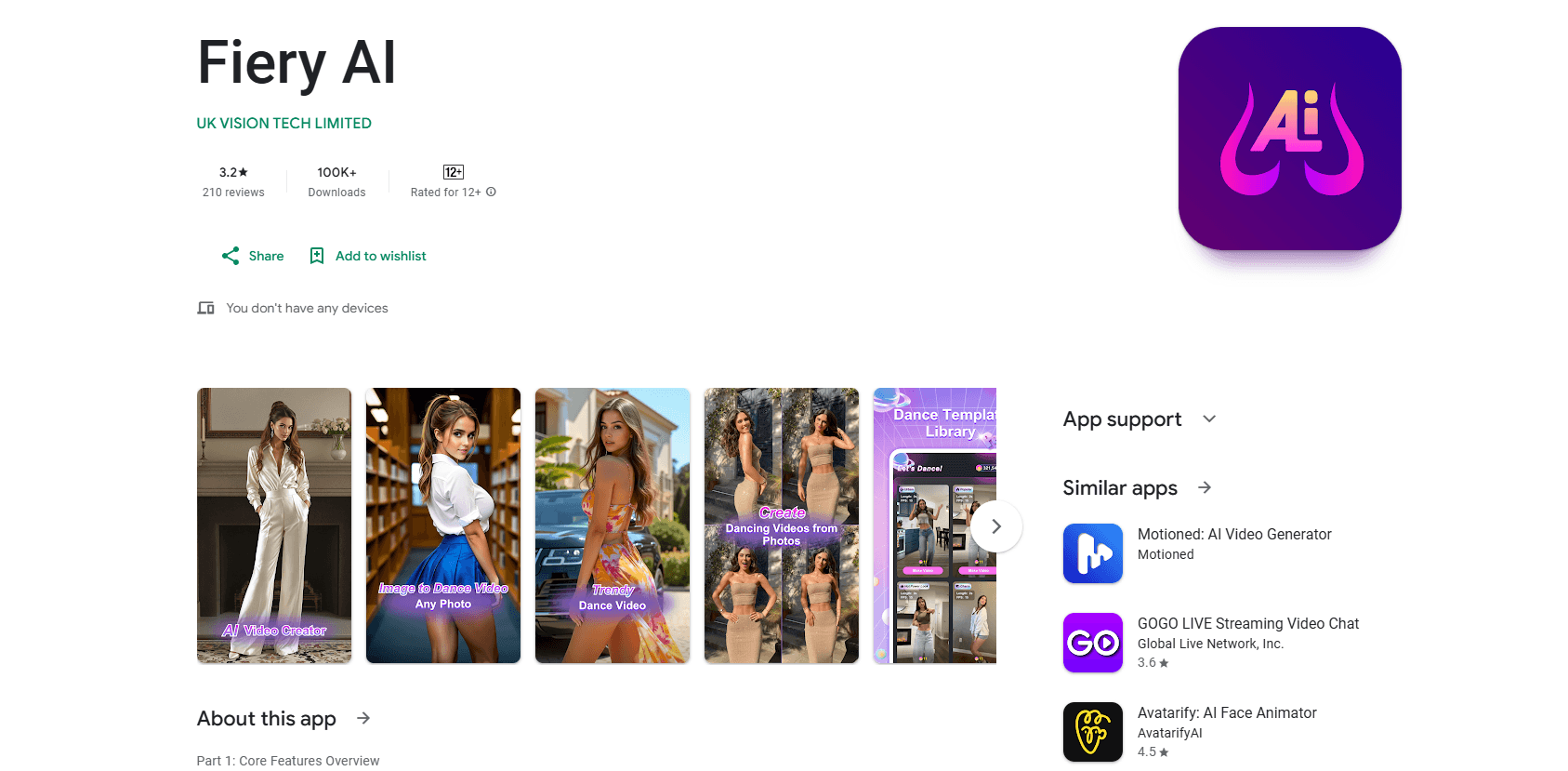
About Fiery AI
What Is Fiery AI
Fiery AI is an AI photo to video app that turns still photos into short, moving videos on Android. You choose a template from a library built around dance moves and playful effects, upload a clear photo of a face or full body, and the app animates that image to match the template's motion. It's an AI video generator for Android, made by UK VISION TECH LIMITED.
The idea is simple. Most people have a phone full of photos and no video editing skills, and they want a clip they can post in a minute. Fiery AI skips the editing timeline entirely and hands the work to template-driven AI. The results read as entertainment, not professional video, and the app says as much: it's listed under Entertainment on Google Play, not as a creative suite.
Two limits stand out before you download it. Generation runs on remote servers, so every clip takes roughly 10 to 15 minutes to finish, and you wait with a progress bar rather than getting an instant result. And while the app is free to install, it carries in-app purchases, so the useful parts sit behind a paywall once the trial or free credits run out.
Getting Started
- Install Fiery AI from Google Play on an Android phone running Android 7.0 or newer
- Pick a template from the dance and fun library, and preview the demo clip to see the motion
- Upload a clear photo of a face or full body that you want to animate
- Choose the output quality, 15FPS for a smaller file or 25FPS for smoother motion
- Tap Make Video, track the progress percentage and download the finished clip once it's ready
Product Information
A quick look at Fiery AI's pricing, supported platforms, and performance.
Best for
The users, tasks, and scenarios where this tool fits best.
Users
- Casual social media users
- Party and event hosts
- Small content creators
- Parents and gift givers
Tasks
- Turning a static photo into a dance clip
- Adding playful motion to an image
- Making a shareable short video
- Creating a novelty reaction clip
Scenarios
- A birthday photo sitting in your camera roll
- A dance trend you want to join
- A last-minute social post
- A gift for someone who likes personalized keepsakes
Key features
Photo to Video Animation
The core of the app is a one-photo animation pipeline. You upload a still, and Fiery AI's algorithms analyze the pose and expressions in the image, then blend that subject into the motion baked into your chosen template. There's no timeline, no keyframes and no manual masking. The trade-off is control: you get the template's motion, not your own choreography.
Dance and Fun Template Library
The template library leans hard into trends. It centers on viral dances, the short looping routines that spread across social feeds, alongside playful magic and effect styles. Each template offers a real-time preview, so you can watch a demo clip and judge the motion before you spend credits rendering it. This preview step matters because a render is slow, and you don't want to waste a queue slot on the wrong style.
15FPS and 25FPS Output
Before rendering, you choose the frame rate. The 15FPS option, labeled Smooth, keeps the file lighter, while the 25FPS option, labeled HD, produces smoother motion at a larger size. For most social posts the difference is minor, but if you plan to watch the clip on a bigger screen the 25FPS setting is worth the extra weight.
Real-Time Progress Tracking
Generation is resource-heavy, and the app is upfront about it. Fiery AI shows a live percentage indicator as it works, so you can see a render sitting at, say, 65% rather than staring at an empty screen. A typical clip takes about 10 to 15 minutes, which is long enough that the progress bar is a genuine feature and not a nicety.
Instant Playback and Download
Once a render finishes, the finished video plays on a loop inside the app so you can check it without leaving. If you like the result, you download the file straight to your device and post it wherever you want. There's no export step, no watermark removal workaround and no third-party editor in the middle.
Free to Install with In-App Purchases
Fiery AI is free to download, and the app store listing marks it with in-app purchases. That structure usually means a limited trial or a set of free credits, with subscriptions or credit packs unlocking more renders. It's a normal model for AI media apps, but it means the free tier is a taste rather than a long-term way to use the tool.
Pros and cons
Pros
- Turns a single photo into a moving clip with no editing skills and no timeline to learn
- Template previews let you judge the motion before you commit to a slow render
- Clear output control with a 15FPS light option and a 25FPS smoother option
- Live progress percentage makes the 10 to 15 minute wait easy to follow
- Downloads straight to your phone for immediate posting, with no export steps
Cons
- Renders take roughly 10 to 15 minutes each, so it's not built for instant results
- In-app purchases mean the useful parts sit behind a paywall after the free taste runs out
- You're limited to the template's motion, so there's no way to direct your own animation
- Android only, so iPhone users can't run it at all
Frequently asked questions
Fiery AI is an Android app that animates a static photo into a short video. You pick a dance or fun template, upload a clear photo of a face or full body, and the app blends your subject into the template's motion. It's built for quick, shareable clips rather than professional video editing.
Related content
Explore related tools, skills, and articles for Fiery AI.
Fiery AI Alternatives
Griffin by Tavus
Tavus · Voice & Language · Video · ChatbotGriffin by Tavus is the first Human Interaction Model: a full-duplex, video-to-video system that watches, listens, and answers during a live video call in real time.

Syllaby AI Avatar 2.0
Syllaby · Video · MarketingSyllaby AI Avatar 2.0 turns a script into a presenter-led video with a reusable AI avatar, natural voice, B-roll and automatic subtitles, all in one browser workflow.

Vitra.ai
Vitra.ai · Voice & Language · Video · MarketingVitra.ai is an agentic content platform that creates, translates, reviews, and publishes video, images, documents, and app content in 120 languages from one shared brief.