

Fiftycore
Fiftycore · Productivity · Business
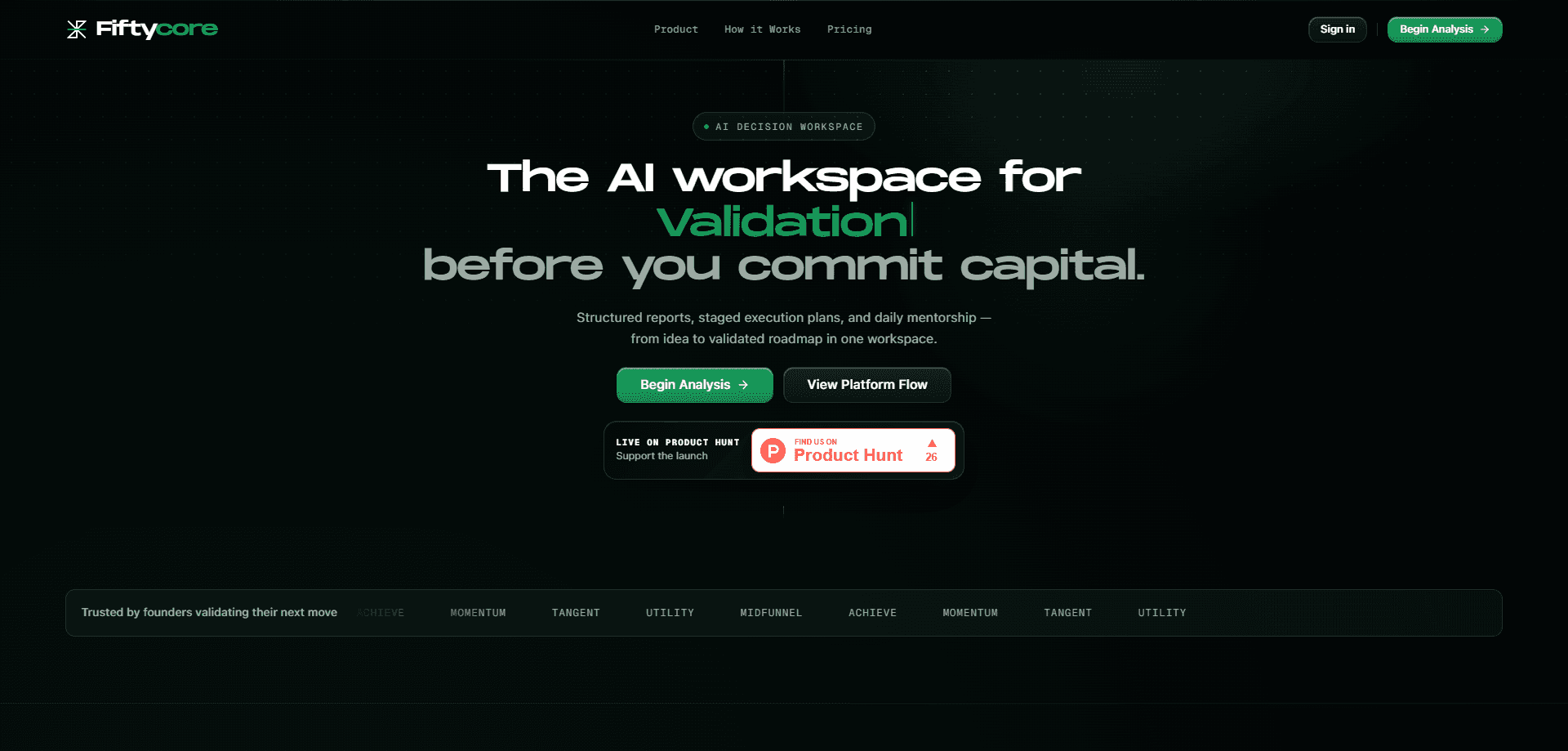
Fiftycore is an AI decision workspace for founders and product teams who need to pressure-test an idea before they spend money building it. It runs a three-phase flow (Validation, Design, Execution) that generates structured market validation reports, converts those reports into strategic design specs, and carries the result into staged execution plans that adjust as you log outcomes. Everything lives in a shared workspace, so reports can be grouped into projects and folders, exported as PDFs, and shared through token links you can revoke.
About Fiftycore
What Is Fiftycore
Fiftycore sits somewhere between a market research service and a project management tool. Instead of handing you a chat thread, it produces structured reports: first a market validation report, then a design spec that translates the findings into build decisions, then an execution plan with staged tasks.
The product is aimed at people validating their next move, which on the homepage means founders sizing up a new idea. Chat exists, but it's one interface layer, not the core. The reports are the deliverable. That's the whole pitch.
The biggest limitation is the phase structure itself. Execution only needs Validation to exist; Design is optional. That means you can skip straight from a validation report to an execution plan, which is convenient, but it also means the value you get depends heavily on how well the first report maps to your actual market. Garbage in, garbage execution.
Getting Started
- Create an account at fiftycore.com. No card is required, and you can generate a validation report before paying anything.
- Describe the idea or market you want to test. The workspace uses that input to build its first validation report.
- Review the generated validation report, then group it into a project or folder so related work stays together.
- Generate a design spec from the report if you want a build-ready plan. This step is optional.
- Move into execution. Submit task outcomes as you go, and the system can assess results and adjust the remaining tasks.
Product Information
A quick look at Fiftycore's pricing, supported platforms, and performance.
Best for
The users, tasks, and scenarios where this tool fits best.
Users
- Founders validating a new product idea
- Product managers drafting a spec
- Small teams running recurring projects
Tasks
- Sizing up a market before launch
- Turning research into a build plan
- Tracking staged execution
- Sharing findings with your team or a client
Scenarios
- Early-stage idea screening, where you need a fast read on whether a concept is worth more time.
- Investor or stakeholder updates, using exported PDFs instead of rebuilding slides from scratch.
- Ongoing projects that need their research and execution notes in one place, grouped by folder.
Key features
Three-Phase Validation, Design and Execution
The core structure runs in three phases. Validation produces the market validation report, Design turns that into a strategic spec, and Execution turns the spec into staged tasks. You don't have to complete all three: execution only requires the validation phase to exist, and the design phase is optional. That flexibility matters when you've already done the design thinking yourself and just want a plan.
Structured Report Generation
Reports are the main output, not chat transcripts. Each one is a structured document, which makes it easier to scan, compare across ideas, and share with someone who wasn't in the conversation. The homepage is explicit that chat is one interface layer rather than the product, so if you want a threaded AI assistant, this isn't it.
Outcome-Adaptive Execution
When you submit task outcomes, the system can assess the results and adjust the remaining tasks in the plan. That's a meaningful difference from a static checklist: a staged plan that reacts to what actually happened is closer to how real projects move.
Shareable Token Links and Revocation
You can generate a shareable token link for a report and revoke it when you need to. That's a cleaner fit for client or investor sharing than exporting a file and hoping it doesn't circulate further, since access can be pulled back.
PDF Export and Folder Organization
Report views support PDF export, so findings can leave the workspace as a document. Reports can also be grouped into projects and folders, including nested structure, which keeps a portfolio of ideas from turning into a flat, unmanageable list.
Pros and cons
Pros
- Free to start with no card required, so you can generate a validation report before deciding on a paid plan.
- Reports are structured documents, which makes them easier to reuse and share than a chat log.
- Execution adapts to submitted outcomes instead of staying frozen after creation.
- Shareable token links can be revoked, giving you some control over who still has access.
- Nested projects and folders keep multiple ideas organized in one workspace.
Cons
- API availability isn't documented publicly, so teams planning to wire Fiftycore into their own stack can't confirm it yet.
- Pricing beyond the free tier isn't published on the site, which makes budgeting harder before you sign up.
- Because Design is optional, skipping it can leave an execution plan thinner than the validation report that fed it.
Frequently asked questions
Structured reports. So what do you get out of it? The workspace starts with a market validation report, can convert it into a strategic design spec, and then builds staged execution plans from there. Chat is available, but it's an interface layer rather than the main product.
Related content
Explore related tools, skills, and articles for Fiftycore.
Fiftycore Alternatives

Bruto
Jimy K4 · Coding · ProductivityBruto is a local task board that keeps each project's notes in .bruto/workspace.json, so you and any AI assistant work from the same tasks, context and review trail.
Datastory
Datastory · Productivity · BusinessDatastory is a data storytelling platform that turns spreadsheets and open datasets into interactive charts, AI-written captions and embeddable pages, without code.

CrawlRaven MCP
CrawlRaven · Productivity · Marketing · BusinessCrawlRaven MCP is a remote MCP server that lets Claude, ChatGPT, Cursor and other AI clients read your Google Search Console data, linked GA4 reports and ranked CrawlRaven SEO plan as typed tools.