
Fillout.com
Fillout · Coding · Productivity
Fillout is an online form builder and form creator for surveys, quizzes and payments. The no-code forms editor pairs drag-and-drop design with app connections for faster data collection.
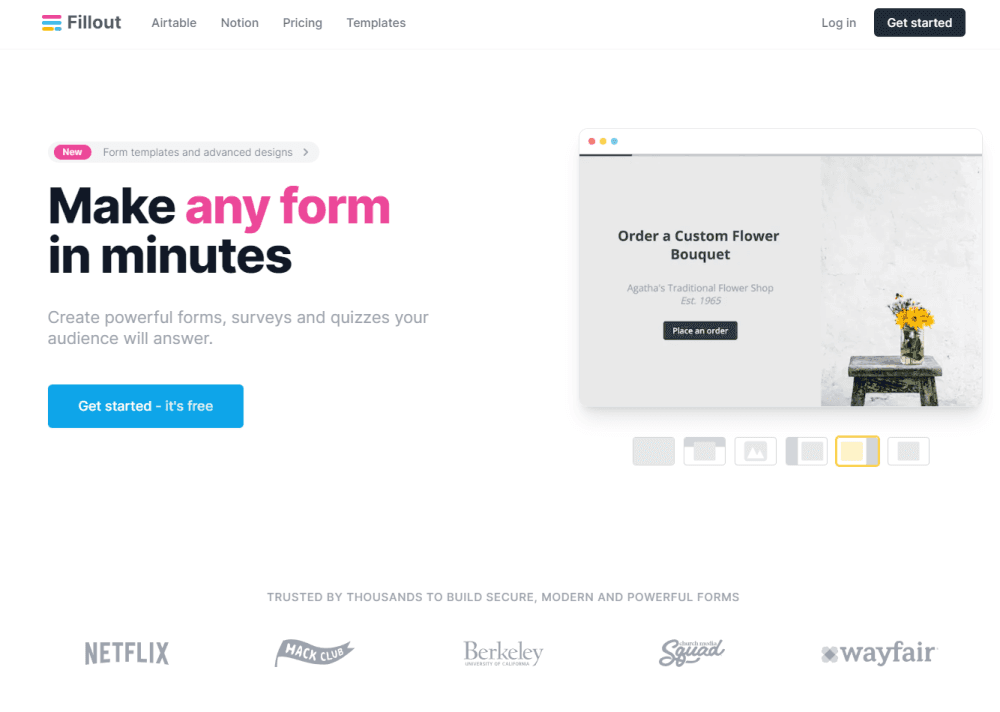
About Fillout.com
What Is Fillout
Fillout is a web platform for building forms, surveys and quizzes that people actually finish. As a survey builder and data collection tool, its pitch is simple: most form tools stop at collecting answers, while Fillout treats a form as the entry point to a workflow.
The team focuses on two things that matter for business data intake. First, layout control, so a form can carry your fonts, logo and colors instead of looking like a generic template. Second, connections, so the answers land in the tools you already use. Airtable, Notion, Stripe, HubSpot and Salesforce are wired in natively, and a few thousand more apps link through Zapier.
The main limits are the response caps and the learning curve. Free and Starter plans meter submissions per month, so high-volume polling needs the Business tier. The advanced logic, custom CSS and code steps also take a bit of practice before they feel quick.
Getting Started
- Sign up at fillout.com with an email or Google account and land in the form editor.
- Build a form from a blank page or a template, then add fields by dragging them onto the canvas.
- Style it with your brand colors, fonts and logo, and set up logic to branch questions or skip sections.
- Connect a destination app like Airtable, Notion or Stripe under Integrations.
- Share the form link, embed it on a site, or turn on login forms so people can return and edit answers.
Product Information
A quick look at Fillout.com's pricing, supported platforms, and performance.
Best for
The users, tasks, and scenarios where this tool fits best.
Users
- Operations teams
- Marketing and sales teams
- Small nonprofits and public agencies
Tasks
- Customer and lead intake
- Payments and donations
- Scheduling and bookings
- Surveys and quizzes
Scenarios
- Replacing a spreadsheet intake process
- Running a campaign sign-up form
- Collecting internal requests
Key features
Drag-and-Drop Form Builder
The no-code forms editor lets you build a form in minutes by dragging fields onto a page. You can mix cover pages, form pages, review pages and ending pages, and jump between them as you design. It is the core of the product, and the reason non-technical users can ship a working form the same day.
Native App Integrations
Fillout builds its own form integrations with Airtable, Notion, Stripe, HubSpot and Salesforce rather than relying on a third party. That means a submission can create or update a record in the moment, not hours later. For everything else, there are thousands of partner apps through Zapier.
Conditional Logic and Smart Routing
You can show or hide questions, branch to different sections and route submissions to different destinations based on what people answer. This is what turns a static form into a small workflow. Teams use it to send sponsor requests to one inbox and general questions to another.
Stripe Payment Pages
A payment page takes cards, wallets, US bank accounts and Affirm, with no added fee on top of Stripe's own. You can set the product name and amount from earlier answers, so a form can price a ticket or donation on the fly. Receipts can send automatically once the payment clears.
Response Management and Collaboration
A results view lets you filter, review and track submissions, and teammates can work in the same workspace in real time. You can also let respondents log in and edit a submission they already sent, which removes the "please resubmit" back-and-forth.
Branding and Custom Styling
Forms pick up your fonts, logo, colors and custom CSS, and on higher plans you can drop Fillout branding entirely and point the form to a custom domain. The result reads as part of your site rather than a rented tool.
Pros and cons
Pros
- Unlimited seats on every plan, including the free tier, so adding teammates never changes the price.
- Native integrations with Airtable, Notion, Stripe, HubSpot and Salesforce that fire on submission.
- Over 50 question types, covering file uploads, signatures, addresses and payment fields.
- A REST API and webhooks for pulling submissions into your own systems.
- Login forms let respondents return and edit an answer instead of submitting twice.
Cons
- Monthly response caps on Free, Starter and Pro mean a viral survey can hit the ceiling fast.
- The most advanced features, like custom code and partial submissions, sit behind the top Business plan.
- Custom CSS and complex logic take practice, so beginners will spend time in the help center.
- Custom domain and analytics are not available until the Business tier.
Frequently asked questions
Fillout builds forms, surveys, quizzes and payment pages that connect to apps and databases. Teams use it for lead capture, event sign-ups, internal requests and any process that starts with a form.
Related content
Explore related tools, skills, and articles for Fillout.com.
Fillout.com Alternatives
Forefront
Forefront · CodingForefront is a web platform for building with open-source AI. It lets you fine-tune leading open-source language models on your own data, evaluate how they perform, and run them through an API or export them to host yourself. Developers who want the convenience of a closed-source platform but insist on owning their models and data are the target audience here.

Startkit
StartKit.AI · CodingStartkit is a boilerplate for building AI SaaS and AI wrapper products. Think of it as an AI startup boilerplate with the boring parts already wired up: authentication, Stripe and Lemon Squeezy payments, usage limits, transactional email, and an AI API starter that talks to OpenAI, Anthropic, Groq, or Llama. You clone the repo, set your price, and start on the part of your product that people actually pay for. It's Next.js under React and Tailwind, so most of the boilerplate code already feels familiar.
Testim
Tricentis · CodingTestim is an AI-powered test automation platform for building and running end-to-end tests across web, mobile, and Salesforce applications. It leans on machine learning to keep tests stable when an interface changes, so teams spend less time fixing broken selectors. Not bad for an automated testing tool you can start using today. You create tests by recording actions in a browser, then optionally add JavaScript when you need more control. It's a solid pick for busy QA teams.