
Wondershare Filmora
Wondershare · Video
Wondershare Filmora is an AI video editor for Windows, Mac, and mobile, combining timeline editing, AI captions, and 4K export so creators can move from footage to finished video in one app.
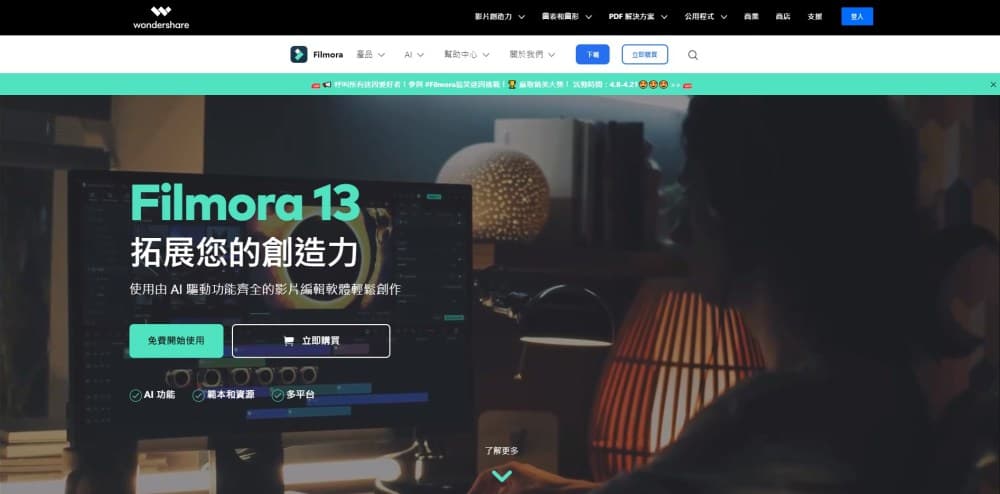
About Wondershare Filmora
What Is Wondershare Filmora
Wondershare Filmora is a video editor from Wondershare that runs on Windows, Mac, iPhone, iPad, and Android. It sits between simple slideshow apps and heavy professional suites, so people who want sharper results than a phone editor can get them without a steep learning curve. This video editing software, now in its sixteenth major release, folds timeline cutting, color grading, captions, audio cleanup, and AI generation into one workspace.
The product is built to shrink the repetitive parts of editing. Instead of placing subtitles by hand, you let the subtitle generator transcribe dialogue and time the text. Instead of masking a subject frame by frame, you tap an AI cutout. AI Media Analysis tags your clips by scene, action, and speech, so you can find the right shot before you start cutting.
There are limits to know up front. The free version exports with a watermark, and cloud storage plus the full creative asset library sit behind a paid plan. The most advanced AI tools run on credits that reset every 30 days, so heavy users can run them out and wait or buy more.
Getting Started
- Download Filmora for Windows, macOS, iOS, iPadOS, or Android, then sign in with a Wondershare ID to activate it.
- Import footage, or use the screen recorder to capture your screen, camera, mic, and system audio at once.
- Drag clips onto the timeline, trim them, and let AI Media Analysis tag people, scenes, and speech.
- Add AI captions, color grading, effects, and music, then refine timing with keyframes where it matters.
- Export in your chosen resolution, reframe for different aspect ratios, or publish different versions at once.
Product Information
A quick look at Wondershare Filmora's pricing, supported platforms, and performance.
Best for
The users, tasks, and scenarios where this tool fits best.
Users
- Beginners
- YouTubers and social creators
- Small teams and marketers
Tasks
- Adding subtitles
- Cleaning up footage
- Making social clips
- Generating video with AI
Scenarios
- A weekly YouTube upload
- A product launch
- A short trip recap
Key features
AI Media Analysis
AI Media Analysis scans footage and identifies people, scenes, actions, speech, and key moments, then generates tags and summaries. You use those tags to search your media and pull the right shot into the timeline. It saves the slow work of scrubbing through hours of raw clips before you edit.
AI Captions and Subtitle Generator
The subtitle generator turns speech into timed captions, highlights suggested corrections, and manages text on a dedicated subtitle track. You can apply caption styles with fonts and animations, and it handles 27 languages for speech-to-text. For talking-head videos and interviews, it removes the most tedious part of editing.
AI Cutout and Background Removal
The AI cutout tool detects a subject and strips the background without a green screen, and you can drop in a new scene behind it. Face mosaic adds privacy blur or emoji effects in a click. For product shots and reaction videos, this replaces hours of manual masking.
Generative AI Tools
Filmora bundles text-to-video, image-to-video, AI Extend, an AI music generator, and text-to-speech with 28 voices. You can turn a prompt or a still image into a short clip, or stretch an existing shot. These tools run on AI credits that refresh every 30 days, which is the main reason people upgrade.
Timeline Editing and Motion Controls
The timeline supports multi-track editing, keyframes, speed ramping, camera tracking, and a pen tool for custom motion paths. Dual timelines let you work on two sequences in one view. This is where Filmora grows with you, since the same controls handle a quick cut and a layered composite.
Color, Audio, and Delivery
Color correction, Color Mask with curves and wheels, voiceover tools, noise reduction, and audio ducking all live in the edit. On the output side, auto reframe retargets one clip to different aspect ratios, and you export multiple versions at up to 4K. You can also hand the timeline to Final Cut Pro via XML.
Pros and cons
Pros
- The core editor and many features are free to try, with paid plans starting near $4 a month.
- AI captions, cutout, and media analysis cut routine work from hours to minutes.
- One project covers editing, color, audio, captions, and export instead of several apps.
- Multi-version export and auto reframe avoid resizing the same clip for every platform.
- The same workflow runs on desktop and mobile, with projects you can sync across devices.
Cons
- The free version stamps a watermark on exports, so clean output needs a paid plan.
- Advanced AI tools burn credits that reset monthly, and heavy use can hit the cap.
- Pricing and plan names vary by region and store, which makes budgeting awkward.
- One individual license is platform-specific, so a Windows key won't run the Mac build.
- There's no public developer API, so you can't script edits from your own code.
Frequently asked questions
Yes, you can use Filmora's basic editing features and export videos for free. The catch is that free exports carry a Filmora watermark, and cloud storage plus the full creative asset library require a paid plan.
Related content
Explore related tools, skills, and articles for Wondershare Filmora.
Wondershare Filmora Alternatives

ngram 2.0
ngram · Video · Marketingngram 2.0 is an AI video generator for teams. It turns a prompt, a screen recording, or a product URL into a narrated explainer, product demo, or AI avatar video, and every scene stays editable.

OpenScreen 2
OpenScreen (open-source project) · Video · ProductivityOpenScreen 2 is a free, open-source screen recorder and demo video editor for Windows, macOS, and Linux, with automatic zooms, styled frames, local captions, and agent edits.

Skreno
Skreno · Video · ProductivitySkreno is a browser screen recorder that captures a tab, a window or your whole display, then attaches AI transcripts, summaries and console logs to one share link.