

FilmoraHD - AI Video Creator
Wondershare · Video
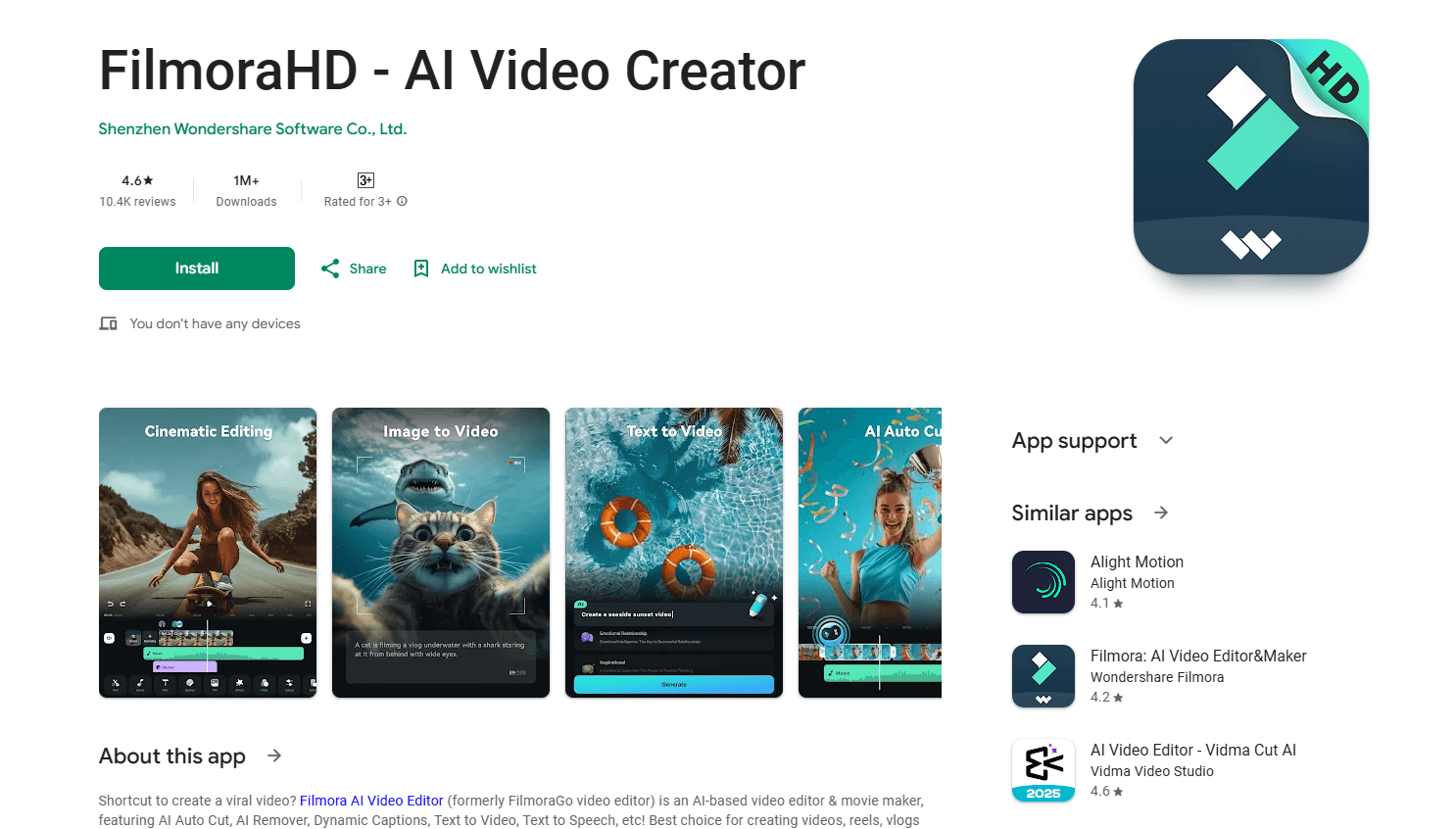
FilmoraHD - AI Video Creator is an AI-powered video editing and creation app from Wondershare that packs auto-cut, background removal, live captions, text-to-video and voice cloning into one Android editor. It works as a video editor for Android and for desktop too. The point is simple: a polished clip without learning a full timeline suite.
About FilmoraHD - AI Video Creator
What Is FilmoraHD - AI Video Creator
FilmoraHD - AI Video Creator is the mobile face of Wondershare Filmora, a video editor that's been shipping since 2009. The Android version keeps the core editing tools you'd expect, then leans hard on AI to handle the parts most people find tedious: cutting dead air, writing subtitles, syncing music and clearing backgrounds. You still get manual control when you want it. You just don't need it to finish a video.
The main appeal is speed. A vlog, a product clip or a reel that used to eat an afternoon can come together in a few minutes because the app does the first pass for you. Text-to-video turns a script into scenes. Captions time themselves. And the AI remover erases a stray object or a messy background without a green screen.
The biggest limitation is the free tier. Every export from the free version carries a watermark. Some AI features run on a credit system tied to paid plans. If you need clean, watermark-free output, budget for a subscription.
Getting Started
- Install FilmoraHD - AI Video Creator from a trusted app source and open the app.
- Sign in with your Wondershare account so your projects and credits sync across devices.
- Choose New Project and import video, photos or audio from your phone, or start from a template to skip the setup.
- Run an AI tool on your footage, such as auto cut, AI captions or background removal, then trim and arrange the result on the timeline.
- Export your finished video and share it straight to social platforms.
Product Information
A quick look at FilmoraHD - AI Video Creator's pricing, supported platforms, and performance.
Best for
The users, tasks, and scenarios where this tool fits best.
Users
- Casual creators who post reels and Shorts and want the editing done for them
- Small business owners making product or promo clips
- Vloggers juggling multiple platforms
Tasks
- Turning a written script into a finished video
- Adding subtitles to a talking-head clip
- Clearing an unwanted object or background
- Syncing footage to a music track
Scenarios
- Getting a social clip out the same day you filmed it
- Repackaging a YouTube video for TikTok and Reels
- Cleaning up a clip shot in a crowded space
Key features
AI Auto Cut and Reel Maker
FilmoraHD reads your footage and cuts out the slow, silent parts on its own, then arranges the remaining clips into a watchable sequence. Pick a viral template and it syncs your clips to a beat. Handy when you have hours of raw video and a deadline.
AI Captions
The app transcribes your speech and puts timed subtitles on screen, with support for more than 20 languages and bilingual subtitle options. You can still edit the wording and styling. That matters, because auto-captions rarely land every name or slang term on the first try.
Background Remover and AI Remover
AI Remover clears unwanted objects or backgrounds from a clip without a green screen, and you can drop in a new scene behind your subject. That used to mean a keying setup and a lot of patience. Here it's a tap.
Text-to-Video
Type a script or a topic, choose a language, aspect ratio and AI voice, and the app generates a video with voiceover, images, music and visuals. Any element can be re-edited on the timeline afterward, so the AI output is a starting point, not a locked result.
AI Image to Video
Google's Veo models are built into the workflow, letting you animate a still photo into motion with effects like frame blending, portrait styling and day-to-night transitions. It's aimed at the pictures already sitting in your camera roll.
Auto Beat Sync and Music Tools
The editor reads the mood of your video and matches it to a rhythm, or lets you upload your own tracks and set custom beat points. AI music generation can also create a custom soundtrack when you don't have a track that fits.
Voice Cloning and Audio Tools
Voice cloning and text-to-speech let you generate narration in your own voice or a chosen AI voice, useful for explainer clips and voiceovers you'd rather not record live. Audio tools cover silence detection and ducking so music sits under speech.
Templates and Creative Assets
A large library of templates, effects, filters and stock media lets you start from something close to what you want instead of a blank timeline. Don't want to build from scratch? Adapt a preset instead.
Pros and cons
Pros
- The AI tools cover the slow parts of editing. A rough clip becomes a postable one in minutes, not hours.
- Text-to-video and image-to-video turn a script or a photo into footage without any shooting.
- Captions support 20+ languages and bilingual output, which helps if you publish for more than one audience.
- Projects sync across Android, iOS, Windows and Mac, so you can start on your phone and finish on a laptop.
- A deep template and stock media library shortens the gap between idea and export.
Cons
- The free version watermarks every export, so anyone who wants a clean video has to pay.
- Several AI features pull from a monthly credit allowance tied to paid tiers, which caps how much you can generate.
- Mobile editing on long or 4K projects is slow. It drains your battery faster than the desktop version.
Frequently asked questions
FilmoraHD - AI Video Creator has a free tier, but every video you export from it carries a watermark. Removing the watermark and unlocking the full AI credit allowance both require a paid plan, which starts at $49.99 per year for the Basic tier.
Related content
Explore related tools, skills, and articles for FilmoraHD - AI Video Creator.
FilmoraHD - AI Video Creator Alternatives

Vadu AI
Vadu AI · Image · VideoVadu AI is a web-based AI video generator that turns written prompts or still images into short clips, and it can also generate images on its own. You type what you want, pick a model and style, and the platform renders the result in minutes. A free plan covers light testing, while paid tiers run from $9 to $77.40 per month based on how many credits you burn.

Mykaraoke Video
MyKaraoke Video · VideoMykaraoke Video is an online karaoke video maker and lyric video maker that turns any song into a finished, lyrics-synced video right in your browser. It handles the slow part for you. The AI pulls vocals out of the mix and locks the lyrics to the beat, then lets you customize background, fonts, and colors before exporting in 1080p MP4. If you make lyric videos for social media, party nights, or music promotion, it skips the software installs and manual timing work entirely. Want a karaoke video generator that doesn't eat your whole evening? That's the pitch here.

Finalframe
Finalframe · VideoFinalframe is a set of free, browser-based tools for grabbing exact frames out of a video clip. Its best-known feature, the Final Frame Extractor, lets you extract the last frame of any video so you can use it as the starting image for AI video tools like Luma Dream Machine, Runway, or Kling. Want to keep a clip going? That last frame is your starting point. The tool runs locally in your browser, needs no sign-up, and costs nothing. A separate paid AI video-generation app from the same team is currently offline while it's rebuilt.