

FindThem
FindThem · Coding
FindThem is an AI-powered people search platform that lets you describe who you want in plain language and get back matching LinkedIn profiles with verified emails and enriched company data. It scans 1B+ profiles cross-referenced with the wider web, so founders, sales teams, and recruiters can build a prospect or candidate list in minutes instead of scrolling LinkedIn for hours. As a sales prospecting tool and recruiting tool in one, it handles lead generation and candidate sourcing the same way. You pay per profile found, with no subscription and no need for LinkedIn Premium or Sales Navigator.
About FindThem
What Is FindThem
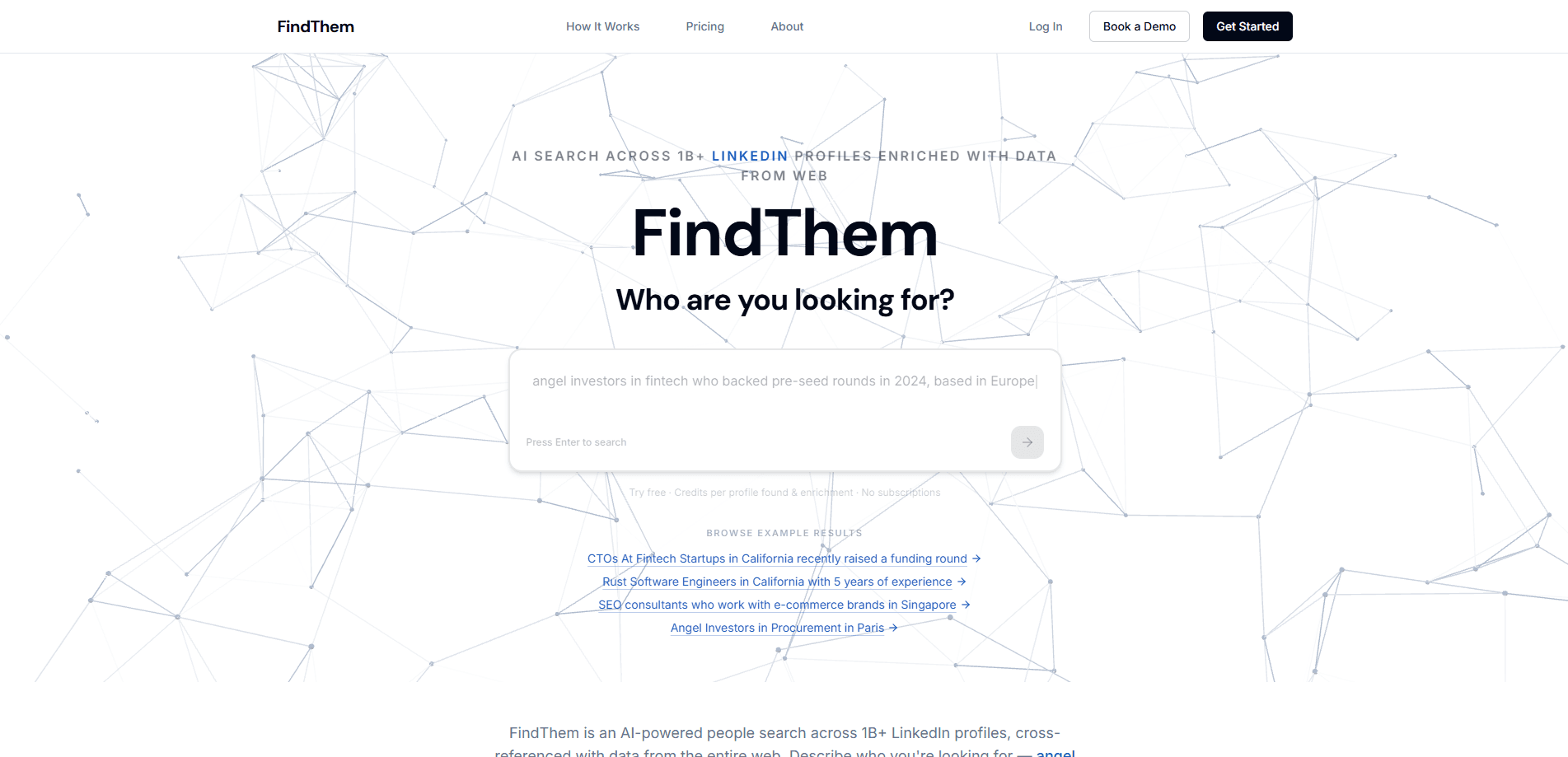
FindThem is a web-based AI people search tool built for anyone who needs to find the right person fast. Instead of filtering LinkedIn by hand, you type a plain-language query like "angel investors in healthtech, based in the EU, who invested pre-seed in the last 12 months" and the AI returns profile URLs, verified email addresses, and relevance scores. It also cross-references the open web to add company and role details that a bare LinkedIn profile doesn't show.
The platform targets three broad jobs: founders raising capital, sales and business development teams, and recruiters sourcing niche talent. Each of those groups spends hours building lists manually by filtering LinkedIn one field at a time, and FindThem's pitch is that the same list takes minutes instead of an afternoon.
The main limitation is scope. FindThem searches LinkedIn data, so if your ideal contact has no LinkedIn presence at all, it won't help you no matter how precise your query wording gets. Outreach features are also marked as coming soon, which means today it's a search and export tool rather than an all-in-one engagement platform. You'll still need your own email tool or CRM to send.
Getting Started
- Sign up at app.findthem.pro with your email. No credit card is required, and every new account starts with 500 free credits.
- Describe your target in the search box using plain language. The more specific you're about role, industry, location, and funding stage, the tighter the results.
- Review the matches. Each profile found costs 10 credits; adding a verified email costs 5 more per profile.
- Add enrichment columns if you need extra context, such as funding stage, industry focus, or sales email, at 2 to 10 credits per profile.
- Save matches to a named list, then export to CSV or JSON and load them into your CRM or outreach tool.
Product Information
A quick look at FindThem's pricing, supported platforms, and performance.
Best for
The users, tasks, and scenarios where this tool fits best.
Users
- Founders raising capital
- Sales and BD teams
- Recruiters and hiring managers
- Marketing teams
Tasks
- Building a prospect list
- Finding angel investors
- Sourcing niche talent
- Enriching an existing list
Scenarios
- A seed-stage startup prepping a fundraise and needing warm investor leads within days.
- A sales rep rebuilding a pipeline after a territory change.
- A hiring manager filling a hard-to-fill role without a recruiter retainer.
Key features
Natural language people search
You don't build filters or learn a query syntax. You type who you're looking for the way you'd say it out loud, and FindThem's AI turns that into a LinkedIn profile search across its index. Role, company type, location, and funding history all work as plain phrases. The upside is speed. A query most people could write off the top of their head still returns usable results, and there's no filter menu to fight with.
Verified email discovery
Every result can include a verified work email for 5 credits, on top of the 10 credits for the profile itself. Verified is the key word here. Cold lists live or die on deliverability, and bounced emails waste both credits and sending reputation. FindThem runs verification before you export, so you're not cleaning a list by hand afterward. That saves real time.
Web enrichment columns
Beyond LinkedIn fields, you can add custom enrichment columns that answer questions from web research. Want funding stage, industry focus, or a company's sales email? Each column costs 2 to 10 credits per profile and lands as a new field in your export. This is the part that turns a bare profile list into something a sales team can actually segment.
Save, export, and CRM handoff
Results save to named lists, and you can export to CSV or JSON at any point. That matters because most teams already have a CRM or outreach tool. FindThem doesn't try to replace them. It hands off clean data, and there's no lock-in on where your list goes next. Export once, use it anywhere.
Relevance scoring
Matches come with AI relevance scores, and you can rescore an existing list for 10 credits per 50 profiles to re-rank by fit. If a first pass returns 200 names, rescoring helps you decide which 40 to contact without reading every profile yourself.
Pay-as-you-go credits
There's no subscription and no auto-renewal. You buy credit packs when you need them, ranging from $5 for 1,000 credits to $99.50 for 50,000 credits. Searches and AI chat are always free and unlimited, so the meter only runs when you actually pull a profile. Idle time costs nothing.
Pros and cons
Pros
- No subscription, so a one-off list costs a few dollars instead of a monthly seat fee.
- Works without LinkedIn Premium or Sales Navigator, cutting a recurring cost many teams carry.
- Returns verified emails, which reduces bounces and protects sending reputation.
- Plain-language search removes the learning curve of filter-based tools and lets a new user get a usable list on the first try.
- 500 free credits let you test the index and result quality before paying a cent.
Cons
- Outreach and sending are still "coming soon," so you need a separate tool to contact people.
- Coverage depends on LinkedIn, so contacts who keep no professional profile online aren't findable through any query you write.
- Credits expire after 3 months of inactivity, which hurts teams that do occasional bulk pulls.
- Costs scale with list size, so very large campaigns get pricey versus a flat-rate data plan.
Frequently asked questions
It's a people search tool. You describe the kind of person you want, and it returns matching LinkedIn profiles with verified emails and extra company data. Think of it as a search engine for professional contacts rather than a scrolling-based browsing tool.
Related content
Explore related tools, skills, and articles for FindThem.
FindThem Alternatives
Forefront
Forefront · CodingForefront is a web platform for building with open-source AI. It lets you fine-tune leading open-source language models on your own data, evaluate how they perform, and run them through an API or export them to host yourself. Developers who want the convenience of a closed-source platform but insist on owning their models and data are the target audience here.

Startkit
StartKit.AI · CodingStartkit is a boilerplate for building AI SaaS and AI wrapper products. Think of it as an AI startup boilerplate with the boring parts already wired up: authentication, Stripe and Lemon Squeezy payments, usage limits, transactional email, and an AI API starter that talks to OpenAI, Anthropic, Groq, or Llama. You clone the repo, set your price, and start on the part of your product that people actually pay for. It's Next.js under React and Tailwind, so most of the boilerplate code already feels familiar.
Testim
Tricentis · CodingTestim is an AI-powered test automation platform for building and running end-to-end tests across web, mobile, and Salesforce applications. It leans on machine learning to keep tests stable when an interface changes, so teams spend less time fixing broken selectors. Not bad for an automated testing tool you can start using today. You create tests by recording actions in a browser, then optionally add JavaScript when you need more control. It's a solid pick for busy QA teams.