

Firework
Firework · Video · Business
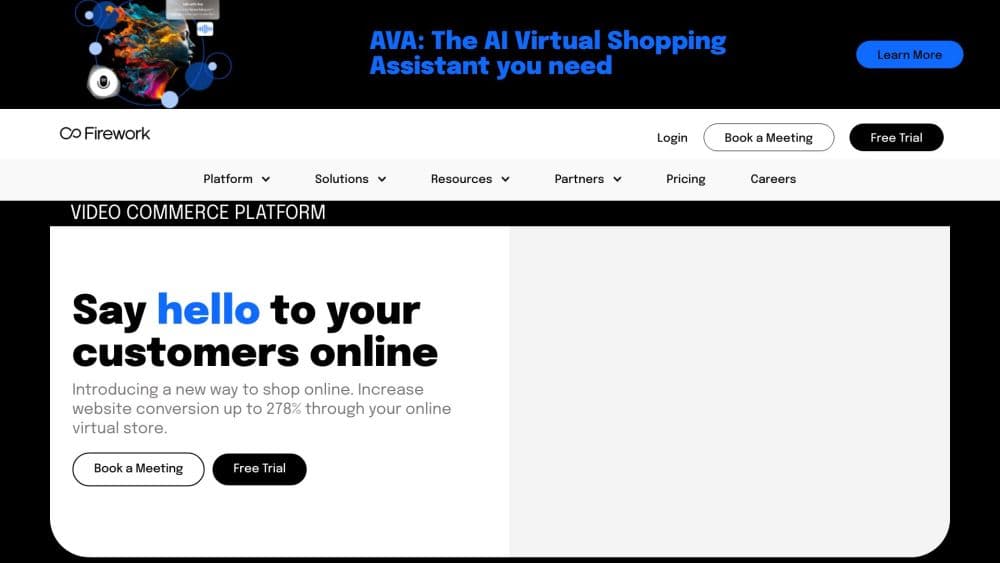
Firework is a video commerce platform for brands and retailers. It makes video on the store's own site shoppable, adds an AI co-pilot for product questions, and runs live and 1:1 video.
About Firework
What Is Firework
Firework sells software that puts video at the center of an online store. A shopper scrolling a product page can watch a recipe demo or a customer review, tap the product shown in the frame, and add it to the cart without leaving the page. The same clips can run in emails, in SMS campaigns, inside a mobile app, and on retailer and publisher sites.
That placement is the part most people miss. Firework is not a social network and it does not host a public feed of videos. Video lives on the brand's own site, so the traffic and the customer relationship stay with the brand instead of moving to a platform.
Three limits shape who it fits. It's a business tool: pricing starts with a sales conversation for anything beyond the small business plans, and there's no do-it-yourself monthly checkout for the upper plans. You also need a store and a catalog, since the product tags that make a video shoppable depend on matched SKUs. And the AI features work from your existing content and product data, so a site with two product photos won't get much from them.
Getting Started
- Book a demo on firework.com and pick a plan. The Pilot and Starter plans target small stores, while Pro and Enterprise plans are quoted with a specialist.
- Connect your store and catalog. Firework integrates with platforms such as Shopify, WooCommerce, and Salesforce, and the catalog mapping is what links videos to products.
- Import content. Pull in Instagram and TikTok clips through the UGC importer, upload files directly, or let the AI content solutions turn product images into short videos.
- Place the video on your site. Choose a layout such as Grid, Carousel, Floating Player, or Storyblock, then embed it on the homepage, collection pages, or product pages through the SDK or the auto embed option.
- Turn on the AI co-pilot and check the numbers. The assistant answers shopper questions inside a video showroom, and the dashboard reports views, interactions, and conversions per clip.
Product Information
A quick look at Firework's pricing, supported platforms, and performance.
Best for
The users, tasks, and scenarios where this tool fits best.
Users
- E-commerce and growth teams at consumer brands
- Retail and brand marketers without a video crew
- Stores with a support queue full of product questions
Tasks
- Making product pages shoppable
- Running a live shopping event
- Giving remote shoppers a guided sale
- Reusing social content
Scenarios
- Launching a new collection
- Turning static product photos into video
- Translating a product demo for other markets
Key features
Shoppable Video Across the Store
Shoppable video is the core of the product. A clip plays on the homepage, collection page, or product page, and product cards tie what's on screen to catalog items that shoppers can add to the cart. Ten layouts cover different jobs: a Grid for browsing a collection, a Floating Player for constant presence, a Storyblock for a single hero video, and a Vertical Scrolling layout built for phones. Email, SMS, mobile app, retailer sites, and QR codes on packaging all reuse the same clips.
AI Content Solutions
The AI content tools work on the catalog you already have. Product images become short videos, which covers a large SKU list without a shoot. AI product matching watches a video, detects objects, faces, and scenes, and maps what it finds to SKUs, so an existing creator clip becomes shoppable. The same system handles sentiment and video type tagging, which helps when you sort a big library. Firework has published its own conversion figures for these tools: a 3.8% median conversion rate for engaged viewers and 10.6% for users who chat.
Video Showroom and AI Co-Pilot
A video showroom turns a website into a live storefront. Product videos sit in a layout with polls, quizzes, and questions, and shoppers can browse without leaving the page. The AI co-pilot sits inside the showroom and answers product questions on its own, recommends items, and keeps the brand's tone, with the vendor stating that content stays within brand-safe limits. Conversation metrics track interactions, response times, and satisfaction.
One-to-One Video Chat
For expensive or complicated products, 1:1 video chat puts a store associate on a live call with a shopper. Associates share screens, show products from different angles, and co-browse pages while the customer decides. The feature is built for consultations, technical support, and styling help, and it embeds on product pages, emails, and ads through a call-to-action button.
Live Shopping and Scheduled Events
Brands can schedule live events on their own site with unlimited views on the Pro and Enterprise plans. Replays are kept for each event, and a social simulcast option pushes the stream to social channels. Standard OMS integrations and analytics connections let you tie a live session to revenue rather than impressions alone.
Integrations and Analytics
Firework connects to Shopify, WooCommerce, Salesforce, and other commerce systems, and to Google and Adobe analytics. Pro and Enterprise plans add mobile native SDK access, personalized playlists, and multi-touch revenue attribution. The SDK costs $1,500 per month or 30% of the monthly plan price, whichever is higher, which is worth checking before you assume custom app support comes with the base plan.
Pros and cons
Pros
- Shoppable video works on the store's own site, so traffic and customer data stay with the brand instead of moving to a social platform.
- One account covers site, email, SMS, mobile app, and retailer placements, which cuts the work of running video in five separate tools.
- AI tools build videos from existing product images and map clips to SKUs, so a small team can scale video without a production crew.
- The AI co-pilot answers product questions all day inside a video showroom, which trims the load on a live chat team.
- A published free Pilot plan with 10 uploads and 3 playlists lets a store test shoppable video before signing anything.
Cons
- Real pricing for Starter, Growth, Pro, and Enterprise needs a sales call, so budgeting takes longer than a checkout page suggests.
- View overages are billed per 1,000 views on some plans, and a popular video can push a monthly bill past the plan price fast.
- SDK access is an add-on at $1,500 a month or 30% of the plan cost, which rules out custom app work for small stores.
- The platform only does useful work when the catalog is mapped and there's decent content, so setup in the first weeks is a real project.
Frequently asked questions
Firework adds shoppable video to an online store. Brands use it to play product videos on their own site, email, and social channels, tag the products shown, and let shoppers buy without leaving the page. It also runs live shopping events and one-to-one video consultations.
Related content
Explore related tools, skills, and articles for Firework.
Firework Alternatives

ngram 2.0
ngram · Video · Marketingngram 2.0 is an AI video generator for teams. It turns a prompt, a screen recording, or a product URL into a narrated explainer, product demo, or AI avatar video, and every scene stays editable.

OpenScreen 2
OpenScreen (open-source project) · Video · ProductivityOpenScreen 2 is a free, open-source screen recorder and demo video editor for Windows, macOS, and Linux, with automatic zooms, styled frames, local captions, and agent edits.

Skreno
Skreno · Video · ProductivitySkreno is a browser screen recorder that captures a tab, a window or your whole display, then attaches AI transcripts, summaries and console logs to one share link.