

FixArt AI
FixArt AI · Video
FixArt AI is a free AI image generator and AI video generator that runs entirely in your browser, which means there's nothing to download and nothing to configure before you can start producing visuals from a sentence or a photo. It turns text prompts or reference photos into images and short clips. Text-to-image, image-to-image, text-to-video, and image-to-video all live in one place, so you don't juggle four separate tools, four sets of credits, and four different interfaces just to get one project done. Think of it as a free AI art tool. No sign-up wall. No credit card. No watermarks on your output.
About FixArt AI
What Is FixArt AI
FixArt AI is an AI content creation platform built around image and video generation. You describe what you want in plain language, or upload a photo, and the tool produces the visual for you. The whole thing runs in a browser tab.
Most AI art tools gate their good features behind an account and a subscription, and they usually slap a watermark on anything you produce on the free tier, which makes the output awkward to actually publish anywhere. FixArt AI skips both. You open the site, pick a mode, and start generating. That's the part people notice first, and it's why this free AI image generator spreads by word of mouth rather than ads.
There are real limits. Video length and resolution sit in a modest range. The company also never says which models handle the generation, so you can't predict how one prompt will behave compared to another, and results can swing in quality from one attempt to the next. Treat it as a fast idea machine, not a production studio. For storyboards, social posts, and quick concepts, that's plenty.
Getting Started
- Open fixart.ai in your browser. No account or email is required to reach the generator.
- Choose a mode: text to image, image to image, text to video, or image to video.
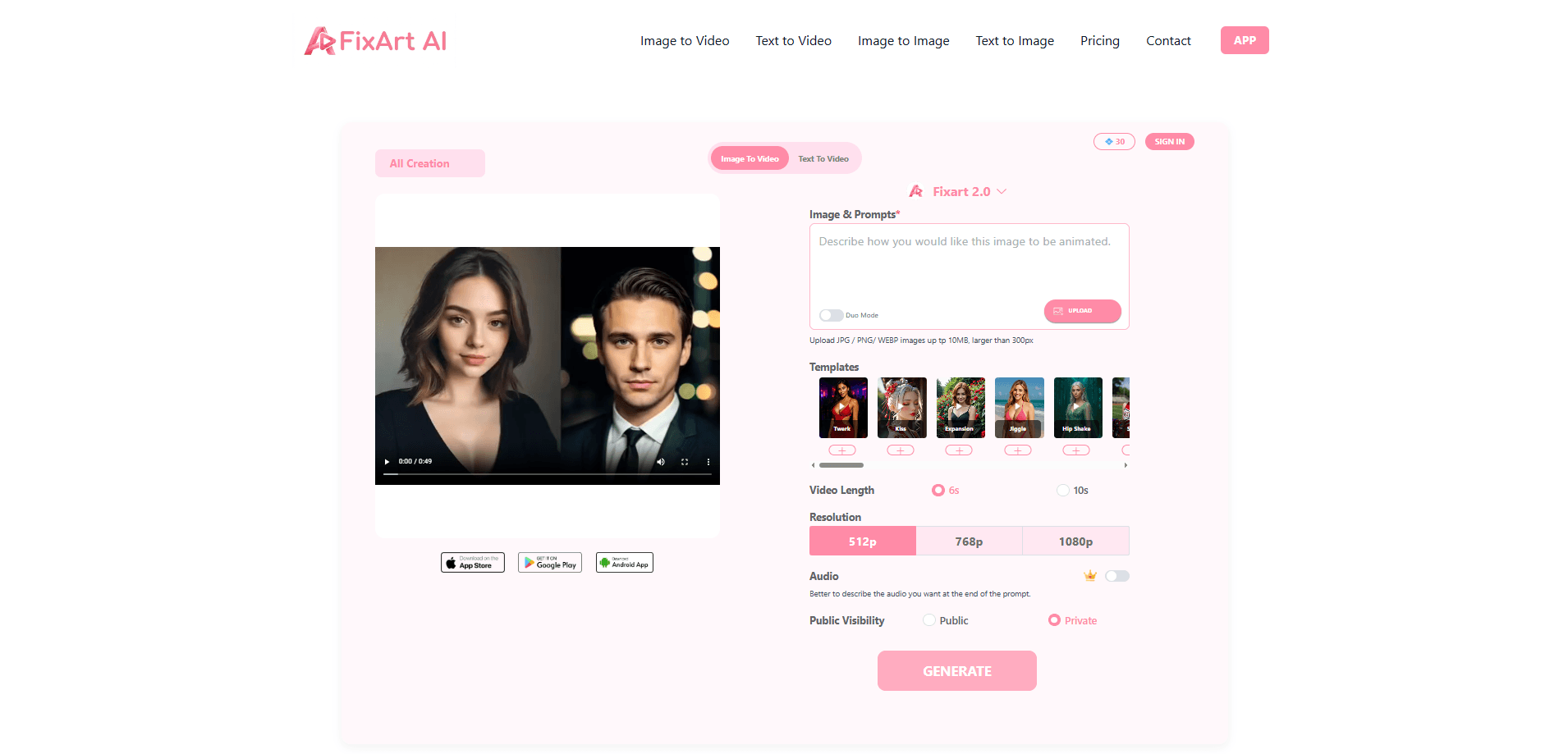
- Type a prompt describing the image or clip you want, or upload a reference photo for the image-based modes.
- Set the video length and resolution if you picked a video mode, then hit generate.
- Preview the result and download it. Files come out without a watermark.
Product Information
A quick look at FixArt AI's pricing, supported platforms, and performance.
Best for
The users, tasks, and scenarios where this tool fits best.
Users
- Social media creators
- Students and hobbyists
- Marketers testing concepts
Tasks
- Turning a written concept into a first-pass image
- Animating a still photo
- Restyling an existing image
- Building quick thumbnails and banners
Scenarios
- A creator needs a header image for a blog post due the same afternoon
- A small shop wants a moving teaser of a product photo
- A student needs a concept image for a presentation
Key features
Text to Image Generation
Type a description and FixArt AI renders an image from it. You can specify subject, style, and mood in the prompt, then regenerate until something lands, which turns prompt-writing into a quick back-and-forth instead of a one-shot gamble. It's the fastest path from a written idea to a visual you can actually use. And it costs nothing.
Image to Image Editing
Upload an existing picture and let the AI rework it. Change the style, shift the color palette, or adjust the overall content while keeping the original composition intact. Useful when you like a photo but want a different look for a particular post.
Text to Video
FixArt AI turns a written prompt into a short video clip. This is the mode that separates it from a plain image generator. Most free AI video generator tools stop at stills; this one moves. Good for intros, loopable background clips, and concept reels.
Image to Video Animation
Bring a static image to life. Upload a photo, and the platform animates it with motion, so a product shot or a simple illustration becomes a few seconds of movement without any camera work or timeline editing on your end. No camera, no editing timeline, no fuss.
Flexible Image Upload
The platform accepts JPG, PNG, and WEBP files. That covers most of what people have on hand, so you don't need to convert formats before you start.
Template Library
Rather than writing from a blank prompt every time, you can start from preset templates built for specific styles, and the results usually come out closer to what you pictured than a bare prompt would. Templates lower the barrier for anyone who doesn't yet know how to phrase a good prompt.
Video Length and Resolution Controls
Video modes let you set parameters like clip length and resolution before generating. You decide how long the result runs instead of taking whatever the default spits out.
Mobile App
Beyond the browser version, FixArt AI offers an Android app for generating and managing content on the go, and if you tend to draft ideas on your phone during commutes rather than sitting down at a laptop, that convenience is the whole point. Handy if you work from a phone more than a laptop.
Pros and cons
Pros
- Free to use with no sign-up, so there's zero friction to try it.
- No watermarks on generated images or videos, which matters if you plan to publish the results.
- Covers four generation modes in one place, from stills to short clips.
- Accepts common image formats (JPG, PNG, WEBP) without conversion.
- Runs in a browser, so there's nothing to install on desktop.
Cons
- Video length and resolution options are limited, which rules out anything beyond short clips.
- The company doesn't disclose which AI models power the generation, so quality can vary by prompt.
- No published pricing tiers or API means there's little to scale with if you need volume or automation.
- Features could change without notice, since the platform runs entirely on third-party models.
Frequently asked questions
Yes, the platform advertises free access to its image and video generation tools with no subscription required. There's no paid tier listed, so the free plan is the whole offering right now.
Related content
Explore related tools, skills, and articles for FixArt AI.
FixArt AI Alternatives

ngram 2.0
ngram · Video · Marketingngram 2.0 is an AI video generator for teams. It turns a prompt, a screen recording, or a product URL into a narrated explainer, product demo, or AI avatar video, and every scene stays editable.

OpenScreen 2
OpenScreen (open-source project) · Video · ProductivityOpenScreen 2 is a free, open-source screen recorder and demo video editor for Windows, macOS, and Linux, with automatic zooms, styled frames, local captions, and agent edits.

Skreno
Skreno · Video · ProductivitySkreno is a browser screen recorder that captures a tab, a window or your whole display, then attaches AI transcripts, summaries and console logs to one share link.