

FlashGO
Meng Chao Cui · Productivity
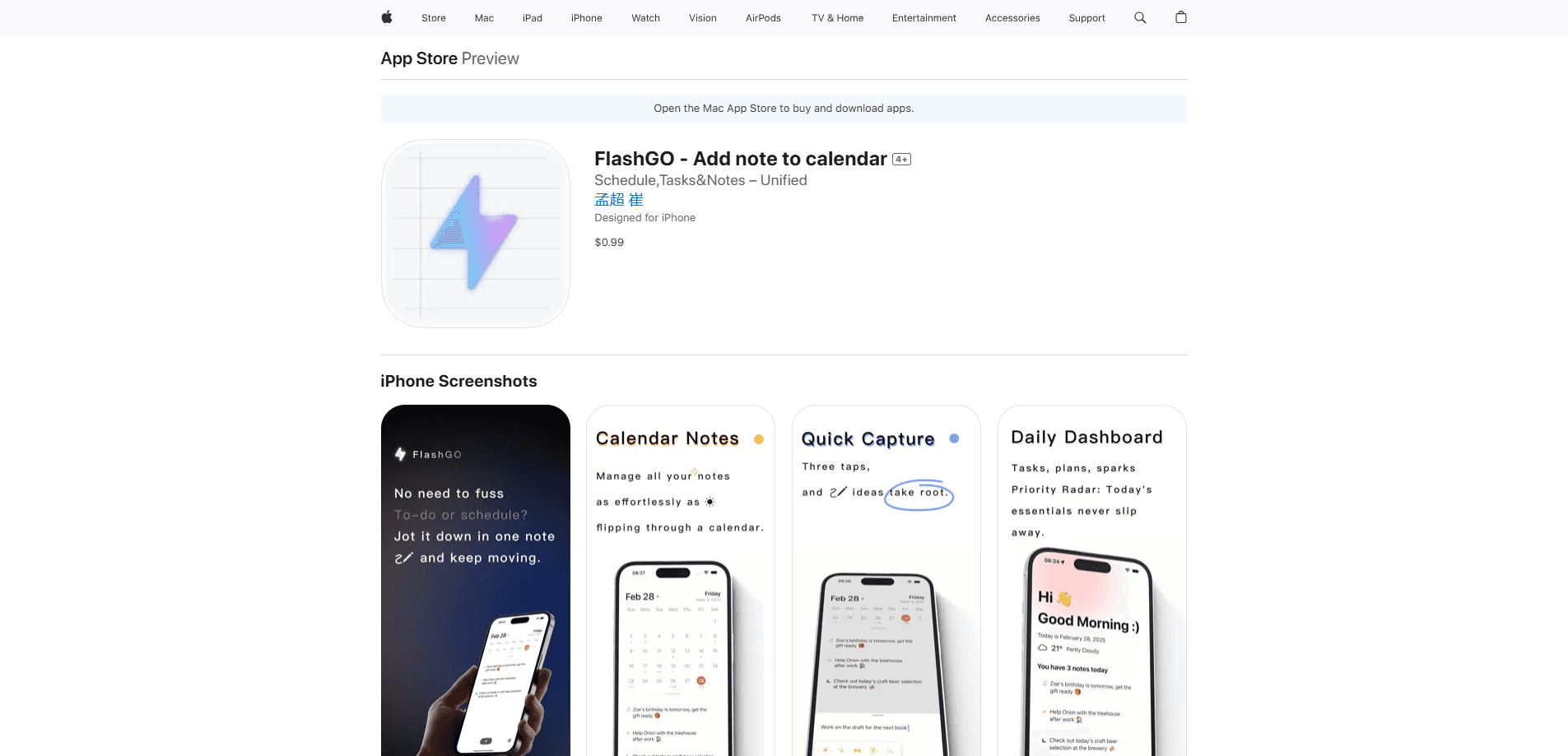
FlashGO is a productivity app for iPhone and iPad that keeps notes, tasks, and calendar plans in one place, so you capture an idea in a tap and turn it into a scheduled action right away.
About FlashGO
What Is FlashGO
FlashGO is a productivity app built around a simple idea: your notes, your to-do list, and your calendar shouldn't live in three separate apps. The developer, Meng Chao Cui, designed it as a single hub where a quick thought, a reminder, and a scheduled event sit side by side.
The app targets a common frustration. You jot an idea in one place, add the follow-up in another, and then schedule it somewhere else. FlashGO folds those steps together in one interface, and the official tagline is direct about the goal: capture ideas, tasks and schedules in one tap.
It isn't trying to be a heavy project-management suite or a full task manager for large teams. FlashGO is for the fast capture of everyday things, meeting notes, work plans, reading highlights, and quick reminders, rather than deep multi-team workflows. The trade-off is real: if you need shared boards and complex dependencies, this app won't replace those tools for you.
Getting Started
- Download FlashGO from the App Store and open it. The app uses a local-first approach, and the desktop version skips account creation entirely.
- Add your first note in the capture field. Notes are grouped by day, so today's entries collect in one view without extra organizing.
- Attach a date or a reminder to a note to turn it into a scheduled item, which links the note and the calendar entry together.
- Add the home-screen or desktop widget to reach the capture field without opening the full app.
- Review your day from the daily view, where notes, tasks, and events appear together.
Product Information
A quick look at FlashGO's pricing, supported platforms, and performance.
Best for
The users, tasks, and scenarios where this tool fits best.
Users
- Busy professionals
- Students
- Freelancers
- Note-takers who lose track of ideas
Tasks
- Capturing a thought before it slips away
- Turning a note into a scheduled task
- Daily planning and review
- Meeting notes and quick memos
Scenarios
- A short break between meetings
- Evening planning for the next day
- Capturing highlights while reading
- Tracking recurring personal reminders
Key features
One-Tap Idea Capture
The core interaction is a capture field that records a note the moment a thought arrives. There's no folder to choose and no setup screens to pass through. That speed matters most in the seconds after a meeting ends or a call drops, when a half-formed idea is easy to lose.
Notes Linked to Your Calendar
FlashGO connects notes and calendar entries instead of keeping them apart. When you attach a date to a note, the item shows up as a scheduled plan, so the record of what you wanted to do and when you planned it stay together. This is the feature that separates it from a plain to-do list.
Home-Screen and Desktop Widgets
Widgets put the capture field and your daily list on the home screen or desktop, so you don't have to open the app to add or check something. The developer has kept refining widget interaction across updates, which points to it being a priority rather than an afterthought.
Day-Based Note Organization
Rather than asking you to build a folder system, FlashGO groups notes by day. Today's captures collect in one timeline, and you review past days by scrolling back. For people who think in terms of "what did I note on Tuesday," this removes a lot of filing overhead.
Tags and Groups for Filtering
Day-based views stay clean, but notes still get tags and groups for filtering. You can sort a growing pile of entries by topic without leaving the daily structure behind. It's a light layer of organization on top of the automatic date grouping.
Daily Reminders and Daily Cards
Daily reminders and daily cards resurface routine items and surface what matters for the day. The developer has tuned this on the settings side across releases, so the daily review stays front and center instead of buried in menus.
Local-First Data Handling
As an iOS productivity app that also ships on the Mac, FlashGO keeps the desktop version close to your machine. It stores notes locally and skips account registration, with an extra layer of local encryption. For anyone uneasy about sending personal notes to a cloud account, that design is the reason to pay attention. The iOS version leans on iCloud sync to move data between your Apple devices.
Pros and cons
Pros
- Notes, tasks, and calendar events share one interface, which cuts down on app switching.
- One-tap capture makes recording a thought faster than opening a separate notes app.
- Day-based grouping removes most manual filing work.
- Widgets keep capture and daily review reachable without opening the app.
- Local-first design on the desktop version keeps notes on your device and skips sign-up.
Cons
- The App Store version is a one-time paid download, so there's no free tier to test first.
- It's built for Apple devices, which means Android and Windows users are left out.
- There's no shared team workspace, so collaborative projects need another tool.
- Complexity is deliberately low, which limits it if you need deep project tracking.
Frequently asked questions
FlashGO combines note-taking, task management, and calendar scheduling in a single app for iPhone and iPad. You capture a note and can attach a date to turn it into a scheduled item.
Related content
Explore related tools, skills, and articles for FlashGO.
FlashGO Alternatives

Swms
Swms AI · Writing · Productivity · BusinessSwms is an AI safety compliance tool that turns a plain description of a job into ready-to-use safety documents. Describe your project, trade, and known hazards, and it writes a safe work method statement, job hazard analysis, safe work procedure, RAMS, or safety data sheet in seconds. It also ships with Oscar, a chat assistant that answers workplace safety questions in any language. Teams in construction, mining, transport, and warehousing use it to cut the paperwork that usually eats into a workday.

Wordly AI Translation
Wordly · Voice & Language · ProductivityWordly AI Translation is a real-time AI translation and captioning platform built for meetings, conferences, and events. It delivers live translation, captions, transcripts, and summaries in more than 60 languages, and attendees join by scanning a QR code or opening a link instead of using dedicated headsets. The platform works with Zoom, Microsoft Teams, Google Meet, and Webex, and it's designed for organizations that want multilingual access without hiring human interpreters for every session. Simple as that.

Rows
Rows (Superhuman) · Productivity · BusinessRows is an AI spreadsheet and data analysis tool that imports live data from more than 50 sources, then lets you work with it using plain language instead of SQL queries or nested formulas. You can pull numbers out of PDFs, connect ad platforms, databases, and bank accounts, and ask the AI to build reports, merge datasets, or set up models that recalculate themselves. It runs in the browser, works like a spreadsheet, and now sits under the Superhuman umbrella.