

Flickify
Ezoic · Video
Flickify is an AI video platform from Ezoic that turns articles, URLs, and prompts into narrated videos with matched visuals, captions, and brand styling.
About Flickify
What Is Flickify
Flickify is a browser-based AI video generator built by Ezoic for people who already publish text. Paste a blog post, a news article, or a product page, and the tool pulls the text, writes a script, picks stock footage, adds an AI voiceover, and renders a finished video.
The pitch is volume. Publishers with thousands of pages can't hire an editor for each one, and Flickify aims to close that gap with bulk video creation and an autopilot mode that runs in the background. Ezoic says most videos cost under $1 to produce.
The limits matter too. Rendering is capped at 1080p, billing runs on rendered minutes, and the AI picks visuals for you. On narrow or technical topics, you'll still spend time swapping clips that don't fit.
Getting Started
- Create a free account at app.flickify.com and pick a creation mode: one video for detail work, or generate many for scale.
- Feed the tool a URL, a pasted script, or a short prompt. Flickify extracts the article text or writes a draft script for you.
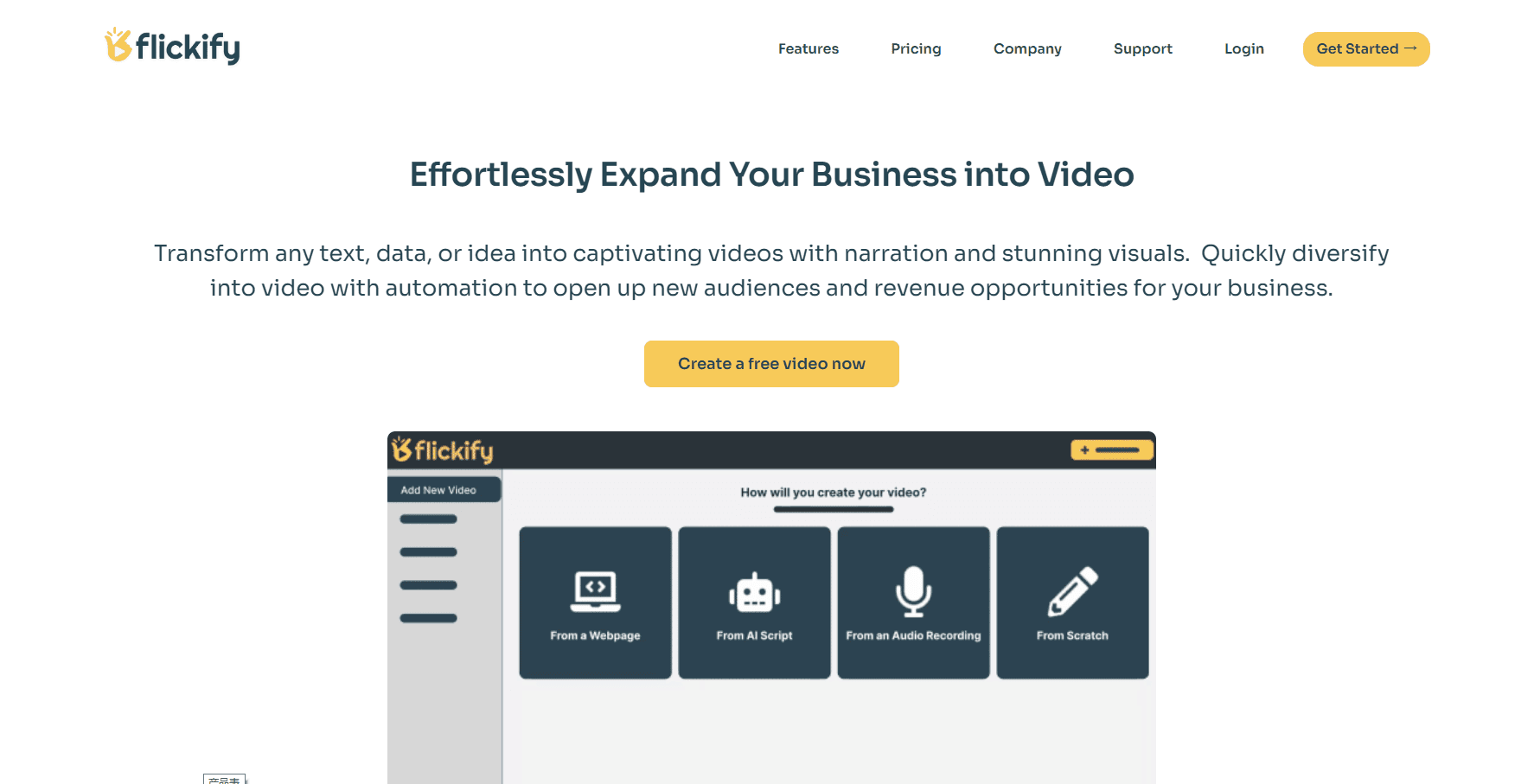
- Choose a narrator voice, a language, and your brand style, then let Automatch pair each slide with stock footage or generated images.
- Adjust scenes in the slide-based editor, render the final file, and send it to YouTube, Humix, or a download.
Product Information
A quick look at Flickify's pricing, supported platforms, and performance.
Best for
The users, tasks, and scenarios where this tool fits best.
Users
- Bloggers and news publishers
- E-commerce store owners
- YouTube and social creators
- Agencies and content teams
Tasks
- Repurposing a backlog of articles
- Turning a script into a narrated video
- Adding video to top-performing pages
Scenarios
- A publisher publishing dozens of videos a week
- A solo blogger testing video for the first time
- Social teams needing vertical cuts
Key features
Text to Video and URL to Video
Most work starts with text you already have. Paste an article URL and Flickify extracts the body copy, breaks it into slides, and builds narration around it. You can also type a prompt and let the tool write a script first, which helps when you have a topic but no draft.
Automatch Visual Selection
Automatch reads the narration and picks stock footage, images, or generated visuals for each slide. It weighs keywords and sentiment, so a slide about a storm gets different footage than one about a product launch. You can override any pick from the media library, and that manual step is where most of your editing time goes on specialist subjects.
AI Voiceovers, Avatars, and Voice Cloning
Flickify ships 50+ narrator voices across 29+ languages, plus AI avatars for talking-head style videos. Voice cloning records a sample of your own voice and reuses it across projects, which keeps a channel sounding consistent without a recording session per video.
Bulk Creation and Autopilot
Bulk Creation takes a list of URLs or topics and renders a batch overnight. Autopilot goes further: connect Google Analytics, and Flickify watches for your best-performing posts, converts them, and publishes the results. For a site with steady traffic, this is the closest thing here to a set-and-forget video pipeline.
Slide-Based Editor
The editor borrows from presentation software. You get an intro, body slides, and an outro, and each one holds a clip, an image, text, and a voiceover segment. It's quicker to learn than a timeline editor, and it explains why the output looks more like a narrated slideshow than a filmed sequence.
AI Video Clips with Veo, Sora, and Kling
A newer addition puts several third-party video models in one gallery: Veo from Google, Sora from OpenAI, Kling, and LTX. You describe a scene and the model generates the clip, which is useful for B-roll that stock libraries don't have. These generations draw on your plan's minutes, so heavy use adds up.
Pros and cons
Pros
- Low cost per finished video, with Ezoic quoting under $1 for most renders.
- URL extraction removes the copy-paste step that slows down other text to video tools.
- Strong language coverage: 29+ languages and 50+ AI narrator voices.
- Bulk creation and Autopilot automate video creation for sites with large archives.
- Direct publishing to YouTube and Humix saves an upload step.
Cons
- Minutes-based billing means long videos eat a plan fast, and overage runs $1.00 to $1.20 per minute.
- Exports stop at 1080p, so 4K delivery isn't an option.
- Automatch misses on niche topics, which adds manual clip swapping.
- No documented public API, so custom pipelines need a workaround.
Frequently asked questions
Flickify is an AI video platform from Ezoic that converts text, articles, URLs, and prompts into narrated videos with visuals, captions, and music. It targets publishers and content teams rather than professional editors.
Related content
Explore related tools, skills, and articles for Flickify.
Flickify Alternatives

ngram 2.0
ngram · Video · Marketingngram 2.0 is an AI video generator for teams. It turns a prompt, a screen recording, or a product URL into a narrated explainer, product demo, or AI avatar video, and every scene stays editable.

OpenScreen 2
OpenScreen (open-source project) · Video · ProductivityOpenScreen 2 is a free, open-source screen recorder and demo video editor for Windows, macOS, and Linux, with automatic zooms, styled frames, local captions, and agent edits.

Skreno
Skreno · Video · ProductivitySkreno is a browser screen recorder that captures a tab, a window or your whole display, then attaches AI transcripts, summaries and console logs to one share link.