

FlouState
FlouState · Coding
FlouState is a VS Code extension that watches how you code and sorts every minute of it into one of four work types: Creating, Exploring, Refactoring, and Debugging. Instead of telling you that you coded seven hours, it tells you that three of those hours went into new features and one hour went into bug hunting. That distinction is the whole point of this developer productivity tool. It's automatic coding analytics, not a stopwatch.
About FlouState
What Is FlouState
FlouState is an automatic coding time tracker built for VS Code. Traditional trackers measure duration, so a long debugging session looks the same as a long feature sprint. FlouState measures work type instead, running quietly in the background and labeling your activity as you go. There are no timers to start and nothing to log by hand.
The problem it targets is common. Most developers finish a day feeling busy without a clear sense of what they actually produced, and commit counts or lines of code don't capture the thinking that happens between edits. FlouState argues that exploring a codebase and refactoring old logic matter as much as shipping new features, then gives you data to back that up. Simple idea. Hard to argue with.
The main catch is scope. FlouState only tracks VS Code, so if you split time between editors or a terminal-first workflow, parts of your day stay invisible. It also leans on interpreting patterns from keystroke frequency and edit activity. That means the labels are educated guesses, not ground truth.
Getting Started
- Install the FlouState extension from the VS Code Marketplace and reload the editor.
- Create an account with your email or sign in with GitHub, then connect the extension to your workspace.
- Code normally. FlouState starts categorizing activity in the background without any timer setup.
- Open the dashboard to review your work type breakdown by project, branch, and file.
- Optional: opt into weekly reports, the leaderboard, or the public profile if you want to compare habits with other developers.
Product Information
A quick look at FlouState's pricing, supported platforms, and performance.
Best for
The users, tasks, and scenarios where this tool fits best.
Users
- Developers who want an honest picture of where their week went
- Freelancers billing across several projects
- Team leads and self-improvers
Tasks
- Auditing a slow week
- Spotting bottlenecks by file
- Building sustainable habits
Scenarios
- A sprint where it feels like nothing shipped
- Onboarding into a new codebase
- Evaluating a language or project switch
Key features
Automatic Work Type Detection
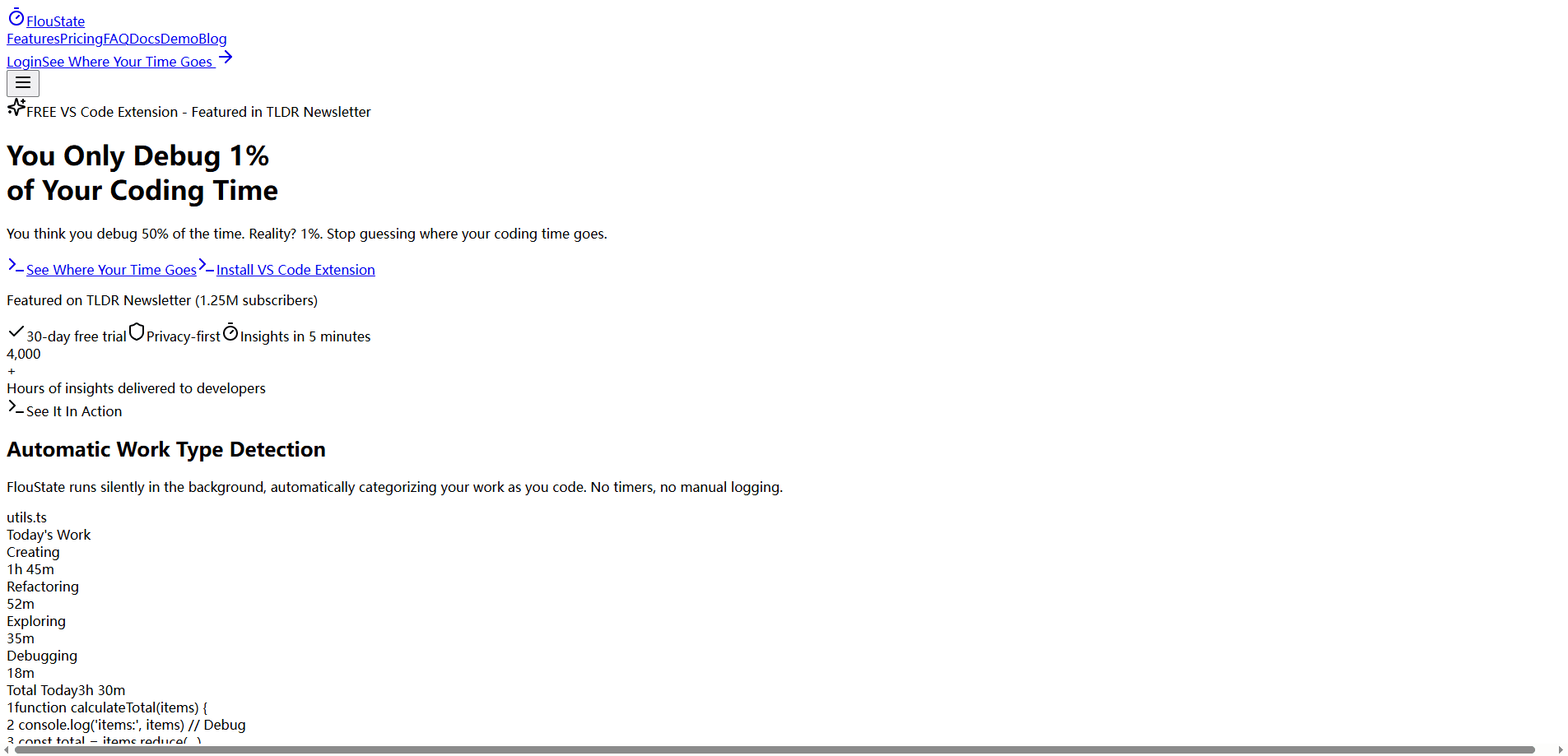
FlouState sorts your coding into Creating, Exploring, Refactoring, and Debugging without any manual input. It reads keystroke frequency, file activity, and edit timing to decide which bucket a stretch of work belongs to. No buttons. No guessing. The result is a breakdown that reflects what you did, not just how long you sat there.
Project, Branch, and File Tracking
Every session can be tied to a project, git branch, and individual file. That context matters when you're juggling client work or hopping between branches on the same repo. Per-file breakdowns are the most useful part for spotting the code that keeps generating debugging time.
Weekly Reports That Tell a Story
Rather than dumping charts on you, FlouState builds weekly reports that summarize your progress in plain terms. You get a sense of your mix of deep work versus maintenance at a glance, which is easier to act on than a wall of raw numbers.
Leaderboards and Community Comparison
An optional leaderboard ranks developers by total coding time and active days, and you can turn on a public profile if you want to show off. It's a light competitive layer. If that's not your thing, you can leave it off and keep everything private.
Privacy-First Tracking
FlouState never stores your actual code. It captures workspace-relative file paths, line counts, languages, and timing, and it explicitly leaves out keylogging, screen recording, and file contents. Data is encrypted in transit and at rest, hosted on Vercel with Supabase, and kept under row-level security so only you see your own numbers.
Codebase Insights
Beyond the daily view, FlouState surfaces patterns across your history, like the times of day when you debug most or the languages where you move fastest. Ever wondered why some afternoons vanish into bug fixing? This is where you find out. These are the kinds of observations that are hard to notice on your own and easy to act on once you see them written down.
Pros and cons
Pros
- No timers or manual logging, so tracking doesn't depend on your discipline.
- The four-work-type model captures maintenance and debugging that duration-only trackers ignore.
- Strong privacy stance: file paths stay workspace-relative and code content is never collected.
- Project, branch, and file context makes the data useful for freelancers and multi-repo work.
- Free dashboard and leaderboard let you try the core experience before paying.
Cons
- VS Code only. If you use another editor or live in the terminal, a chunk of your work won't be tracked at all.
- Work type labels come from activity patterns, so they can miss context and mislabel ambiguous sessions.
- The AI insights feature sends anonymized patterns to OpenAI, which some developers will want to opt out of.
Frequently asked questions
It tracks timing and activity signals: keystroke frequency, workspace-relative file paths, line counts, programming languages, and active versus idle time. It doesn't record what you type, doesn't capture file contents, and doesn't take screenshots.
Related content
Explore related tools, skills, and articles for FlouState.
FlouState Alternatives
Forefront
Forefront · CodingForefront is a web platform for building with open-source AI. It lets you fine-tune leading open-source language models on your own data, evaluate how they perform, and run them through an API or export them to host yourself. Developers who want the convenience of a closed-source platform but insist on owning their models and data are the target audience here.

Startkit
StartKit.AI · CodingStartkit is a boilerplate for building AI SaaS and AI wrapper products. Think of it as an AI startup boilerplate with the boring parts already wired up: authentication, Stripe and Lemon Squeezy payments, usage limits, transactional email, and an AI API starter that talks to OpenAI, Anthropic, Groq, or Llama. You clone the repo, set your price, and start on the part of your product that people actually pay for. It's Next.js under React and Tailwind, so most of the boilerplate code already feels familiar.
Testim
Tricentis · CodingTestim is an AI-powered test automation platform for building and running end-to-end tests across web, mobile, and Salesforce applications. It leans on machine learning to keep tests stable when an interface changes, so teams spend less time fixing broken selectors. Not bad for an automated testing tool you can start using today. You create tests by recording actions in a browser, then optionally add JavaScript when you need more control. It's a solid pick for busy QA teams.