

Flow AI
Flow AI Video · Video
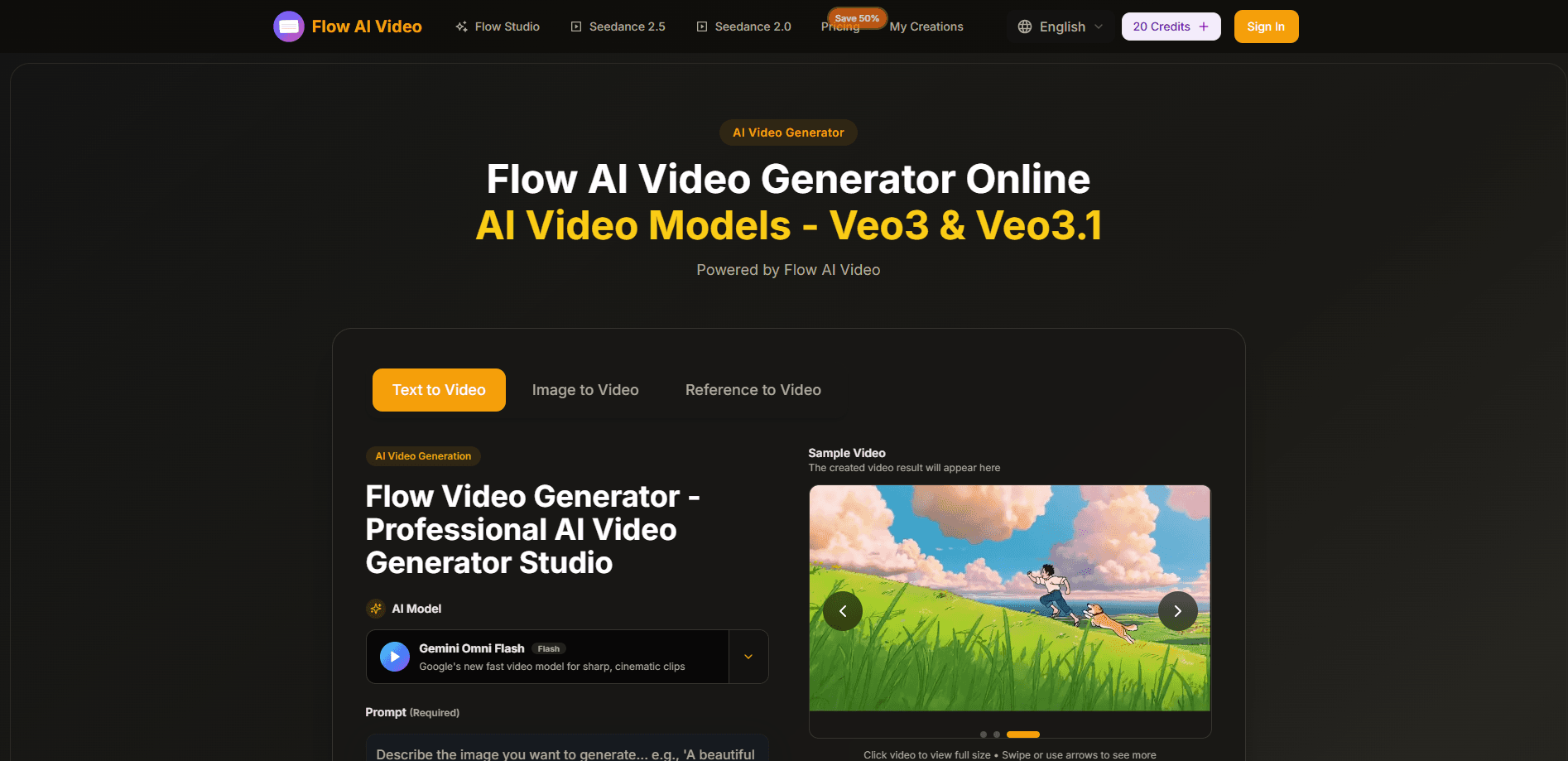
Flow AI is a browser-based AI video studio that generates cinematic clips from text prompts or still images, with output up to 4K. It's built for people who want to tell short stories across multiple shots while keeping characters and visual style consistent. You don't install anything. You type a prompt or upload a photo, pick a model like Veo 3 or Sora 2, and let the AI video generator handle motion and rendering.
About Flow AI
What Is Flow AI
Flow AI is an online AI video generator that converts text or images into finished video clips. It runs entirely in the browser, so a laptop with a decent connection is enough to open the AI video studio and start creating. The pitch is speed plus consistency. It leans on multi-shot storytelling that holds characters, style, and atmosphere steady as scenes change, which is the part most text to video tools still struggle with.
The tool connects to several well-known video models under one login, including Veo 3, Veo 3.1, Sora 2, Seedance, and Wan 2.5. That matters because you don't have to juggle separate subscriptions to compare what each model does with the same prompt. Output tops out at 4K, with a stated emphasis on smooth motion and cinematic framing.
The catch is credits. Every video costs credits. The good models burn through them fast, so heavy users will feel the monthly caps. Generation also depends on the models' own availability and limits, which the studio doesn't control. And since the tool routes your idea through third-party models, you're trusting the platform's data handling rather than your own machine.
Getting Started
- Open the Flow AI Video site in your browser and create an account to claim your starting free credits.
- Pick a video model from the available list, or leave the default if you're just testing output.
- Type a prompt (up to 2,000 characters) or upload an image for image to video, then set aspect ratio, quality, and duration.
- Hit generate and let the AI video maker render your clip, then preview it in the sample player.
- Download the finished video, or keep editing to add more shots to your story.
Product Information
A quick look at Flow AI's pricing, supported platforms, and performance.
Best for
The users, tasks, and scenarios where this tool fits best.
Users
- Solo content creators
- Small marketing teams
- Storytellers and hobbyists
Tasks
- Text to video drafts
- Image to video animation
- Style-matched sequences
Scenarios
- Prepping social media reels
- Pitching a concept before shooting
- Experimenting with new video models
Key features
Multi-shot storytelling with consistency
Flow AI's main selling point is keeping characters, visual style, and atmosphere steady across multiple shots. Instead of generating isolated clips that look nothing alike, you can build a short sequence where the same character carries through. For anyone trying to tell a story rather than post a single clip, that consistency is the hard part, and it's what the tool is built around.
Multiple top-tier video models under one account
The studio gives you access to Veo 3, Veo 3.1, Sora 2, Seedance, and Wan 2.5 from a single login. Each model has its own strengths in motion, realism, and style. So test the same prompt across them. Pick the result you like. Paying one subscription instead of several is the practical win here.
Text to video and image to video in one place
You can start from a written prompt, up to 2,000 characters, or turn a still image into motion. Both paths land in the same editor, so switching between them mid-project doesn't mean changing tools. The image route is handy when you already have a photo or artwork and just want it to move.
4K output with smooth motion
Flow AI generates clips at up to native 4K resolution, aimed at people who want footage that holds up on a large screen. The stated focus is on motion that looks fluid rather than jumpy, plus richer detail in the frame. If your target is a polished-looking clip without shooting anything, resolution is where the difference shows.
Diverse visual styles
The generator covers photorealism, anime, cyberpunk, watercolor, and plenty more. You specify the style in the prompt instead of picking from a fixed template list. That gives you more room. It also means your wording does the heavy lifting.
Fast generation and priority queue
Basic generation is quick, and paid tiers add a priority queue so your jobs skip ahead of the standard line. When you're iterating on several clips in a row, that queue position saves real waiting time. It's a small feature. It matters a lot once you're producing regularly.
Built-in image tools
Alongside video, the platform bundles an AI image enhancer and a background remover, plus image models like Nano Banana and Seedream. You can clean up a source image before animating it. That keeps the whole flow inside one studio instead of bouncing between apps.
Pros and cons
Pros
- Runs in the browser, so there's no software to install or update
- Access to several leading video models, including Veo 3 and Sora 2, from one subscription
- Multi-shot consistency keeps characters and style stable across a sequence
- Output up to 4K with a clear focus on smooth motion
- Free credits to start and unlimited downloads on every paid plan
Cons
- Credits run out fast on premium models, so heavy users hit monthly caps quickly
- No public API, which rules it out for teams that want to automate video generation
- Results depend on third-party models, so availability and behavior can shift outside the platform's control
- Monthly-plan credits don't roll over, so unused credits are lost at the end of each cycle
Frequently asked questions
Flow AI is an AI video generator that turns text prompts or images into short video clips. People use it for social media content, concept pitches, and multi-shot stories where a character or style needs to stay consistent across scenes.
Related content
Explore related tools, skills, and articles for Flow AI.
Flow AI Alternatives

Vadu AI
Vadu AI · Image · VideoVadu AI is a web-based AI video generator that turns written prompts or still images into short clips, and it can also generate images on its own. You type what you want, pick a model and style, and the platform renders the result in minutes. A free plan covers light testing, while paid tiers run from $9 to $77.40 per month based on how many credits you burn.

Mykaraoke Video
MyKaraoke Video · VideoMykaraoke Video is an online karaoke video maker and lyric video maker that turns any song into a finished, lyrics-synced video right in your browser. It handles the slow part for you. The AI pulls vocals out of the mix and locks the lyrics to the beat, then lets you customize background, fonts, and colors before exporting in 1080p MP4. If you make lyric videos for social media, party nights, or music promotion, it skips the software installs and manual timing work entirely. Want a karaoke video generator that doesn't eat your whole evening? That's the pitch here.

Finalframe
Finalframe · VideoFinalframe is a set of free, browser-based tools for grabbing exact frames out of a video clip. Its best-known feature, the Final Frame Extractor, lets you extract the last frame of any video so you can use it as the starting image for AI video tools like Luma Dream Machine, Runway, or Kling. Want to keep a clip going? That last frame is your starting point. The tool runs locally in your browser, needs no sign-up, and costs nothing. A separate paid AI video-generation app from the same team is currently offline while it's rebuilt.