

Flowjin
Flowjin · Video · Marketing
Flowjin is an AI clip maker that turns long videos and audio into captioned clips, then writes platform-specific social copy and schedules posts across channels.
About Flowjin
What Is Flowjin
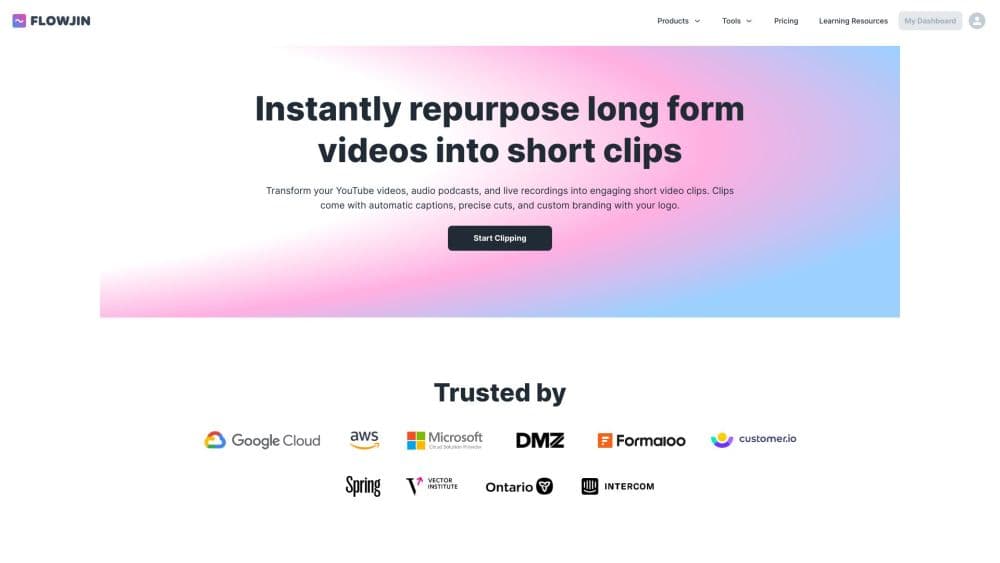
Flowjin is a web based AI video clipping platform that repurposes long form media into short social content. You upload or import a long video or audio file, and its AI picks the moments worth sharing and drafts a set of captioned clips. From there it writes platform specific posts for LinkedIn, YouTube, and X, so the same source file feeds several channels without separate editing sessions.
The product targets marketers and creators who publish consistently but lose time cutting long streams, podcasts, or webinars into short pieces. Flowjin answers that by automating the first pass: finding moments, burning in captions, and drafting copy. It also includes a video editor and quote graphics, so you can trim, restyle, and reformat without opening another tool. Teams also use it to repurpose long videos, since one upload feeds several channels. The company lists uploads, clips generated, and social media scheduling as usage counters on its site.
The main limit is the credit model. Free and paid plans meter AI processing by minutes of media, so heavy users hit the cap and either upgrade or roll credits. Projects also expire depending on the plan, and there's no refund on subscriptions, so it pays to check the terms before committing to a yearly tier.
Getting Started
- Sign up for a Flowjin account, then start on the free plan to test the workflow.
- Upload a file from your device, or import media from a link such as a YouTube video.
- Let the AI scan the file and draft captioned clips, usually ten or more.
- Edit each clip in the built in editor: trim, restyle captions, add overlays, and apply a branded template.
- Approve the auto generated posts for your chosen channels, then schedule or export the clips.
Product Information
A quick look at Flowjin's pricing, supported platforms, and performance.
Best for
The users, tasks, and scenarios where this tool fits best.
Users
- Content marketers
- Podcast hosts
- Founders and small business owners
- Social media managers
Tasks
- Repurposing a webinar into clips
- Writing social copy at scale
- Turning audio into video
- Building quote graphics
Scenarios
- A marketing lead shipping a weekly content batch
- A podcaster promoting a new episode
- A founder without an editor
Key features
AI Clip Selection
Flowjin scans a long video or audio file and picks the moments most likely to perform, then drafts a set of captioned clips. The company says it typically produces six to twelve clips per upload and recommends source files longer than ten minutes. That means the first pass of an edit, the part that eats hours, is handled before you open the editor.
Auto Captions and Subtitles
Captions are burned into each clip automatically, and you can download the subtitle and transcription files separately. The platform supports English, Spanish, Portuguese, French, Dutch, German, and Italian media. For social feeds where most viewers watch muted, ready captions are what keep a clip understandable on the first scroll.
Platform Specific Social Copy
Alongside the clips, Flowjin writes posts for LinkedIn, YouTube, and X, complete with titles, descriptions, hashtags, and calls to action. You tweak and approve the drafts rather than writing each one from scratch. Since each platform has its own tone and length rules, drafting per channel saves the copywriting step that usually follows a clip.
Built In Video Editor
An editor lets you trim or extend clips, restyle captions and layout, add overlays, and save branded templates you can apply to everything later. It's aimed at quick polish rather than heavy post production. Teams that need a consistent look across many clips benefit most from the reusable templates.
Quote Graphics and Audiograms
Beyond clips, the tool turns your media into quote images and audio only audiograms. Quote graphics generator output suits pull quotes and announcement posts, while audiograms give audio heavy content a visual shell for video feeds. Both are generated from the same uploaded file, so one source yields several content types.
Scheduling and Multi Channel Publishing
A single calendar handles scheduling and publishing across channels, so a week of posts can be queued in one sitting. The company lists scheduling to social accounts among its plan features. This keeps distribution in the same place as creation, instead of handing exports to a separate scheduler.
Flexible Aspect Ratios and Renders
Clips render to multiple aspect ratios including 9:16, 1:1, and 16:9, which matches vertical feeds, square posts, and widescreen players. Free renders come out at 720p, while paid plans raise the output to full HD 1080p and remove the watermark. That spread lets a creator pick format per platform without re-editing.
Pros and cons
Pros
- One long upload can yield many captioned clips plus per platform copy, which removes a lot of manual repurposing work.
- A real free plan processes 60 minutes of media, so a first test costs nothing and needs no credit card.
- Captions are burned in and also downloadable as subtitle files, which helps accessibility and reuse.
- The built in editor with branded templates keeps a consistent look across a whole batch of clips.
- Scheduling across channels from one calendar cuts the time spent moving exports between tools.
Cons
- AI processing is metered by minutes of media, so a heavy uploader can burn through the included allowance and need to upgrade or wait for a reset.
- Project expiry depends on the plan: free projects last five days and Starter projects sixty days, so anything left unfinished can lose its editable drafts.
- Subscriptions have no refund policy, which makes an annual commitment riskier for users who only want a short trial.
- Scheduling to social accounts is listed as coming soon on the paid plan, so users who need native publishing right now may have to export and post manually.
- Hosting, security, and data handling details are thin on the public site, which is a gap for teams that need to vet a vendor before adopting it.
Frequently asked questions
Flowjin turns long videos and audio into short, captioned clips for social media. It also drafts platform specific posts, generates quote graphics, and schedules the results across channels like LinkedIn, X, and YouTube.
Related content
Explore related tools, skills, and articles for Flowjin.
Flowjin Alternatives

ngram 2.0
ngram · Video · Marketingngram 2.0 is an AI video generator for teams. It turns a prompt, a screen recording, or a product URL into a narrated explainer, product demo, or AI avatar video, and every scene stays editable.

OpenScreen 2
OpenScreen (open-source project) · Video · ProductivityOpenScreen 2 is a free, open-source screen recorder and demo video editor for Windows, macOS, and Linux, with automatic zooms, styled frames, local captions, and agent edits.

Skreno
Skreno · Video · ProductivitySkreno is a browser screen recorder that captures a tab, a window or your whole display, then attaches AI transcripts, summaries and console logs to one share link.