
Flux AI Image Generator Free Online
Flux AI Image Generator · Image
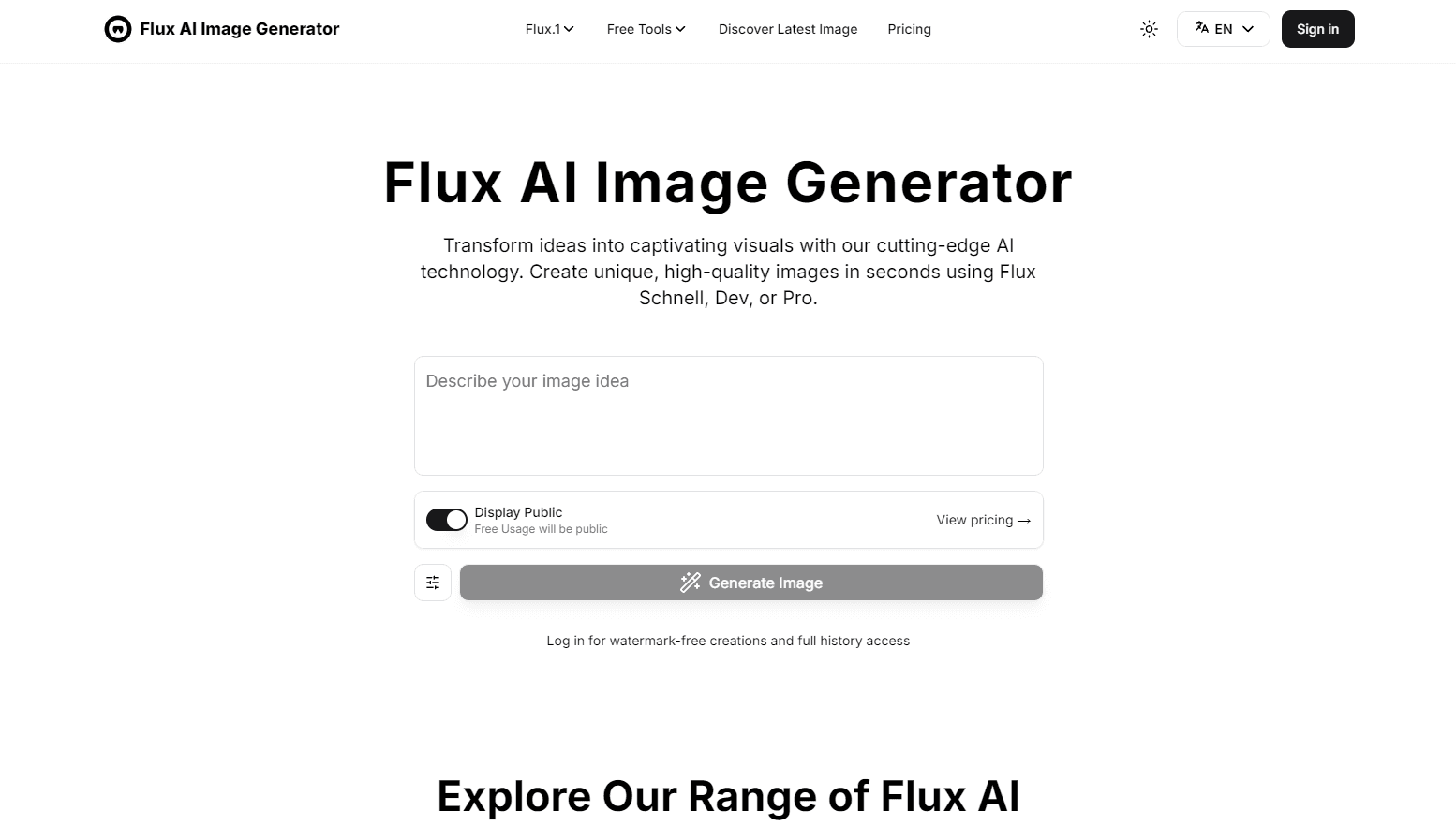
Flux AI Image Generator is a free online AI image generator that turns text prompts into 1024x1024 pictures, aimed at designers and casual creators.
About Flux AI Image Generator Free Online
What Is Flux AI Image Generator
Flux AI Image Generator is a browser-based text to image tool built on the Flux family of models from Black Forest Labs. You type a description, hit generate, and get a picture back in seconds. No install, no GPU, no account required to start.
The appeal is access. Running Flux models locally usually means a strong graphics card and a messy setup. Here you just open a page. The trade-off: the free tier runs on the lighter Schnell model, heavier Dev and Pro models sit behind paid credits, and every prompt goes through a third-party site rather than the model maker itself.
It suits quick concept work more than final production art. If you need a mood board, a thumbnail, or a fast visual to react to, it's genuinely handy. For pixel-perfect brand assets you'll still want more control than a single prompt box gives you, which is where a dedicated design suite earns its keep.
Getting Started
- Open fluxaiimagegenerator.com in any modern browser. You can generate without signing in, but images carry a watermark and history isn't saved.
- Type your prompt in the central box. English or Chinese both work. Add details about style, lighting, composition, and mood for better results.
- Open advanced settings if you want to set aspect ratio, seed, output format, or quality. Leave the seed on random for variety.
- Click the generate button and wait a few seconds for your image.
- Sign in with a Google account to drop the watermark and keep your creation history.
Product Information
A quick look at Flux AI Image Generator Free Online's pricing, supported platforms, and performance.
Best for
The users, tasks, and scenarios where this tool fits best.
Users
- Designers exploring concepts
- Casual content creators
- AI enthusiasts curious about Flux models
Tasks
- Turning a written idea into a first visual
- Generating photorealistic portraits
- Adding text inside images
Scenarios
- Late-night idea capture
- Building a mood board for a client pitch
- Testing a prompt idea before paying
Key features
Text to Image Generation
The core tool reads a written prompt and returns an image. It uses a large T5 text encoder to line the picture up with what you actually asked for, and that encoder is the reason a single long prompt full of scene detail, lighting notes, and style cues holds together instead of collapsing into a jumble of half-matched elements. One detailed prompt is usually enough to get close to the idea in your head.
Multiple Flux Models
You can pick between Schnell, Dev, and Pro. Schnell is the fast, free option, Dev leans toward prompt accuracy, and Pro targets the best quality and detail. Free accounts are capped to Schnell, while Dev and Pro need paid credits. That split is the main reason to upgrade.
High Resolution Output
Images come out at 1024x1024. Flux was trained across several aspect ratios, so it handles different dimensions better than models tuned to a single shape. You can set the aspect ratio in advanced settings when a square crop won't do.
LoRA Fine-tuning
You can train the model on your own images using LoRA fine-tuning, with presets like portrait or focus to steer results. This matters if you want a consistent look across many images instead of one-off generations. It's a more advanced path and best for people who already know what they want to lock in.
Versatile Style Range
The AI art generator covers a wide spread of looks, running from photorealistic portraits all the way to painterly styles. You don't need a separate tool per style, which keeps your workflow in one place. Accuracy holds up reasonably well across very different directions.
Text Inside Images
You can put readable text into a generated picture, useful for signs, labels, and simple graphics. Older models used to mangle lettering badly enough that you'd fix it by hand afterward, so this saves a round trip through an image editor. Results still vary by prompt, so short, clear text works better than long strings.
Pros and cons
Pros
- Free to start with no signup required, so you can test the tool in seconds.
- Generates a 1024x1024 image in a few seconds on the fast Schnell model.
- Reasonable style range, from photorealistic portraits to painted looks, all in one place.
- Pay-as-you-go Flex credits never expire and skip the auto-renewal treadmill.
Cons
- The free tier is locked to Schnell, so you can't try Dev or Pro quality without paying.
- Free-plan images carry a watermark and don't include commercial rights, which rules them out for client work.
- No refunds on credits once bought, so it pays to test on the free model first.
- The tool lives on a third-party site, so your prompts and images pass through an operator that isn't the model maker.
Frequently asked questions
Yes. You can generate images for free with the Schnell model, and you don't even need an account to try it. Just note free images carry a watermark and skip commercial rights.
Related content
Explore related tools, skills, and articles for Flux AI Image Generator Free Online.
Flux AI Image Generator Free Online Alternatives

X Ray Interpreter
X-ray Interpreter · ImageX Ray Interpreter is a web-based AI radiology tool that turns X-rays, CT scans, MRI, ultrasound, and PET images into plain-language reports. You upload a scan, get a preliminary X-ray interpretation in moments, then ask follow-up questions if something needs explaining. It works as a second opinion and a learning aid, not as a medical diagnosis.

Aieasypic
AIEasyPic · ImageAIEasyPic is an AI image generator that turns plain text prompts into finished artwork in seconds. You can also train custom models on your own photos, swap faces in existing images, and create short video clips from text, all from a browser. It suits casual creators who want quick visuals and hobbyists who want to build a personal model without touching any code.

Chargen
Chargen · ImageChargen is an AI character generator and worldbuilding toolkit built for Dungeons & Dragons and other tabletop RPGs. It turns a one-line idea into a painted character portrait, spins up NPCs, monsters, maps and encounters from the same session, and keeps every creature's details close at hand. The tabletop RPG art side runs on a credit system called Gold, while the text generators stay free for everyone.