

FLUX AI
Black Forest Labs · Image
FLUX AI is a text-to-image model from Black Forest Labs that turns short prompts into sharp, realistic images for artists, designers and marketers.
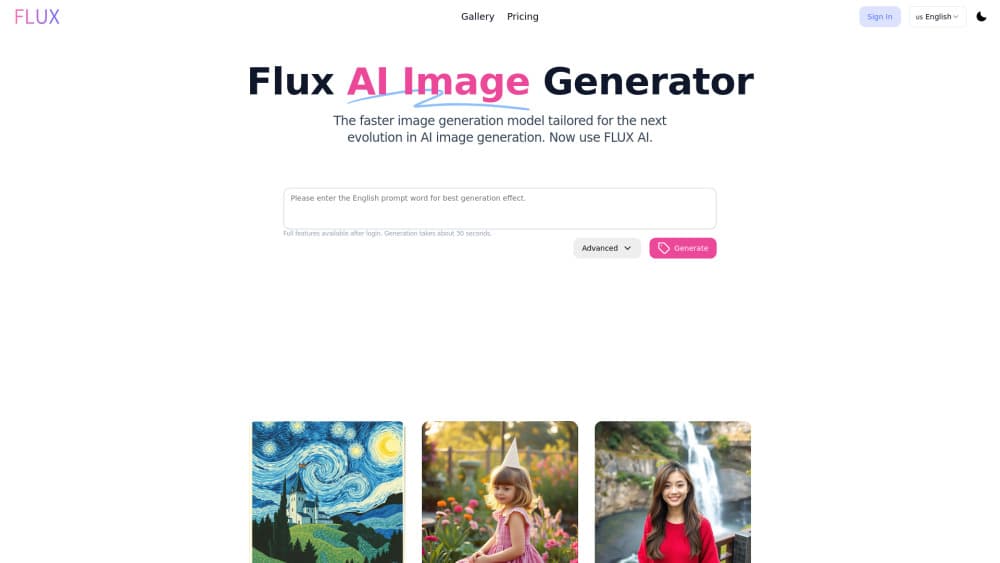
About FLUX AI
What Is FLUX AI
FLUX AI is a family of text-to-image models built by Black Forest Labs, a German team of researchers who worked on the original Stable Diffusion. You type a description, and the model renders a picture that matches it. Short prompts work fine. The FLUX.1 lineup ships in three versions: Pro for top quality, Dev for a balance of quality and speed, and Schnell for fast generation on modest hardware.
People pick it over older generators for two reasons. It follows prompts closely, so you spend less time re-rolling bad results. And it runs quickly. Often in a handful of steps instead of dozens. The tradeoff is hardware. The bigger versions want a strong GPU, and cloud credits cost money once the free tier runs out, which is the part most people underestimate.
Getting Started
- Go to fluxaionline.com or a partner platform such as Replicate or fal.ai and sign in.
- Pick a model version: Schnell for speed, Dev for balance, Pro for the best output.
- Type a prompt describing the image you want, keeping it clear and specific.
- Set resolution and aspect ratio, then hit generate.
- Download the result, or set the image to private if you'd rather keep it off the public feed.
Product Information
A quick look at FLUX AI's pricing, supported platforms, and performance.
Best for
The users, tasks, and scenarios where this tool fits best.
Users
- Designers
- Marketers
- Hobbyists
Tasks
- Turning a written idea into a finished image
- Making several style variants of one scene
- Prototyping before a full render
Scenarios
- Late-night idea sketching when you can't book a photographer.
- Batch-generating thumbnails for a blog or channel.
- Building a style library to reference later without re-describing it.
Key features
Short prompts, detailed results
The models were trained on a large mix of image and text data, so you don't need a paragraph-long prompt to get a clean render. A sentence or two is often enough, which saves time in a workflow where you might test a dozen rough ideas before one of them sticks.
Speed across versions
FLUX.1 Pro, Dev and Schnell cover the quality-to-speed range. Schnell can produce a usable image in very few sampling steps, while Pro leans toward detail, prompt accuracy and the kind of fine texture that matters when an image goes to print. Pick the version that matches your job.
Strong prompt following
The models handle complex, multi-part descriptions better than many earlier generators. If you ask for a specific pose, background and lighting, you get something closer to what you pictured. Fewer re-rolls means less wasted time and fewer credits burned.
Flexible access points
You can use FLUX AI through the official web tool or through partners like Replicate, fal.ai and Mystic, and developers can call the API directly without touching a browser. That range means you're not locked into a single interface if it doesn't fit your setup.
Resolution and format options
Paid tiers add multiple resolutions and file formats, plus private image storage and unlimited downloads. Higher plans allow more generations per credit, which matters if you're producing images at volume rather than one at a time.
Private and shareable output
Standard and Pro plans let you mark images as private, so client work doesn't sit in a public gallery. Sharing and downloads stay unlimited on paid tiers. That combination fits freelance and studio work, not just casual experimenting.
Pros and cons
Pros
- Follows short, plain-language prompts without heavy tweaking.
- Multiple versions let you trade speed for quality depending on the job.
- Free tier and free partner platforms make it cheap to test before paying.
- API access suits developers who want to wire generation into their own tools.
Cons
- The free tier caps you to basic models and standard resolution, so serious output needs a paid plan.
- Local use of the bigger models needs a powerful GPU, which not everyone has.
- NSFW content is blocked, which limits some art and research use cases.
- Quality still depends on prompt wording, so a vague prompt gives a vague image.
Frequently asked questions
FLUX AI is a text-to-image model from Black Forest Labs that generates pictures from written prompts. It's known for reading short prompts well and rendering quickly compared to older generators.
Related content
Explore related tools, skills, and articles for FLUX AI.
FLUX AI Alternatives

Tractionwave
TractionWave · Image · MarketingTractionWave is an AI attention heatmap tool for static ads. Upload a PNG or JPG and it returns predicted attention, ranked hotspots, and fixes before you spend budget.

Imejis.io
Imejis.io · Image · MarketingImejis.io is an AI design studio for agents and marketing teams. Describe an image in plain words, and it writes the copy, builds the layout, reflows it to every size, then exports a finished file.

Layoutr
Van Dijk Ontwikkeling · Image · China AILayoutr is a browser floor plan tool that scales your own plan, places furniture at true size, shows the room in 3D and renders it with AI.