

Flair AI: Image & Video Maker
Flyne AI · Video
Flair AI: Image & Video Maker is the app name for the Flyne AI platform, a free-to-try AI image generator and AI video generator that turns a text prompt or a reference photo into finished visuals. It bundles image creation, video generation, and a set of small editing tools into one browser workspace, so you don't jump between apps to get a post, ad, or clip done. You start on a free credit allowance and pay monthly once you need more.
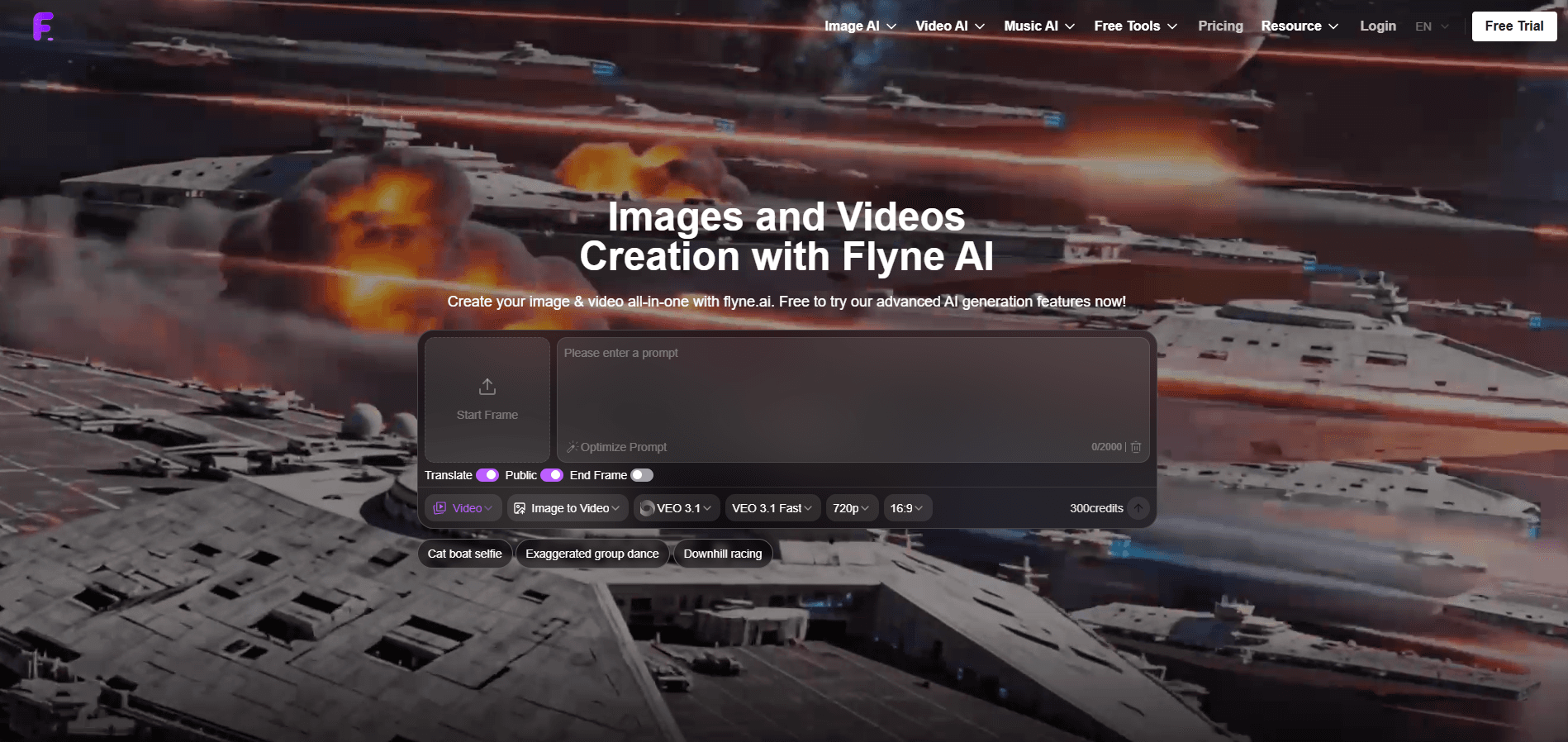
About Flair AI: Image & Video Maker
What Is Flair AI: Image & Video Maker
Flair AI: Image & Video Maker is a web-based AI creation platform sold under the Flyne AI brand at flyne.ai. You type a description, optionally attach a reference image, and the site runs it through several image and video models to produce a result you can download. It's aimed at people who need visuals fast and don't want a design degree to get them.
The pitch is convenience. Instead of paying for one tool to make images and a different one to animate them, the site puts both in a single flow, plus text-to-video and reference-to-video options that matter if you make short-form content. A free tier covers light use, and paid plans scale the credits up, which keeps the entry cost low for people who just want to try it out.
The main limit is that you're buying credits, not unlimited access. Every generation eats into a monthly balance, so heavy users hit the ceiling long before they hit a feature wall. Output quality also depends on which model you pick, and the free tier pushes you toward the lower-quality ones.
Getting Started
- Open flyne.ai and create a free account, or log in with an existing one.
- Claim the starter credits, then check in daily to top them up at no cost.
- Pick a generator: text to image, image to video, or a tool like the TikTok or UGC video maker.
- Write your prompt, add a reference image if you have one, and let the prompt assistant suggest improvements.
- Generate, review the result, and download it. Upgrade to a paid plan when free credits run thin.
Product Information
A quick look at Flair AI: Image & Video Maker's pricing, supported platforms, and performance.
Best for
The users, tasks, and scenarios where this tool fits best.
Users
- Social media creators
- Small business owners
- Hobbyists testing AI art
Tasks
- Turning a product photo into a styled marketing image
- Animating a still into a short video
- Drafting visuals for an ad or landing page
Scenarios
- Filling a social calendar on a tight deadline
- Making a quick promo for a small shop
- Trying out image and video models before committing to a subscription
Key features
Multiple Image and Video Models
Flyne AI runs your prompt through several image and video models rather than one fixed engine. Why does that matter? A model that nails a realistic portrait might flop on a stylized illustration. So you swap rather than settle. The tradeoff: picking the right one takes trial and error.
Text to Image Generation
The core image feature takes a written description and returns a finished picture. You can steer the result with style and quality settings, and higher quality costs more credits. Fast path from idea to post.
Image to Video and Reference to Video
You can turn a static image into a moving clip, or guide a video generation with a reference picture. This is where the platform separates itself from plain image generators. A lot of short-form work starts from a photo you already have.
Purpose-Built Video Generators
Alongside the general video tool, the site offers a TikTok video generator and a UGC-style video generator. These are aimed at creators who need clips shaped for social feeds, not cinematic footage, and they skip a lot of manual setup.
Smart Prompt Assistant
The prompt assistant suggests wording and guidance while you write. It's genuinely useful when you don't know the vocabulary that produces good AI output. Seasoned users mostly ignore it.
Built-In Utility Tools
Beyond generation, there's a set of small free tools you can run several times a day. They cover quick edits and conversions. Handy, and it saves you from subscribing to a handful of single-purpose apps.
Credit-Based Access
Every account runs on credits. Free users get starter credits plus a daily check-in bonus, while paid plans stack thousands of credits per month with faster queues and private generations. Credits expire.
Pros and cons
Pros
- Image and video generation live in one workspace, so you avoid juggling separate subscriptions.
- A free tier with daily credits lets you test the models before paying.
- Purpose-built TikTok and UGC video generators cut setup time for social content.
- Paid plans include commercial rights and private generations, which matter for client work.
Cons
- Credits run out fast on video generation, and they expire, so light spenders can lose value.
- The free tier traps you in a shared queue and lower-quality output, which slows down anything time-sensitive.
- Quality swings depending on the model you choose, so results aren't consistent across tasks.
- There's no clear public API, which rules it out if you want to build generation into your own product.
Frequently asked questions
Yes, there's a free tier. New accounts get 40 credits, and a daily check-in adds 20 more. That covers low-quality image generation and a limited number of free tool runs, but video generation and premium features sit behind paid plans.
Related content
Explore related tools, skills, and articles for Flair AI: Image & Video Maker.
Flair AI: Image & Video Maker Alternatives

ngram 2.0
ngram · Video · Marketingngram 2.0 is an AI video generator for teams. It turns a prompt, a screen recording, or a product URL into a narrated explainer, product demo, or AI avatar video, and every scene stays editable.

OpenScreen 2
OpenScreen (open-source project) · Video · ProductivityOpenScreen 2 is a free, open-source screen recorder and demo video editor for Windows, macOS, and Linux, with automatic zooms, styled frames, local captions, and agent edits.

Skreno
Skreno · Video · ProductivitySkreno is a browser screen recorder that captures a tab, a window or your whole display, then attaches AI transcripts, summaries and console logs to one share link.