
Forma
Forma Technologies · Video
Forma is a web app that turns a slow-motion running clip into a form report with 14 gait metrics and a chat coach for follow-up questions.
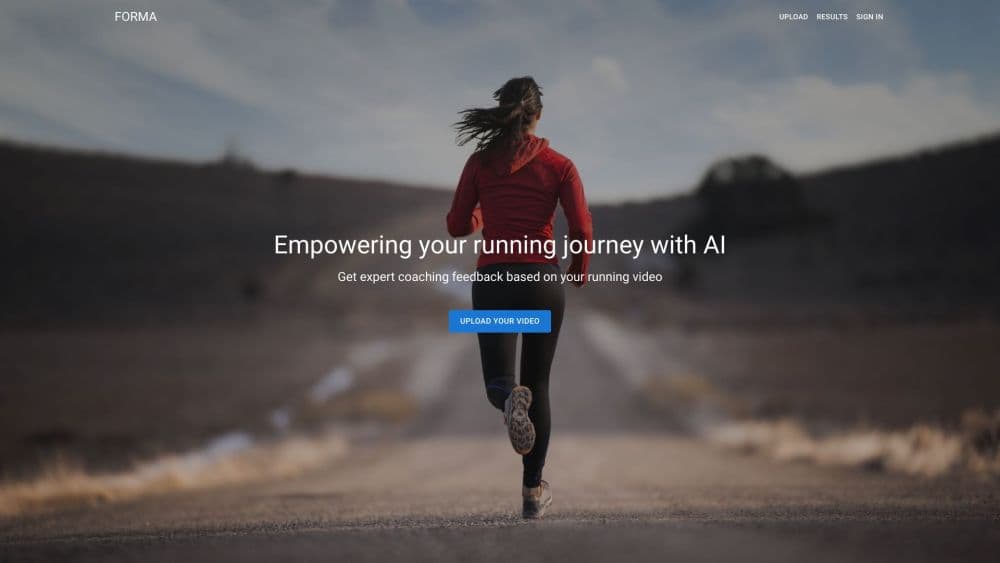
About Forma
What Is Forma
Forma is a browser-based running form analysis service, and one of the few AI running analysis tools built around a phone clip from Forma Technologies, a New York company. You send in a short video of yourself running, and the platform returns a report that measures how your foot lands, how much your knee bends, how far your hips extend, and other gait details. The site says the scoring was designed by sports medicine professionals and runs on AI pose tracking.
The pitch is simple: a gait lab or an in-person session costs real money and often means waiting for an appointment. Forma asks for a phone clip instead. That makes this gait analysis app accessible to people who just want to know why their knees ache after long runs, or why they slow down in the last mile of a race.
The limit is built into the format. One clip captures one moment. Your running technique on a tired Tuesday evening may look different from your form at the start of a fresh workout, so treat each report as a snapshot rather than a verdict. Forma also isn't a medical service, and its notes can't replace a physio who can examine you in person.
Getting Started
- Create an account with your email, then choose a side view or back view upload.
- Record 5 to 10 seconds of running in your phone's slow-motion mode at 120 frames per second or higher, with the camera at a 90 degree angle and foot level.
- Add your goal and any symptoms, such as left knee pain, then upload the clip.
- Wait for the email that says your results are ready, open the report, and message the coach if a metric needs explaining.
Product Information
A quick look at Forma's pricing, supported platforms, and performance.
Best for
The users, tasks, and scenarios where this tool fits best.
Users
- New runners
- Experienced runners chasing efficiency
- Runners with recurring aches
Tasks
- A pre-season running form analysis
- Cadence work
- A return-to-run check after weeks off
- Supplementing remote coaching
Scenarios
- You live far from a gait lab and don't want to travel for a single session.
- You already run on a treadmill at the gym and can film a clean side view without blocking the floor.
- You want a progress check every month or two, using the same camera angle and the same shoes each time.
Key features
A 14-metric gait report
Forma measures foot strike angle, tibia angle, overstride, knee flexion, heel height, vertical displacement, trunk lean, hip extension, pelvic drop, heel eversion, toe out, heel whip, base of support, and knee window. Side-view clips cover the first group, back-view clips cover the second. Each number comes with a target range and a sentence on what the measurement means for your joints.
Guided video capture
The upload flow walks you through the details that decide whether a clip is usable: a 90 degree camera angle at foot level, the whole body in frame, slow motion at 120 frames per second or higher, tight clothing, and enough light. Treadmill and outdoor running both work. Skipping these steps is the fastest way to burn a review credit on footage the model can't read.
Notes tied to your goal and symptoms
Before you upload, Forma asks what you're working on and whether anything hurts. A runner training for a half marathon and a runner with left knee pain get different emphasis in the write-up, even when the underlying metrics are close. That context is why the feedback reads more like a coaching note than a raw data dump.
A coach chat for follow-up questions
Every plan includes coach messages: 20 on the free tier, 50 with the one-time pack, and unlimited on the subscription. You can ask what a specific angle means, how to cue a change, or which metric to work on first. Replies arrive by email, so you don't have to sit in the app.
Sprint-specific thresholds
A sprinter toggle shifts the acceptable ranges for several metrics, including tibia angle, knee flexion, heel height, trunk lean, and cadence. Sprinting form and distance form pull in different directions, and judging a sprinter against distance targets would produce a report full of false alarms.
Reports delivered by email
The analysis runs in the background after upload. Forma sends an email when the report is ready, and past submissions stay in your results page. That makes it practical to compare a clip from this month with one from three months ago.
Pros and cons
Pros
- The free plan is genuinely usable: 10 video reviews and 20 coach messages at no cost during the limited time offer.
- No hardware, no clinic visit, and no subscription required to try a running video analysis.
- Metric descriptions explain both the measurement and the correction, such as landing with a midfoot strike instead of a heel strike.
- Side and back views catch different problems, so the two-clip workflow gives better coverage than a single angle.
- Coach chat turns a static report into a conversation, which matters when a number looks alarming but has a simple fix.
Cons
- A normal-speed phone video won't do. You need slow motion at 120 frames per second or higher, and a botched clip still uses one of your reviews.
- Each report is a snapshot of a single run. One bad day can look like a form problem, so repeat the same setup before you change your training.
- It isn't a diagnostic tool. Persistent pain needs a clinician, and the report can't tell you whether a structural issue is behind it.
- The A La Carte pack costs $29.99 for 25 reviews, which is more than a month of Unlimited at $19.99. Light users should do the math before choosing the one-time option.
Frequently asked questions
Yes. The free plan costs $0 for a limited time and includes 10 video reviews plus 20 coach messages. After that you can buy a 25-review pack for $29.99 or subscribe to Unlimited for $19.99 per month.
Related content
Explore related tools, skills, and articles for Forma.
Forma Alternatives

ngram 2.0
ngram · Video · Marketingngram 2.0 is an AI video generator for teams. It turns a prompt, a screen recording, or a product URL into a narrated explainer, product demo, or AI avatar video, and every scene stays editable.

OpenScreen 2
OpenScreen (open-source project) · Video · ProductivityOpenScreen 2 is a free, open-source screen recorder and demo video editor for Windows, macOS, and Linux, with automatic zooms, styled frames, local captions, and agent edits.

Skreno
Skreno · Video · ProductivitySkreno is a browser screen recorder that captures a tab, a window or your whole display, then attaches AI transcripts, summaries and console logs to one share link.