

ForVoyez
ForVoyez (For Hives) · Image · Marketing
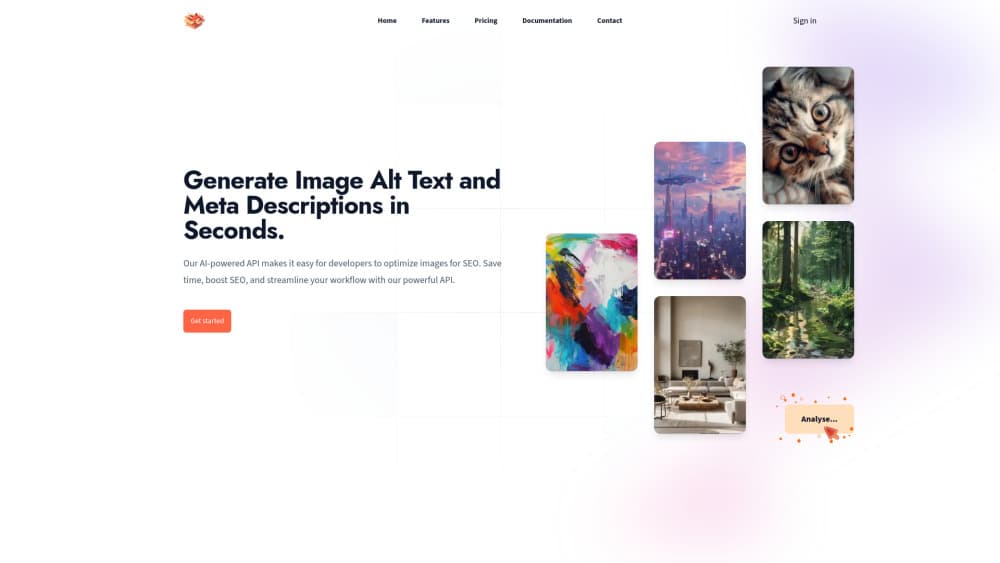
ForVoyez is an AI alt text generator for WordPress and other apps. It writes titles, alt text and captions in bulk, then returns them through a plugin, an API or a browser playground.
About ForVoyez
What Is ForVoyez
ForVoyez handles a job most site owners skip. Every image on a page needs a title, an alternative text and often a caption, and filling those fields by hand for a media library of a few hundred files is slow work. ForVoyez sends each image to an AI model and returns those three fields as text you can edit before saving.
The product comes from For Hives, a small French team, and it ships in three shapes: a WordPress plugin that lives inside the media library, a REST API for anything else, and a playground where you can test a single image before you commit. The WordPress plugin is free to install and open source. The generation itself runs on credits, so you pay per image analysed.
The limits matter more than the feature list here. Images are capped at 10 MB and only JPEG, PNG, WebP and non-animated GIF pass the format check. Anything is scaled down to 1,000 pixels on its longest side before analysis, so uploading a 6,000 pixel original buys you nothing. Generation stops after about 25 seconds if the model hasn't answered. And the output is a description of what the model sees, not a judgement about why the image sits on your page, which is why the plugin leaves every result editable.
The practical case for it is mundane and real. If you run a shop with 800 product shots, or a blog with five years of images and empty alt attributes, ForVoyez turns a week of typing into an afternoon of reviewing. It's also the kind of tool an agency can wire into a client's upload flow once and forget about.
Getting Started
- Create an account at forvoyez.com and open the dashboard.
- Generate an API key in the API section of the dashboard.
- Install the Auto Alt Text for Images plugin in WordPress, then paste the key into its settings page. Set your language and add a short context line so the model knows what kind of site it's describing.
- Pick images in the media library and run the bulk action, or switch on automatic generation for new uploads, then review the text before it goes live.
If you're not on WordPress, skip steps 3 and 4 and call the /describe endpoint directly from your own code. The playground covers the same request without writing anything.
Product Information
A quick look at ForVoyez's pricing, supported platforms, and performance.
Best for
The users, tasks, and scenarios where this tool fits best.
Users
- WordPress site owners with a large media library
- Small online shops
- Agencies and freelancers
- Developers building a CMS or shop backend
Tasks
- Filling empty alt attributes across an old blog
- Writing titles and captions alongside alt text
- Generating descriptions in several languages
- Auditing image accessibility before a redesign
Scenarios
- Migrating a site and inheriting a media library with filenames like IMG_2043.jpg
- Publishing several posts a day with fresh photos
- Adding image SEO to a site that already ranks on text
Key features
Three fields from one request
ForVoyez returns a title, an alternative text and a caption for each image in a single call. One credit covers the image, not the field, so asking for all three costs the same as asking for one. That matters when you're pricing a library of a few thousand files.
Bulk processing in the media library
The WordPress plugin adds a bulk action to the media library. Select a batch, run it, and the results land on each attachment. You can work through an entire backlog without opening a single image, then filter for the ones that need a rewrite.
Automatic generation on upload
Switch on automatic analysis and new uploads get their descriptions as they arrive. The plugin only analyses images the current user can edit, and it never overwrites an existing field with an empty value, so hand-written alt text survives a batch run.
Custom output schemas
You're not stuck with three fields. The API accepts a schema of up to 20 fields with your own names and descriptions, and returns them as structured data. A real estate site can ask for room type and floor, a recipe blog can ask for ingredients visible in the shot.
Context, keywords and language hints
Each request takes a context string, a keyword list and a language code, and the model uses them to steer the wording. A context line like "independent coffee gear reviews, audience in the UK" changes the vocabulary more than any prompt tweak. The first 1,000 characters of context and keywords are used, and the first 64 characters of the language field.
One API for plugin, app and playground
The same endpoint powers the WordPress plugin, your own integration and the online playground. You can test an image in the browser, copy the request shape into your code, and get the same answer. Keys are managed in the dashboard and revoke the moment you delete them.
Pros and cons
Pros
- Returns title, alt text and caption together, which removes the usual three-pass workflow over one image.
- Bulk action works on the media library you already have, so old images with empty alt attributes are the easiest win.
- Custom schemas let you pull structured image metadata for shops, listings and catalogues, not just accessibility text.
- Credits never expire and roll over with each payment, so a quiet month doesn't waste what you paid for.
- The WordPress plugin is open source and free to install, and it keeps every generated field editable.
Cons
- There's no free tier. The cheapest way to test the output is a €1.50 pack of 250 credits, so you pay before you know if the wording suits your site.
- The 10 MB ceiling and the short format list rule out AVIF, HEIC, SVG and TIFF, which means phone photos in HEIC need converting first.
- Generated descriptions can miss the purpose of an image on a specific page, so a review pass is still part of the job, and that cost sits with you.
- Everything is priced per image, and a large library with several fields per image burns credits faster than the monthly allowance on Starter suggests.
Frequently asked questions
It writes a title, an alternative text and a caption for an image, using an AI model that looks at the picture. You can ask for fewer fields or define your own schema through the API.
Related content
Explore related tools, skills, and articles for ForVoyez.
ForVoyez Alternatives

Tractionwave
TractionWave · Image · MarketingTractionWave is an AI attention heatmap tool for static ads. Upload a PNG or JPG and it returns predicted attention, ranked hotspots, and fixes before you spend budget.

Imejis.io
Imejis.io · Image · MarketingImejis.io is an AI design studio for agents and marketing teams. Describe an image in plain words, and it writes the copy, builds the layout, reflows it to every size, then exports a finished file.

Layoutr
Van Dijk Ontwikkeling · Image · China AILayoutr is a browser floor plan tool that scales your own plan, places furniture at true size, shows the room in 3D and renders it with AI.