

AI Photo Generator - Fotorama
Appnation · Image
Fotorama is an AI photo generator app and AI portrait app that turns selfies and everyday shots into studio-style headshots, themed portraits, and short AI videos. It runs on iOS and Android.
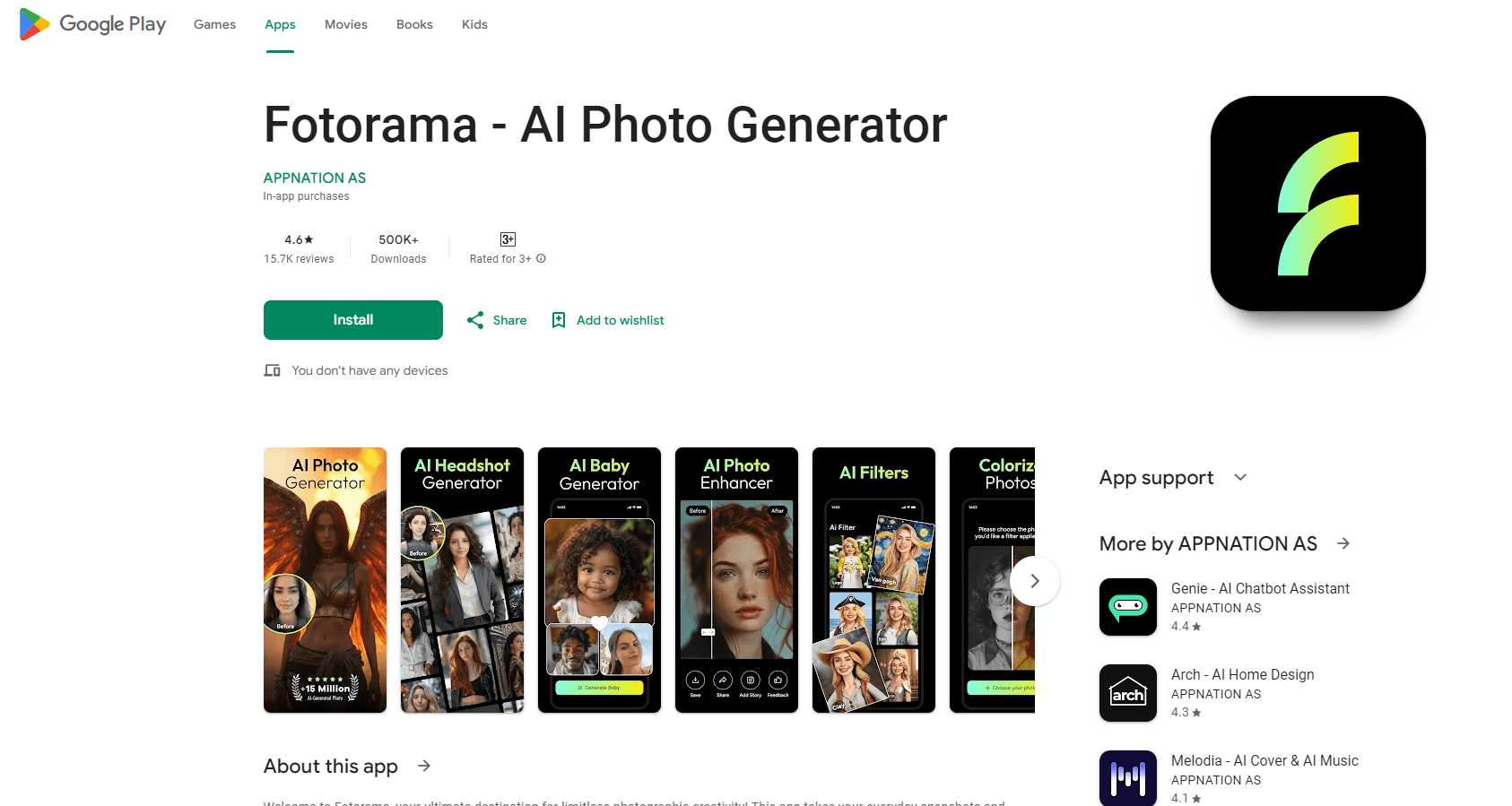
About AI Photo Generator - Fotorama
What Is Fotorama
Fotorama is a mobile AI photo editor and selfie editor built by Appnation, a Turkish app studio. You upload a photo, pick a style, and the app generates a new image from it: a polished headshot, a fantasy or vintage portrait, a couple shot, or a short video clip. The pitch is a personal AI studio that sits on your phone instead of a desktop workflow.
The app covers a few linked jobs. One is career and profile images, since the AI headshot mode aims at LinkedIn and business profiles. Another is playful transformation, where themes like cinematic, fantasy, or vintage restyle a normal selfie. A third is motion, with an AI video generator that animates a still or turns a prompt into a clip.
The main catch is the paywall. The download is free, but there's no free trial to test the output before you pay, and several users report that the subscription amount on the store listing doesn't match what they're charged. Image quality also varies by upload, and AI portraits can drift from the original face. Treat results as a starting point and check the official store page for current terms.
Getting Started
- Install Fotorama from the App Store or Google Play on a recent iPhone or Android phone.
- Create an account or sign in, then grant photo access so the app can read your images.
- Upload one or more clear selfies, ideally in even light with your face centered.
- Pick a style such as headshot, fantasy, or cinematic, then start the generation.
- Review the output, unlock high-resolution files through credits or a plan, and save or share the result.
Product Information
A quick look at AI Photo Generator - Fotorama's pricing, supported platforms, and performance.
Best for
The users, tasks, and scenarios where this tool fits best.
Users
- Job seekers
- Social media creators
- People who want a fun photo edit
- Couples and small groups
Tasks
- Making a professional headshot
- Applying a themed style to a selfie
- Generating a couple or group portrait
- Creating a short AI video
- Enhancing a dull photo
Scenarios
- Updating a work profile on a budget
- Posting a themed photo for a holiday or event
- Making a small gift
Key features
AI headshot generator
The headshot mode takes a selfie and rebuilds it as a studio-style portrait suited to LinkedIn, a resume, or a business profile. It aims at the same job as a professional photographer, at a fraction of the cost and without leaving the phone. Results depend on the source photo, so a clear, well-lit, front-facing shot works far better than a blurry or angled one.
Themed AI styles
The app ships with style presets such as cinematic, fantasy, vintage, and romantic that restyle a photo in one tap. You keep your face and pose, and the AI repaints the scene around it. This is the part that leans into creative, social-first use rather than work portraits, and the number of styles grows with app updates.
AI video generator
Fotorama also animates images or turns a text prompt into a short video clip, aimed at social posts and quick reels. You can bring a still photo to life or generate a clip from scratch. Output length and resolution are limited, so it covers short-form content rather than anything long or broadcast-ready.
Photo enhancer
An enhancer pass sharpens a photo and lifts brightness and clarity before you share it. It's meant for phone shots that look flat or soft straight out of the camera. The tool sits alongside the generative features, so you can clean up a real photo without going through a full AI transformation.
Duo and group generation
The app can place more than one person into a single generated image, covering couple portraits and small group shots. Each subject's face needs to be visible in the uploads for the blend to hold together. It extends the tool past solo selfies into shared images you'd otherwise book a photographer for.
Style variety and frequent updates
Fotorama leans on a rotating set of trendy looks and pushes updates often, so new styles and templates keep showing up. The web storefront and the app both lean on this steady stream of presets. It keeps the tool fresh for social use, but the shelf of styles is aimed at fun edits rather than precise, repeatable professional output.
Pros and cons
Pros
- The headshot mode produces a profile-ready portrait from a plain phone selfie, which saves a studio booking.
- Style variety is wide, covering portraits, couple shots, and short videos in one app.
- The AI video generator adds motion to stills, which suits social feeds without a separate video tool.
- Both iOS and Android builds mean most phone users can install it.
- Couple and group generation covers shared images, not just solo selfies.
Cons
- There's no free trial, so you pay before you can judge the output on your own photos.
- Multiple user reports say the charged amount doesn't match the price shown on the store listing, which is worth checking before subscribing.
- Generated faces can drift from the original, and some uploads come back with distorted hands or details.
- Output quality hinges on the source photo, so soft or angled selfies give weaker results.
Frequently asked questions
Fotorama is an AI photo generator app for phones. It turns selfies into studio-style headshots, applies themed styles like fantasy or vintage, creates couple and group portraits, and generates short AI videos. It's aimed at profile photos and social content rather than serious photo editing.
Related content
Explore related tools, skills, and articles for AI Photo Generator - Fotorama.
AI Photo Generator - Fotorama Alternatives

Tractionwave
TractionWave · Image · MarketingTractionWave is an AI attention heatmap tool for static ads. Upload a PNG or JPG and it returns predicted attention, ranked hotspots, and fixes before you spend budget.

Imejis.io
Imejis.io · Image · MarketingImejis.io is an AI design studio for agents and marketing teams. Describe an image in plain words, and it writes the copy, builds the layout, reflows it to every size, then exports a finished file.

Layoutr
Van Dijk Ontwikkeling · Image · China AILayoutr is a browser floor plan tool that scales your own plan, places furniture at true size, shows the room in 3D and renders it with AI.