

Framedeo
Framedeo · Video · Marketing
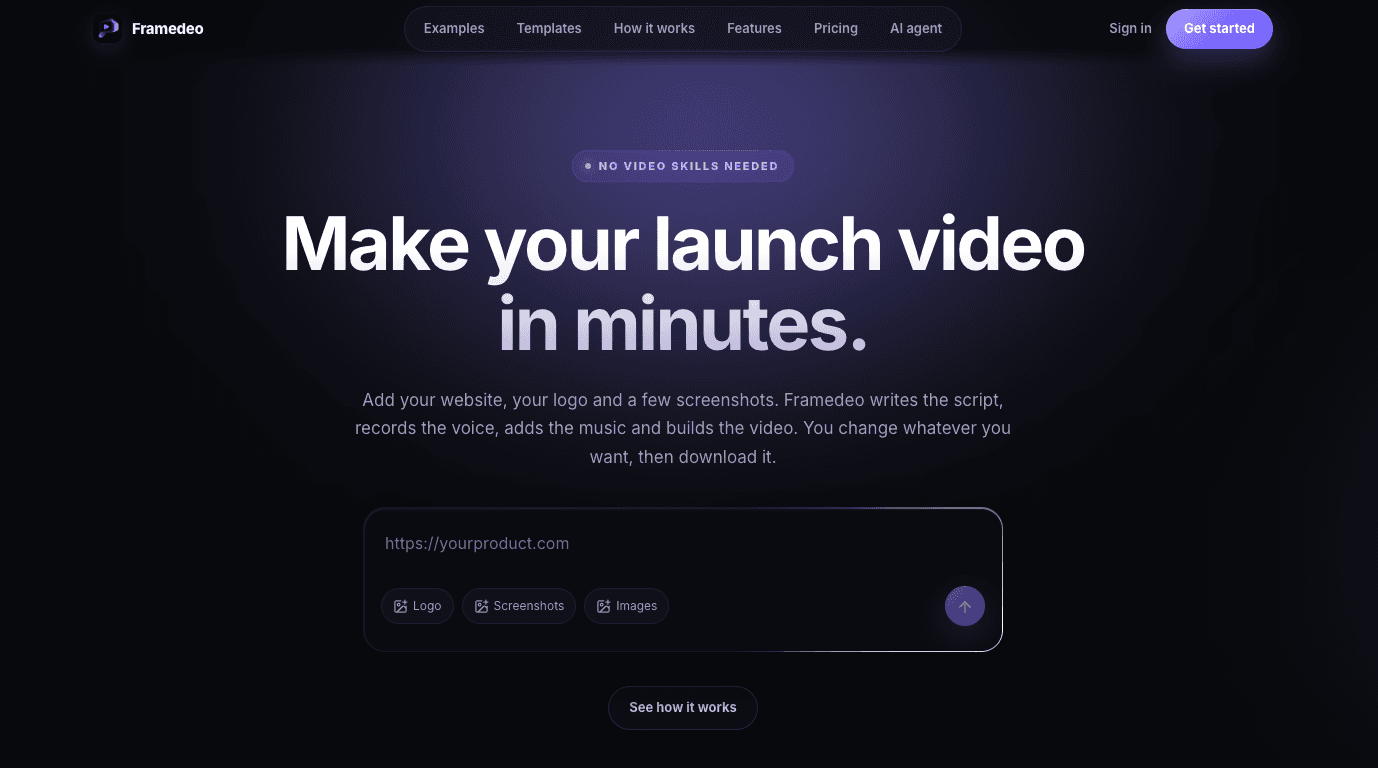
Framedeo is an AI product video generator that builds launch videos from a website link, your logo and a few screenshots. You paste a product URL, pick a template or let the AI plan the scenes, and the tool writes the script, records a voice-over, adds music and exports a finished MP4. Think of it as an AI video maker with an AI script writer built in. It targets founders, marketers and small teams who need a product launch video but don't have motion-design skills or the budget to hire them. Videos, not timelines.
About Framedeo
What Is Framedeo
Framedeo is a web-based product video creator built around one idea: most teams don't need to learn After Effects, they just need a launch video this week. You give it raw material you already have, a website link, a logo and screenshots, and it assembles the script, voice, music and motion for you.
The tool ships with 15 templates, and each one is a finished film with its own beats, cuts and motion. Your product fills the template: your words, your logo, your screenshots. If none of them fit, you can skip templates and let the AI plan the beats from your product instead.
The main limitation is control at the edges. Everything is editable, but you're editing within the tool's scene logic and templates, not building motion from scratch. So what happens if your brand needs a very specific animation style? That's a real ceiling. Pick video templates that match your brand, or accept the trade.
Getting Started
- Sign up on the Framedeo site, then start a new project.
- Paste your website link, upload your logo and a few screenshots, and say what the video is for.
- Read the script Framedeo writes, keep it or rewrite any line, then pick a voice or upload your own.
- Choose a music track, or bring your own, and pick one of the 15 templates.
- Open the editor to move scenes and fix timing, then export an MP4 ready to post or embed.
Product Information
A quick look at Framedeo's pricing, supported platforms, and performance.
Best for
The users, tasks, and scenarios where this tool fits best.
Users
- Founders launching a product
- Marketers on a small budget
- Solo developers shipping side projects
- Teams that reuse content
Tasks
- Turning a website into a video
- Generating a voice-over
- Swapping one line after review
- Exporting a finished file
Scenarios
- Pre-launch hype on a short deadline
- A weekly content cadence
- Agent-driven video production
Key features
Website-to-video generation
Paste a product link and Framedeo reads the page to understand what you sell. Then it writes the script and plans the scenes. That saves the blank-page problem where you have footage but no idea what the video should say.
15 built-in templates
Each template is a complete film with defined beats, cuts and motion. Looking for video templates that already work? Pick one. It gets you a shaped launch video, not a timeline to fill. Your words, logo and screenshots drop straight into the structure. No blank canvas.
AI script and voice
The tool drafts the script from your product, and you can rewrite any line before rendering. Voices come from a built-in library or your own upload. No voice actor needed for a first pass.
Music included
Choose a track from the music library or bring your own. The audio sits under the voice so the words stay clear. That matters for product explainers where every sentence carries detail.
Editable scene editor
After generation you open the editor to move scenes, rewrite text, swap a screenshot and fix the timing. This is where a rough cut becomes something you actually ship. No re-rendering from scratch.
MCP for AI agents
Framedeo connects to Claude, Gemini, OpenCode and ZeroClaw through MCP. A coding agent can inspect a product page, use your real media, pick the voice and music, generate and edit scenes, then return a finished download from a single request. One prompt covers the whole job, from inspecting the page to tightening scene three and exporting at 1080p. Handy if you already work in an agent-driven setup.
MP4 export
Export an MP4 file that's ready to post on your website or elsewhere. The H.264 1080p path covers most launch pages, landing embeds and social feeds. No extra conversion step.
Pros and cons
Pros
- Takes a website link, logo and screenshots, so you start from assets you already have.
- Plans start at $29/month, versus the $2,000 to $8,000 that hiring a motion designer for one 60-second video typically costs.
- Templates are finished films, which shortens the gap between an idea and a postable cut.
- The editor lets you change a line or a scene yourself instead of paying for another revision round.
- MCP support means a coding agent can produce and edit a video from one prompt.
Cons
- No free plan, so you pay before you see how your product looks in the templates.
- You work within templates and the tool's scene logic, so a highly specific brand animation style isn't possible.
- The library category is thin on detailed specs, so pricing above the $29 starting tier isn't fully public.
Frequently asked questions
Framedeo makes product launch videos for websites, landing pages and social posts. You feed it a website link, logo and screenshots, and it handles the script, voice-over, music and motion.
Related content
Explore related tools, skills, and articles for Framedeo.
Framedeo Alternatives

Vadu AI
Vadu AI · Image · VideoVadu AI is a web-based AI video generator that turns written prompts or still images into short clips, and it can also generate images on its own. You type what you want, pick a model and style, and the platform renders the result in minutes. A free plan covers light testing, while paid tiers run from $9 to $77.40 per month based on how many credits you burn.

Mykaraoke Video
MyKaraoke Video · VideoMykaraoke Video is an online karaoke video maker and lyric video maker that turns any song into a finished, lyrics-synced video right in your browser. It handles the slow part for you. The AI pulls vocals out of the mix and locks the lyrics to the beat, then lets you customize background, fonts, and colors before exporting in 1080p MP4. If you make lyric videos for social media, party nights, or music promotion, it skips the software installs and manual timing work entirely. Want a karaoke video generator that doesn't eat your whole evening? That's the pitch here.

Finalframe
Finalframe · VideoFinalframe is a set of free, browser-based tools for grabbing exact frames out of a video clip. Its best-known feature, the Final Frame Extractor, lets you extract the last frame of any video so you can use it as the starting image for AI video tools like Luma Dream Machine, Runway, or Kling. Want to keep a clip going? That last frame is your starting point. The tool runs locally in your browser, needs no sign-up, and costs nothing. A separate paid AI video-generation app from the same team is currently offline while it's rebuilt.