
Outline Image
Outline Image · Image
Outline Image is a free online image tool that removes backgrounds and adds custom outlines in one click, made for social media and design work.
About Outline Image
What Is Outline Image
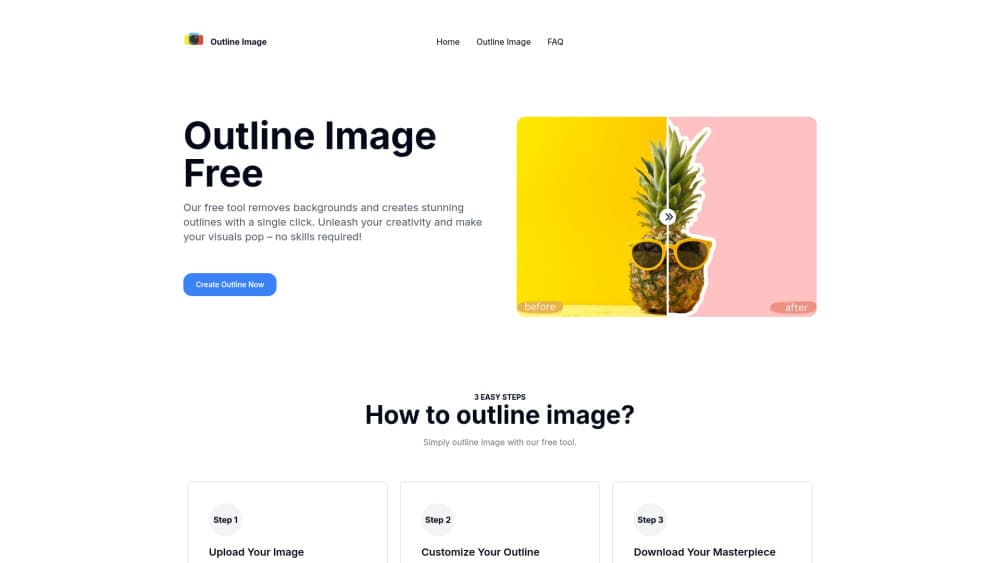
Outline Image is an outline image generator for cutting a subject out of a photo and wrapping it in a clean outline. You drop in an image, the tool strips the background with AI, then draws a border around whatever is left. There's nothing to install and no account needed to start.
The appeal is speed. Most people who need an outline picture are making a sticker, a thumbnail, or a product cutout. They don't want to open Photoshop for that. Outline Image handles the whole job on one page. Upload, outline, download.
It isn't a full editor. You get background removal plus outline styling, and that's it. No layers, no retouching, no text tools. If your image needs heavy cleanup, this won't replace a real editing suite.
What Outline Image does well, it does in seconds, and that speed is the whole reason someone would pick a narrow tool like this over a full editing program they'd have to learn from scratch.
Think of it as a background remover with one extra trick. That narrow scope keeps it fast.
Getting Started
- Open the Outline Image site and upload a photo in JPG, JPEG, PNG, or WEBP format.
- Let the AI remove the background automatically; it usually finishes in a few seconds.
- Pick an outline color from the palette and set the line thickness you want.
- Check the live preview and tweak the settings until the outline looks right.
- Download the result as PNG, JPG, or SVG.
Product Information
A quick look at Outline Image's pricing, supported platforms, and performance.
Best for
The users, tasks, and scenarios where this tool fits best.
Users
- Social media creators
- Small business owners
- Students and teachers
Tasks
- Adding an outline to image cutouts
- Making image outlines for stickers
- Recoloring a subject's edge
Scenarios
- Turning a quick phone photo into a shareable graphic
- Building presentation visuals the night before a deadline
- Preparing a clean cutout for a design mockup
Key features
One-Click Background Removal
The tool uses AI to detect the subject and delete the background without you painting a mask. It's the first step, and it's automatic. For photos with a single clear subject, the result is usually clean enough to use right away. Two-subject photos can confuse it, so it pays to test your own image before you rely on the output for anything important.
Custom Outline Color and Thickness
After the cutout is ready, you choose the outline color from a palette and set how thick the line should be. That range covers subtle borders and bold sticker edges. A live preview updates as you adjust, so you don't have to guess, and you can keep tweaking the color and width until the outline matches the look you're after without ever committing to a change you can't undo.
Fast Processing
Uploads finish in seconds rather than minutes, which matters when you're iterating on a design. There's no queue and no render farm to wait on. You can test a few color and width combinations and still be done quickly, which is a far better fit for a workflow where you're trying several options before you settle on the one that finally looks right.
Simple, Beginner-Friendly Interface
The whole workflow lives on one page: upload, outline, download. There's no toolbar to learn and no layer panel to navigate. That's the point. If you've never opened an image editor, this image outliner can still get you a finished outline picture on the first try, and you won't need to read a tutorial or watch a video before you start.
Flexible Export Options
You can download the finished file as PNG, JPG, or SVG. PNG keeps transparency, JPG is smaller and lighter, and SVG is the one to pick when the outline must stay crisp at any size. The choice depends on where the image is headed.
Upload Limits for Big Images
The tool accepts images up to 16,000x16,000 pixels, with a recommended file size under 2MB for smooth handling. That covers a small profile avatar and a large poster scan alike.
Pros and cons
Pros
- Free to use with no account required to start.
- Background removal and outlining happen in one pass on a single page.
- Adjustable outline color and thickness with a live preview.
- Exports PNG, JPG, and SVG, so cutouts fit different workflows.
- Supported upload formats cover JPG, JPEG, PNG, and WEBP.
Cons
- No layer editing, retouching, or text tools, so it won't replace a full image editor.
- Files over the recommended 2MB size may not process smoothly.
- No public API, so it can't be automated inside a larger pipeline.
Frequently asked questions
Yes. The tool is free and runs in your browser without a paid tier or subscription. You can outline and download images at no cost.
Related content
Explore related tools, skills, and articles for Outline Image.
Outline Image Alternatives

X Ray Interpreter
X-ray Interpreter · ImageX Ray Interpreter is a web-based AI radiology tool that turns X-rays, CT scans, MRI, ultrasound, and PET images into plain-language reports. You upload a scan, get a preliminary X-ray interpretation in moments, then ask follow-up questions if something needs explaining. It works as a second opinion and a learning aid, not as a medical diagnosis.

Aieasypic
AIEasyPic · ImageAIEasyPic is an AI image generator that turns plain text prompts into finished artwork in seconds. You can also train custom models on your own photos, swap faces in existing images, and create short video clips from text, all from a browser. It suits casual creators who want quick visuals and hobbyists who want to build a personal model without touching any code.

Chargen
Chargen · ImageChargen is an AI character generator and worldbuilding toolkit built for Dungeons & Dragons and other tabletop RPGs. It turns a one-line idea into a painted character portrait, spins up NPCs, monsters, maps and encounters from the same session, and keeps every creature's details close at hand. The tabletop RPG art side runs on a credit system called Gold, while the text generators stay free for everyone.