

FreeSubtitles.AI
FreeSubtitles.AI team (now Subtitles.app) · Writing
FreeSubtitles.AI, now running as Subtitles.app, turns audio and video into timed subtitles you can export as SRT, VTT or TXT, with free daily uploads and pay-as-you-go Pro hours at $0.99.
About FreeSubtitles.AI
What Is FreeSubtitles.AI
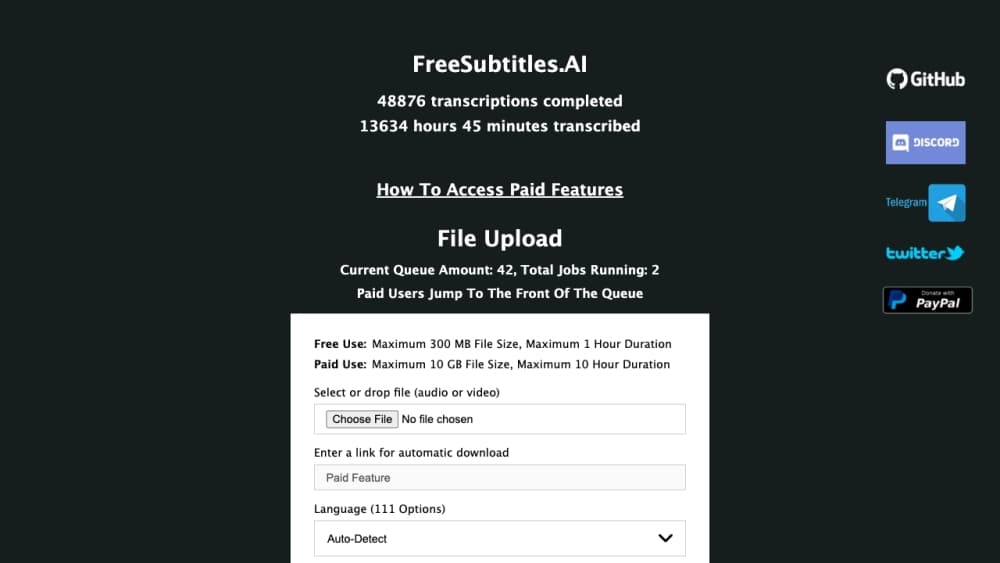
FreeSubtitles.AI is a browser-based subtitle and transcription tool. You drop in a media file, it detects the speech, and you walk away with a subtitle file that matches the audio timing. No editor install, no timeline work, no manual typing. If you want to transcribe video online without installing anything, the upload box is the whole interface.
The site now redirects to Subtitles.app, which is the same service under a shorter name. The old domain still works for anyone with bookmarks, and the product behind it hasn't changed: automatic subtitles for creators, students and anyone who needs a searchable record of spoken content.
The free tier is genuinely usable, but it comes with limits that matter. Files stop at 30 minutes and 1 GB, accuracy runs on a standard model, and signed-in users get 3 uploads a day. Longer files, batch jobs, speaker labels and API access sit behind Pro, which charges by the hour instead of a monthly subscription.
One more limit worth knowing: free uploads and their transcripts are deleted about 30 minutes after processing. If you need a transcript to stick around, Pro keeps the file for a month and the text until you delete it.
Getting Started
- Open the site and drop a file onto the upload area, or paste a link from one of the 1,100+ supported video sites.
- Pick the spoken language if the automatic guess looks wrong, then press Start Transcription.
- Wait for the job to finish. A 30-minute file usually takes a few minutes, and you can close the tab and come back.
- Fix names or misheard words in the subtitle editor if you have Pro, then download SRT, VTT or TXT, or open the built-in player to check the timing.
Product Information
A quick look at FreeSubtitles.AI's pricing, supported platforms, and performance.
Best for
The users, tasks, and scenarios where this tool fits best.
Users
- YouTubers and short-form creators
- Students and researchers
- Podcasters
- Translators and language learners
Tasks
- Making subtitles for a video
- Transcribing an interview
- Translating existing captions
- Pulling text out of a webinar recording
Scenarios
- A 20-minute product demo needs captions before launch day
- A weekly podcast with hour-long episodes
- A research team sorting through hours of focus-group footage
- A creator reposting a clip in three languages
Key features
Automatic Subtitles With Timing
The core job is turning speech into captions that stay in sync. Upload a video and the service returns a subtitle file with start and end times for each line, so you don't touch a timeline. Free accounts get a standard model; Pro runs the best models the service has, which means fewer weird words to fix afterward.
Export to SRT, VTT and TXT
Every job can leave as a subtitle file or a plain transcript. SRT works in most video editors, VTT is what browsers and web players expect, and TXT gives you clean text for notes or a blog post. One job produces all three, so you don't reprocess the file to change format.
Subtitle Translator
The subtitle translator builds a second language track from the finished transcript. Free Use covers 12 languages through DeepL integration, and you can add more after transcription finishes. The translated track keeps the original timing, which makes it usable for bilingual captions without retiming anything.
Built-In Player and Transcript Editor
The player shows your video with the subtitles laid over it, so you can spot lines that flash by too fast or sit too long. Pro adds an editor that keeps every export format in sync while you fix a line. Change a word once and the SRT, VTT and TXT versions all update.
Searchable Transcript and Ask This Video
Every transcript is searchable word by word, and you can filter by speaker to follow one voice through a long recording. The Ask This Video feature answers questions about the content without scrubbing, and free uploads include a limited number of questions.
Batch Uploads and API Access
Pro accepts multiple files and processes them in parallel, which matters when you have a folder of clips instead of one. The same plan includes API access, so you can wire automatic subtitles into your own pipeline and skip the web interface entirely.
Video Export With Burned-In Subtitles
You can export a clip with the captions already burned into the picture. Free Use gives you one 5-minute 720p clip per video with a watermark. Pro removes the watermark on that clip, and full-length or 1080p exports are billed at $1.00 per hour of video.
Pros and cons
Pros
- No subscription. You buy hours at $0.99 each and the credit never expires, so a quiet month costs nothing.
- The free tier handles real work: 30-minute files, 1 GB uploads and 3 jobs a day with an account.
- Subtitle files come out timed and ready to import, with SRT, VTT and TXT from a single job.
- Privacy is handled better than most free tools, since free media and transcripts are deleted roughly 30 minutes after processing.
Cons
- The 30-minute cap on free uploads rules out most lectures, livestreams and full podcast episodes.
- Free transcripts disappear fast, which means you have to download results immediately or lose them.
- Accuracy depends on audio quality and accents, and there's no way to train the model on your own terminology.
- Speaker labels, batch jobs and API access all require Pro, so teams can't test those features for free.
Frequently asked questions
Yes. The site now redirects to Subtitles.app. It's the same service under a shorter name, and old bookmarks still land on the working tool.
Related content
Explore related tools, skills, and articles for FreeSubtitles.AI.
FreeSubtitles.AI Alternatives

Lattice
Lattice · Writing · Voice & LanguageLattice is a free AI humanizer that rewrites stiff or template-sounding text by routing it through other languages and back, so the result reads like a person wrote it.

Superhuman Go
Superhuman · Writing · Productivity · BusinessSuperhuman Go is an AI assistant from the team behind Grammarly. It works in your browser, desktop apps, and Slack, offering proactive writing help and custom agents grounded in your work context.

GoodSocials
Pavel Kucherbaev · Writing · Productivity · MarketingGoodSocials is an AI social media manager for LinkedIn that drafts weekday posts from market research or your own Stripe, GitHub and PostHog numbers, then waits for approval.