

Funfun Art
Chaindesk SAS · Image · Video
Funfun Art is an AI art generator built for people who want to make images and short videos without touching design software. Type a prompt or upload a photo, and the platform returns finished artwork in a few seconds. It targets hobbyists, social media creators, and small teams that need visuals on a regular basis but don't have a designer on call.
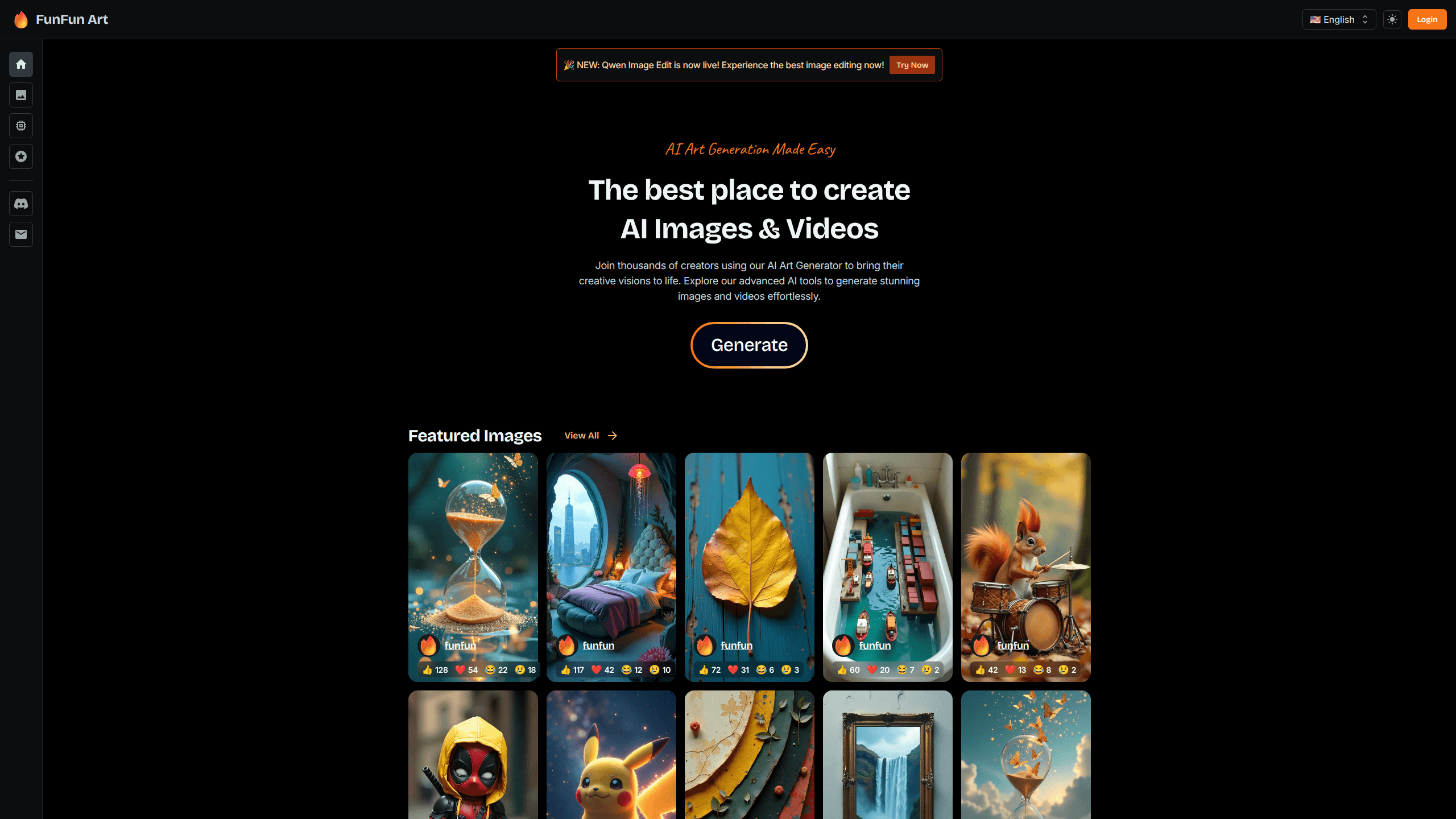
About Funfun Art
What Is Funfun Art
Funfun Art is a browser-based AI art generator that covers both still images and short videos. You describe what you want in plain language, pick a style, and the platform generates the result. Photo-to-art conversion works the same way. Upload a picture, then let the model restyle it. Chaindesk SAS, a Paris-based company, makes the platform.
The main problem it solves is time. Most people who need custom visuals can't draw. Hiring a designer for one thumbnail doesn't make sense either. Funfun Art puts generation behind a prompt box, so the bottleneck becomes your imagination instead of your software skills.
The catch is control. Prompt-driven tools trade precision for speed. Need exact placement or brand-perfect typography? You'll finish that job elsewhere. Funfun Art works best as a fast draft and ideation layer, not a full replacement for a design workflow.
Getting Started
- Open the Funfun Art website in your browser and create an account.
- Choose whether you want an image or a video, then type a prompt describing the scene, subject, and mood.
- Pick a style or upload a reference photo if you want the output to follow an existing look.
- Hit generate and wait a few seconds for the result.
- Download the file you like, or tweak the prompt and run it again for variations.
Product Information
A quick look at Funfun Art's pricing, supported platforms, and performance.
Best for
The users, tasks, and scenarios where this tool fits best.
Users
- Social media creators
- Hobbyists and beginners
- Small teams without a designer
Tasks
- Turning a text prompt into artwork
- Restyling photos
- Making short AI videos
- Ideation and mood boards
Scenarios
- Daily content posting
- Early project mockups
- Personal creative projects
Key features
Text to Image Generation
This is the core of Funfun Art. You write a prompt, choose a style, and the AI returns a finished image. It handles realistic scenes, illustrations, and stylized art, and you can rerun the same prompt to get fresh variations until one finally fits what you had in mind. For people who think in words rather than layers, this is the fastest route from a rough idea to a finished image.
Image to Video
Funfun Art also turns prompts into short AI videos, and it can animate a still image so a flat picture starts to move. That matters for social formats where a static picture gets scrolled past but motion stops the thumb. The clips are short by design, so treat them as social snippets rather than full edits.
Photo to Art Restyling
Upload a photo and the model reprocesses it in a different visual style, which is why portrait shots, pets, and product images are the usual candidates for this feature. It's the quickest way to get a stylized avatar or a themed image without opening a full photo editor and rebuilding the picture by hand.
Style and Prompt Controls
The platform gives you style presets alongside free-text prompts, so a beginner can get a decent result without writing long, technical descriptions to explain every detail of the scene. More experienced users can lean on the prompt field for finer direction. That balance is what keeps it approachable for a non-designer audience.
Browser-Based Workflow
Everything runs in the browser. There's nothing to install and no GPU to worry about, so you can generate on a laptop, a work desktop, or a borrowed machine. Your projects stay tied to the account rather than a single device.
Pros and cons
Pros
- Covers both images and video, so you don't need two separate AI art tools.
- Runs entirely in the browser with no install and no local hardware requirements.
- Beginner-friendly: a text prompt and a style preset are enough to start.
- Fast iteration lets you test several directions before settling on one.
Cons
- Prompt-based generation gives limited control over exact layout and text, so precise brand assets still need a real design tool.
- Output quality and available styles vary by prompt, which means results can be hit or miss.
- Video clips are short, so it's not a substitute for a full video editor.
Frequently asked questions
Funfun Art is an AI art generator for creating images and short videos from text prompts or uploaded photos. People use it for social media visuals, thumbnails, avatars, quick mockups, and personal creative projects.
Related content
Explore related tools, skills, and articles for Funfun Art.
Funfun Art Alternatives

X Ray Interpreter
X-ray Interpreter · ImageX Ray Interpreter is a web-based AI radiology tool that turns X-rays, CT scans, MRI, ultrasound, and PET images into plain-language reports. You upload a scan, get a preliminary X-ray interpretation in moments, then ask follow-up questions if something needs explaining. It works as a second opinion and a learning aid, not as a medical diagnosis.

Aieasypic
AIEasyPic · ImageAIEasyPic is an AI image generator that turns plain text prompts into finished artwork in seconds. You can also train custom models on your own photos, swap faces in existing images, and create short video clips from text, all from a browser. It suits casual creators who want quick visuals and hobbyists who want to build a personal model without touching any code.

Chargen
Chargen · ImageChargen is an AI character generator and worldbuilding toolkit built for Dungeons & Dragons and other tabletop RPGs. It turns a one-line idea into a painted character portrait, spins up NPCs, monsters, maps and encounters from the same session, and keeps every creature's details close at hand. The tabletop RPG art side runs on a credit system called Gold, while the text generators stay free for everyone.