
Gemini Omni
Google DeepMind · Video
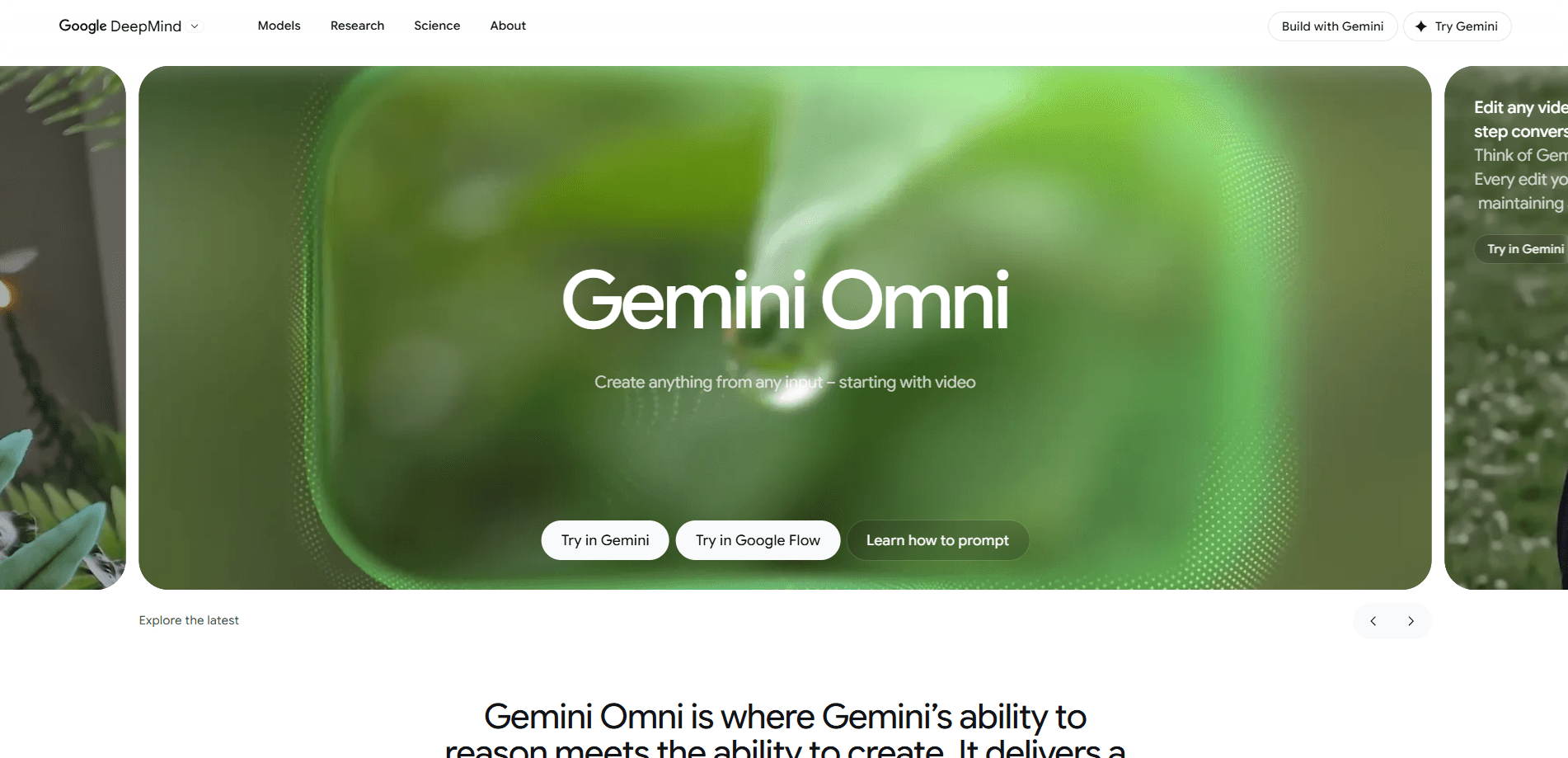
Gemini Omni is Google DeepMind's native multimodal model family, built to take almost any input and turn it into almost any output. The first release, Gemini Omni Flash, focuses on video: you can generate a clip from a written prompt, drop in reference images or audio, then edit the result by describing the change you want. It's aimed at creators and developers who want one model to handle generation and revision instead of stitching several tools together.
About Gemini Omni
What Is Gemini Omni
Gemini Omni is Google DeepMind's newest multimodal AI model, announced at Google I/O on May 20, 2026. Where earlier video models took a prompt and produced a clip, Omni is designed as an any-to-any system: text, images, audio, and video in, and a coherent result out. The first model in the family, Gemini Omni Flash, launched into the Gemini app, Google Flow, and YouTube, with API access promised later.
The pitch is conversational editing. Instead of re-rolling a generation until you get lucky, you describe a change ("make the violin invisible," "change the camera angle to over the shoulder") and the model applies it while keeping the rest of the scene stable. DeepMind says Omni has made a leap in world understanding, so generated physics and object behavior hold together better than before.
AI video generation is the feature people will come for. Gemini Omni pricing is the part that decides whether they stay.
The main limitation is scope. Right now Omni is a video model in practice. The "any-to-any" framing points at future image and audio generation, but that's a roadmap, not a shipped feature. DeepMind also watermarks everything it produces with SynthID and C2PA metadata, which matters if you plan to use the output commercially.
Getting Started
- Open the Gemini app, Google Flow, or YouTube and look for the Omni-powered video tools.
- Write a prompt describing the clip you want, or upload reference images, audio, or video to guide it.
- Generate the first version and review it.
- Describe edits in plain language, such as changing a background or an object, and let Omni regenerate that part.
- Export or share the clip. Expect SynthID and C2PA markers to travel with the file.
Product Information
A quick look at Gemini Omni's pricing, supported platforms, and performance.
Best for
The users, tasks, and scenarios where this tool fits best.
Users
- Video creators
- Marketers and social teams
- Product and design teams
- Developers
Tasks
- Text-to-video
- Conversational video editing
- Image-to-video
- Reference-to-video
Scenarios
- Producing a batch of short social clips from one concept, where the credit cost per generation is the practical ceiling.
- Iterating on a storyboard before committing to a full shoot.
- Adding AI-generated elements to real footage, such as placing a subject in a new environment.
Key features
Any-to-Any Multimodal Input
Omni accepts text, images, audio, and video as inputs, then produces video output. In practice you can hand it a photo and a sentence, or a clip plus a spoken reference, and it works from all of them together. DeepMind frames this as the foundation of the family, with other output types promised down the road.
Conversational Video Editing
The standout feature is editing by description. You tell Omni what to change, and it applies the edit while keeping the surrounding scene consistent. Prompted examples on DeepMind's page include making an object invisible, moving a musician into a different setting, and shifting the camera angle. It's the difference between rerolling and directing.
Strong Physics and World Understanding
DeepMind claims a leap in world understanding, and its examples lean on physical continuity: a marble rolling along a track, a light switching on in time with music, a hand interacting with a toy. Better physics means fewer of the melting-object artifacts that made earlier video models unusable for anything beyond novelty.
Consistent Characters and Voices
Reference-to-video support lets you feed in image and audio references so a character keeps the same appearance and voice across a clip. DeepMind reports leading results for Overall Preference and Speech Adherence on its internal reference-to-video benchmark, citing human raters across 468 examples.
Documented Benchmark Results
DeepMind published comparison data rather than vague claims. On MovieGenBench, a Meta benchmark, Omni performed best on Overall Preference and Instruction Following across 1,003 prompts. On the VBench image-to-video benchmark, Omni Flash tied with Grok-Imagine-Video and Kling, leading other models. All figures come from DeepMind's own evaluations.
Built-In Content Provenance
Everything created or edited with Omni in the Gemini app, Google Flow, or YouTube carries an imperceptible SynthID watermark and C2PA metadata. The mark survives most edits, which helps platforms and viewers tell AI-generated video apart from camera footage.
Credit-Based Access
Generation runs on credits rather than unlimited use. According to hands-on reports, a single video costs roughly 15 to 40 credits and a round of edits around 40, with the $20/month Google AI Pro plan including 1,000 credits. Heavy testing drains that allowance fast. How far do 1,000 credits really go? Not as far as you'd hope.
Pros and cons
Pros
- One model covers generation and editing, so you don't juggle separate tools for each step.
- Conversational edits cut down the trial-and-error of rerolling video until it looks right.
- Improved physics and world understanding reduce the floaty, melting-object look.
- Content is watermarked with SynthID and C2PA, which supports responsible disclosure.
- Available on day one in the Gemini app, Google Flow, and YouTube.
Cons
- It's a video model in practice, so the "any-to-any" promise is mostly future-facing.
- Credit costs add up: a single clip or edit can eat a meaningful slice of a monthly allowance.
- No public API yet, which blocks developers who want to build on it.
- Output is still AI video, so artifacts and continuity slips happen, as early reviews noted.
Frequently asked questions
Gemini Omni is built for video creation and editing. You describe a clip in text, optionally add image or audio references, and it generates the video. You can then revise it by describing changes in plain language.
Related content
Explore related tools, skills, and articles for Gemini Omni.
Gemini Omni Alternatives

ngram 2.0
ngram · Video · Marketingngram 2.0 is an AI video generator for teams. It turns a prompt, a screen recording, or a product URL into a narrated explainer, product demo, or AI avatar video, and every scene stays editable.

OpenScreen 2
OpenScreen (open-source project) · Video · ProductivityOpenScreen 2 is a free, open-source screen recorder and demo video editor for Windows, macOS, and Linux, with automatic zooms, styled frames, local captions, and agent edits.

Skreno
Skreno · Video · ProductivitySkreno is a browser screen recorder that captures a tab, a window or your whole display, then attaches AI transcripts, summaries and console logs to one share link.