

GenAIntel
GenAIntel · Video · Coding
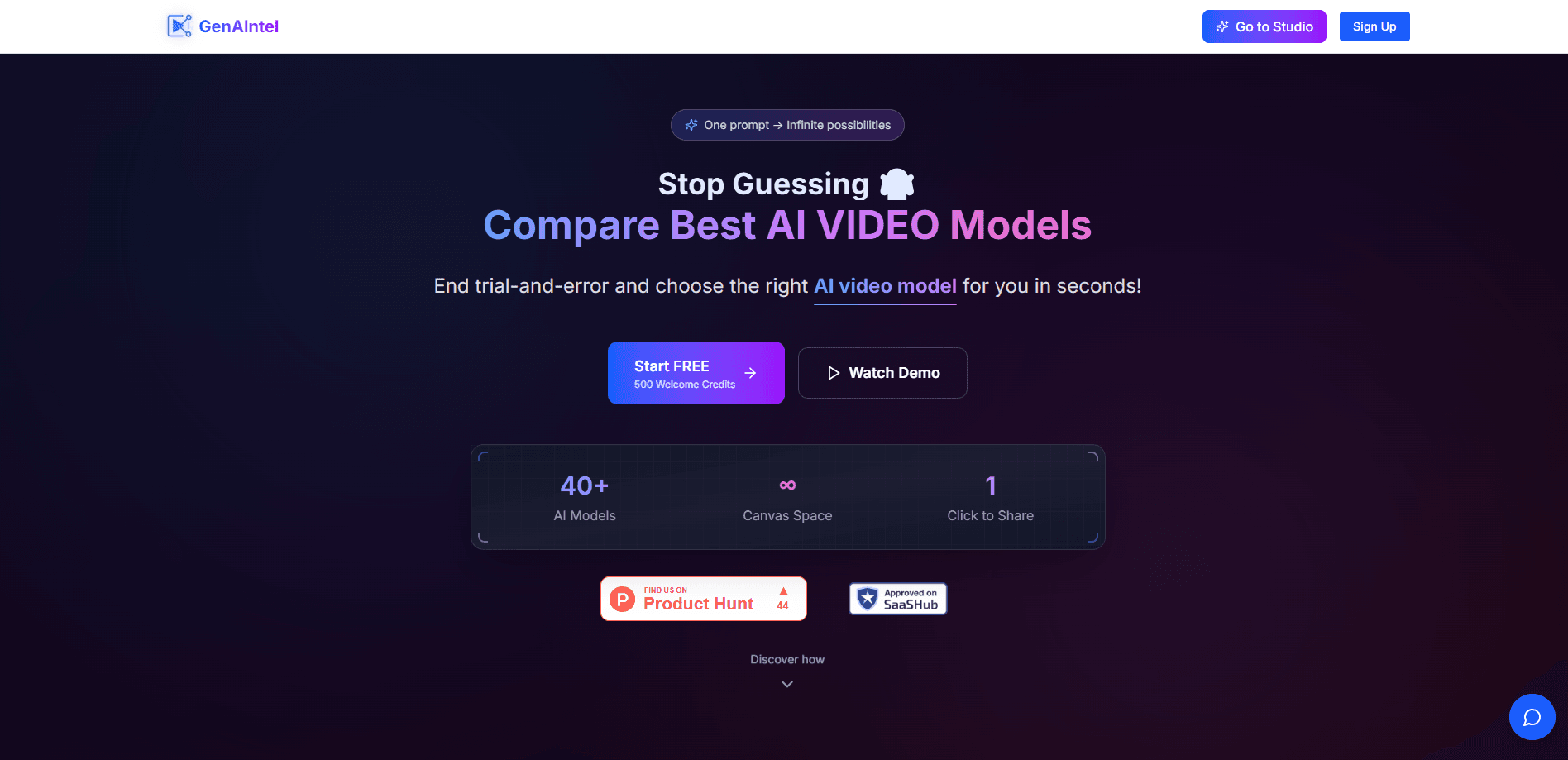
GenAIntel is an AI image and video generator that runs one prompt across 100+ models at once. Results land on an infinite canvas for side-by-side comparison, and you can share the run with one link.
About GenAIntel
What Is GenAIntel
GenAIntel is a web platform for creating images and videos with AI. Instead of signing up for one model at a time, you write a prompt once and GenAIntel sends it to more than a hundred image and video models in parallel. The outputs show up together, so you can see which model matched what you had in mind.
The product is built around model comparison. Most people juggle several AI tools, copy the same prompt into each one, then compare downloads by hand, which is why parallel AI model comparison saves so much time. GenAIntel does that part for you. It pulls models from Google, OpenAI, xAI, Kuaishou, ByteDance, Alibaba, Minimax, Luma AI, and Pika Labs, and the site says new models appear within days of release.
The catch is that you still need credits to run the bigger models. The free tier gives you 20 one-time credits mostly for image work, and video generation and premium models sit behind paid plans. The site also notes results typically arrive in under 30 seconds, but heavier video models take longer.
Getting Started
- Sign up on the GenAIntel site and pick up the free credits to test a few models.
- Write a prompt in the studio and choose which image or video models to run it on.
- Send the batch and watch the results land on the infinite canvas, side by side.
- Drag, resize, and group the outputs you like, then continue from a favorite to refine the idea.
- Generate a share link that captures your prompts, the models used, and the final result.
Product Information
A quick look at GenAIntel's pricing, supported platforms, and performance.
Best for
The users, tasks, and scenarios where this tool fits best.
Users
- Content creators
- Designers and art directors
- Marketing teams
- AI tool tinkerers
Tasks
- Comparing models from one prompt
- Generating images and video in one place
- Iterating on a concept
- Sharing a creative process
Scenarios
- Early concept exploration
- Building a model shortlist
- Client and stakeholder review
Key features
One Prompt, Every Model
You write a prompt once and GenAIntel sends it to dozens of models at the same time. It runs across Sora, Veo, Kling, Flux, and 100+ others in a single batch. You get a set of results from the exact same input, which makes the comparison fair instead of guesswork.
Infinite Canvas
Every result lands on a freeform canvas rather than a scrolling list. You can drag, resize, and group outputs until the layout matches how you think. It turns scattered generations into one workspace you can actually navigate.
Continue From a Result
When a result works, you can use it as the starting point for the next step. GenAIntel chains your decisions so refining an idea doesn't mean starting over. Each step keeps track of where it came from, which makes iteration feel like a flow.
Shareable Run Links
GenAIntel generates a link that captures the whole run: your prompts, the models you used, every step, and the final image or video. Anyone who opens it sees the creation story, not just the output. That's handy for showing clients or teammates how a result came together.
Fresh Model Lineup
The platform adds new AI models within days of their release. The site points to Seedance 2.0, Sora 2, Veo 3.1, Kling 3.0, and Grok Imagine as examples. You keep creating with current models instead of waiting for a slow update cycle.
In-App Video Editor
GenAIntel includes a free video editor with a multi-track timeline and local rendering, and it leaves no watermark. It lets you assemble clips without leaving the platform. The editor works on your machine, which keeps rendering quick and your files close.
Pros and cons
Pros
- Runs one prompt across 100+ image and video models, so comparison happens in one pass.
- Pulls models from major providers like Google, OpenAI, xAI, Kuaishou, and ByteDance in one place.
- The infinite canvas keeps results organized instead of splitting them across tabs.
- Share links capture prompts, models, and steps, which suits client review.
- Includes a free video editor with no watermark and local rendering.
Cons
- The free tier gives only 20 one-time credits, so video and premium models need a paid plan.
- Video generation can take longer than the "under 30 seconds" figure the site quotes for typical results.
- There's no public API documented, so building custom integrations on top isn't an option yet.
- It runs entirely in the browser, with no desktop or mobile app listed.
Frequently asked questions
GenAIntel is an AI image and video platform that runs one prompt across 100+ models at once. It shows every result on an infinite canvas and lets you share the full run with a single link.
Related content
Explore related tools, skills, and articles for GenAIntel.
GenAIntel Alternatives

Vadu AI
Vadu AI · Image · VideoVadu AI is a web-based AI video generator that turns written prompts or still images into short clips, and it can also generate images on its own. You type what you want, pick a model and style, and the platform renders the result in minutes. A free plan covers light testing, while paid tiers run from $9 to $77.40 per month based on how many credits you burn.

Mykaraoke Video
MyKaraoke Video · VideoMykaraoke Video is an online karaoke video maker and lyric video maker that turns any song into a finished, lyrics-synced video right in your browser. It handles the slow part for you. The AI pulls vocals out of the mix and locks the lyrics to the beat, then lets you customize background, fonts, and colors before exporting in 1080p MP4. If you make lyric videos for social media, party nights, or music promotion, it skips the software installs and manual timing work entirely. Want a karaoke video generator that doesn't eat your whole evening? That's the pitch here.

Finalframe
Finalframe · VideoFinalframe is a set of free, browser-based tools for grabbing exact frames out of a video clip. Its best-known feature, the Final Frame Extractor, lets you extract the last frame of any video so you can use it as the starting image for AI video tools like Luma Dream Machine, Runway, or Kling. Want to keep a clip going? That last frame is your starting point. The tool runs locally in your browser, needs no sign-up, and costs nothing. A separate paid AI video-generation app from the same team is currently offline while it's rebuilt.