

GenMotion
GenMotion · Video
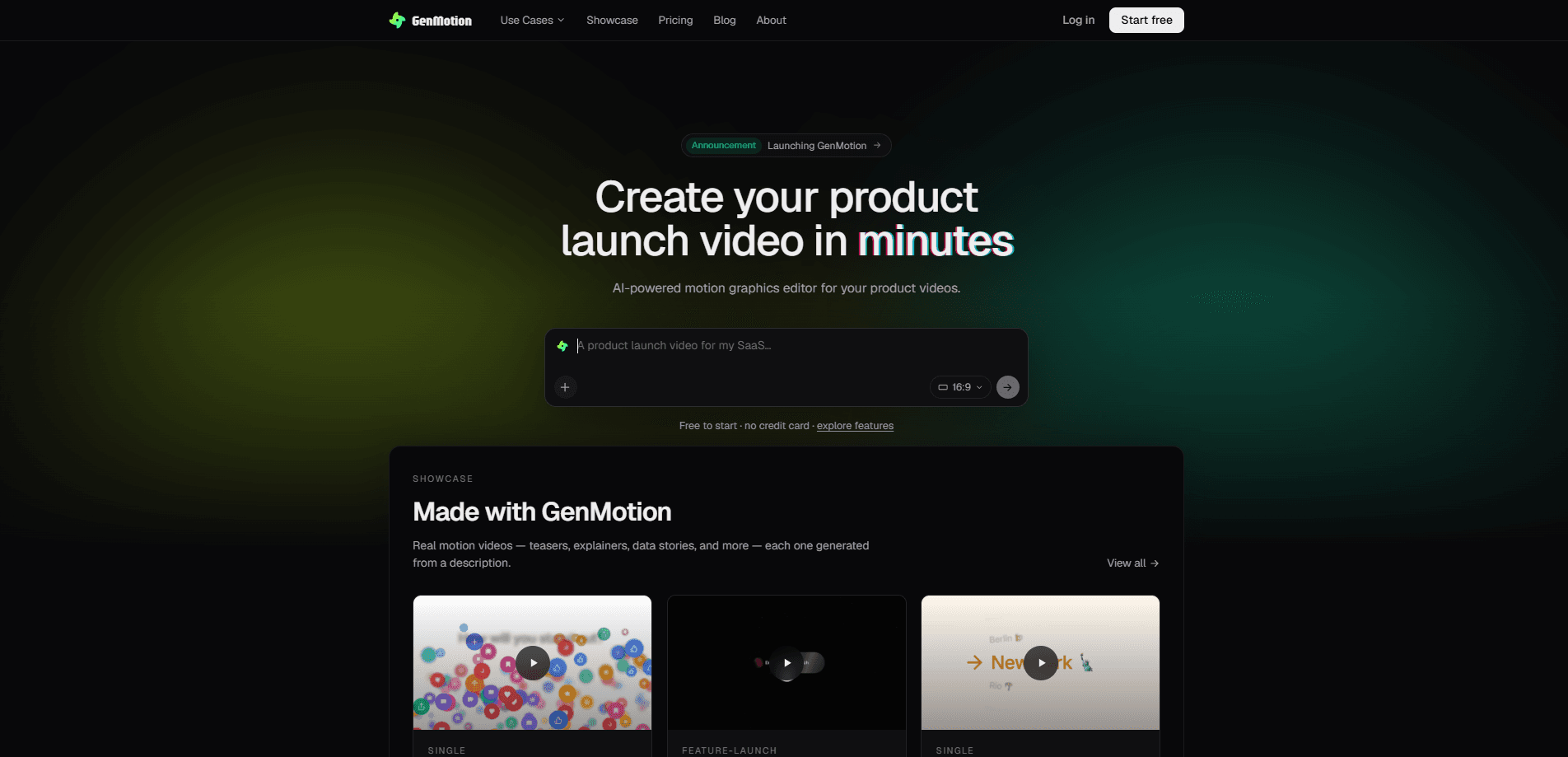
GenMotion is an AI motion-video studio that turns plain-language prompts into real, editable scenes. You describe a video, an agent animates it, you scrub the result frame by frame in your browser, and then you export a pixel-perfect MP4. Think of it as an AI video editor that works from a written prompt to video, not from footage you shot. It runs as a Mac desktop app and targets product launches, explainers, social ads, and title sequences rather than long-form editing. Short clips, mostly. It's built for that.
About GenMotion
What Is GenMotion
GenMotion is a studio for making short motion graphics without opening a traditional timeline-editing suite. You type what you want, such as a product teaser or an animated stat reveal, and an agent writes the scenes for you. From there you can rearrange scenes and tune their lengths, but you never have to hand-build the animation from scratch. That last part is the whole point.
The pitch is speed and control in equal measure. Most AI video generators hand you a finished clip you can't take apart. GenMotion keeps the scenes editable as a project on your own disk, so you can talk through changes with the agent or jump into the editing tools when you want precise control. A visual timeline lets you reorder beats and fix pacing before you commit to a render. No lost work.
The main limits are practical. It's built for the Mac, and it's aimed at motion-video work specifically, not at editing footage you shot yourself or cutting a podcast. Free trial exports carry a small GenMotion badge, and the AI voiceover, sound effects, and image generation in chat are reserved for paid plans, which means the free week gives you the full editing workflow but not every generation trick the paid tiers add. Know that before you build a workflow around the free week.
Getting Started
- Create an account and start the free 7-day trial, which needs no credit card.
- Describe the video you want in the chat: a product teaser, an explainer, animated data, or a title sequence.
- Let the agent draft the scenes, then scrub through the frame-accurate preview in your browser to check the result.
- Reorder scenes and adjust durations on the visual timeline until the pacing feels right.
- Export a pixel-identical MP4 with the local renderer and post it wherever you need.
Product Information
A quick look at GenMotion's pricing, supported platforms, and performance.
Best for
The users, tasks, and scenarios where this tool fits best.
Users
- Founders and marketers who need a product teaser or launch video without hiring an animator
- Solo creators who publish short social clips in many aspect ratios
- Designers who want AI to rough out motion but keep manual control
Tasks
- Turning a written idea into an animated explainer
- Building animated stats and data reveals
- Cutting intros and title sequences
Scenarios
- A tight product launch deadline where a polished 15-second teaser matters more than broadcast production values.
- Weekly social ads where you need the same idea resized for vertical, square, and widescreen feeds.
- Early-stage pitch decks that benefit from one animated hero clip instead of static slides.
Key features
Prompt to animated scenes
GenMotion's core move is turning a description into real scenes rather than a single locked clip. You tell the agent what you want, and it handles text to animation for you, authoring the result as structured scenes you can open, inspect, and change. That matters because a clip you can take apart is one you can fix, while a single generated video usually means starting over. It's the difference between a draft and a dead end. What does that feel like in practice? You type a sentence, wait a moment, and watch a rough cut appear.
Frame-accurate browser preview
You scrub the in-progress video frame by frame right in the browser. The preview and the final renderer share one deterministic runtime, so what you review is what you get, and there's no moment where you render a clip only to discover that the exported file frames something differently than the preview did. It just works.
Deterministic pixel-perfect export
The export runs through a headless worker using the same runtime as the preview, producing an MP4 that's pixel-for-pixel identical to what you approved. If you've ever waited twenty minutes for a cloud render only to find that a caption lands half a second too late and you have to queue it all over again, this is the fix. Renders happen on your own machine, so there's no render queue on any plan. That's a bigger deal than it sounds. Big time saver when you're iterating on a deadline.
Visual timeline editing
Scenes land on a visual timeline where you reorder them and tune durations. This is the part that separates it from pure generators. When a beat feels too slow or a reveal lands too early, you drag it rather than re-prompt the whole video. Want it faster? Drag left. Tiny tweak, no rebuild.
Templates you can remix
The library holds finished videos with real scenes and real assets. Open one, see how it's built, and remix it into your own project. Interesting. For anyone who's never touched a motion graphics tool, this is the fastest way in. It's also a shortcut when you need a proven structure for a launch or an announcement.
Text presets, voiceover and brand extraction
Text presets handle kinetic type, AI voiceover carries narration, and brand extraction pulls your colors and type from a reference so clips stay on-brand. If you've ever rebuilt the same lower-third by hand for the tenth time, you'll appreciate that the presets keep your type consistent across every scene without a single manual adjustment, which is exactly the kind of chore that makes motion graphics tedious in the first place. Voiceover, sound effects, and image generation in chat are paid-plan features, which is worth knowing before you rely on them during the trial.
Bring your own coding agent
Paid and trial users can plug in their own Claude Code or Codex to drive the studio, which means if you already live inside one of those coding agents during the workday you can point it at GenMotion and keep a single workflow instead of juggling an extra chat window. If you already work with an AI coding agent, you can reuse that setup instead of learning a separate chat interface. It leans toward the more technical end of the audience.
Pros and cons
Pros
- Scenes stay editable as a project, so you're not stuck with a single locked clip.
- Preview and export run on the same deterministic runtime, so the MP4 matches what you reviewed.
- Local rendering means no queue and no waiting on a shared cloud render farm.
- Templates give beginners a working structure to remix instead of a blank page.
- Commercial use of your videos is allowed, and projects live on your own disk.
Cons
- Mac only, so Windows and Linux users can't run the desktop app.
- The free trial stamps a small GenMotion badge on exports; removing it means paying $19/mo.
- Voiceover, sound effects, and in-chat image generation are locked behind paid plans, so the trial doesn't show the full picture.
- It's built for motion graphics, not for editing footage you shot or long-form content.
Frequently asked questions
It's an AI motion-video studio. You describe a video in plain language, an agent animates it as editable scenes, you preview it frame-accurately in the browser, and you export a pixel-perfect MP4. It's aimed at motion graphics like teasers, explainers, and stat animations.
Related content
Explore related tools, skills, and articles for GenMotion.
GenMotion Alternatives

Vadu AI
Vadu AI · Image · VideoVadu AI is a web-based AI video generator that turns written prompts or still images into short clips, and it can also generate images on its own. You type what you want, pick a model and style, and the platform renders the result in minutes. A free plan covers light testing, while paid tiers run from $9 to $77.40 per month based on how many credits you burn.

Mykaraoke Video
MyKaraoke Video · VideoMykaraoke Video is an online karaoke video maker and lyric video maker that turns any song into a finished, lyrics-synced video right in your browser. It handles the slow part for you. The AI pulls vocals out of the mix and locks the lyrics to the beat, then lets you customize background, fonts, and colors before exporting in 1080p MP4. If you make lyric videos for social media, party nights, or music promotion, it skips the software installs and manual timing work entirely. Want a karaoke video generator that doesn't eat your whole evening? That's the pitch here.

Finalframe
Finalframe · VideoFinalframe is a set of free, browser-based tools for grabbing exact frames out of a video clip. Its best-known feature, the Final Frame Extractor, lets you extract the last frame of any video so you can use it as the starting image for AI video tools like Luma Dream Machine, Runway, or Kling. Want to keep a clip going? That last frame is your starting point. The tool runs locally in your browser, needs no sign-up, and costs nothing. A separate paid AI video-generation app from the same team is currently offline while it's rebuilt.