

GenXi
GenXi · Image · Video
GenXi is an AI image and video generator that turns text prompts into realistic visuals, with extra tools for logos, avatars, and short video clips.
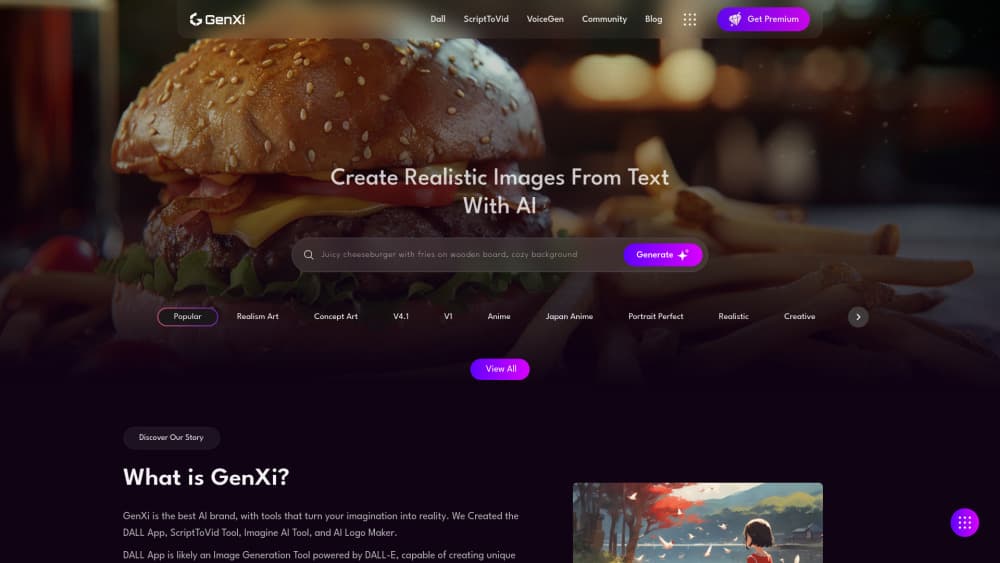
About GenXi
What Is GenXi
GenXi is a web and mobile platform for turning written ideas into pictures and short videos. It bundles more than ten AI apps under one login, so you don't hop between separate tools for a logo, an avatar, and a moving clip. Type a description, pick a style, and it renders a result you can download and post.
The thing it solves is gatekeeping. Most people who want a decent image don't have Photoshop skills or a render farm. GenXi hands the whole job to a prompt box. That's the trade. You give up fine manual control, and you get speed and a low skill floor instead. For quick social posts, mockups, or concept art, that's usually a fair swap.
Know the limits first. Output quality depends heavily on how well you write the prompt, and free usage is limited, so heavy users end up on a paid plan. It's built for casual creators and small teams, not for studios that need frame-level editing or commercial rights papers up front.
Getting Started
- Open genxi.io on the web or install the GenXi app from Google Play, then create an account.
- Pick the tool you need from the app list, such as the image generator or the ScriptToVid tool.
- Type a text prompt describing what you want, then choose a style or aspect ratio.
- Hit generate and wait for the render, which usually lands in seconds to a minute.
- Download the result or refine the prompt and generate again until you're happy.
Product Information
A quick look at GenXi's pricing, supported platforms, and performance.
Best for
The users, tasks, and scenarios where this tool fits best.
Users
- Casual creators and hobbyists
- Social media managers
- Pet and portrait fans
Tasks
- Turning a written idea into art
- Cutting a script into a clip
- Designing a quick logo
Scenarios
- Filling a content calendar
- Mocking up a brand idea
- Making a shareable gift
Key features
Text to Image Generation
The core tool takes a typed description and renders a realistic image from it, letting you describe the subject, mood, and style and then generate and regenerate until the result lands close to what you pictured. It's the fastest path from a sentence to a usable picture, and it's why most people open the app in the first place.
AI Video Generator
GenXi turns text into short video clips, and the ScriptToVid tool takes written lines and builds video content from them. This is aimed at marketers and creators who need motion without editing software or stock footage. The results are short-form and best suited to social, not cinematic work. Fine for a reel. Not for a film.
AI Logo Maker
An automated tool that proposes logo designs from your input. You get multiple concepts to react to instead of starting from a blank canvas. For a side project or a placeholder brand, it's a cheap way to get a look before you hire anyone.
Imagine AI Prompt Helper
An image-to-prompt assistant that helps you reverse-engineer or refine the wording behind a visual. Useful when you have a look in mind but can't put it into words. It turns a vague idea into a prompt the generator can actually use. Ever stared at a picture and wondered how to describe it? That's the gap this fills.
AI Photo and Pet Portraits
Upload a photo and GenXi restyles it into AI art, including the popular pet portraits that have become the app's most shareable feature and a common entry point for users who never expected to try an image tool. The results are stylized rather than documentary, so expect artistic takes over faithful copies.
Multi-App Platform
More than ten AI applications sit under a single account, so logos, avatars, images, and videos don't require separate tools or logins. The store listing reports over 100K downloads and thousands of user reviews, which says something about how many people reach for it day to day. One account, many jobs. Swap tools without ever signing up again.
Pros and cons
Pros
- Bundles image, video, logo, and avatar tools behind one account, so you skip juggling separate apps.
- Works on web, Android, and iOS, which means you can generate on your phone and grab it later.
- Prompt-based workflow keeps the skill floor low, so beginners get usable results on the first try.
- A free plan lets you test the output before paying anything.
Cons
- Output leans on prompt quality, and weak prompts return generic or off-target images.
- Free use is capped, so anyone generating regularly hits the paid wall fast.
- Short video limits mean it won't replace a proper editor for longer or polished footage.
- No public API, so developers can't wire GenXi into their own apps.
Frequently asked questions
GenXi generates images and short videos from text prompts. It also includes tools for logos, avatars, and pet portraits. The point is to give non-designers a one-stop way to produce visuals from a written idea. Type it. Get it. Move on.
Related content
Explore related tools, skills, and articles for GenXi.
GenXi Alternatives

X Ray Interpreter
X-ray Interpreter · ImageX Ray Interpreter is a web-based AI radiology tool that turns X-rays, CT scans, MRI, ultrasound, and PET images into plain-language reports. You upload a scan, get a preliminary X-ray interpretation in moments, then ask follow-up questions if something needs explaining. It works as a second opinion and a learning aid, not as a medical diagnosis.

Aieasypic
AIEasyPic · ImageAIEasyPic is an AI image generator that turns plain text prompts into finished artwork in seconds. You can also train custom models on your own photos, swap faces in existing images, and create short video clips from text, all from a browser. It suits casual creators who want quick visuals and hobbyists who want to build a personal model without touching any code.

Chargen
Chargen · ImageChargen is an AI character generator and worldbuilding toolkit built for Dungeons & Dragons and other tabletop RPGs. It turns a one-line idea into a painted character portrait, spins up NPCs, monsters, maps and encounters from the same session, and keeps every creature's details close at hand. The tabletop RPG art side runs on a credit system called Gold, while the text generators stay free for everyone.