

Wiser Shopify App
Wiser AI · Marketing · Business
Wiser AI is a Shopify app for AI product recommendations, frequently bought together bundles, cart and checkout upsells, and post purchase offers.
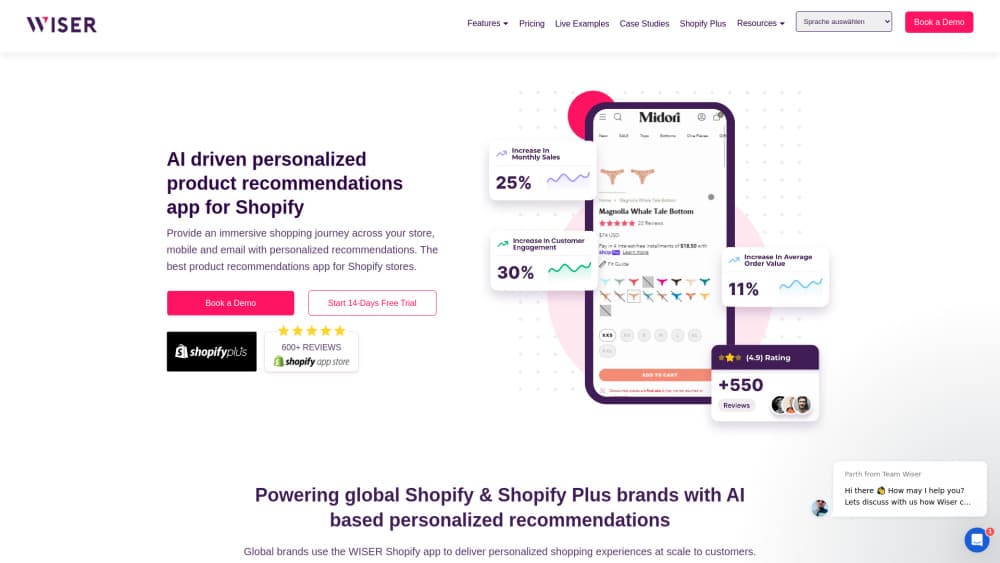
About Wiser Shopify App
What Is Wiser AI
Wiser AI is a product recommendation app for Shopify and Shopify Plus stores. It tracks what a shopper browses, drops matching products onto the product page, the cart drawer, the checkout, and the order confirmation screen, then reports which placement actually sold something.
The scope is narrower than the phrase personalization platform suggests. Most merchants arrive looking for a Shopify upsell app and end up using the same widgets for cross selling. A store installs one app and gets a set of widgets running on the same recommendation engine. Those widgets read real order history and live session behavior instead of manual rules, so a running shoe page suggests socks and sleeves because customers bought them together, not because a merchandiser dragged products into a list six months ago.
Limits matter as much as features. Everything runs inside Shopify, so the same app can't serve a WooCommerce or BigCommerce storefront. The heavier tools, including the advanced cart drawer, tiered cart discounts, free shipping progress bar, and checkout page upsells, sit on the Enterprise plan, which is quoted rather than published.
Getting Started
- Install Wiser AI from the Shopify App Store and approve the permissions it asks for on products, orders, and theme assets.
- Run the onboarding flow, which reads your catalog and order history and then proposes a first set of recommendation widgets.
- Choose placements: product page, cart page, cart drawer, thank you page, or checkout if you're on Shopify Plus.
- Match the widget styling to your theme colors, fonts, and button shape so the cards don't look bolted on.
- Start the 14-day trial, then check the analytics tab for clicks and revenue per placement before you roll widgets out to the whole catalog.
Product Information
A quick look at Wiser Shopify App's pricing, supported platforms, and performance.
Best for
The users, tasks, and scenarios where this tool fits best.
Users
- Shopify store owners with a catalog big enough to cross sell
- Shopify Plus brands
- Merchandisers who don't want to hand-build lists
- Agencies running several stores
Tasks
- Adding a frequently bought together bundle under the add to cart button, with one click to add the whole set.
- Lifting average order value inside the cart drawer by suggesting add-ons while the shopper reviews the order.
- Recovering a stalled cart with a free shipping progress bar that shows how much more is needed.
- Turning a completed order into a second sale through thank you page offers and email recommendation blocks.
Scenarios
- Apparel and footwear stores, where a shoe page naturally pulls socks, insoles, and care products into the same order.
- Consumables and refill products
- Peak season traffic spikes on Plus stores, where checkout upsells capture add-ons without sending shoppers back to the product page.
Key features
AI Recommendation Engine Based on Browsing Behavior
Wiser AI watches session data, including viewed products, search terms, and past orders, and adapts recommendations per visitor rather than per segment. The output lands in related product grids and personalized blocks. That matters for stores carrying hundreds of SKUs, where a static "you may also like" row stops being useful after the first page.
Frequently Bought Together Bundles
The bundle widget under the buy button shows the current item plus two or three products that real customers bought with it, along with a combined price and the savings. One button adds everything at once, which is the same pattern Amazon made familiar. The products come from your own order history, so the bundle stays relevant as the catalog changes.
Cart Drawer and Cart Page Upsell
Recommendations inside the slide-out cart change based on what's already in the basket, so the offer stays relevant instead of repeating the same three products to every visitor. A free shipping progress bar gives the shopper a reason to add one more item. Merchants typically see an extra $15 to $40 per order from this placement, according to Wiser's own published figures.
Checkout Upsell for Shopify Plus
Wiser uses Shopify checkout blocks to place a one-click offer directly on the checkout page, where a shopper has already decided to buy. The add-on goes into the same order without leaving the flow. This placement is the reason Plus stores get more out of the app than basic plan merchants, since standard Shopify plans can't extend checkout.
Post Purchase Upsell and Email Recommendations
The thank you page shows a "you might also love" block at the moment a customer is most engaged, and the app can push personalized product blocks into Klaviyo and Mailchimp flows. That combination targets repeat purchases, which is where a recommendation app pays for itself on consumable products.
IntelliSearch, Popups, and A/B Testing
IntelliSearch adds AI driven search and filtering so shoppers find products with fewer taps, while Wiser Pops handles exit intent popups. A/B testing lets you compare widget variants and keep the winner. Analytics ties clicks and revenue back to each placement, which is how you decide what to keep.
Pros and cons
Pros
- Order based pricing starts at $0 for stores under 50 monthly orders, so small shops can run the app without a fixed subscription.
- One engine covers product page, cart, checkout, and post purchase, which removes the usual patchwork of separate apps.
- Checkout page placement on Shopify Plus uses native checkout blocks, so it doesn't need theme hacks that break on updates.
- Published pricing tiers run from $9 to $199 per month, and the plan moves up or down automatically with order volume.
- Klaviyo and Mailchimp integrations put the same recommendations in email flows, where most repeat purchases actually start.
Cons
- The free plan stops at 50 monthly orders, so growing stores hit a paid tier quickly, and the $199 tier caps at 2,000 orders.
- Advanced cart drawer, tiered discounts, and the free shipping bar sit on Enterprise, which is quoted by sales and has no public price.
- Recommendations need order history to work well. New stores with little traffic will see generic suggestions for the first weeks.
- Support and customization depend on the vendor's team, and the app's own help center is the main self-serve resource for setup questions.
Frequently asked questions
It adds AI product recommendations to a Shopify store. The widgets show bundles, related products, cart add-ons, and post purchase offers, and the app reports which placement generated clicks and revenue.
Related content
Explore related tools, skills, and articles for Wiser Shopify App.
Wiser Shopify App Alternatives

Tractionwave
TractionWave · Image · MarketingTractionWave is an AI attention heatmap tool for static ads. Upload a PNG or JPG and it returns predicted attention, ranked hotspots, and fixes before you spend budget.

OpenSEO - AI Visibility
EveryApp · Coding · Marketing · BusinessOpenSEO is an open source SEO platform for keyword research, backlinks, rank tracking, site audits, and AI visibility, with usage-based pricing and MCP access for AI agents.

Plugins Radar
Plugins Radar · Marketing · BusinessPlugins Radar tracks where your ChatGPT plugin ranks in directory and in-chat search, which competitors outrank it and what changed, with hourly checks on 9,885 listings.