

git-lrc
Hexmos · Coding
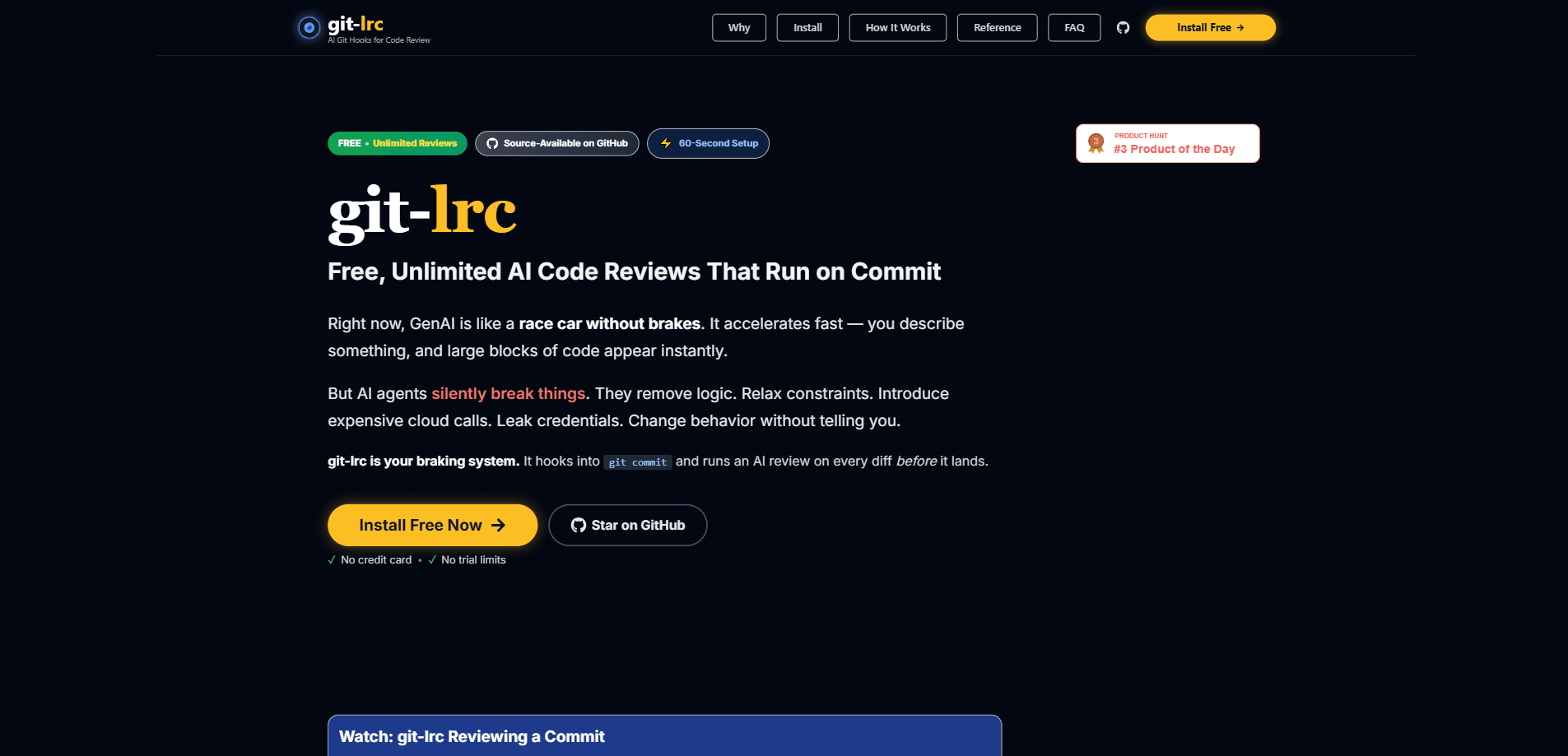
git-lrc is a free AI code review tool that hooks into git commit and inspects every diff before it lands in your repository. Built by Hexmos, it's aimed at teams that use AI coding agents and want a safety net for the logic those tools quietly remove, weaken, or break. It scans for leaked credentials, expensive cloud calls, and other risky patterns. Then it turns each review into a short slide summary you can send back to your AI agent to fix.
About git-lrc
What Is git-lrc
git-lrc is a command-line tool that watches your commits and runs an automated code review on each change. It's made by Hexmos, the team behind LiveReview. The pitch is simple: AI agents write code fast and sometimes break things without telling you, so you need something that catches the damage at commit time rather than in production.
The tool organizes its findings into risk categories, from security and secrets management to reliability and error handling. According to Hexmos, it tracks more than 100 failure patterns across 10 categories, and every completed review generates a short summary deck that explains what changed and what risks showed up.
It fits best on developer machines and small teams that already lean on AI assistants for coding. The main limitation is scope: git-lrc is a guardrail, not a full test suite. It flags risky diffs. It won't tell you whether your app actually works.
Getting Started
- Open a terminal in any Git repository you work in.
- Run the install command:
curl -L https://hexmos.com/ipm-install | bash && ipm i HexmosTech/git-lrc. Windows and alternative install paths are covered in the project's Get Started guide. - Commit something as you normally would. The git commit hook triggers a review on the diff automatically.
- Read the review in the Issue Navigator, a filterable view grouped by severity and risk category.
- Send the flagged issues back to your AI agent, or copy them into your fix loop, and commit again.
Product Information
A quick look at git-lrc's pricing, supported platforms, and performance.
Best for
The users, tasks, and scenarios where this tool fits best.
Users
- Solo developers and small teams
- Engineering managers
Tasks
- Catching leaked credentials before they enter history
- Flagging expensive cloud operations
- Reviewing AI-generated diffs
Scenarios
- Onboarding a new codebase
- Post-incident review
Key features
Commit-time review hook
git-lrc installs a git hook that runs an AI review on every diff before it becomes a commit. Think of it as a pre-commit code review that runs itself. You don't have to remember to invoke it, and you don't push a separate review step into CI. If a change looks risky, you see it while the context is still fresh.
Issue Navigator with severity filters
A wall of inline comments is hard to triage, so git-lrc turns each review into a filterable view. You can sort by Critical, Warning, or Info, drill into categories like Security and Secrets Management, and see live counts of how many issues each area has. That ranking is the point. It tells you what to fix first instead of making you read everything.
Ten risk categories, 100+ patterns
The scanner is organized around risk rather than style. Hexmos lists 10 categories and over 100 tracked failure patterns, covering security, reliability, cost, and bugs. It's closer to a code security scanner than a formatting linter. That kind of coverage is more useful to a team worried about outages. Static code review catches what the model misses. That's the whole idea. No dashboard to babysit, either. It just runs.
Summary decks per review
Every review also produces a short slide deck: what was implemented in plain English, which risks were flagged, and what technical details matter. It's a lightweight way to keep a record of changes without anyone writing a changelog by hand. For onboarding or post-incident reads, that beats re-reading a raw diff.
Send-to-agent fix loop
Findings can be copied, or sent straight to Claude, and fed back into your AI agent to fix. There's also a thumbs up/down on each finding that tunes future reviews, so the signal-to-noise ratio should improve as your team keeps using it.
Git log tracking
git-lrc pairs the summary decks with an iteration and coverage history in your git log. The result is a running record of every change and the risks attached to it, which your team can browse months later without maintaining documentation separately.
Pros and cons
Pros
- Completely free, with no paid tier to worry about
- 60-second setup that hooks into regular git commit
- Finds real security issues like leaked credentials and sensitive log lines
- Severity filters make large reviews easy to triage
- Fix loop that sends findings back to AI agents
Cons
- No Chinese or hard-to-reach platforms issue: it runs locally, so it depends on the code being committed through Git
- Review quality still depends on the underlying AI model
- Not a replacement for tests or human code review
Frequently asked questions
It runs an AI review on every git commit, inspecting the diff for risky changes before it lands. It looks for problems like leaked credentials, expensive cloud calls, and logic that AI agents may have silently broken.
Related content
Explore related tools, skills, and articles for git-lrc.
git-lrc Alternatives
Forefront
Forefront · CodingForefront is a web platform for building with open-source AI. It lets you fine-tune leading open-source language models on your own data, evaluate how they perform, and run them through an API or export them to host yourself. Developers who want the convenience of a closed-source platform but insist on owning their models and data are the target audience here.

Startkit
StartKit.AI · CodingStartkit is a boilerplate for building AI SaaS and AI wrapper products. Think of it as an AI startup boilerplate with the boring parts already wired up: authentication, Stripe and Lemon Squeezy payments, usage limits, transactional email, and an AI API starter that talks to OpenAI, Anthropic, Groq, or Llama. You clone the repo, set your price, and start on the part of your product that people actually pay for. It's Next.js under React and Tailwind, so most of the boilerplate code already feels familiar.
Testim
Tricentis · CodingTestim is an AI-powered test automation platform for building and running end-to-end tests across web, mobile, and Salesforce applications. It leans on machine learning to keep tests stable when an interface changes, so teams spend less time fixing broken selectors. Not bad for an automated testing tool you can start using today. You create tests by recording actions in a browser, then optionally add JavaScript when you need more control. It's a solid pick for busy QA teams.