

GitFluence
GitFluence (open-source project by geovanesantana) · Coding
GitFluence is a free AI Git command generator. Describe the task in plain English and it returns the Git command, or the short sequence of commands, that you can paste into a terminal.
About GitFluence
What Is GitFluence
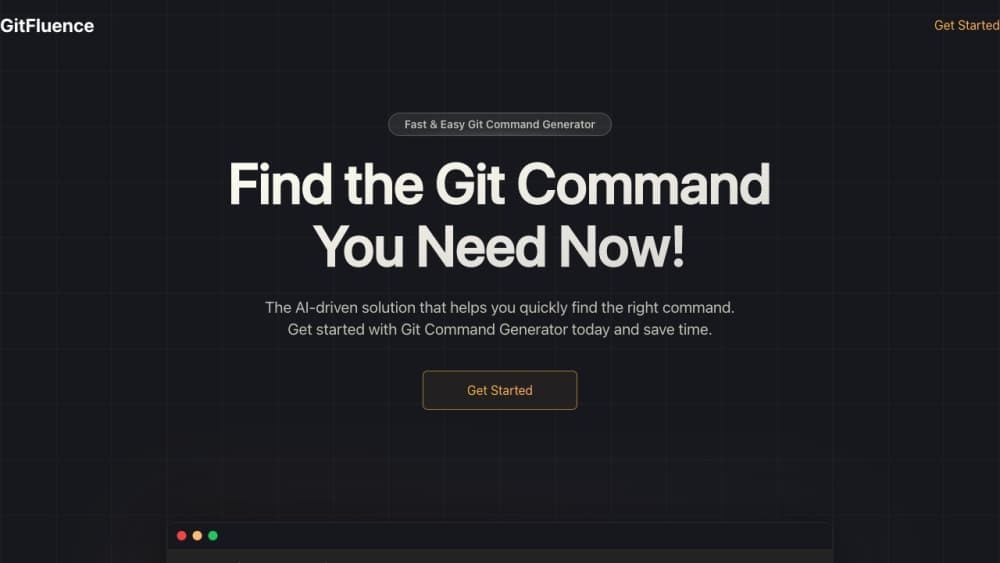
GitFluence is a browser app that turns a description of a Git task into the command that performs it. You type something like "undo my last commit but keep the changes" into a terminal-style box, and the tool answers with the command plus a note on what it does. Nothing to install, no account to create.
The project is open source and sits in a crowded field of AI developer tools. The code lives on GitHub under geovanesantana/gitfluence, written in TypeScript with Next.js, and the README credits ChatGPT for the command generation. That means the suggestions come from a general model with a Git prompt behind them, not from a hand-built database of commands.
Git carries hundreds of commands, and several of them look alike while doing very different things. Most people don't lose time on the lookup itself. They lose it on the switch away from the problem and the slow climb back. GitFluence compresses that gap into one sentence and one copy.
The limits matter too. The app never sees your repository, so it doesn't know your branch names, your remotes, or your Git version. Suggestions are a starting point. For anything that rewrites history, check the command against your own setup first.
Getting Started
- Open gitfluence.com in any browser. There's no sign-up screen and no install step.
- Type what you want to do in the input at the bottom of the terminal panel, in ordinary language rather than Git syntax.
- Read the suggested command and the explanation next to it. If the task takes several steps, work through them in the order shown.
- Swap in your own branch, remote, or file names, then copy the command and paste it into your shell.
Product Information
A quick look at GitFluence's pricing, supported platforms, and performance.
Best for
The users, tasks, and scenarios where this tool fits best.
Users
- Git beginners
- Developers who touch version control a few times a week
- Students and career switchers
- Team leads and reviewers
Tasks
- Undoing a commit while keeping the file changes
- Renaming a branch locally and on the remote
- Stashing only some files
- Finding the commit that introduced a bug
Scenarios
- The first week on an unfamiliar repository
- Rare operations with real consequences
- Teaching Git in a pairing session
Key features
Plain-Language Command Lookup
The core of the product is a single input that accepts a description instead of syntax, so you skip the step where natural language Git commands have to be translated by hand. You write "move my last two commits onto a new branch" and get the commands for it. There's no dropdown of categories to browse and no filter panel, which keeps the path from question to answer short.
An Explanation With Every Command
Answers arrive with a line or two about what the command changes and when it applies. That turns the tool into something closer to a Git command finder with commentary than a bare output box. It's the difference between pasting a flag you don't understand and remembering it next time.
Multi-Step Sequences
Some Git jobs can't be done in one line. Renaming a branch on a remote, or moving commits between branches, needs two or three commands in order. GitFluence returns them as a numbered sequence, so you can follow the steps instead of stitching them together yourself.
Terminal-Style Interface
The whole app is a dark terminal panel with a prompt at the bottom, which keeps the interaction familiar if you spend your day in a shell. Suggestions land in the same window as your request, and the copy action puts the command on your clipboard for the paste back into your own terminal.
No Account and No Install
GitFluence runs in the browser and doesn't ask for an email, a password, or a payment method. There's no usage meter on the page either. You open the site, ask a question, and leave, which is the right shape for a tool you'll use in thirty-second bursts.
Git Guides Library
Beyond the generator, the site publishes a set of guides on Git basics, workflows, and how AI command tools fit into daily work. They cover branching models, what git stash and git pull actually do, and which situations call for judgment rather than a command. Useful if you want the concept behind the answer.
Pros and cons
Pros
- Free to use, with no account, no credit card, and no visible query limit.
- Handles the obscure end of Git well: selective stashing, git bisect runs, and git rebase with flags you'd otherwise look up.
- Every answer carries an explanation, so the tool teaches the flag instead of only supplying it.
- Runs on any device with a browser and needs no setup, phones included.
- The source code is public, so you can read how prompts are built or host your own copy.
Cons
- It has no access to your repository, so branch names, remotes, and file paths come back generic and you have to fill them in.
- Dangerous commands get no extra warning. A hard reset looks as ordinary as a status check, and the cost of a wrong paste lands on you.
- There's no API, CLI, or editor extension, so it can't be wired into scripts or an IDE workflow.
- Flag behavior varies between Git versions and the answers don't state which version they target, so older installs may need adjustment.
Frequently asked questions
It converts a plain-English description of a Git task into the command that performs it. People mostly ask it to undo a commit, rename a branch, stash part of a working tree, or track down the commit that broke a build.
Related content
Explore related tools, skills, and articles for GitFluence.
GitFluence Alternatives
Forefront
Forefront · CodingForefront is a web platform for building with open-source AI. It lets you fine-tune leading open-source language models on your own data, evaluate how they perform, and run them through an API or export them to host yourself. Developers who want the convenience of a closed-source platform but insist on owning their models and data are the target audience here.

Startkit
StartKit.AI · CodingStartkit is a boilerplate for building AI SaaS and AI wrapper products. Think of it as an AI startup boilerplate with the boring parts already wired up: authentication, Stripe and Lemon Squeezy payments, usage limits, transactional email, and an AI API starter that talks to OpenAI, Anthropic, Groq, or Llama. You clone the repo, set your price, and start on the part of your product that people actually pay for. It's Next.js under React and Tailwind, so most of the boilerplate code already feels familiar.
Testim
Tricentis · CodingTestim is an AI-powered test automation platform for building and running end-to-end tests across web, mobile, and Salesforce applications. It leans on machine learning to keep tests stable when an interface changes, so teams spend less time fixing broken selectors. Not bad for an automated testing tool you can start using today. You create tests by recording actions in a browser, then optionally add JavaScript when you need more control. It's a solid pick for busy QA teams.