

GitHub MCP Server
GitHub · Coding
GitHub MCP Server is a free, open source bridge that gives AI assistants repository management and pull request automation, plus issue triage and CI/CD checks, all through natural language.
About GitHub MCP Server
What Is GitHub MCP Server
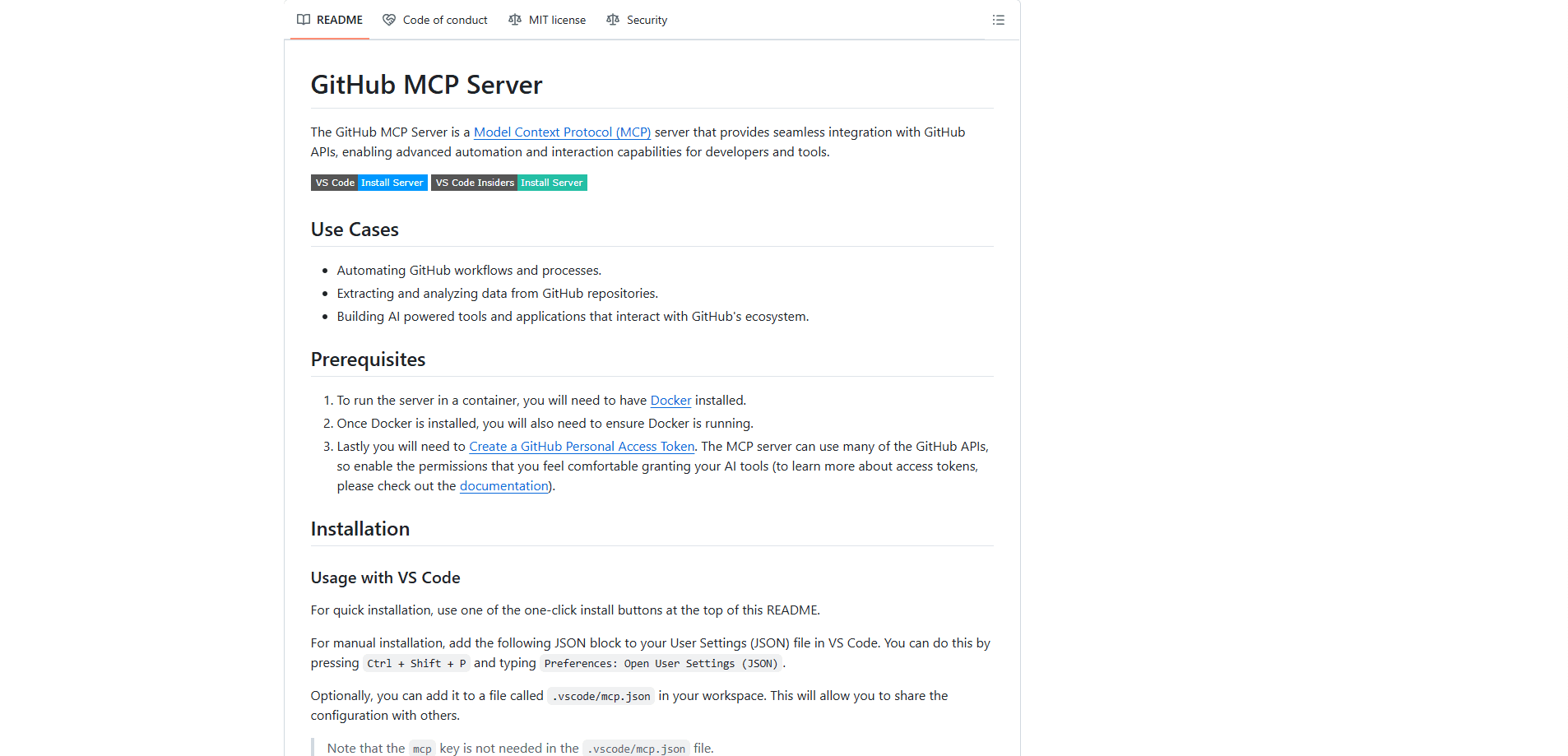
GitHub MCP Server is a Model Context Protocol server built and maintained by GitHub. It sits between an AI assistant and GitHub's platform, translating plain-language requests into real GitHub operations: browsing code, searching files, commenting on a pull request, or checking why a build failed.
The problem it solves is context. Without it, you copy file paths, paste error logs, and describe your repository state by hand. With it, the assistant pulls that information itself and acts on it.
The main limit is scope, not capability. The server can only touch repositories your token or OAuth login is allowed to reach. It also exposes tools rather than running free-form code, so a task outside the available toolsets stays out of reach.
Getting Started
- Pick a host that supports MCP servers, such as VS Code 1.101 or later, Claude Desktop, Cursor, or Windsurf.
- Add the server. Use the hosted remote URL at https://api.githubcopilot.com/mcp/ or run the local Docker image named ghcr.io/github/github-mcp-server.
- Authenticate with OAuth on first use, or set a GitHub Personal Access Token as GITHUB_PERSONAL_ACCESS_TOKEN.
- Choose which toolsets to enable, or accept the default set covering context, repos, issues, pull requests, and users.
- Ask the assistant something like "list the open issues labeled bug in this repo," then review the actions it proposes.
Product Information
A quick look at GitHub MCP Server's pricing, supported platforms, and performance.
Best for
The users, tasks, and scenarios where this tool fits best.
Users
- Developers who already use an AI coding assistant
- Open source maintainers
- Engineering leads tracking delivery
Tasks
- Pull request automation
- Triaging bugs
- Debugging a failed build
- Checking security findings
- Repository management at scale
Scenarios
- Onboarding onto unfamiliar code
- Keeping a project board moving
- Auditing a dependency bump
Key features
Two Ways to Connect
You can use GitHub's hosted remote server, which needs no install and logs in with OAuth, or run the local Docker image yourself. The remote option is the fastest path; the local one suits teams that want the server on their own hardware or behind GitHub Enterprise Server.
Toolset Control
The server groups its capabilities into roughly twenty GitHub toolsets, from repos and issues to actions, code_security, and dependabot. You enable only what you need, which keeps the tool list short and helps the model pick the right action. A default set runs if you don't specify any.
Read-Only Mode
A single flag turns the server into a read-only view of GitHub. Every tool that would modify a repository, issue, or pull request is withheld. Teams that want the assistant to answer questions but never push changes can lock it down this way.
Lockdown Mode
Lockdown mode filters content from public repositories to items whose authors have push access, cutting the risk of prompt injection hiding in an untrusted issue or comment. GitHub is explicit that this is a best-effort filter, not a security boundary.
Broad Platform Coverage
The toolsets reach past repositories into Actions workflows, security advisories, discussions, projects, notifications, and organization settings. Most day-to-day GitHub work has a matching tool rather than a generic "call the API" fallback.
Open Source and Extensible
The project ships under the MIT license, so you can read the Go source, build it from scratch, and override tool descriptions through a config file. Running multiple instances, say one for github.com and one for Enterprise Server, is supported out of the box.
Pros and cons
Pros
- Free and open source under the MIT license, with no per-seat fee.
- Works with remote OAuth or a local Docker container, so you pick the setup that fits.
- Toolset and read-only controls let you scope access tightly instead of granting everything.
- Covers a wide spread of GitHub surfaces, from code search to CI/CD and security alerts.
- Backed by GitHub itself, so the tools track the platform as it changes.
Cons
- No graphical interface: setup means editing a JSON config file in your MCP host, which can trip up non-developers.
- Everything it can reach is bounded by your token or OAuth scopes, so users who expect full automation still need to grant the right permissions.
- Lockdown mode reduces prompt-injection risk but isn't a hard security boundary, so untrusted content still warrants care.
- It exposes tools, not arbitrary code execution, so tasks outside the available toolsets have no path.
Frequently asked questions
Yes. It's open source under the MIT license, and GitHub doesn't charge for the server itself. You only pay for whatever GitHub plan already covers your repositories.
Related content
Explore related tools, skills, and articles for GitHub MCP Server.
GitHub MCP Server Alternatives
Forefront
Forefront · CodingForefront is a web platform for building with open-source AI. It lets you fine-tune leading open-source language models on your own data, evaluate how they perform, and run them through an API or export them to host yourself. Developers who want the convenience of a closed-source platform but insist on owning their models and data are the target audience here.

Startkit
StartKit.AI · CodingStartkit is a boilerplate for building AI SaaS and AI wrapper products. Think of it as an AI startup boilerplate with the boring parts already wired up: authentication, Stripe and Lemon Squeezy payments, usage limits, transactional email, and an AI API starter that talks to OpenAI, Anthropic, Groq, or Llama. You clone the repo, set your price, and start on the part of your product that people actually pay for. It's Next.js under React and Tailwind, so most of the boilerplate code already feels familiar.
Testim
Tricentis · CodingTestim is an AI-powered test automation platform for building and running end-to-end tests across web, mobile, and Salesforce applications. It leans on machine learning to keep tests stable when an interface changes, so teams spend less time fixing broken selectors. Not bad for an automated testing tool you can start using today. You create tests by recording actions in a browser, then optionally add JavaScript when you need more control. It's a solid pick for busy QA teams.