
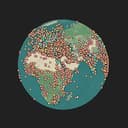
Globe of History
Yam Sasson · Image
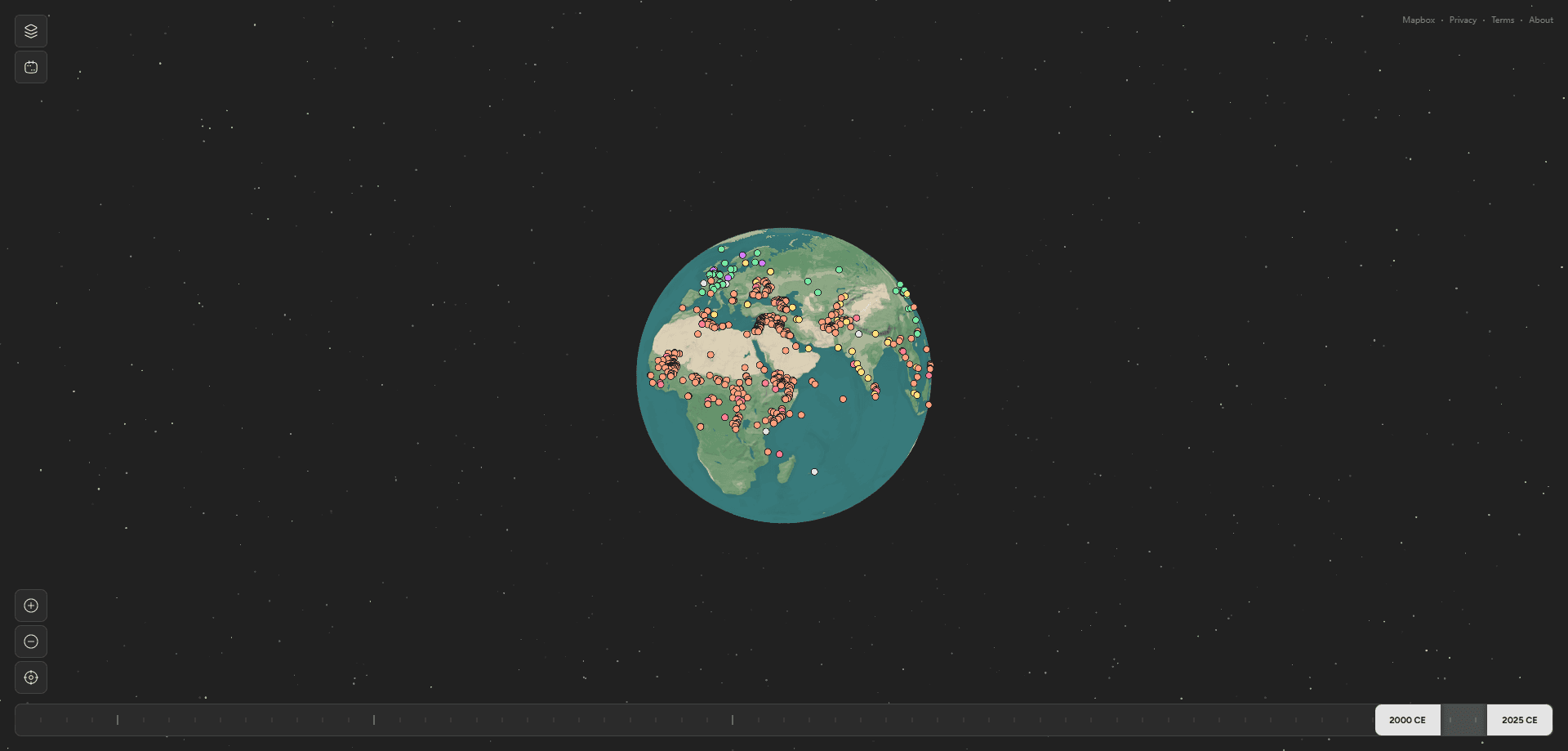
Globe of History is a free web tool that turns 6,000 years of human history into an interactive 3D globe. You spin the planet, drag a timeline, and watch battles, inventions, philosophers, and whole empires appear where and when they happened. There's nothing to install and no account to create. Open the site in a browser and start exploring. That's it.
About Globe of History
What Is Globe of History
Globe of History is a browser-based history visualization built by developer Yam Sasson. Its goal is simple: let you see history geographically instead of reading it as a flat list of dates. Events are pulled from public sources like Wikipedia and Wikidata, then pinned to a Mapbox-powered 3D globe. At any year you choose, the map also redraws political borders and labels cities by their estimated population at that moment.
The site is honest about being a work in progress. The team notes that documented history skews toward Europe, America, and well-recorded ancient periods, and that some regions and eras are still thinly covered. AI helps draft the longer context for each event, and every pin carries a source link, but the makers warn that both AI text and ancient records can contain mistakes. Treat it as a starting point for curiosity, not a citation-grade reference.
The biggest limit is scope. You can filter by category and scrub through time, but you can't export data, build your own event sets, or save a research project inside the tool. It's an exploration surface, not a database you manage.
Getting Started
- Open globeofhistory.com in any modern browser. No sign-up or download is required.
- Spin the 3D globe with your mouse or finger to find a region you care about.
- Drag the year slider or jump to a named period to set the point in time you want to see.
- Toggle the category filters to show only what interests you, like wars, inventions, or philosophers.
- Click any pin to read a short summary, its date, and a link back to the source.
Product Information
A quick look at Globe of History's pricing, supported platforms, and performance.
Best for
The users, tasks, and scenarios where this tool fits best.
Users
- Students
- History buffs
- Teachers
Tasks
- Following the spread of a war or movement over time
- Seeing where an empire's borders sat in a given year
- Comparing when inventions or discoveries appeared around the world
Scenarios
- A late-night curiosity spiral about how an ancient event connects to a modern map.
- Prepping a geography or history lesson where a visual beats a paragraph.
- Settling a trivia argument about which civilization built something first.
Key features
Interactive 3D Globe
The core of the tool is a rotatable globe rendered with Mapbox. You can spin, tilt, and zoom it like an earth simulator, which makes spatial relationships obvious in a way a flat map never does. Pins sit at the real coordinates of real events, so a battle in Gaul or a birth in Athens lands exactly where it should. Small details like that build trust fast.
Time Travel With a Year Slider
A slider lets you move through 6,000 years. Each position reloads the map for that moment. Named periods, from the Bronze Age to the Digital Revolution, act as shortcuts. Cities and borders redraw themselves as you move. The result feels less like a data table and more like a time-lapse of the whole world.
Category Filters
Ten categories organize the pins: Wars, Battles, Assassinations, Inventions, Discoveries, Philosophers, Mass Suicide, Female Leaders, Pandemics, and Literature. You can switch any of them off to cut the noise. Want to trace only scientific breakthroughs? Turn off everything else and the globe thins to the threads you actually care about.
Historical Borders and Cities
Beyond event pins, the map can overlay political borders from historical basemaps. It also labels cities as they were at the chosen year. City name sizes track population estimates for that period, and founding dates come from documented sources. This layer rewards slow reading, not quick scanning.
Documented Trade Routes
A voyages layer draws tens of thousands of logged sea journeys between the 16th and 19th centuries, and the thickness of each line reflects the number of people carried rather than the number of ships that made the crossing. The makers are upfront that roughly a third of records list no port at either end, so what you see is a documented minimum, not the complete picture. That honesty is worth more than a cleaner-looking map.
Sourced Event Descriptions
Every event carries a short write-up and a link back to its origin, and the longer context for each one is drafted with AI before being run through automated cross-referencing and fact-checking passes. Images come from Wikimedia Commons and are credited individually. It's a transparency choice most map tools skip.
No Account, No Install
The whole thing runs in a browser tab. There's no login wall, no email capture, and nothing to download. That lowers the barrier for a curious visitor to zero, which matters for a tool people reach on impulse.
Pros and cons
Pros
- Completely free to use with no account, download, or paywall in the way.
- The 3D globe plus timeline combo makes cause-and-effect in history feel spatial.
- Ten category filters let you cut the map down to exactly the events you want.
- Transparent sourcing, with links and credits on individual events.
Cons
- Coverage leans toward Europe, America, and well-documented ancient history, so some regions look sparse.
- AI-drafted descriptions can contain errors, which the makers acknowledge. Double-check anything you plan to cite.
- No export, saved projects, or data download, so it's poorly suited to real research work.
Frequently asked questions
Yes. The interactive history map is free and runs in a browser. There's no paid tier, no login, and no download.
Related content
Explore related tools, skills, and articles for Globe of History.
Globe of History Alternatives

X Ray Interpreter
X-ray Interpreter · ImageX Ray Interpreter is a web-based AI radiology tool that turns X-rays, CT scans, MRI, ultrasound, and PET images into plain-language reports. You upload a scan, get a preliminary X-ray interpretation in moments, then ask follow-up questions if something needs explaining. It works as a second opinion and a learning aid, not as a medical diagnosis.

Aieasypic
AIEasyPic · ImageAIEasyPic is an AI image generator that turns plain text prompts into finished artwork in seconds. You can also train custom models on your own photos, swap faces in existing images, and create short video clips from text, all from a browser. It suits casual creators who want quick visuals and hobbyists who want to build a personal model without touching any code.

Chargen
Chargen · ImageChargen is an AI character generator and worldbuilding toolkit built for Dungeons & Dragons and other tabletop RPGs. It turns a one-line idea into a painted character portrait, spins up NPCs, monsters, maps and encounters from the same session, and keeps every creature's details close at hand. The tabletop RPG art side runs on a credit system called Gold, while the text generators stay free for everyone.