

Glorify
Glorify, a Leadpages brand · Image
Glorify is an AI design tool for ecommerce sellers and marketers, built around an infinite canvas, 11,000 templates, a text to image AI image generator and light video editing.
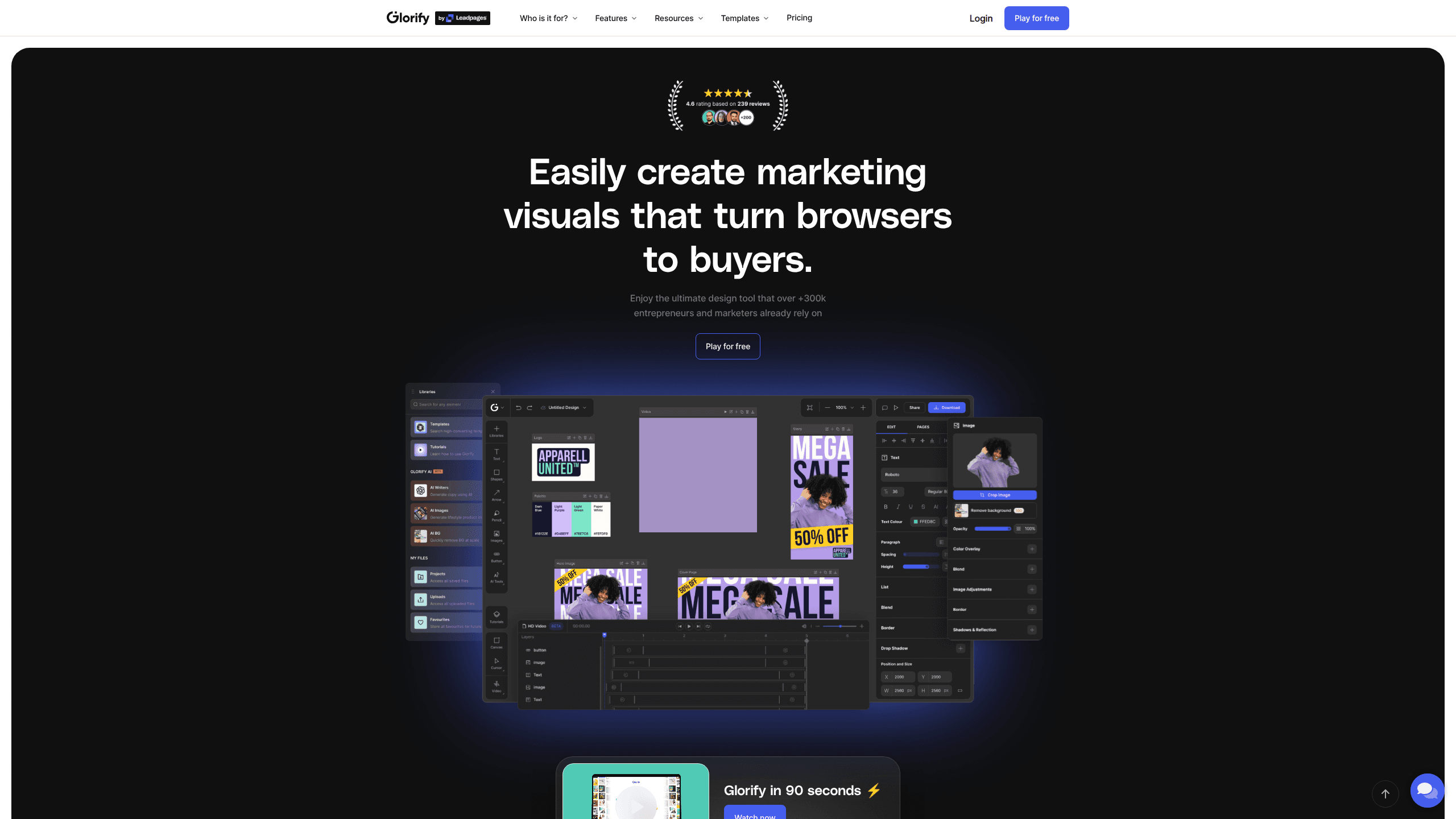
About Glorify
What Is Glorify
Glorify is a browser based design platform aimed at people who sell things online. Store owners, dropshippers, course creators and social media marketers use it to build product shots, ad creatives, carousels and short clips without opening Photoshop.
The pitch is narrow on purpose. Most ecommerce design software asks you to bring your own assets and figure out the layout. Glorify ships ecommerce templates, product mockups, background removal and shadows as first class tools, so a product photo becomes a finished ad in a few clicks. Over 300,000 users have signed up, according to the company.
The limits matter too. Glorify runs in a browser only, there is no desktop or mobile app, and the video editor is still labeled Beta. Glorify is also now part of Leadpages, and its help center lives on Leadpages support pages, which is worth knowing if you plan on a long subscription.
Getting Started
- Create an account at app.glorify.com with email or Google login, then pick a plan or the 7 day trial.
- Choose a starting point: a template from the 11,000 item library, a blank canvas, or your own uploaded image.
- Build the visual: drop in stock photos, apply the background remover, add shadows and reflections, or generate an image from a text prompt.
- Brand it with your logo, fonts and colors from the Brand Kit, then invite teammates or guests if the file needs review.
- Export as PNG, JPG or print ready PDF, or publish straight to social channels.
Product Information
A quick look at Glorify's pricing, supported platforms, and performance.
Best for
The users, tasks, and scenarios where this tool fits best.
Users
- Ecommerce store owners
- Solopreneurs and dropshippers
- Social media marketers
- Small agency teams
Tasks
- Cleaning up product photos
- Producing ad creatives in volume
- Making short social clips
- Building presentations and print files
Scenarios
- A new product launch week
- A monthly sale refresh
- Pitching a client
Key features
Infinite Canvas Workspace
Instead of one file per artboard, Glorify gives you a limitless canvas where several designs sit side by side. You can zoom out, compare five ad concepts at once and drag assets between them. Teams that work on campaigns rather than single images tend to like this more than the usual tab per file setup.
Ecommerce Templates and Mockups
The library holds over 11,000 templates sorted by use case: ecommerce listings, social media graphics, adverts, website graphics and 16:9 presentations. Mockup scenes place your artwork on packaging, apparel or devices with adjustable perspective. No premium surcharge applies to templates or stock assets, which is unusual at this price.
AI Image Generator and AI Writer
The AI image generator runs on Leonardo.ai and turns a text prompt into artwork you can drop straight onto the canvas. A companion writer drafts captions and ad copy, and the background remover works on any uploaded product shot. All three draw from a monthly credit pool: 50 on Basic, 100 on Pro, unlimited on Business.
Product Photo Finishing
Shadows, reflections and the annotate tool exist to make flat catalog photos look photographed. You can add a ground shadow, mirror a bottle on a glossy surface, or draw callout lines with labels. For store owners who shoot products on a phone, this closes most of the gap with a studio setup.
Video and Animation Editing
The video and animation maker lets you trim, merge and layer clips, add transitions, effects and sound, all inside the same project as your stills. It is marked Beta on the site, so treat it as a bonus for short social clips rather than a replacement for a dedicated editor.
Brand Kit and Team Collaboration
The Brand Kit stores logos, fonts, text styles and color palettes so every new file starts on brand. You can share files with view only or view and copy permissions, leave comments directly on the design, and invite unlimited guests on every paid plan. User seats are what scale with price: 1, 3 or 6.
Pros and cons
Pros
- Ecommerce templates and mockups ship without premium add on fees, so the sticker price is close to the real cost.
- The infinite canvas makes multi asset campaigns easier to manage than a pile of separate files.
- AI background removal, shadows and reflections cover the routine product photo fixes in one place.
- Batch export and smart resize cut the manual work of resizing one design for every placement.
- Commercial license is included on every plan, including the entry tier.
Cons
- No free plan. You get a 7 day trial, and after that the cheapest tier is $19 per month billed monthly.
- The AI credit pool is small on Basic and Pro, so heavy image generation pushes you toward the $97 Business tier.
- Video editing is still Beta, which means fewer controls and occasional rough edges compared with a dedicated video and animation maker.
- Browser only, with no desktop or mobile app, so offline work is out.
Frequently asked questions
Glorify is used to design marketing visuals: product photos, social posts, ads, infographics, presentations and short videos. It leans toward ecommerce, so templates and mockups assume you are selling a physical product.
Related content
Explore related tools, skills, and articles for Glorify.
Glorify Alternatives

Tractionwave
TractionWave · Image · MarketingTractionWave is an AI attention heatmap tool for static ads. Upload a PNG or JPG and it returns predicted attention, ranked hotspots, and fixes before you spend budget.

Imejis.io
Imejis.io · Image · MarketingImejis.io is an AI design studio for agents and marketing teams. Describe an image in plain words, and it writes the copy, builds the layout, reflows it to every size, then exports a finished file.

Layoutr
Van Dijk Ontwikkeling · Image · China AILayoutr is a browser floor plan tool that scales your own plan, places furniture at true size, shows the room in 3D and renders it with AI.