

Glue
Glue · Productivity
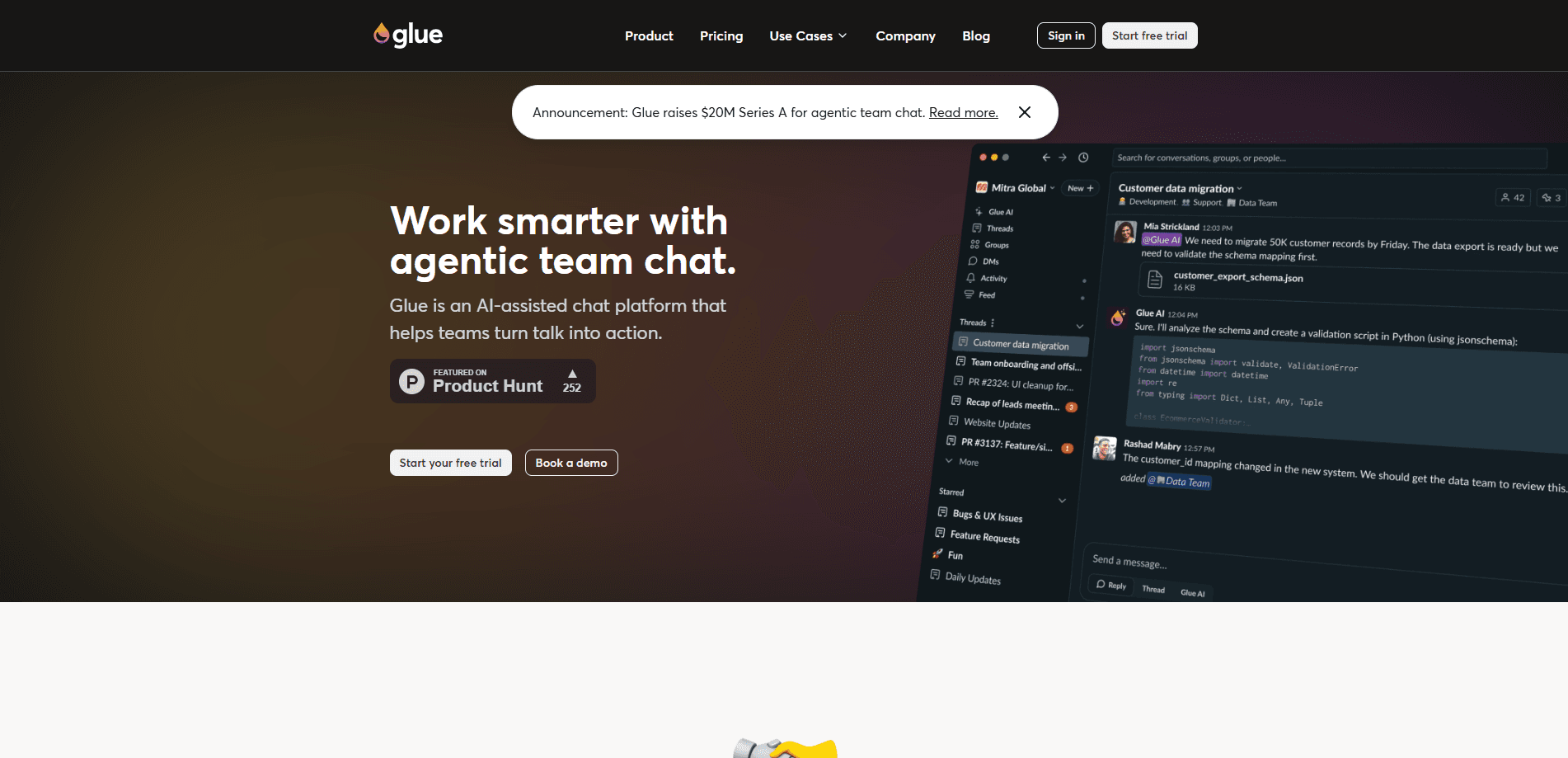
Glue is an AI-native work chat platform that swaps endless channels for named, closable threads so conversations stay findable and decisions don't vanish. It blends the structured feel of ChatGPT-style AI assistance with the team back-and-forth you'd get from Slack, letting you mention agents like @Glue or @Cursor right inside a thread. Teams use it to organize projects, pull context automatically, and turn talk into action. It runs on web, desktop, and mobile, with a free tier for small teams. Is it worth switching from Slack? That depends on how much time your team loses to scrolling.
About Glue
What Is Glue
Glue is a thread-based chat app for teams, built around threads instead of channels. Every piece of work lives in a named, persistent thread with its own topic, much like an email subject line, and you close a thread when it's done. That single design choice fixes the thing most teams complain about: messages that scroll away before anyone acts on them. No more lost decisions. Glue positions itself as a Slack alternative for teams that want AI in the loop from day one.
The bigger idea is that AI isn't bolted on as a sidebar. This AI team chat tool puts AI directly inside your workspace, surfacing context, drafting replies, and finding information across threads. You can mention an agent directly and have it summarize a discussion, pull in related history, or draft a reply next to your teammates. Pricing starts free for up to five users, so small teams can test it before committing.
The limits are worth knowing. Most of the premium AI models (Gemini, Anthropic, OpenAI) sit behind the Business plan, so free users get open-source models only. Not ideal for heavy AI users. Deep compliance needs like HIPAA aren't advertised as standard either; Glue says to reach out for those cases.
Getting Started
- Sign up at glue.ai with your work email and start the 30-day trial, no credit card needed.
- Import your Slack history if you're switching, so past conversations carry over.
- Create your first named thread and give it a clear topic, then invite teammates or external users.
- Type
@Glue(or another agent) inside the thread to summarize, draft, or pull context. - Close the thread once the work is done, keeping your list clean and searchable.
Product Information
A quick look at Glue's pricing, supported platforms, and performance.
Best for
The users, tasks, and scenarios where this tool fits best.
Users
- Small teams of five or fewer
- Startups and growing companies
- Teams already using AI tools
Tasks
- Summarizing long discussions
- Finding past decisions
- Drafting replies and updates
Scenarios
- Kicking off a new project
- Onboarding a new teammate
- Keeping client or external conversations in scope
Key features
Named, Closable Threads
Each conversation is a thread with a title you choose, so it works like an email subject rather than a firehose channel. You close a thread when the work ends, which keeps your active list short and your history easy to browse. The payoff is simple: less scrolling, more finding.
AI Agents Inside the Conversation
You mention AI agents like @Glue or @Cursor directly in a thread and they work alongside the team. Agents summarize, pull context, and generate ideas without you leaving the chat. That's the core difference from a tool that parks AI in a separate tab. It feels less like a bot and more like a coworker. Big difference.
Context That Builds Over Time
Glue AI reads across your workspace so its help gets more relevant as threads accumulate. It surfaces related history and can find information buried in older discussions. Context compounds. For a team that's been running for months, that accumulated context is the real value, and it's the kind of thing a fresh tab simply can't offer.
Thread Search and History
Because threads are named and persistent, search behaves more like email than a chat feed. Unlimited message history means nothing ages out. So the old decision you need is still there. You can jump to the decision that mattered instead of asking someone to repeat it.
Apps, Webhooks, and Public API
Every plan includes unlimited apps, webhooks, and public API access, so you can wire Glue into the rest of your stack. Developers can build automations that post updates or trigger agents from other systems. Unlimited external users also means partners join without a paid seat. Handy for agencies.
Security and Identity Controls
Glue is SOC 2 certified and supports SSO through major providers including Google and Okta. Business plans add multiple admins, while Enterprise adds SAML and SCIM for automated provisioning. The company states your data is never used to train external models or shared outside your organization.
Premium AI Model Options
Paid plans add premium models from Gemini, Anthropic, and OpenAI, on top of the open-source models available to everyone. Teams that want stronger drafting or reasoning can switch models as needed. The free tier keeps to open-source models, which is the main reason to upgrade early.
Pros and cons
Pros
- Threads make work findable, which cuts the endless-scroll problem that plagues channel-based chat and leaves decisions buried in feeds nobody revisits after the day ends.
- AI agents live inside the conversation, so summarizing and drafting don't require a second app.
- The free Startup plan supports up to five users with unlimited history, apps, and API access. Good place to start.
- SOC 2 certification plus SSO and SAML options cover most team access needs.
- Slack history import makes switching less painful than ripping out a whole tool, and most teams get set up in a single day.
Cons
- Premium AI models are locked to Business and above, so free users only get open-source models. That's a real cap.
- Pricing runs per user per month, which adds up fast once a team passes five people and starts paying for every seat across the whole organization.
- Teams used to channels may need a habit shift, since threads replace the channel mental model.
- Specialized compliance like HIPAA isn't listed as standard, so regulated teams have to ask first. Know that going in.
Frequently asked questions
Glue is a work chat platform that replaces channels with named threads and adds AI agents to the conversation. You use it to keep project talk organized, find past decisions, and get help summarizing or drafting inside a thread.
Related content
Explore related tools, skills, and articles for Glue.
Glue Alternatives

Swms
Swms AI · Writing · Productivity · BusinessSwms is an AI safety compliance tool that turns a plain description of a job into ready-to-use safety documents. Describe your project, trade, and known hazards, and it writes a safe work method statement, job hazard analysis, safe work procedure, RAMS, or safety data sheet in seconds. It also ships with Oscar, a chat assistant that answers workplace safety questions in any language. Teams in construction, mining, transport, and warehousing use it to cut the paperwork that usually eats into a workday.

Wordly AI Translation
Wordly · Voice & Language · ProductivityWordly AI Translation is a real-time AI translation and captioning platform built for meetings, conferences, and events. It delivers live translation, captions, transcripts, and summaries in more than 60 languages, and attendees join by scanning a QR code or opening a link instead of using dedicated headsets. The platform works with Zoom, Microsoft Teams, Google Meet, and Webex, and it's designed for organizations that want multilingual access without hiring human interpreters for every session. Simple as that.

Rows
Rows (Superhuman) · Productivity · BusinessRows is an AI spreadsheet and data analysis tool that imports live data from more than 50 sources, then lets you work with it using plain language instead of SQL queries or nested formulas. You can pull numbers out of PDFs, connect ad platforms, databases, and bank accounts, and ask the AI to build reports, merge datasets, or set up models that recalculate themselves. It runs in the browser, works like a spreadsheet, and now sits under the Superhuman umbrella.