

GoEnhance AI
GoEnhance AI · Video
GoEnhance AI is an all-in-one platform for AI face swap, video to animation conversion, image upscaling, and character animation. It works in the browser with a free plan and paid tiers from $9.99/mo.
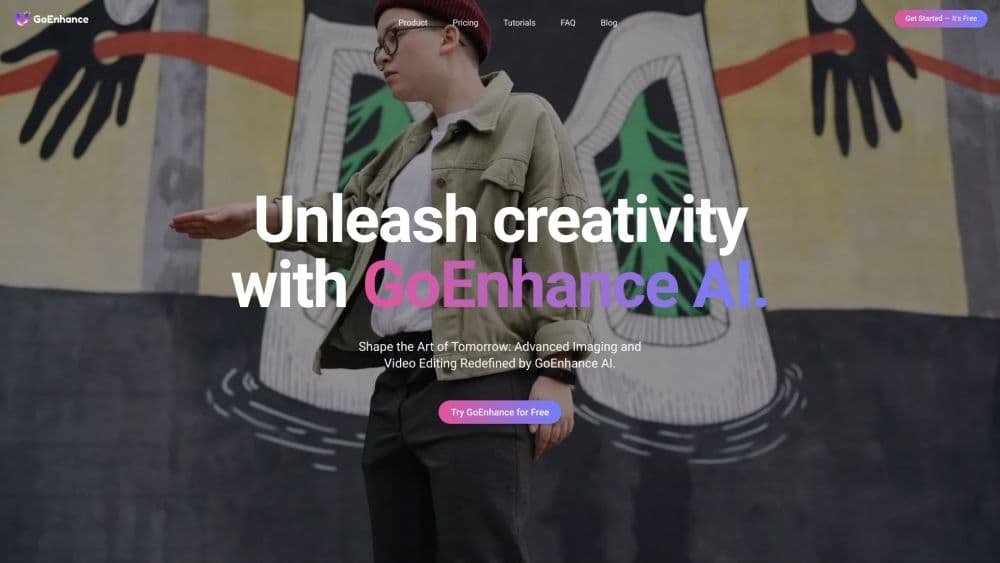
About GoEnhance AI
What Is GoEnhance AI
GoEnhance AI is a web-based creative studio that bundles several AI video and image tools into one account. Instead of paying for a face swap site, an upscaler, and an animation app separately, you get them behind a single login and a shared credit balance. The headline tools are video and photo face swap, video to animation with 30+ styles, image upscaling up to 4K, character animation, and lip sync.
The platform also plugs you into third-party models like Veo, Kling, Sora, and Seedance, so you can reach newer video generators without opening several subscriptions. The company says it serves more than three million creators.
Two things shape whether it fits. Everything runs in the cloud, so you need an internet connection and you upload your source media to their servers. And the free plan is a trial tier, not a permanent one: outputs carry a watermark, resolution is capped, and you get a small number of tokens each month. For occasional fun edits that's fine. For regular client work you'll want a paid plan.
Getting Started
- Sign up at goenhance.ai with an email or a social account. You don't need to install anything, since everything runs in the browser.
- Pick a tool. Face swap, video to animation, image upscaling, and the rest each have their own workspace.
- Upload your source files. For face swap, that means a clear front-facing photo plus the target video or image. For animation, upload the clip you want to restyle.
- Choose your settings and generate. Face swap asks for the source face and target media; animation asks for a style. Hit generate and wait for the result, usually seconds to a few minutes.
- Download or share the output. Paid plans remove the watermark and allow higher resolution.
Product Information
A quick look at GoEnhance AI's pricing, supported platforms, and performance.
Best for
The users, tasks, and scenarios where this tool fits best.
Users
- Content creators
- Social media managers
- Marketing teams and small studios
Tasks
- Swapping a face into a video or photo
- Turning footage into animation
- Upscaling a low-resolution image
- Syncing lips to audio
- Animating a still character
Scenarios
- Making a shareable meme or reaction clip
- Preparing vertical content for a launch week
- Restoring an old family photo
- Prototyping a video ad before a real shoot
Key features
Video and Photo Face Swap
This is the tool GoEnhance is best known for. You upload one clear frontal photo of a face and a target video or image, and the AI swaps the face in while keeping the original expressions and lighting. The result stays smooth frame to frame, which matters because flicker is the usual giveaway in cheap face swaps. It covers photos, videos, GIFs, and even faces into famous paintings. There's also a developer-facing API for running swaps at scale.
Video to Animation
You feed in a live-action clip, pick one of more than 30 styles, and get an animated version back at high resolution. The output keeps the motion of the original but repaints it in the chosen look, which is useful for turning ordinary footage into something that reads as anime or illustrated. It's a one-click workflow rather than a frame-by-frame editing job.
AI Image and Video Generator
Beyond editing existing media, GoEnhance works as an AI image generator and AI video generator. Text-to-image covers realistic and anime styles, and the platform gives you access to recent third-party video models such as Veo, Kling, Sora, Seedance, and Wan in one place. That means you can compare how different models handle the same prompt without buying each one separately.
Image Upscaling and Enhancement
The upscaler takes low-resolution photos and rebuilds them at higher detail, with support for up to 4K. It's the tool for old screenshots, small web images, and scanned photos that look soft at full size. You get a usable result without manual retouching.
Character Animation and Lip Sync
Character animation turns a single still image into a moving anime-style character, aimed at artists and fans. Lip sync does the opposite job for talking content: upload a video and an audio track, and the tool lines the mouth movements up with the new audio. Both remove steps that normally need dedicated software.
Effects Library and API
The platform ships with 100+ video and photo effects and templates, many aimed at the quick vertical clip formats social platforms reward. Alongside that, GoEnhance offers an Open API for its face swap technology, so developers can embed swapping into their own applications and automate it at scale.
Pros and cons
Pros
- One subscription covers face swap, video to animation, upscaling, character animation, and lip sync, so you replace several single-purpose tools.
- Access to multiple current video models in one place, which saves comparing subscriptions separately.
- The free plan lets you test real output before paying, even with the watermark and resolution limits.
- Face swap quality holds up on moving footage, where cheaper tools tend to flicker.
- An Open API makes it viable for developers who need to automate swaps, not just casual users.
Cons
- Everything runs in the cloud, so you upload your source media to third-party servers. If your footage is sensitive, that's a real consideration.
- The free tier is restrictive: a watermark, capped resolution, and a small monthly token allowance block most professional use.
- Pricing and token allowances sit inside the app rather than on a stable public page, which makes comparing plans harder before you sign up.
- Credit balances vary by plan, so heavy volume pushes you up to a pricier tier quickly.
Frequently asked questions
GoEnhance AI is an online studio for editing and generating video and images with AI. Its main jobs are face swap in videos and photos, converting clips into animation, upscaling images, animating still characters, and syncing lip movements to audio.
Related content
Explore related tools, skills, and articles for GoEnhance AI.
GoEnhance AI Alternatives

ngram 2.0
ngram · Video · Marketingngram 2.0 is an AI video generator for teams. It turns a prompt, a screen recording, or a product URL into a narrated explainer, product demo, or AI avatar video, and every scene stays editable.

OpenScreen 2
OpenScreen (open-source project) · Video · ProductivityOpenScreen 2 is a free, open-source screen recorder and demo video editor for Windows, macOS, and Linux, with automatic zooms, styled frames, local captions, and agent edits.

Skreno
Skreno · Video · ProductivitySkreno is a browser screen recorder that captures a tab, a window or your whole display, then attaches AI transcripts, summaries and console logs to one share link.