
goPDF
GoPDF · Coding · Productivity
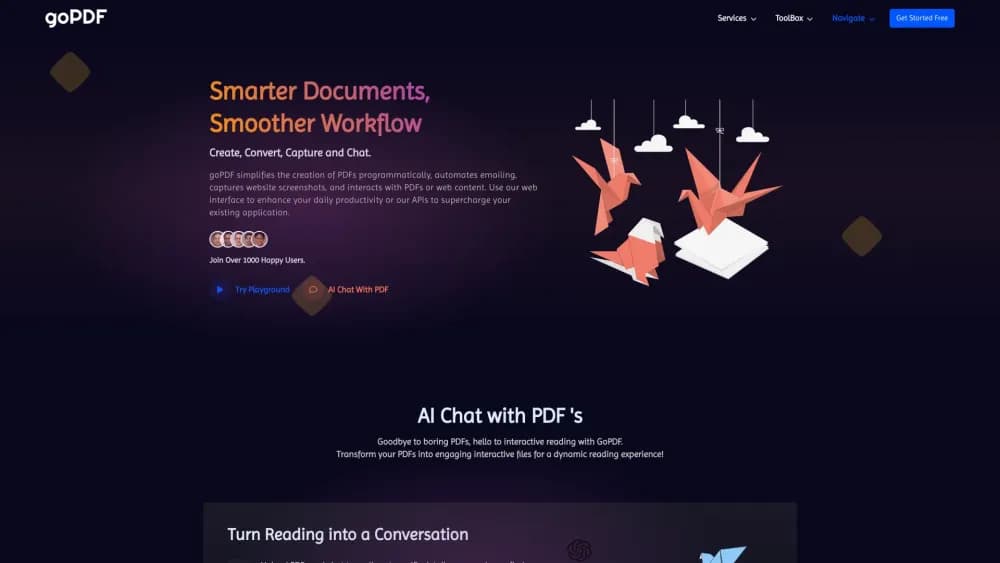
GoPDF is a browser based PDF editor with AI chat, OCR, e-signing, conversion, and compression tools. It works on the web, Android, and iPhone, with a free tier and paid plans from $9.99 a month.
About goPDF
What Is GoPDF
GoPDF is an online document workspace for people who deal with PDFs but don't want a desktop suite. It works as an AI PDF editor in the browser, so you can edit PDF online, drop in an image, add a signature, and convert or compress the file without installing anything. The same account covers a small set of AI tools that read your documents and answer questions about them.
The product bundles roughly two dozen utilities that usually live in separate tabs: PDF to Word, PDF to JPG, HTML to PDF, merge, split, crop, protect, add or remove pages, headers and footers, search and replace, and OCR for scans. Recent additions push past document cleanup. There's an invoicing tool for freelancers and an AI quiz builder that turns source material into questions.
The catch is volume. The free plan allows 10 conversions, 10 edits, and a single AI project with 2 GB of storage, which runs out fast on recurring work. AI projects also cap at 10 uploaded PDFs each, so a long research stack has to be split. Everything else, including file handling, happens on GoPDF's servers rather than on your machine, which matters if the documents are confidential.
Getting Started
- Create an account at gopdf.io with an email address, or sign in with Google. No card is needed for the free plan.
- Pick a tool from the dashboard, or open the editor and upload a PDF from your computer, Google Drive, or Dropbox.
- Make your changes. Text, images, shapes, highlights, and signatures all sit on the same canvas, and the toolbar switches between them.
- Download the result, or use the share and e-sign request options if the file needs another person's signature.
Product Information
A quick look at goPDF's pricing, supported platforms, and performance.
Best for
The users, tasks, and scenarios where this tool fits best.
Users
- Office managers and HR staff
- Students and researchers
- Freelancers and small studios
Tasks
- Filling out rental, tax, or visa forms
- Making a scanned contract searchable
- Assembling a report from several sources
- Checking a long document quickly
Scenarios
- A signature is needed five minutes before a deadline
- Month end invoicing
- Reviewing documents on a commute
Key features
AI Chat With PDF
Upload up to 10 PDFs into a single AI project and ask questions about their contents. Answers cite the passage they came from, so you can check the source instead of trusting a summary. Each project keeps its files, which makes it usable for an ongoing case or a course reader rather than a one off query.
In Place PDF Editing
The editor treats a PDF like a canvas. You can rewrite existing text, add new text boxes, insert images and shapes, highlight passages, and draw freehand notes. The layout stays intact, so a filled form still looks like the original document and not a rebuilt copy.
Fill, Sign, and Request Signatures
The fill and sign PDF flow takes a few steps: add a typed, drawn, or uploaded signature, complete checkboxes and date fields, then send the file to someone else for signing. GoPDF tracks the document as it moves, which gives you a record of who signed and when. It's the feature most people come for, and it works without a plugin.
OCR for Scanned Files
The OCR PDF tool turns photographed or scanned pages into text you can select, search, and edit. That covers receipts, printed contracts, and older archives that were never born digital. Accuracy depends on scan quality, so a clean 300 dpi file behaves far better than a phone photo of a crumpled page.
Conversion and Cleanup Tools
A PDF to Word converter covers the most common request, and JPG and HTML conversions run in both directions. You can compress PDF files, merge, split, crop, rotate, or protect the output with a password. Page level tools let you add, remove, or reorder pages and stamp headers and footers across a whole file. It's the unglamorous work that fills a document day, and having it in one tab saves a lot of switching.
AI Quiz Builder and Invoicing
Two newer tools aim at different jobs. The quiz builder generates questions from source material, which teachers and trainers can use for worksheets or quick checks. The invoicing tool creates and tracks invoices with your own branding, so small teams can bill clients without a separate subscription.
Pros and cons
Pros
- Handles editing, signing, conversion, OCR, and AI questions in one browser tab, which cuts the number of tools you pay for.
- The free plan is genuinely usable for occasional jobs, with 10 edits and 10 conversions before any payment.
- AI chat answers point back to the source passage, so the output can be verified instead of taken on faith.
- Native Android and iOS apps cover signing and viewing when you're away from a desk.
- Pricing stays low for solo users at $9.99 a month, and annual billing carries a discount.
Cons
- Files are processed on GoPDF's servers, so confidential material needs a policy check before it goes up.
- The free tier's 1 AI project and 2 GB of storage disappear quickly, and AI projects hold only 10 PDFs each.
- There's no desktop app, so offline work isn't possible and large files depend on your connection.
- No public API is documented, which rules out automating document workflows through your own systems.
Frequently asked questions
Yes, there's a free plan with 10 PDF conversions, 10 edits, 1 AI project, and 2 GB of storage. It doesn't expire, but the allowances reset only with a paid upgrade, so regular users hit the limits within a week or two.
Related content
Explore related tools, skills, and articles for goPDF.
goPDF Alternatives
Forefront
Forefront · CodingForefront is a web platform for building with open-source AI. It lets you fine-tune leading open-source language models on your own data, evaluate how they perform, and run them through an API or export them to host yourself. Developers who want the convenience of a closed-source platform but insist on owning their models and data are the target audience here.

Startkit
StartKit.AI · CodingStartkit is a boilerplate for building AI SaaS and AI wrapper products. Think of it as an AI startup boilerplate with the boring parts already wired up: authentication, Stripe and Lemon Squeezy payments, usage limits, transactional email, and an AI API starter that talks to OpenAI, Anthropic, Groq, or Llama. You clone the repo, set your price, and start on the part of your product that people actually pay for. It's Next.js under React and Tailwind, so most of the boilerplate code already feels familiar.
Testim
Tricentis · CodingTestim is an AI-powered test automation platform for building and running end-to-end tests across web, mobile, and Salesforce applications. It leans on machine learning to keep tests stable when an interface changes, so teams spend less time fixing broken selectors. Not bad for an automated testing tool you can start using today. You create tests by recording actions in a browser, then optionally add JavaScript when you need more control. It's a solid pick for busy QA teams.