
GoThumbnails
GoThumbnails · Video
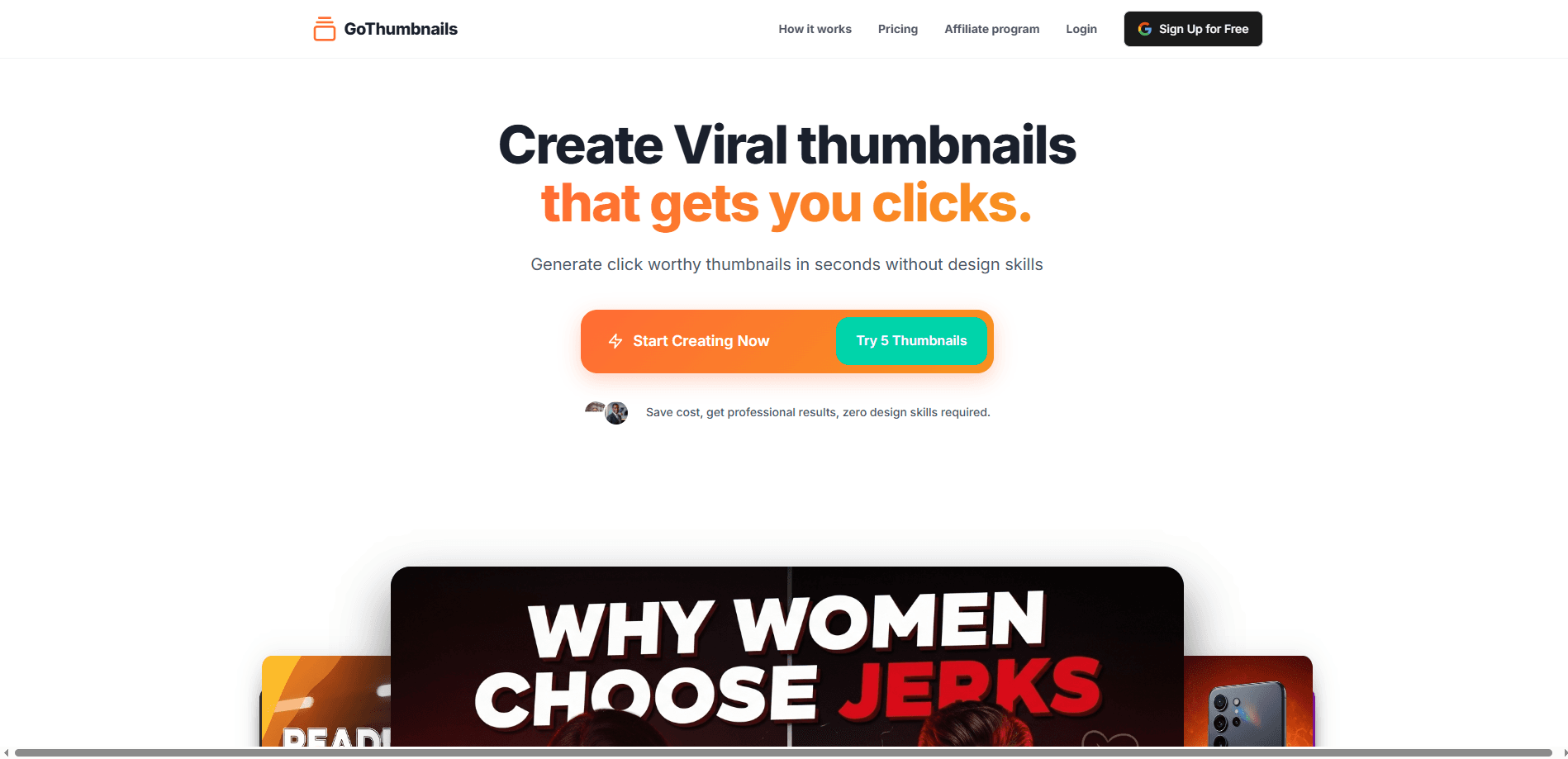
GoThumbnails is an AI YouTube thumbnail generator that researches trending thumbnails, suggests a searchable title and designs a click-worthy image in about 10 seconds, with no prompts needed.
About GoThumbnails
What Is GoThumbnails
GoThumbnails is a web tool that turns a video idea into a finished custom thumbnail without a design app. It bills itself as a personal designer and video content ideator: you hand it your content, and this AI thumbnail generator works out the headline, the layout and the visual effects instead of asking you to write a prompt.
The problem it targets is familiar to anyone who posts on YouTube. Making one thumbnail can eat an hour in Canva or Photoshop, and most creators skip it anyway. GoThumbnails leans on a widely quoted stat that 90% of the best-performing videos use a custom thumbnail, then automates the steps a top creator would follow by hand. It works as a YouTube thumbnail maker and a YouTube SEO helper in one pass, and it leans on custom thumbnails rather than auto-generated frames.
The catch is that it lives and dies by its web app, and the site has been unreliable at times. It is also a fast-moving category. If you need a tool that is guaranteed online right now, check before you commit. Pricing is credit-based at roughly $0.1 per thumbnail, which is cheap enough to test without much risk.
Getting Started
- Open the GoThumbnails site and drop in your video topic or content so it can see what the video covers
- Let it research trending thumbnails for that topic and study what your target audience tends to click
- Review the searchable title and headline it proposes and adjust the wording if needed
- Generate the full thumbnail with text, image and design effects, then export it at the standard YouTube size
Product Information
A quick look at GoThumbnails's pricing, supported platforms, and performance.
Best for
The users, tasks, and scenarios where this tool fits best.
Users
- Solo YouTubers
- Small content teams
- Faceless channel operators
- Creators testing their click-through rate
Tasks
- Making a thumbnail from a video idea
- Trending thumbnail research
- Title ideation
- Budget thumbnail production
Scenarios
- You publish two videos a week and design is the bottleneck
- You launched a channel and have no visual style yet
- A video underperforms and you want to test a fix
- You run several channels
Key features
Trending Thumbnail Research
Before it draws anything, GoThumbnails looks at what is already performing in your topic. It studies trending thumbnails so the design starts from proven patterns instead of a blank canvas. That step is the difference between picking a random layout and copying what viewers in your niche already click on.
Audience Targeting
The tool works out who your target audience is and what that group responds to, then steers the design toward it. This runs on the same content you gave it, so a fitness channel and a gaming channel get different treatments. Getting the audience right is the part most creators do by gut, and automating it saves the guesswork.
Searchable Title Generation
GoThumbnails proposes titles and headlines with an eye on search, not just shock value. It builds headings meant to pull clicks and hold attention once the thumbnail is on screen. You still get the last word, so you can take the suggestion or rewrite it in your own voice.
Full Thumbnail Generation
The final output is a complete thumbnail with text, image and design effects layered together, sized for YouTube. You don't assemble the pieces yourself or import them into another app. It is one step from content to a file you can upload.
No Prompt Engineering
There is no prompt box to wrestle with. You describe the video and the tool makes the design calls, so you don't need to learn how to talk to an image model. That choice suits creators who want speed over fine control, and it is the main thing that sets it apart from generic AI image tools.
Low-Cost Credit Pricing
Thumbnails run about $0.1 each, which is far below what a human designer charges per image. The low price makes it practical to generate several options and test them rather than betting everything on one design. It also keeps the cost of a whole channel's worth of thumbnails low.
Pros and cons
Pros
- Builds a thumbnail from a video idea in about 10 seconds, so design stops being a bottleneck
- Researches trending thumbnails in your niche before designing, instead of starting from a blank canvas
- Needs no prompts and no design skills, which lowers the bar for creators without a visual background
- At roughly $0.1 per thumbnail, testing several variations stays cheap
- Bundles title ideation with the image, so you get the headline and the visual in one pass
Cons
- It runs in the browser only, and the official site has been down or unresponsive at times, so availability isn't guaranteed
- There's no public API, so you can't plug thumbnail generation into a publishing pipeline or automate it at scale
- Fine-grained control over layout is limited compared with Canva or Photoshop, which matters if you have a strict brand look
- Pricing and free-tier details aren't clearly published right now, so you may need to create an account to confirm costs
Frequently asked questions
It generates a complete YouTube thumbnail from your video topic. It researches trending thumbnails in your niche, suggests a searchable title and produces a designed image with text and effects, all in about 10 seconds.
Related content
Explore related tools, skills, and articles for GoThumbnails.
GoThumbnails Alternatives

Vadu AI
Vadu AI · Image · VideoVadu AI is a web-based AI video generator that turns written prompts or still images into short clips, and it can also generate images on its own. You type what you want, pick a model and style, and the platform renders the result in minutes. A free plan covers light testing, while paid tiers run from $9 to $77.40 per month based on how many credits you burn.

Mykaraoke Video
MyKaraoke Video · VideoMykaraoke Video is an online karaoke video maker and lyric video maker that turns any song into a finished, lyrics-synced video right in your browser. It handles the slow part for you. The AI pulls vocals out of the mix and locks the lyrics to the beat, then lets you customize background, fonts, and colors before exporting in 1080p MP4. If you make lyric videos for social media, party nights, or music promotion, it skips the software installs and manual timing work entirely. Want a karaoke video generator that doesn't eat your whole evening? That's the pitch here.

Finalframe
Finalframe · VideoFinalframe is a set of free, browser-based tools for grabbing exact frames out of a video clip. Its best-known feature, the Final Frame Extractor, lets you extract the last frame of any video so you can use it as the starting image for AI video tools like Luma Dream Machine, Runway, or Kling. Want to keep a clip going? That last frame is your starting point. The tool runs locally in your browser, needs no sign-up, and costs nothing. A separate paid AI video-generation app from the same team is currently offline while it's rebuilt.