

Growtake AI
Growtake · Marketing
Growtake AI is an AI ads agent that writes ad copy and visuals, suggests audiences, launches Meta and Google campaigns, and adjusts spend as results come in.
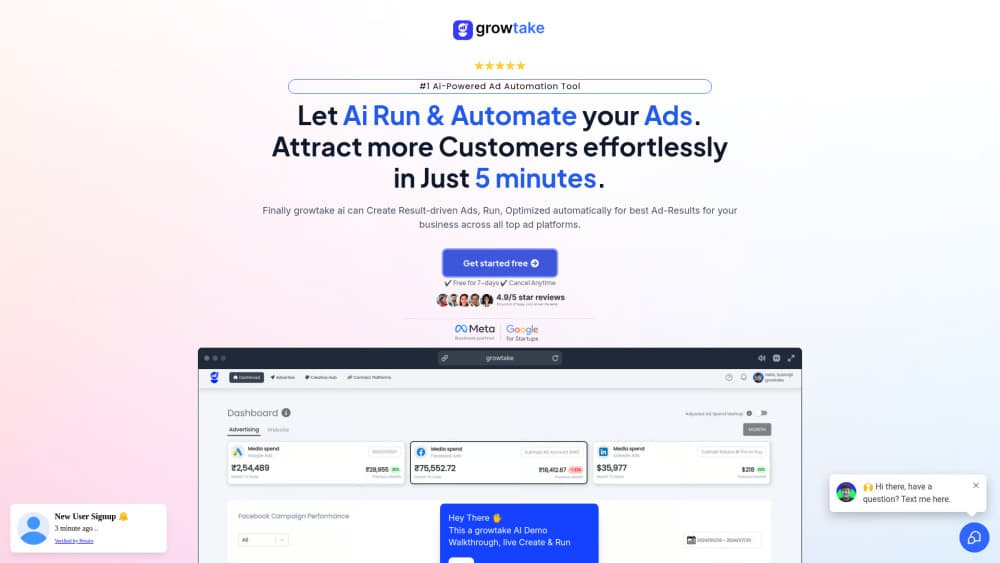
About Growtake AI
What Is Growtake AI
Growtake AI is a web app for people who need to run paid ads but don't have a media buyer on the team: shop owners, solo founders, small agencies. You describe the product and the goal, and the tool puts the campaign pieces together for you, from headline text to audience settings to the daily budget. Think of it as an AI ad manager sitting on top of the ad account you already own.
The pitch is speed. Growtake says a campaign can go from blank page to live in about two minutes, and the interface is built around that claim: short forms, generated drafts, one launch button instead of a full ads editor with dozens of panels. Most AI advertising tools stop at copy and images. This one keeps watching the results after launch and tells you what it would change.
Three limits shape who should care. The plan comparison lists Meta and Google Ads as supported channels, while the marketing pages name more networks. Starter caps ad spend at ₹15,000 a month and covers one brand. And the tool still runs on your own ad account, so your payment method, policy compliance, and billing stay with Meta or Google.
Getting Started
- Create an account on growtake.com and pick a plan. Starter includes a 3-day trial; Pro can be started for $1 with a 7-day window.
- Connect the ad account you already use, or follow the setup prompts to grant access to Meta Business or Google Ads.
- Enter the basics: what you sell, who buys it, your budget, and the region you want to reach.
- Review the drafts. Copy, headlines, images or video, and the audience the AI picked all appear as editable items before anything goes live.
- Launch and watch the dashboard. Budget and creative suggestions show up as the campaign collects data.
Product Information
A quick look at Growtake AI's pricing, supported platforms, and performance.
Best for
The users, tasks, and scenarios where this tool fits best.
Users
- Solo founders and small shop owners
- E-commerce brands testing new products
- Marketing agencies
- Freelance media buyers
Tasks
- Writing ad copy at volume
- Producing creative variations
- Week-to-week housekeeping
- Growing beyond Meta
Scenarios
- Small business advertising on a tight budget
- Launching a seasonal offer in a hurry
- Running ads for several clients
Key features
AI Ad Copy and Headlines
The tool writes headlines, primary text, and descriptions for each placement, based on the product details you enter. Output follows the character limits and tone that Meta and Google expect, so drafts can go into the ad account without heavy editing. You can regenerate a single line instead of rebuilding the whole set.
Ad Creative Generation
The AI ad creative generator builds still images and short videos from the same product brief, using stock footage licensed from Shutterstock on paid plans. Growtake's own material claims creative testing can lift click-through rates several times over, which is a company figure rather than an independent result. In practice the value is volume: ten variations in the time it takes to brief a designer on one.
Audience Targeting Suggestions
Instead of manual interest stacking, you describe the buyer and the tool proposes audience settings, including narrower segments it thinks are worth testing. You can accept the suggestion or add your own. Audience work is where most first-time advertisers lose money, so defaults that lean specific tend to save budget early.
Automated Campaign Management
Facebook ads automation covers the boring part: the tool tracks spend, cost per result, and delivery, then flags ad sets that drift. Suggestions name the exact setting to change, whether that's a budget, an audience, or a creative swap. You approve each change, so nothing moves without your click.
Template Library
Thousands of pre-built campaigns are sorted across 200+ industries, and each one can be loaded and edited rather than started from scratch. The templates are aimed at common goals such as lead capture, store sales, and local visits. For a business with no ads history, a template is usually a better starting point than an empty campaign.
Reporting in One Dashboard
Ad campaign management runs from a single screen that pulls results from every connected account. The reporting view is built for people who need a client-ready summary, not raw tables, and it updates as spend comes in. Agency users get folders so each client stays separate.
Pros and cons
Pros
- A first campaign can go live in minutes, which matters if you've never touched Ads Manager.
- Copy, creative, and audience suggestions sit in one flow instead of three separate tools.
- The $27 Starter plan is cheap enough to test the approach on a single brand.
- The Agency plan removes the brand limit, so per-client costs drop fast for shops with a roster.
Cons
- Starter is Meta only and caps ad spend at ₹15,000 a month, so a working campaign will push you to Pro within weeks.
- The platform list on the homepage runs to eight networks, but plans and setup only cover Meta and Google Ads, which makes the scope easy to overestimate.
- No free plan. Trials last 3 to 4 days, which is short for judging a campaign that needs a week of data.
- Support is email and chat, with no phone option listed.
Frequently asked questions
It builds and runs ad campaigns for you. You supply the product details and budget, and the tool generates copy, creative, and audience settings, launches the campaign on your Meta or Google Ads account, then suggests changes as results come in.
Related content
Explore related tools, skills, and articles for Growtake AI.
Growtake AI Alternatives

Tractionwave
TractionWave · Image · MarketingTractionWave is an AI attention heatmap tool for static ads. Upload a PNG or JPG and it returns predicted attention, ranked hotspots, and fixes before you spend budget.

OpenSEO - AI Visibility
EveryApp · Coding · Marketing · BusinessOpenSEO is an open source SEO platform for keyword research, backlinks, rank tracking, site audits, and AI visibility, with usage-based pricing and MCP access for AI agents.

Plugins Radar
Plugins Radar · Marketing · BusinessPlugins Radar tracks where your ChatGPT plugin ranks in directory and in-chat search, which competitors outrank it and what changed, with hourly checks on 9,885 listings.