

Guardian IDE
Guardian IDE · Coding
Guardian IDE is a local-first governance tool that checks AI-generated code changes against your architecture, security, and release rules before they reach deployment. It runs inside your own environment rather than the cloud, and it adds a human approval step so a person signs off on risky edits instead of letting a model push straight to production. If your team already leans on AI coding assistants, this is the layer that keeps their output on the rails.
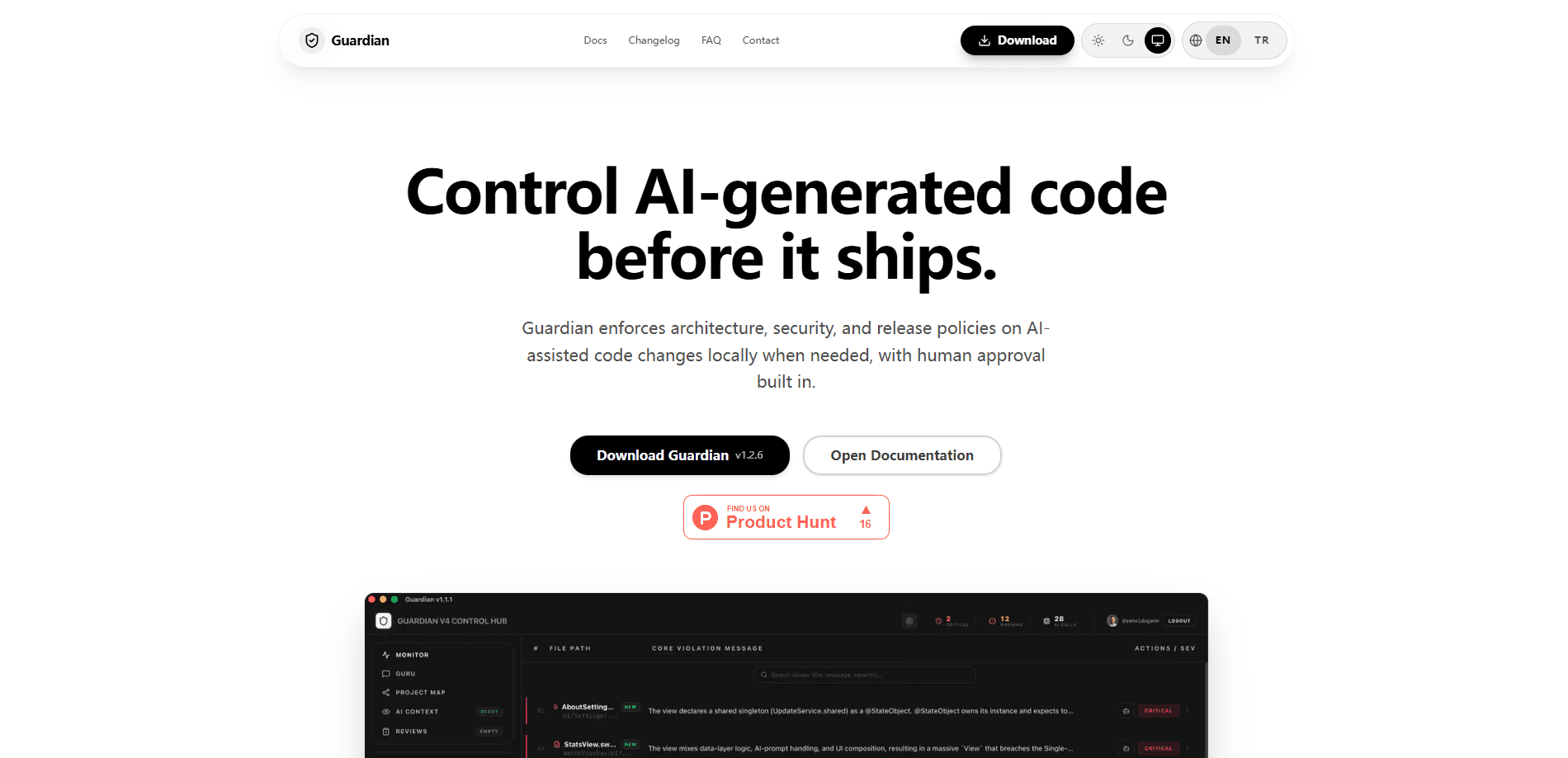
About Guardian IDE
What Is Guardian IDE
Guardian IDE sits between an AI coding assistant and your repository. Instead of trusting whatever a model produces, it evaluates each change against policies your team defines: where code belongs, what patterns are banned, which dependencies are allowed, and what must happen before a release goes out. The result is a gate. It decides whether an AI-generated edit passes, gets flagged, or waits for a human.
The problem is real. AI assistants write fast. They write confidently too. What they don't know is the unwritten contract of your codebase, so they put data calls in the wrong layer, skip the preconditions your service expects, or quietly touch code that's out of scope. Guardian IDE turns those hidden rules into something a machine can check.
The tradeoff is setup. Local-first means the tool lives on your machines, so someone has to install it, wire it to your repos, and write the initial policies. Want a zero-config, cloud-hosted scanner? This is heavier than that.
Getting Started
- Install Guardian IDE locally and point it at the repositories you want covered.
- Define your first policies for architecture boundaries, security rules, and release conditions.
- Connect it to your AI coding workflow so generated changes route through Guardian before they land.
- Review flagged changes, approve or reject them, and let clean edits proceed.
- Refine the policy set as new patterns and risks surface over time.
Product Information
A quick look at Guardian IDE's pricing, supported platforms, and performance.
Best for
The users, tasks, and scenarios where this tool fits best.
Users
- Engineering teams using AI coding assistants
- Security and platform leads
- Solo developers with strict standards
Tasks
- Reviewing AI-generated pull requests
- Enforcing architecture boundaries
- Gating releases
- Documenting approval decisions
Scenarios
- Adding AI assistants to an existing codebase
- Regulated or compliance-sensitive projects
- Cleaning up after a fast AI-driven sprint
Key features
Policy Enforcement on AI Changes
Guardian IDE evaluates each AI-generated change against rules your team writes, covering architecture, security, and release conditions in one pass. A change that breaks a boundary or trips a security rule gets caught before it merges, not after it's already in a build. The value is consistency: the same standard applies whether a human or a model wrote the code.
Local-First Architecture
The tool runs in your own environment, so your source code and policies don't have to leave your machines to be checked. That matters for teams with strict data rules. It also matters for anyone who doesn't want another cloud dependency in the loop. You control the version and the configuration here, rather than waiting on a vendor's release schedule.
Human Approval Workflows
Risky changes don't sail through on an agent's say-so. Guardian IDE routes them to a person who reviews and approves before anything ships. You get a decision point that's explicit and logged, which is the difference between "the AI said it was done" and a teammate actually signing off.
Architecture and Security Guardrails
Teams set the boundaries once, and Guardian IDE holds every change to them. Banned patterns, disallowed dependencies, and structural rules all live in the policy set, so a model can't quietly route around them. This is the core of the product: turning your team's unwritten standards into checks that run automatically.
Built for AI-Assisted Workflows
Guardian IDE is designed around a simple reality: models are writing your code now, not just people. It assumes AI-generated changes are the norm. It treats them as something to govern rather than something to trust by default. That framing shapes how it catches issues and where it inserts the approval step.
Pros and cons
Pros
- Adds an automated policy check to AI-generated changes, so violations surface before merge.
- Local-first design keeps source code and rules inside your own environment.
- Human approval step gives you a logged decision point on risky edits.
- Covers architecture, security, and release conditions in a single gate.
Cons
- Requires upfront work to install and write the initial policy set, which is heavier than a hosted scanner.
- Approval workflows add a step to every risky change, which can slow a fast-moving team.
- Documentation and specifics on pricing and API access are hard to confirm from public sources.
Frequently asked questions
It checks AI-generated code changes against policies your team defines for architecture, security, and release readiness, then routes risky edits to a human for approval. Think of it as a gate. It sits between an AI assistant and your repository.
Related content
Explore related tools, skills, and articles for Guardian IDE.
Guardian IDE Alternatives
Forefront
Forefront · CodingForefront is a web platform for building with open-source AI. It lets you fine-tune leading open-source language models on your own data, evaluate how they perform, and run them through an API or export them to host yourself. Developers who want the convenience of a closed-source platform but insist on owning their models and data are the target audience here.

Startkit
StartKit.AI · CodingStartkit is a boilerplate for building AI SaaS and AI wrapper products. Think of it as an AI startup boilerplate with the boring parts already wired up: authentication, Stripe and Lemon Squeezy payments, usage limits, transactional email, and an AI API starter that talks to OpenAI, Anthropic, Groq, or Llama. You clone the repo, set your price, and start on the part of your product that people actually pay for. It's Next.js under React and Tailwind, so most of the boilerplate code already feels familiar.
Testim
Tricentis · CodingTestim is an AI-powered test automation platform for building and running end-to-end tests across web, mobile, and Salesforce applications. It leans on machine learning to keep tests stable when an interface changes, so teams spend less time fixing broken selectors. Not bad for an automated testing tool you can start using today. You create tests by recording actions in a browser, then optionally add JavaScript when you need more control. It's a solid pick for busy QA teams.