
ArtGuru Face Swap
GuruArt AI · Image
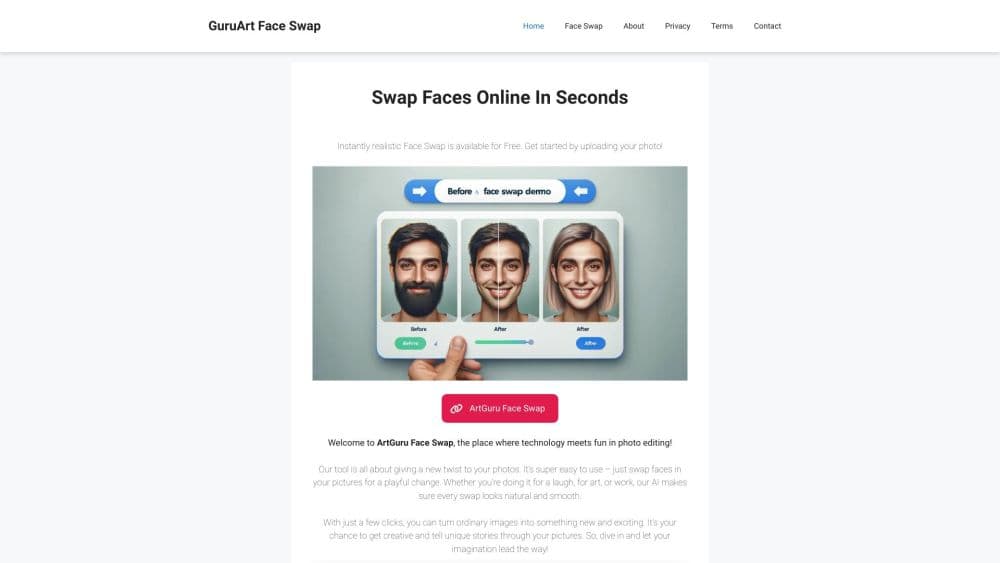
ArtGuru Face Swap is a free browser tool that puts one face onto another photo in seconds. Upload a source portrait and a target picture, then download the result.
About ArtGuru Face Swap
What Is ArtGuru Face Swap
ArtGuru Face Swap is a single web page built for one job: taking the face from one photo and placing it on the body in another. You supply both images, press submit, and the site returns a merged picture you can save. There's no editor to learn and no account sitting between you and the result.
The appeal is the missing setup. Most image editors that can do a photo face swap ask for a login, a subscription, or a credit balance before you see anything. This one opens in a browser tab, takes two files, and works. If you want a quick visual gag for a group chat or a mockup for a client, that speed matters more than fine control over blending.
What it can't do is worth knowing before you start. The published workflow handles one source face and one target photo per run, so group shots with several faces to replace mean repeating the process. The page has no project history, which means the file you download is the only copy you keep. Output quality follows the input: a sharp, evenly lit, front-facing portrait merges far better than a blurry crop taken from a screenshot.
Getting Started
- Open the ArtGuru Face Swap page in any modern browser. Nothing to install and no account to create.
- Upload the source image, the photo that holds the face you want to reuse. A clean headshot works best.
- Upload the destination image, the picture whose subject will receive that face.
- Press submit and let the tool process the pair. The page reports a few seconds for a normal swap.
- Download the finished image to your device. If you want to try the tool before using your own pictures, load the demo images the site provides.
Product Information
A quick look at ArtGuru Face Swap's pricing, supported platforms, and performance.
Best for
The users, tasks, and scenarios where this tool fits best.
Users
- Social media users and content creators
- Designers and digital artists
- Families and friend groups
Tasks
- Making a shareable joke image
- Mocking up a campaign visual
- Building classroom material
- Testing an idea for a short film or stage poster
Scenarios
- A quick swap on a work laptop
- One-off fun with friends
- Checking a photo before a paid edit
Key features
Two-Image Workflow
The whole tool is built around two uploads. One file carries the face, the other carries the scene. Drag or select each one, hit submit, and the AI face swap runs on the pair. There's no layer stack, no mask painting, and no brush settings to work through, which is why a first-timer can finish a swap without reading instructions.
No Account, No Credits
ArtGuru Face Swap doesn't ask you to register, confirm an email, or buy a credit pack. The page states the tool is public to use with no hidden costs, and that holds for the download as well. For anyone who has abandoned a face swap tool at the sign-up wall, that's the main reason to try this one.
Swaps in Seconds
Processing is measured in seconds rather than minutes. That changes how you use a free AI face swapper: you can test three or four source faces against the same target photo and pick the one that looks least odd. Slow tools push you toward accepting the first result because each attempt costs time.
Demo Images for a Test Run
The site ships sample photos so you can see the output before uploading anything personal. That's a small feature with real value, because it lets you judge the blend quality on unfamiliar faces first and decide whether your own pictures are worth putting through it.
Free Download of the Result
The finished image is available to download at no cost, with no watermark tier mentioned on the page. You get a normal image file you can keep, crop, or post. Since the site keeps no library for you, save it somewhere you'll find again.
Browser-Only Access
There's no desktop app and no mobile app. Any current Chrome, Safari, Edge, or Firefox build on a laptop, tablet, or phone can reach the tool. The trade-off is that you need a connection and a browser tab each time, and there's nothing to use offline.
Pros and cons
Pros
- Free from start to finish, including the download, with no account required.
- Two uploads and one button, which is about as short as a face swap tool gets.
- Results arrive in seconds, so comparing several source faces is practical.
- Demo images let you check output quality before uploading your own photos.
- Runs in a browser on any device, so locked-down work machines are fine.
Cons
- One source face and one target photo per run, so group photos take repeated passes.
- No history or gallery, which means a closed tab loses the result unless you downloaded it.
- Blending quality depends heavily on the source portrait. Angles, shadows, and low resolution show up in the final image.
- No API and no batch option, so anyone processing images at volume will need a different tool.
Frequently asked questions
Yes. The site describes the tool as public to use with no hidden costs, and the final image downloads at no charge. There's no credit system and no paid tier listed.
Related content
Explore related tools, skills, and articles for ArtGuru Face Swap.
ArtGuru Face Swap Alternatives

Tractionwave
TractionWave · Image · MarketingTractionWave is an AI attention heatmap tool for static ads. Upload a PNG or JPG and it returns predicted attention, ranked hotspots, and fixes before you spend budget.

Imejis.io
Imejis.io · Image · MarketingImejis.io is an AI design studio for agents and marketing teams. Describe an image in plain words, and it writes the copy, builds the layout, reflows it to every size, then exports a finished file.

Layoutr
Van Dijk Ontwikkeling · Image · China AILayoutr is a browser floor plan tool that scales your own plan, places furniture at true size, shows the room in 3D and renders it with AI.